

PC gaming offers the richest and most diverse experience, but with game titles scattered across multiple stores and platforms, knowing the top 10 game launchers becomes important for making the right choice and ensuring a smooth, organized gaming experience. Whether you are looking for a store to buy the latest releases or a tool to unify your digital library in one place, game launchers on Windows and other operating systems play a key role in managing your device and improving its performance. Rumman Net Rummannet presents the most important software and platforms every gamer needs, from core stores to open-source library organizers, to help you enjoy your favorite games without technical issues.
What are the best 10 PC game launchers?
If you are looking for a fast and effective way to organize your device, the following list includes elite game launchers that blend official stores with smart aggregation tools. They give you access to thousands of games, communication tools, and performance enhancement capabilities to run games on Windows efficiently for 2026.
- Steam.
- GOG Galaxy.
- Epic Games Launcher.
- Battle.net.
- Playnite.
- LaunchBox.
- Ubisoft Connect.
- Lutris.
- EA App.
- Heroic Games Launcher.
Steam
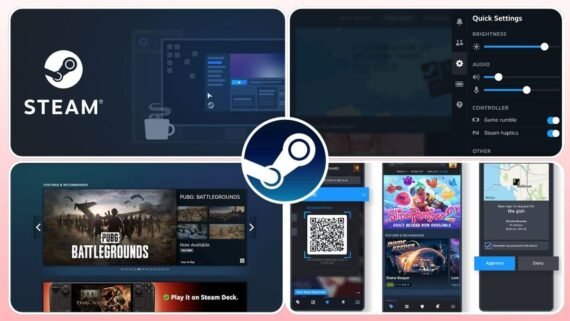
Steam is unquestionably the biggest giant in the world of digital gaming and the standard platform against which performance is measured. Valve’s store offers an integrated experience that goes beyond being just a store, it is a massive community with a Workshop for mods, a marketplace for item trading, and a strong protection system that made it one of the most important game launchers.
- It stands out with broad support for different operating systems and the “Remote Play” feature to stream games to other devices.
- Steam software includes the largest PC game library in the world.
- It provides cloud saves and full controller support (Controllers).
- It includes community forums and a very reliable review system.
| Program name | Steam |
|---|---|
| Main function | Digital store and a comprehensive social gaming platform |
| Supported operating systems | Windows / Mac / Linux |
| License type and price | Free (games are paid and free) |
| Interface difficulty level | Medium (packed with features) |
| Target audience | All players (from hobbyists to professionals) |
| Download link | Download Steam |
GOG Galaxy

GOG Galaxy 2.0 was designed by CD Projekt to solve the problem of fragmented game libraries. The killer feature of this app is its ability to connect your accounts from other platforms (such as Steam, Epic, and PlayStation) into one elegant interface. In addition, the GOG store is committed to selling games without digital rights management (DRM-Free), which means you truly own the game and do not need a constant internet connection to run it.
- Ability to merge all your game libraries and friends in one place.
- It offers the “Rollback” feature to return to previous versions of a game if problems occur.
- Relatively lightweight and respects user privacy.
| Program name | GOG Galaxy |
|---|---|
| Main function | All-in-one library manager and DRM-Free game store |
| Supported operating systems | Windows / Mac |
| License type and price | Completely free |
| Interface difficulty level | Easy for beginners |
| Target audience | Game collectors and classic fans |
| Download link | Download GOG Galaxy |
Epic Games Launcher
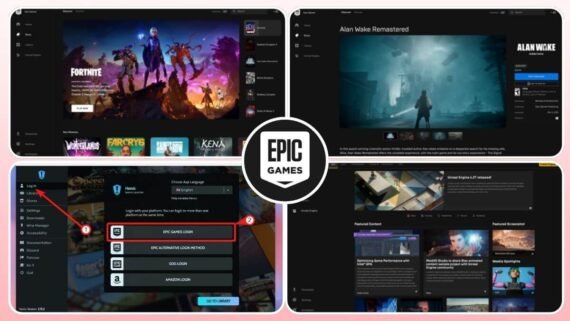
Epic Games gained wide popularity thanks to its generous policy of giving away free games weekly, sometimes including major AAA titles. Epic Games is the exclusive gateway for running famous games like Fortnite and the Unreal Engine development engine. Although its interface is simpler than Steam and lacks some deep social features, it is an excellent budget-friendly choice for players and offers very strong discounts.
- It offers high-quality free games every Thursday.
- A simple, tidy interface focused on large game images.
- Supports quick sign-in through multiple accounts.
| Program name | Epic Games Launcher |
|---|---|
| Main function | Digital game store and development engine |
| Supported operating systems | Windows / Mac |
| License type and price | Free |
| Interface difficulty level | Easy for beginners |
| Target audience | Deal hunters and game developers |
| Download link | Download Epic Games Launcher |
Battle.net
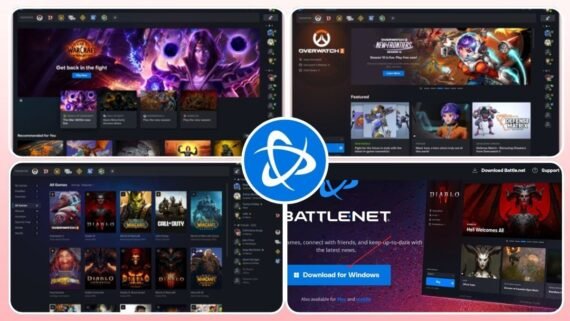
If you are a fan of Blizzard or Activision games, the Battle.net launcher is your destination. This launcher is distinguished by a very high level of polish and technical stability, which earned it a spot among the top 10 game launchers.
- It focuses on delivering quality for specific games such as Call of Duty, World of Warcraft, and Overwatch.
- It offers strong social features for voice and text chat between friends within Blizzard’s gaming network.
- A very elegant, easy-to-use design focused on news and content.
- Fast, stable automatic updates for supported games.
- High security features to protect accounts (Authenticator).
| Program name | Battle.net (Battle net) |
|---|---|
| Main function | Exclusive launcher for Blizzard and Activision games |
| Supported operating systems | Windows / Mac |
| License type and price | Free |
| Interface difficulty level | Very easy |
| Target audience | Fans of Blizzard games and Call of Duty |
| Download link | Download Battle net |
Playnite
Playnite is a hidden gem in the world of library management software. It is an open-source project that aims to provide a unified interface for all your games, whether installed through other stores or emulators. It is very light on system resources and does not consume RAM, and it fully supports themes and add-ons. It is the ideal solution for anyone who wants a clean interface that gathers everything without needing to keep multiple programs running in the background.
- Automatically imports games from all stores and emulators.
- “Full Screen” mode similar to consoles for controller use.
- Very fast and does not affect game performance.
| Program name | Playnite |
|---|---|
| Main function | Open-source, comprehensive game library manager |
| Supported operating systems | Windows / Linux (soon) |
| License type and price | Free and open source |
| Interface difficulty level | Medium (highly customizable) |
| Target audience | Organizers and emulator users |
| Download link | Download Playnite |
LaunchBox

LaunchBox started as a front-end for the DOSBox emulator, then evolved into one of the most beautiful and powerful programs for organizing game databases and emulators (Emulators).
- It focuses heavily on visuals by automatically downloading cover art, game info, and background music.
- It is considered the first choice for anyone building a home “arcade” machine thanks to the “Big Box” mode available in the paid version.
- Organizes and displays game and emulator libraries in an artistic, attractive way.
- A huge database to fetch game metadata.
- A strong free version, plus a paid version for home theater features.
| Program name | LaunchBox |
|---|---|
| Main function | Frontend for emulators and games |
| Supported operating systems | Windows / Android |
| License type and price | Free / Paid (lifetime or annual license) |
| Interface difficulty level | Medium to advanced |
| Target audience | Retro and arcade game fans |
| Download link | Download LaunchBox |
Ubisoft Connect
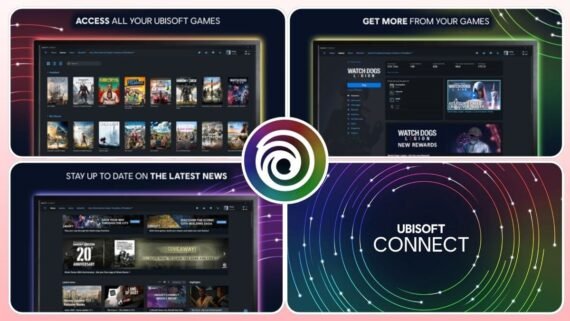
Ubisoft Connect is the evolution of the former Uplay platform, the ecosystem for running Ubisoft games like Assassin’s Creed and Far Cry. What sets this platform apart is the unique “Units” rewards system, where you can earn points by playing and redeem them for in-game content or even real discounts on your next purchases.
- Supports cross-progression between different platforms.
- A loyalty and rewards system that gives you free items and discounts.
- Lets you transfer save files between PC and consoles.
- An interface that shows detailed play stats and game news.
| Program name | Ubisoft Connect |
|---|---|
| Main function | Game launcher and social service for Ubisoft games |
| Supported operating systems | Windows |
| License type and price | Free (with +Ubisoft subscription service) |
| Interface difficulty level | Easy |
| Target audience | Fans of Ubisoft game series |
| Download link | Download Ubisoft Connect |
Lutris
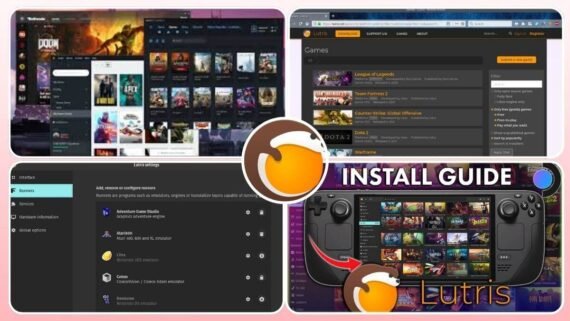
For Linux users, Lutris is the rescue and magic solution for running games. It is an open-source platform aimed at preserving games and making them run smoothly on Linux using compatibility layers like Wine and Proton.
- Provides ready-made scripts written by the community to install and set up complex games with one click, removing the hassle of manual configuration.
- Unifies running games from different stores (Steam, GOG, Humble) on Linux.
- Smart automatic installation for games that need special settings.
- Supports a wide range of emulators and legacy operating systems.
| Program name | Lutris |
|---|---|
| Main function | Open-source gaming platform for Linux |
| Supported operating systems | Linux |
| License type and price | Free and open source |
| Interface difficulty level | Medium (needs basic Linux knowledge) |
| Target audience | Linux users and Steam Deck users |
| Download link | Download Lutris |
EA App
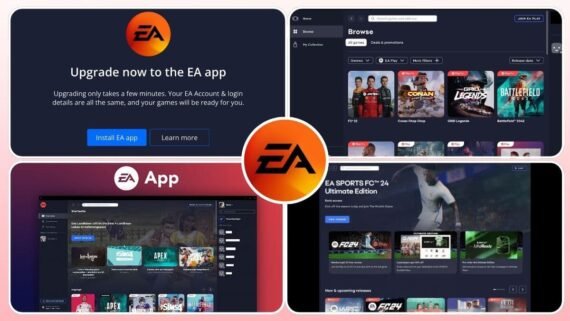
EA App arrived as a modern, faster replacement for the old Origin program, becoming the official destination for Electronic Arts games like FIFA (FC), The Sims, and Apex Legends. The app was built to be lighter and more responsive, with deep integration with Xbox Game Pass for PC. It focuses on easy access to games and connecting with friends, with features to manage play time for families.
- Much faster and lighter than Origin.
- Integrates smoothly with EA Play and Game Pass subscriptions.
- Allows downloading games in the background while you use the app.
| Program name | EA (EA App) |
|---|---|
| Main function | Next-generation EA game launcher |
| Supported operating systems | Windows / Mac |
| License type and price | Free (with an EA Play subscription option) |
| Interface difficulty level | Easy and modern |
| Target audience | Players of FIFA, The Sims, and Battlefield |
| Download link | Download EA App |
Heroic Games Launcher
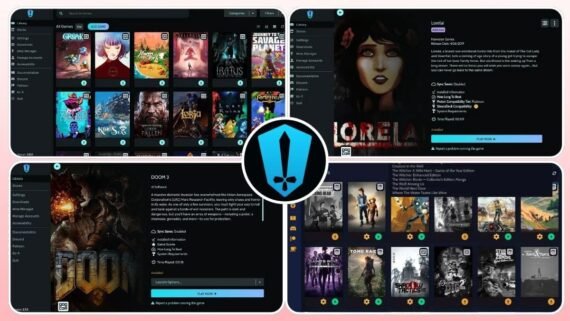
If you are looking for a lightweight, open-source alternative to run Epic Games and GOG games, Heroic Games Launcher is the best choice, especially for Linux users and Steam Deck devices.
- Offers high privacy and does not consume device resources.
- Lets you access your Epic and GOG library without the ads and heavy interfaces found in official apps, with excellent support for compatibility tools.
- An excellent, lightweight alternative to the official Epic Games app.
- Supports cloud saves and runs efficiently on Steam Deck.
- A clean interface free of tracking and annoying ads.
| Program name | Heroic Games Launcher (Heroic Games) |
|---|---|
| Main function | Unofficial launcher for the Epic and GOG stores |
| Supported operating systems | Windows / Linux / Mac |
| License type and price | Free and open source |
| Interface difficulty level | Medium |
| Target audience | Steam Deck users and privacy seekers |
| Download link | Download Heroic Games Launcher |
How to improve game launcher performance on your device
To get a stutter-free gaming experience, it is not enough to just install the program, you need to manage it smartly. In 2026, most launchers use a portion of RAM to run in the background.
- The most important step is disabling the “auto-start when Windows boots” feature for all programs you do not use daily.
- It is preferable to disable “Hardware Acceleration” in the interface settings for programs like Steam and Discord if your device is weak, because it consumes GPU resources.
- Always make sure to enable security features like two-factor authentication (2FA) to protect your digital library from theft, it is your real investment.
How do you choose the right game launcher?
You may feel confused with so many options, so here is a simplified guide to help you decide based on your real need:
- By device resources:
If your device is old or has limited specs, avoid running multiple stores at the same time. Use a lightweight aggregator like Playnite or Heroic to manage your games without consuming memory.
- By player type:
- The budget player: Focus on Epic Games Launcher to get weekly giveaways, and Steam during major sale seasons.
- The social player: Steam and Battle.net are best for communication and co-op play with friends.
- The classics lover: GOG Galaxy is your safe haven for old games that run on modern systems without DRM issues.
- Linux/Steam Deck user: You cannot do without Lutris and Heroic Games Launcher to ensure game compatibility.
What are the key differences between game launchers?
Below is a quick comparison showing the strengths and weaknesses of each platform within the top 10 game launchers for users:
| Program | Top strengths | Top weaknesses |
|---|---|---|
| Steam (Steam) | Huge library, mod support, active community | The interface may feel crowded for some |
| GOG Galaxy (GOG) | Merges all platforms, DRM-Free games | Sometimes issues linking other accounts |
| Epic Games (Epic Games) | Weekly free games, Unreal Engine | Lacks some social features (forums) |
| Battle.net (Battle.net) | High stability, Blizzard game quality | Limited to a small number of games |
| Playnite (Playnite) | Very lightweight, open source, full customization | Needs initial setup to link libraries |
| LaunchBox (LaunchBox) | Stunning visual interface, ideal for emulators | Some powerful features are paid only |
| Ubisoft Connect (Ubisoft) | Units rewards system, store discounts | Mandatory for Ubisoft games |
| Lutris (Lutris) | Best for Linux, ready install scripts | Can be complex for Linux beginners |
| EA App (EA) | Game Pass integration, fast | Still suffers from some technical bugs |
| Heroic (Heroic) | Respects privacy, great for Steam Deck | Unofficial support (features may stop suddenly) |
Practical tips for best performance:
- Stop stores you do not use from running in the background to save PC resources.
- Use a wired connection (Ethernet) when downloading large games for higher speed and stability.
- Enable “Game Mode” in Windows to improve system resource priority for games.
- Update launchers regularly to patch security vulnerabilities and get new features.
- Keep a manual backup of save files (Saves) even if the launcher supports cloud saving.
FAQ about game launchers
- Does installing many launchers slow down the PC?
Not necessarily, but running them all at the same time will consume RAM and CPU. It is recommended to open only the store you want to play from, or use an aggregator like Playnite.
- Can I move a game from Steam to Epic Games or vice versa?
No. Each store has different licensing and protection. You must buy or download the game from the platform you own it on, and you cannot transfer game files directly to work on another platform.
- What is the best program for running old games?
GOG Galaxy is best for buying and running old games compatible with Windows 10 and 11, while LaunchBox is best for organizing emulator games (Emulators).
- How can I merge all my games in one place?
Use GOG Galaxy 2.0 or Playnite, both let you connect your accounts in Steam, Epic, Xbox, and others so all your games appear in one unified library.
Choosing among the top 10 game launchers depends on the kinds of games you prefer and your device specs. If you want convenience and variety, Steam is the essential option that no PC player can do without. If you are looking to unify your scattered digital library, start by trying Playnite or GOG Galaxy. Set your priorities, and download the platform that serves your experience and makes it more fun and smoother today.