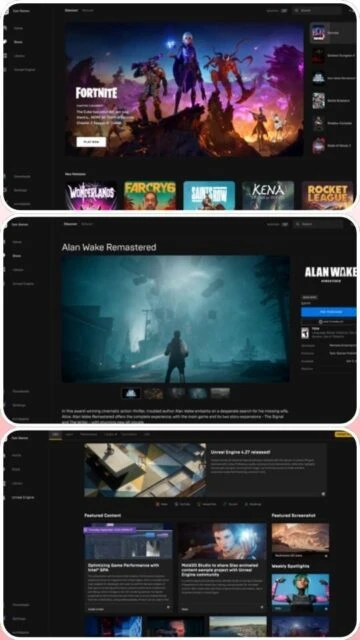
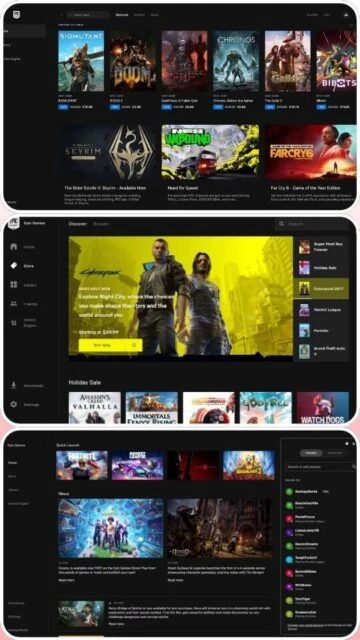
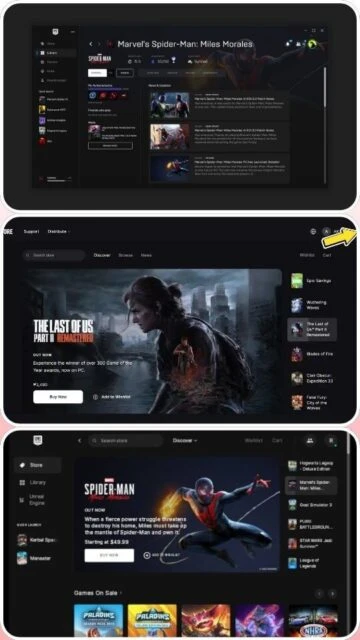
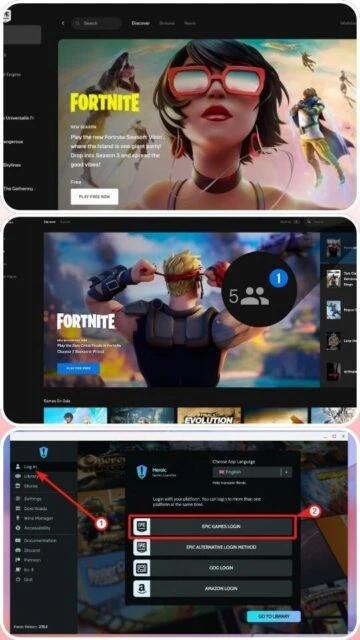
Epic Games Launcher is a free digital distribution platform developed by Epic Games that enables gamers to purchase, download, and manage their game library from a unified interface. The launcher provides access to the Epic Games Store featuring thousands of titles, exclusive weekly free games, and cloud save functionality. With seamless integration to Unreal Engine and cross-platform support, it serves both casual and professional gamers seeking modern game management solutions. The platform prioritizes player convenience through automatic updates, social connectivity features, and parental controls for family accounts.
System Requirements
Operating System:Windows 10 (64-bit), Windows 11, macOS 13.5 or higher
Free Weekly Game Giveaways: Access new premium titles every Thursday at no cost
Cloud Game Saves: Automatic cross-platform progress synchronization on all devices
Game Library Management: Organize, search, and filter games with customizable categories
One-Click Game Launching: Direct launch from library with automatic version checking
Desktop Shortcuts: Create convenient desktop icons for quick game access
Mod Integration Support: Select game mods through integrated Mod.io compatibility
Automatic Game Updates: Keeps all games current with latest patches and improvements
Cross-Platform Progression: Linked account progression across PC, Mac, mobile platforms
Parental Controls: Account-level restrictions and game access management
Social Overlay: In-game friend connectivity and messaging features
Pros & Cons
Pros
Generous weekly free game promotions with exceptional AAA titles
Superior cloud save functionality across multiple platforms
Lightweight launcher with minimal system resource consumption
Rapid download speeds and efficient patch management
Direct Unreal Engine integration benefits developers and players
No third-party launcher requirement for most games
Flexible installation directory selection
Regular free content updates and seasonal events
Cons
Significantly smaller game library compared to Steam platform
Limited to basic 1-5 star rating system without detailed reviews
Requires launcher to remain running for certain games like GTA 5
Mod support remains limited with only two games currently supported
Occasional account access and recovery issues reported by users
Higher memory consumption relative to competing launchers
Less developed social features compared to Steam community
Changelog
Version 19.0.0 (December 2025):
- Added SSE4.2 instruction set requirement for improved performance
- Enhanced overlay functionality with party management features
- Improved cloud save reliability and sync speed
- Updated system requirements for macOS compatibility
- Fixed multiple account authentication issues
- Optimized launcher startup performance
Version 18.0 (Previous):
- Original compatibility with older processors maintained
- Basic launcher features and game management
Frequently Asked Questions
How do I create a game shortcut for desktop access?
Open Epic Games Launcher, navigate to your Library, locate the desired game, click the three dots menu, select Manage, then click Create Desktop Shortcut. The shortcut will appear on your desktop immediately for convenient access.
Can I transfer my game library to another computer?
Yes, your game library is account-based and accessible from any computer where you sign in. Cloud saves automatically synchronize progress, allowing seamless continuation on different machines.
What is the difference between Epic and Steam?
Epic offers free weekly games and cloud saves, while Steam has a larger library and community reviews. Epic uses a lighter launcher with faster downloads, whereas Steam provides advanced social features and extensive modding support.
Do I need to keep the launcher open while playing?
Most Epic Games Store titles launch independently. However, some third-party games like GTA 5 require the launcher to remain running for authentication purposes during gameplay.
How do I enable two-factor authentication?
Log into your Epic Games account on the website, navigate to Account Settings, select Password & Security, enable Two-Factor Authentication using authenticator apps or SMS.
Can I play offline with Epic Games Launcher?
Yes, after initial login and game download, Epic Games allows offline play for single-player titles. Multiplayer games require active internet connection for server authentication.
What happens to my game library if I delete the launcher?
Uninstalling the launcher only removes the application. Your purchased games remain associated with your account and can be redownloaded anytime by reinstalling the launcher and logging in.
The Epic Games Launcher is a comprehensive digital distribution platform that combines game management, cloud saves, and storefront access. This guide covers installation setup, platform availability, integration options, performance optimization, and comparison with competing launchers to help users maximize their gaming library management experience.
Installation & Setup
Visit store.epicgames.com/en-US/download and click Download button
Run EpicInstaller-19.0.0.msi after download completes
Accept terms and choose installation directory
Wait for installation to complete (typically 2-5 minutes)
Launch launcher and create or sign in with Epic Games account
Customize download settings and notification preferences
Platform Availability
Platform
Support
Features
Windows 10/11 64-bit
Full Support
All features including cloud saves and game library management
macOS 13.5+
Full Support
Complete feature parity with Windows version
iOS (EU only)
Limited
Mobile app with Fortnite and Fall Guys available
Android
Full Support
Global availability with mobile game library
Integration Ecosystem
Unreal Engine – Direct integration for UE-based games with seamless launcher integration
Cloud Saves – Automatic cross-platform progress synchronization across authorized devices
Mod.io Support – Compatible with select titles like Total War: Troy for community mods
Xbox Game Pass – Potential cross-platform game library synchronization and achievements
Discord Integration – Social overlay connectivity for chat and friend management
Ctrl+Shift+O – Open Epic Games Overlay in compatible games
Ctrl+H – Access game library history
Ctrl+S – Create game desktop shortcut from library
Escape – Close overlay or exit menus
Performance Tips
Enable bandwidth limiting in Settings to prevent download interference with gaming
Disable auto-notification features to reduce memory usage and background processes
Configure chunk downloads to 3-5 for optimized stability on slower connections
Close unnecessary launcher windows and disable social overlay during gameplay
Regularly clear launcher cache from AppDataLocalEpicGamesLauncher to improve startup speed
User reviews and ratings for Epic Games Launcher
See what users think about Epic Games Launcher. Read honest reviews and ratings from real users.
4.2
★★★★★
5 reviews
Great free games, but library is small
by GamerJohn92
★★★★★
2025-11-15
Love the weekly free games and cloud saves work perfectly across my devices. Launcher is lightweight and downloads are fast. Wish they had more exclusive titles.
Solid launcher with room for improvement
by TechReviewer
★★★★★
2025-10-28
Stable performance and good free game selection. Interface is intuitive but lacks Steam's community features. Cloud saves are reliable and customer service could be better.
Disappointing account security issues
by CasualPlayer
★★★★★
2025-09-30
Had trouble recovering account without email. Free games are nice but support is lacking. Performance is decent though crashes occasionally during downloads.
Perfect for free game hunters
by BudgetGamer
★★★★★
2025-08-12
Installed purely for free games and stayed for cloud saves. Launcher runs smoother than Steam on my older machine. Mod support could expand but very happy overall.
Needs better mod and review system
by ModEnthusiast
★★★★★
2025-07-05
Good launcher fundamentals but limited compared to competition. Would rate higher if they added proper user reviews and better mod integration like Steam Workshop.
Write a Review
Epic Games Launcher Screenshots & Photos
Browse through screenshots and photos of Epic Games Launcher to see how it looks and works.
Epic Games Launcher Videos
Watch videos to see how this software works and learn about its features.