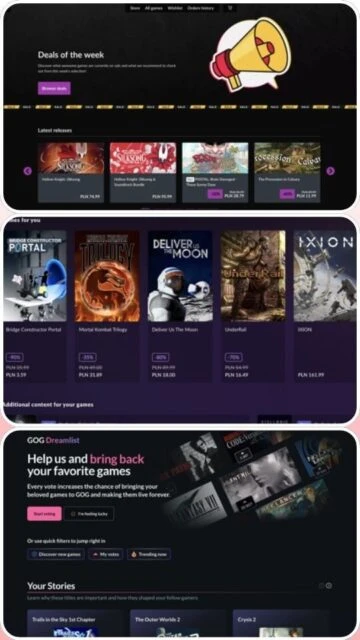
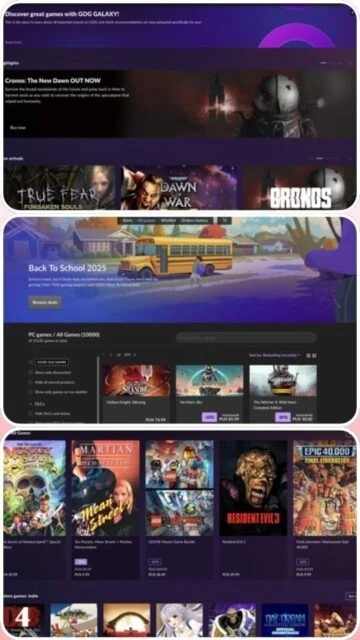
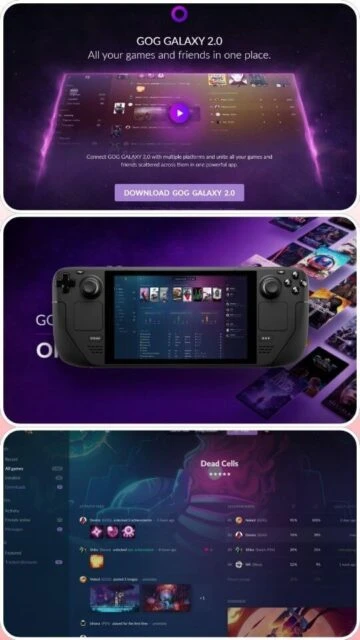
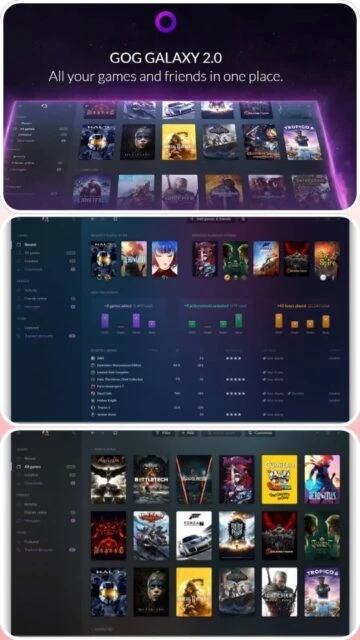
GOG Galaxy 2.0 is a unified gaming launcher that unifies games across multiple platforms including Steam, Epic Games Store, GOG.com, and others. Developed by CD Projekt Red's GOG division, it provides a single interface for managing your entire game library while tracking achievements and playtime across platforms. The application emphasizes privacy and transparency with open-source integrations.
System Requirements
Operating System:Windows 10 64-bit or macOS 10.15 or later
Processor:Intel Core i5 or equivalent
RAM:4 GB
Disk Space:500 MB available space
Additional Requirements:Internet connection for platform integration, GOG account required
Features Of GOG Galaxy 2.0
Multi-platform game library consolidation
Cross-platform achievement tracking
Unified friends list across services
Customizable library with filters and tags
Cloud save synchronization
In-game overlay for chat and achievements
Automatic game updates for supported titles
Game backup and version rollback
Community-created platform integrations
DRM-free game emphasis and support
Pros & Cons
Pros
Consolidates multiple game libraries seamlessly
Easy platform integration setup
Privacy-focused approach to user data
Free to download and use
Open-source integration system
Cross-platform friend synchronization
Beautiful modern interface design
Cons
Limited macOS and Linux support
Some integrations require beta access
Not all platforms have feature parity
Larger memory footprint than single launchers
Steam integration occasionally has sync issues
Less mature than Steam platform
Changelog
Version 2.0.91.51 (December 2025):
- Fixed achievement sync for Steam integration
- Improved library loading performance by 20%
- Added support for Xbox Game Pass PC integration
- Enhanced notification system with customization
- Fixed overlay compatibility with newer graphics drivers
- Added new library sorting options
- Improved cloud save backup stability
Frequently Asked Questions
Is GOG Galaxy 2.0 free to use?
Yes, GOG Galaxy 2.0 is completely free. You only need a free GOG account to use it. No subscription fees or premium features exist, making it accessible to all gamers.
Can I use GOG Galaxy without GOG.com account?
No, a GOG.com account is required to use GOG Galaxy 2.0. Creating an account is free and takes only a few minutes with an email address.
Which platforms does GOG Galaxy support?
GOG Galaxy integrates with Steam, Epic Games Store, GOG.com, Xbox Game Pass PC, EA Play, PlayStation Network, and more through official and community integrations.
Does GOG Galaxy spy on my gaming data?
GOG Galaxy prioritizes privacy and transparency. It only imports data from platforms you authorize, and you can remove all imported data with one click. No data is shared with third parties.
Can I play games through GOG Galaxy?
Yes, you can install and launch GOG.com games directly through Galaxy. For other platforms, it acts as a launcher that opens games installed through their respective clients.
Is GOG Galaxy available on Mac?
GOG Galaxy has limited macOS support with basic features. Full functionality with game installation is primarily on Windows. macOS support is expanding gradually.
GOG Galaxy 2.0 is a unified gaming platform that aggregates games from multiple sources into a single, customizable interface. This guide covers setup procedures, platform support, integration capabilities, feature comparisons with competitors, essential keyboard shortcuts, and strategies for optimizing application performance.
Installation & Setup
Visit www.gogalaxy.com from your web browser
Click the download button to obtain the installer
Run the GOG Galaxy installer executable
Accept license terms and choose installation location
Complete the installation wizard
Launch GOG Galaxy and create or login with GOG account
Connect your gaming platforms to import your game libraries
Platform Availability
Platform
Support
Features
Windows 10/11 64-bit
Full
All features, platform integration, cloud sync
macOS 10.15+
Limited
Library view, basic features, no game installation
Linux
Experimental
Community support, partial compatibility
Mobile Apps
Planned
Library access from phone or tablet
Integration Ecosystem
Steam – Import entire Steam library and achievements
Epic Games Store – Sync game library with achievements
Limit number of active platform integrations to reduce memory usage
Clear cache regularly through settings menu
Disable auto-sync features if experiencing slowdowns
Organize library into custom tags and folders for faster navigation
Update to latest stable version to ensure optimal performance
Disable achievement tracking for rarely-played games
User reviews and ratings for GOG Galaxy 2.0
See what users think about GOG Galaxy 2.0. Read honest reviews and ratings from real users.
4.3
★★★★★
4 reviews
Excellent unified launcher for serious gamers
by GameCollector42
★★★★★
2025-12-05
GOG Galaxy 2.0 is revolutionary! Finally, all my games in one place. The achievement tracking across platforms is amazing. Love the privacy-focused approach and open integrations.
Great concept with some integration hiccups
by OrganizedGamer
★★★★★
2025-11-18
GOG Galaxy is fantastic for managing multiple libraries. Steam integration works well most of the time. Interface is beautiful and intuitive. Occasional sync delays but overall outstanding.
Impressive launcher with room for improvement
by CrossPlatformFan
★★★★★
2025-10-30
Love the unified interface and privacy commitment. Achievement tracking across platforms is useful. Would be perfect with better macOS support and more stable Epic Games integration.
Good alternative to single platform launchers
by CasualPlayer
★★★★★
2025-09-25
GOG Galaxy does what it promises but feels less polished than Steam. Good for collection management. Some features still in beta. Worth trying for library consolidation needs.
Write a Review
GOG Galaxy 2.0 Screenshots & Photos
Browse through screenshots and photos of GOG Galaxy 2.0 to see how it looks and works.
GOG Galaxy 2.0 Videos
Watch videos to see how this software works and learn about its features.

 73
73