

Document writing apps are digital programs dedicated to creating, editing, and formatting text files professionally. They allow users to prepare various documents easily, with support for cloud storage, collaborative work, and compatibility with different devices, making them essential tools for study, work, and modern office productivity.
What Are Document Writing Apps
Document writing apps are programs specifically designed to create and edit text documents in multiple formats. They provide users with professional tools to organize content and prepare it in an attractive and structured way. These apps allow working on documents online or offline, with support for collaborative editing among multiple users in real time. They also offer automatic cloud saving options, ensuring easy access to files from any device and maintaining permanent backups of important documents.
Top 10 Document Writing Apps:
- Google Docs – Google Docs
- Microsoft Word – Microsoft Word
- WPS Office – WPS Office
- LibreOffice Writer – LibreOffice Writer
- Zoho Writer – Zoho Writer
- OnlyOffice – OnlyOffice
- Quip – Quip
- Polaris Office – Polaris Office
- AndrOpen Office – AndrOpen Office
- OfficeSuite (OfficeSuite)
Google Docs (Google Docs)
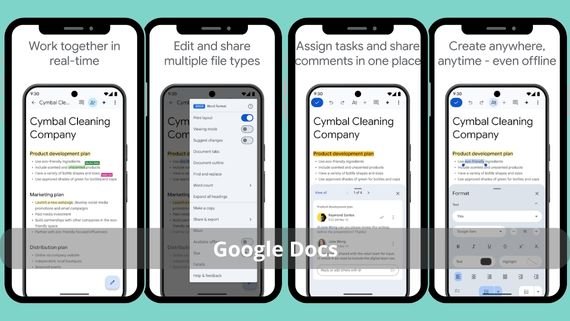
Google Docs is a professional cloud-based app for creating and editing documents with full support for real-time collaboration among team members. The app features a simple and easy-to-use interface with the ability to access documents from any internet-connected device. Below are the key features of the app:
- Advanced collaborative editing support allowing multiple users to work on the same document simultaneously
- Automatic saving of documents to Google Drive with access from anywhere
- Full support for the Arabic language with advanced spelling and grammar correction tools
- Advanced collaboration tools including comments, reviews, and suggestions
- Advanced mathematical equation editor with the ability to add images, tables, and charts
- Complete version history with the ability to revert to any previous version of the document
- Ability to add add-ons and extensions to increase app functionality
- Support for live document broadcasting with real-time presentations
📝 Create and edit your documents easily with Google Docs now!
Microsoft Word (Microsoft Word)
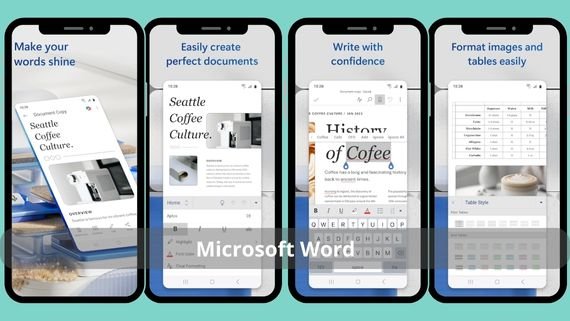
Microsoft Word is the gold standard in the world of word processing. It offers advanced professional editing tools with comprehensive support for various file types. The app is distinguished by its ability to create complex documents with advanced formatting styles and full integration with Microsoft 365 cloud services. Below are the key features of the app:
- A wide range of professional ready-made templates for use in various fields
- Advanced editing tools including track changes, reviews, and comments
- Full support for creating long documents with indexes and bibliographic references
- Mail merge capability to create personalized documents for multiple recipients
- Advanced design tools including shapes, charts, and artificial intelligence
- Full integration with Microsoft 365 services with cloud synchronization
- Advanced PDF editing tools with the ability to convert between different formats
- Full support for the Arabic language with specialized text editing tools
- Ability to add add-ons and extensions to increase app functionality
📄 Write and edit your documents professionally with Microsoft Word now!
WPS Office (WPS Office)
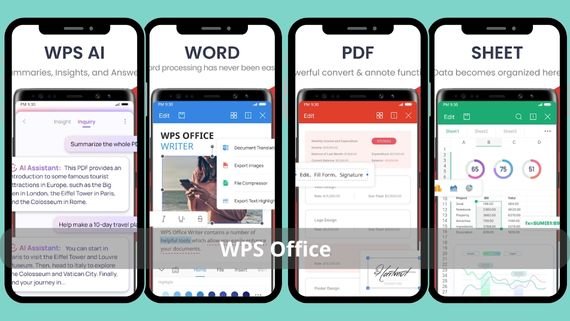
WPS Office is a complete free office suite that includes a powerful word processor supporting all Microsoft Office file formats. WPS Office features an easy-to-use interface with multiple professional templates, cloud storage features, and team collaboration. Below are the key features of the app:
- Completely free with access to all essential features without payment
- Full support for all Office file formats with the ability to convert between different formats
- Integrated PDF editor with the ability to edit, convert, and annotate PDF files
- Eye-friendly reading mode with night mode to reduce eye strain
- Advanced collaboration tools with sharing and collaborative editing
- Modern and customizable user interface with theme switching
- Cloud storage support with synchronization across multiple devices
- Offline work capability with automatic synchronization upon reconnecting
📚 Create and edit documents, spreadsheets, and PDF files easily with WPS Office now!
LibreOffice Writer (LibreOffice Writer)
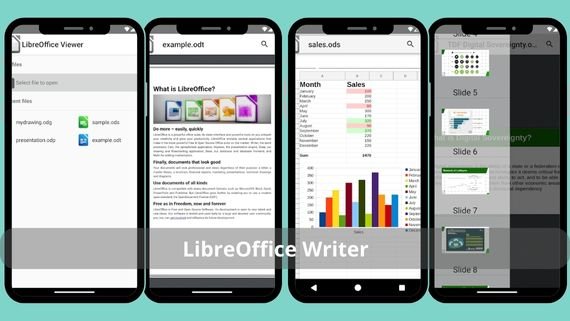
LibreOffice Writer is an open-source word processor that provides advanced professional editing tools at no cost. The app supports a wide range of file formats with the ability to export documents directly to PDF and strong features for creating long documents. Below are the key features of the app:
- Completely free and open source with no ads or in-app purchases
- Advanced tools for creating long documents with indexes and automatic tables of contents
- Integrated bibliographic database with reference and source management
- Advanced formatting tools including columns, text frames, and advanced styles
- Ability to create interactive forms with fillable fields, buttons, and selection options
- Support for add-ons and extensions to increase app functionality
- Fully customizable user interface with adjustable menus and tools
- Document comparison tools with change tracking and reviews
📄 Open and read Office files easily with LibreOffice Viewer now!
Zoho Writer (Zoho Writer)
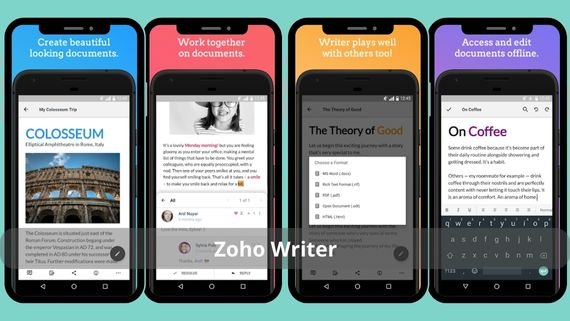
Zoho Writer is an advanced cloud-based word processor that offers a clean writing experience with smart editing tools. The app features focus mode that removes all distractions and advanced collaboration features such as voice comments and smart review. Below are the key features of the app:
- Advanced focus mode that removes all distracting elements and helps concentrate on writing
- Integrated digital signature with the ability to sign documents electronically
- Fillable interactive forms with the ability to create surveys and complex forms
- Smart spelling and grammar correction with improvement suggestions during writing
- Advanced publishing preview to see the final document layout before printing
- Interactive voice comments with the ability to add audio notes instead of text
- Custom CSS styles with full control over document appearance
- Multiple emojis with the ability to add personal touches to documents
- Integration with other Zoho services with cross-app synchronization
- Advanced export tools with the ability to publish documents directly to various platforms
📝 Write and edit your documents easily with Zoho Writer now!
OnlyOffice (OnlyOffice)
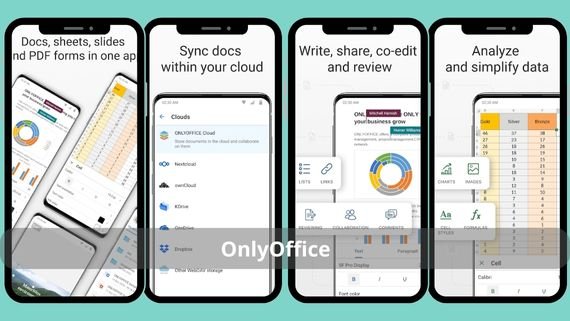
OnlyOffice is a professional office suite that offers an advanced word processor with full support for Microsoft Office formats. The app features a desktop-like interface with professional editing tools and integration with various cloud storage platforms. Below are the key features of the app:
- Full compatibility with Microsoft Office formats with seamless file opening and saving
- Advanced integration with cloud storage platforms such as Nextcloud and ownCloud
- Advanced review and comment tools with change tracking and version comparison
- Advanced mathematical equations with an integrated equation editor supporting complex symbols
- Smart charts and shapes with the ability to create complex graphs
- Desktop-style user interface with customizable menus and tools
- Advanced collaboration tools with real-time co-editing
- Support for add-ons and extensions to increase app functionality
📄 Create and edit your documents and spreadsheets easily with ONLYOFFICE Documents now!
Quip (Quip)

Quip is a collaborative work platform that combines word processing, spreadsheets, and chat in one place. The app is designed to facilitate teamwork, allowing members to work on documents together and discuss them in real time, with the ability to create task lists and track progress. Below are the key features of the app:
- Integrated chat for discussing documents directly within the app
- Integrated task list with task assignment and progress tracking
- Instant notifications for changes or comments added to documents
- Direct comments on any part of the document with replies and discussion
- Basic formatting tools including headings, lists, links, and images
- Full support for tables with creation and editing within documents
- Integration with services such as Slack and Salesforce with synchronization
- Simple and easy-to-use interface with a modern design
🤝 Collaborate and edit documents easily with your team via Quip now!
Polaris Office (Polaris Office)
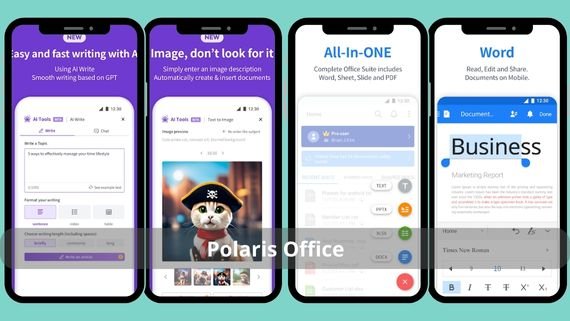
Polaris Office is a cross-platform office suite that offers a powerful word processor with support for more than 30 different file formats. The app features an easy-to-use interface with ready-made professional templates, cloud storage, and automatic synchronization across devices. Below are the key features of the app:
- Support for more than 30 different file formats with the ability to open and edit common formats
- Professional ready-made templates for various fields and purposes
- Advanced file converter with easy format conversion
- Document protection with passwords and advanced encryption
- Advanced editing tools including mathematical equations, tables, and charts
- Text effects, shapes, and symbols with document customization options
- Integrated cloud storage with automatic device synchronization
📄 Create and edit documents, spreadsheets, and PDF files easily with Polaris Office now!
AndrOpen Office (AndrOpen Office)
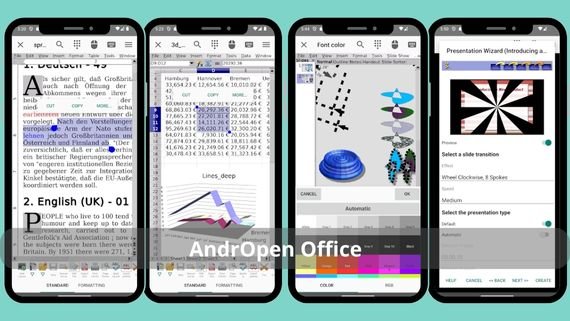
AndrOpen Office is a lightweight and fast document writing app that offers a smooth user experience while maintaining formatting quality. The app supports all common file formats with editing, saving, sharing, and wireless printing features. Below are the key features of the app:
- Small size and lightweight on device resources with fast and smooth performance
- Full support for all common file formats with editing and saving capabilities
- No intrusive ads or in-app purchases with a clean user experience
- Advanced find and replace tools with the ability to search any text in the document
- Automatic word and character count with document statistics
- Voice dictation support allowing speech-to-text writing
- Multiple formatting styles with advanced text formatting options
- Fully customizable colors, alignment, and line spacing
- Multiple sharing tools for sharing documents through various methods
- Integrated wireless printing with direct printing from the app
📚 Use the open-source office suite to edit documents easily with AndrOpen Office now!
OfficeSuite (OfficeSuite)
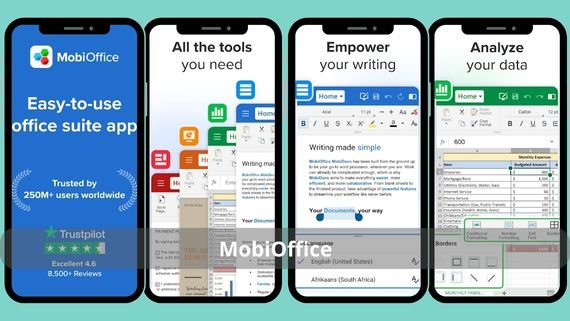
OfficeSuite is a complete office suite that offers a powerful document editor with full support for Microsoft Office and PDF formats. The app features a professional and easy-to-use interface with advanced editing tools suitable for work and study needs. It supports cloud synchronization with various storage services and provides a smooth cross-device experience. Below are the key features of the app:
- Full support for all common document formats (DOC, DOCX, PDF, TXT, RTF) with format conversion
- Advanced PDF editor with commenting, electronic signing, and interactive form filling
- Seamless integration with cloud storage services (Google Drive, Dropbox, OneDrive, Box)
- Comfortable editing mode with interface customization options
- Advanced formatting tools including tables, charts, images, and mathematical equations
- Document protection with passwords and advanced encryption for privacy
- Wireless printing support with direct printing from the app
📄 Create and edit documents, spreadsheets, and PDF files easily with MobiOffice now!
Choosing the Best Document Writing App
When choosing the best document writing app, several important factors must be considered to ensure an excellent user experience that meets different needs. Apps vary in features, ease of use, and compatibility with various formats and devices, making it necessary to define personal priorities before making a decision. Some users look for free apps, while others prefer paid professional apps that offer advanced features. Below is a comparison table to help choose the most suitable app:
| App Name | Features | Drawbacks |
|---|---|---|
| Google Docs (Google Docs) | Advanced collaboration, automatic saving, free, Google Drive integration | Requires internet connection for full use, limited advanced features |
| Microsoft Word (Microsoft Word) | Advanced professional tools, ready-made templates, Office 365 integration | Paid subscription, large app size, high resource consumption |
| WPS Office (WPS Office) | Completely free, supports all Office formats, integrated PDF editor | Ads in the free version, some features require subscription |
| LibreOffice Writer (LibreOffice Writer) | Free and open source, no ads, supports all formats | Outdated user interface, difficult for beginners |
| Zoho Writer (Zoho Writer) | Focus mode, digital signature, voice comments, free | Limited adoption, difficult integration with other apps |
| OnlyOffice (OnlyOffice) | MS Office compatible, Nextcloud integration, professional tools | Complex interface, difficult for beginners |
| Quip (Quip) | Integrated chat, task list, instant notifications, advanced collaboration | Limited formatting tools, requires constant internet connection |
| Polaris Office (Polaris Office) | Supports 30+ formats, professional templates, integrated PDF editor | Some features require subscription, ads in the free version |
| AndrOpen Office (AndrOpen Office) | Lightweight and fast, small size, ad-free, free | Limited advanced features, outdated user interface |
| OfficeSuite (OfficeSuite) | Advanced PDF editor, cloud integration, full Arabic support, wireless printing | Some advanced features require paid subscription, ads in the free version |
Document writing apps provide practical and flexible solutions for creating text files professionally and easily. With the variety of options and features among apps, each user can choose the tool that best suits their needs, contributing to improved productivity, better work organization, and keeping pace with the demands of the digital age.