
Are you looking for the best network monitoring tools to improve your work efficiency? Network management has become an absolute necessity for modern organizations. The top 10 network management apps include advanced capabilities that provide real-time monitoring of networks, servers, and applications. Some are completely free such as PRTG and Site24x7, while others are paid with advanced features such as Datadog and Dynatrace. You will find solutions suitable for small and startup companies and others designed for large enterprises. Each app is designed to reduce downtime and improve the stability of the technical environment. Rumman Net provides you with the best available options.
What are the best 10 network management apps for phones and devices?
Network monitoring tools provide organizations with the ability to track system performance and detect issues before they impact operations. They offer different levels of complexity and features. Using the best network management tools ensures a stable technical environment and improved productivity.
- NinjaOne App.
- Site24x7 App.
- PRTG App.
- ManageEngine MDM App.
- Datadog App.
- Zabify for Zabbix App.
- Dynatrace App.
- Uptrends App.
- Splunk Mobile App.
- Domotz App.
NinjaOne App (NinjaOne)
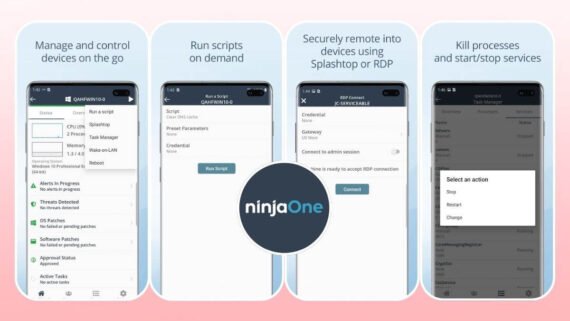
The NinjaOne app is considered a comprehensive platform for managing endpoints and connected devices. You can monitor devices and perform tasks remotely with ease. It is suitable for small and large organizations alike. The main features within the NinjaOne application include:
- Real-time device monitoring and continuous performance tracking.
- Secure remote access and full device management.
- Deploying automated scripts to speed up operations.
- Centralized management of system and software updates.
| App Name | NinjaOne (NinjaOne) |
|---|---|
| Main Function | Managing and monitoring endpoints and connected devices |
| Operating Systems | Android / iOS / Windows / macOS / Linux |
| Price | Paid (Free trial available) |
| AI Support | Yes |
| Ease of Use Level | Easy to Medium |
| Download Link | Download NinjaOne App |
Site24x7 App (Site24x7)
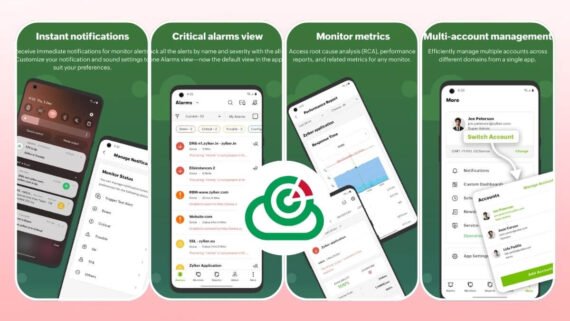
The Site24x7 app provides comprehensive monitoring of websites, servers, and applications. The app is designed for DevOps professionals and technical administrators. It features an easy and powerful interface along with the following:
- Monitoring websites and servers from 130 global locations.
- Automatic issue detection and instant alerts.
- Log analysis and tracking of errors and technical issues.
- Detailed reports on infrastructure performance.
- AI support for issue analysis and prediction.
| App Name | Site24x7 (Site24x7) |
|---|---|
| Main Function | Monitoring websites, servers, applications, and networks |
| Operating Systems | Android / iOS / Windows / macOS |
| Price | Free and Paid |
| AI Support | Yes |
| Ease of Use Level | Very Easy |
| Download Link | Download Site24x7 App |
PRTG App (PRTG)
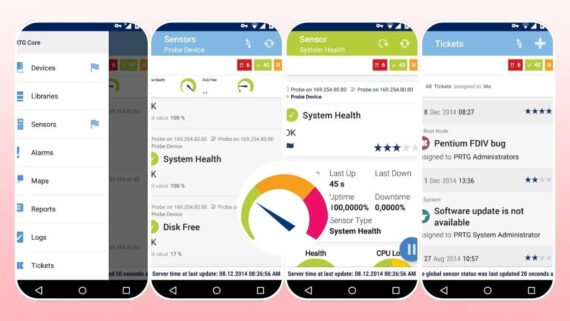
The PRTG Network Monitor app specializes in monitoring networks, devices, and applications. It is considered one of the most popular network monitoring tools globally. It supports thousands of variables and metrics. Among the best network monitoring tool capabilities in the PRTG application are:
- Comprehensive monitoring of bandwidth, performance, and availability.
- Easy web interface and powerful mobile apps.
- Creating detailed reports and advanced spreadsheets.
- Free version supports monitoring up to 100 devices.
- Support for more than 500 types of network devices.
| App Name | PRTG (PRTG) |
|---|---|
| Main Function | Comprehensive monitoring of networks, devices, and performance |
| Operating Systems | Android / iOS / Windows |
| Price | Free and Paid |
| AI Support | No |
| Ease of Use Level | Medium |
| Download Link | Download PRTG App |
ManageEngine MDM App (ManageEngine MDM)
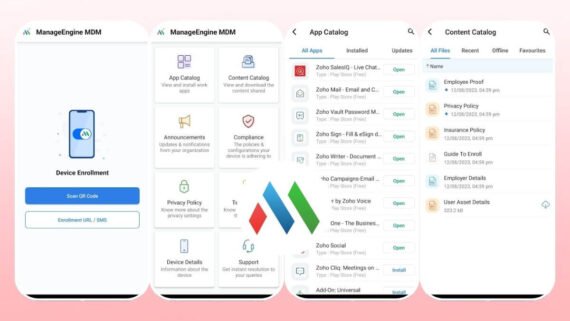
The ManageEngine Mobile Device Management app provides employee device management tasks. The app supports multiple systems and offers high security. It is suitable for organizations that want full control. Important network management tool features include:
- Centralized management of iOS, Android, and Windows devices.
- Applying security policies and controlling applications.
- Remote data wipe when a device is lost.
- Tracking device locations and fleet management.
- Support for two-factor authentication and data encryption.
| App Name | ManageEngine MDM (ManageEngine MDM) |
|---|---|
| Main Function | Managing and securing employee devices and fleets |
| Operating Systems | Android / iOS / Windows / Chrome OS |
| Price | Paid |
| AI Support | Yes |
| Ease of Use Level | Medium to Complex |
| Download Link | Download ManageEngine MDM App |
Datadog App (Datadog)
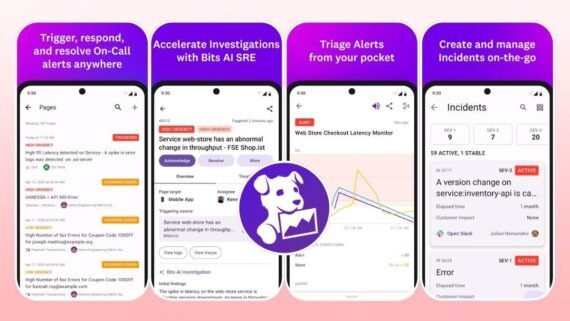
The Datadog platform provides comprehensive monitoring of infrastructure, applications, and users. The app is considered one of the advanced solutions for large and startup companies. It supports a very wide range of integrations. You will find the capabilities of the best network monitoring tools in the Datadog application:
- Monitoring infrastructure, applications, and cloud services.
- Log analysis and precise error tracking.
- Comprehensive visibility into real user experience.
- Smart alerts and advanced reports.
- Support for Kubernetes, Docker, and cloud services.
| App Name | Datadog (Datadog) |
|---|---|
| Main Function | Monitoring infrastructure, applications, and users |
| Operating Systems | Android / iOS / Windows / macOS / Linux |
| Price | Paid |
| AI Support | Yes |
| Ease of Use Level | Medium to Complex |
| Download Link | Download Datadog App |
Zabify App (Zabify for Zabbix)
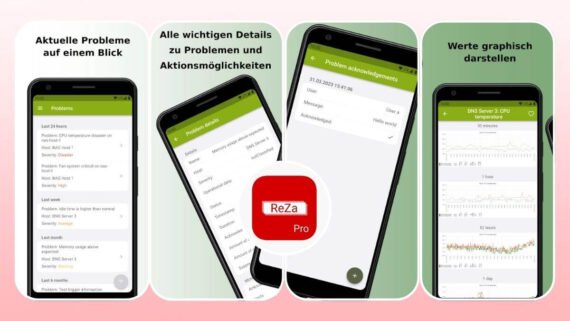
The Zabify for Zabbix app is considered a reliable alternative for monitoring Zabbix servers remotely. The app offers a free version and a paid version with additional features. It is suitable for infrastructure professionals. It includes the following network management tool features:
- Monitoring Zabbix servers from a smartphone with ease.
- Viewing the status of issues and current alerts.
- Saved filters for quick data access.
- The Pro version provides encrypted notifications and advanced features.
- Simple interface and fast loading.
| App Name | Zabify (Zabify for Zabbix) |
|---|---|
| Main Function | Monitoring Zabbix servers and displaying system status |
| Operating Systems | Android / iOS |
| Price | Free and Paid (Pro) |
| AI Support | No |
| Ease of Use Level | Very Easy |
| Download Link | Download Zabify for Zabbix App |
Dynatrace App (Dynatrace)
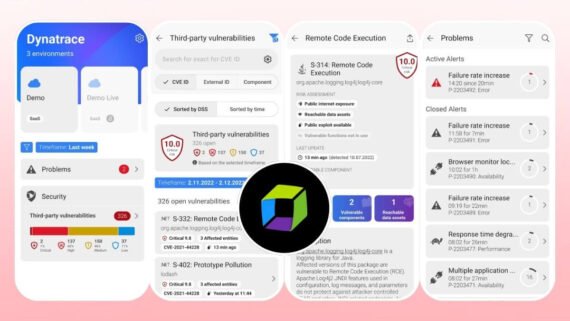
The Dynatrace app focuses on monitoring applications and users with high accuracy. The app uses artificial intelligence to automatically detect issues. It is designed for companies that want professional performance. The core network monitoring tools it includes are:
- Monitoring application performance and microservices.
- Automatic issue detection using artificial intelligence.
- Analyzing user experience and actual performance.
- Capacity management and future issue prediction.
- Support for mobile, web, and cloud applications.
| App Name | Dynatrace (Dynatrace) |
|---|---|
| Main Function | Monitoring application and user performance |
| Operating Systems | Android / iOS / Windows / macOS |
| Price | Paid |
| AI Support | Yes |
| Ease of Use Level | Medium to Complex |
| Download Link | Download Dynatrace App |
Uptrends App (Uptrends)
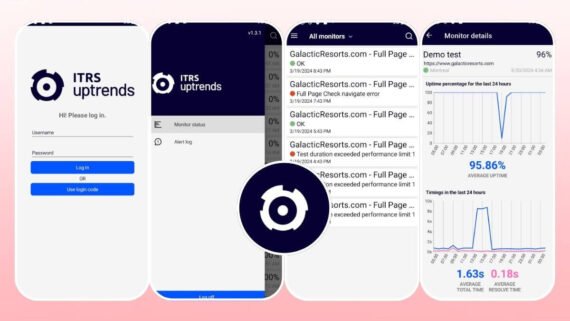
The Uptrends platform provides monitoring of websites and APIs from multiple locations. The app provides comprehensive insight into service performance. It is used by specialists and small companies. Below are the monitoring tool capabilities in the Uptrends application:
- Monitoring website availability from 229 global locations.
- Testing performance, speed, and responsiveness.
- Monitoring APIs and services.
- Detailed reports on service quality.
- Support for synthetic and real user monitoring.
| App Name | Uptrends (Uptrends) |
|---|---|
| Main Function | Monitoring websites and APIs |
| Operating Systems | Android / iOS |
| Price | Paid |
| AI Support | Yes |
| Ease of Use Level | Easy to Medium |
| Download Link | Download Uptrends App |
Splunk Mobile App (Splunk Mobile)
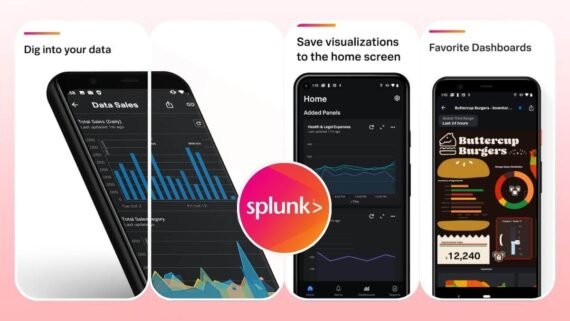
The Splunk Mobile app is an extension of the Splunk platform on smartphones. You can receive alerts and view dashboards and data. It is suitable for system administrators and DevOps professionals. The network management tool features within the app are:
- Receiving instant alerts for critical incidents.
- Viewing dashboards in a mobile-friendly format.
- Searching and analyzing logs and data.
- Taking quick actions from the app.
- Filtering data and creating custom reports.
| App Name | Splunk Mobile (Splunk Mobile) |
|---|---|
| Main Function | Accessing Splunk and data from mobile |
| Operating Systems | Android / iOS |
| Price | Paid (Requires Splunk subscription) |
| AI Support | Yes |
| Ease of Use Level | Medium |
| Download Link | Download Splunk Mobile App |
Domotz App (Domotz)
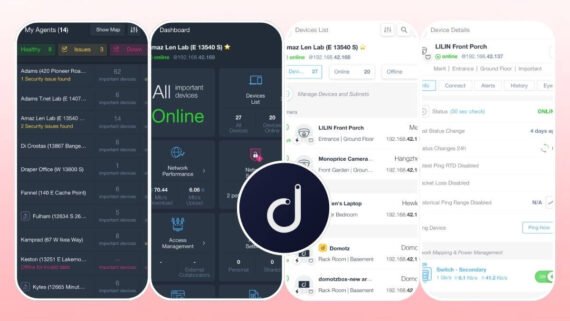
The Domotz Pro app specializes in monitoring networks and connected devices. It is suitable for service providers and specialists. The app provides comprehensive management of remote infrastructure. Network management tool features in the Domotz application include:
- Comprehensive monitoring of networks and devices from a single dashboard.
- Secure remote access to devices and systems.
- Multi-network and multi-client management.
- Automatic detection of new devices on the network.
- Detailed reports on network status and performance.
| App Name | Domotz (Domotz) |
|---|---|
| Main Function | Monitoring and managing networks and connected devices |
| Operating Systems | Android / iOS / Windows / macOS |
| Price | Paid |
| AI Support | Yes |
| Ease of Use Level | Easy to Medium |
| Download Link | Download Domotz Pro App |
How do you choose the best network monitoring and management app?
Before choosing the best network monitoring tool suitable for your personal work or your organization, you need a careful comparison between the available options. The following table shows the main advantages and disadvantages of each network management app, helping you make the right decision based on your specific needs and available budget.
| App | Main Advantages | Main Disadvantages |
|---|---|---|
| NinjaOne NinjaOne | Comprehensive endpoint management, remote access, automation | Relatively high cost |
| Site24x7 Site24x7 | Comprehensive monitoring, free version, simple interface | Advanced features require a paid plan |
| PRTG PRTG | Powerful free version, comprehensive monitoring, very flexible | Steep learning curve for beginners |
| ManageEngine ManageEngine MDM | Multi-platform management, high security | Complex initial setup |
| Datadog Datadog | Advanced artificial intelligence, wide integrations | Very high cost for large companies |
| Zabify Zabify for Zabbix | Free and easy, clean interface | Limited features compared to alternatives |
| Dynatrace Dynatrace | Advanced performance monitoring, artificial intelligence | Complex and may be excessive for small companies |
| Uptrends Uptrends | Strong global monitoring, good reports | Higher price than competitors |
| Splunk Mobile Splunk Mobile | Powerful data analysis, instant alerts | Requires a core Splunk subscription |
| Domotz Domotz Pro | Multi-network monitoring, powerful app | May require advanced technical setup |
Note! Some solutions run on local servers while others provide only cloud-based solutions. Make sure the app is compatible with your existing systems before subscribing. Use free trial periods to test each app carefully before making a final decision.
After explaining the top 10 network management apps, if you are a beginner and want a strong free solution, start with PRTG or Site24x7 which offer an easy interface and comprehensive features. If you need advanced monitoring with artificial intelligence, Datadog or Dynatrace are reliable options despite their higher cost. Each of the mentioned top network management tools offers a free trial so you can test it before final subscription. Remember that the best app is the one that truly fits your technical environment and provides strong technical support and continuous updates.