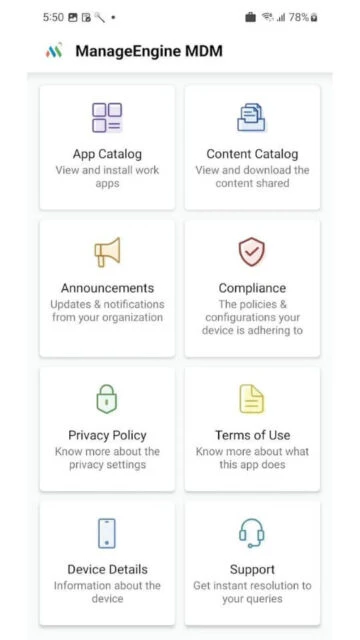
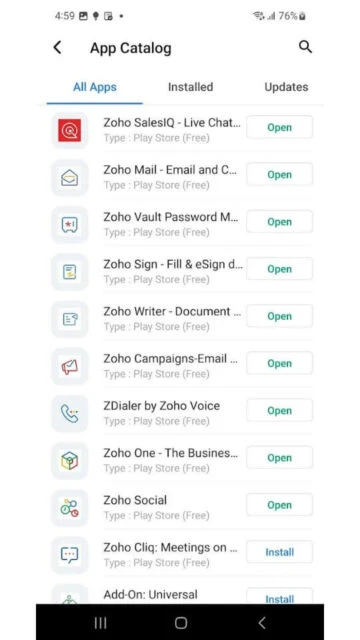
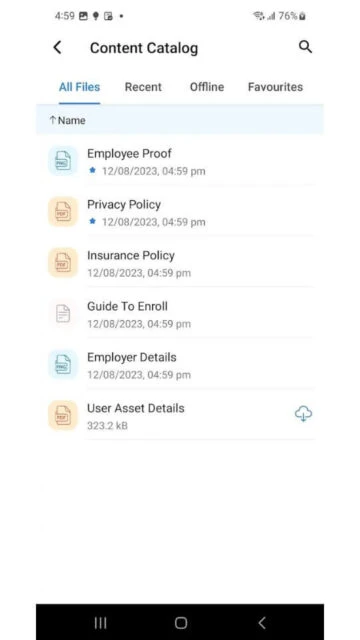
ManageEngine MDM is a mobile device management application that enables IT administrators to enroll, control, and secure Android and iOS devices within enterprise environments. The app facilitates seamless device onboarding and provides access to corporate resources including email, applications, and documents.
The platform supports enterprise deployment models including on-premises installation and cloud-based access. It offers granular controls for corporate-owned and BYOD device management with comprehensive security features including remote device lock, wipe capabilities, and compliance monitoring.
Features Of ManageEngine MDM
Over-the-air device enrollment with QR code and NFC support
Centralized policy management for email, WiFi, and VPN configuration
Application repository with blacklist and whitelist capabilities
Remote device lock and selective data wipe functionality
Geographic tracking and location-based device management
Detection of rooted Android and jailbroken iOS devices
Secure document storage and sharing in protected repository
Real-time notifications for company announcements and alerts
Premium Features in the Paid Plan
Advanced containerization for enterprise application security
Bulk enrollment programs including Apple DEP integration
Samsung KNOX and SAFE device management support
Custom app catalogs with managed distribution capabilities
Compliance audit reports and device inventory tracking
Remote screen sharing for troubleshooting assistance
OS update management for supported device types
Integration with Microsoft Exchange ActiveSync systems
Free
Free vs Premium Comparison
Feature
Free
Premium
Device enrollment
OTA enrollment with basic methods
Advanced bulk enrollment with DEP and NFC
Policy controls
Basic device policies and restrictions
Granular policies with containerization support
App management
Simple app distribution capabilities
Advanced app repository with categorization
Security features
Remote lock and selective wipe
Enhanced security with KNOX/SAFE support
Compliance tracking
Basic device compliance monitoring
Detailed compliance reports and audit trails
Support tier
Community and email support
Priority support with phone assistance
Frequently Asked Questions
How do I enroll my device into ManageEngine MDM?
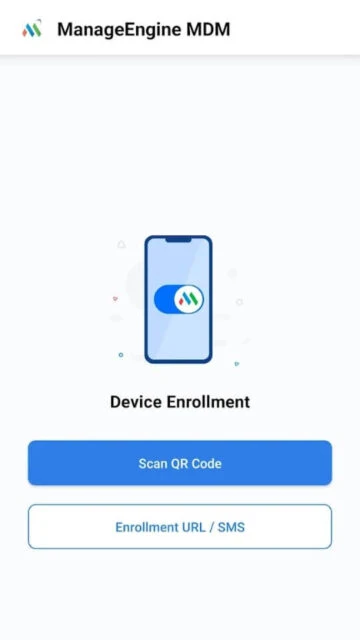
Download the ManageEngine MDM app and enter credentials provided by your IT administrator. After authentication, your device automatically receives organizational profiles, settings, and applications based on your device group classification.
Can I remove my device from MDM management?
Device removal requires IT administrator approval and deprovisioning through the MDM console. Once deprovisioned, the device is unlinked from organizational management.
What devices does ManageEngine MDM support?
ManageEngine MDM supports Android devices (including Samsung KNOX and SAFE), and iOS devices. Android 5.0+ and iOS 13.0+ are minimum requirements for app functionality.
Does ManageEngine MDM track my device location?
Yes, geo-tracking is available to authorized administrators for device location monitoring. Location tracking may impact battery life. Contact your IT administrator regarding tracking policies.
What happens if my device is lost or stolen?
Administrators can remotely lock your device or perform selective data wipe to protect sensitive information. Full device wipe and location tracking are available depending on policy configuration.
Is my data encrypted with ManageEngine MDM?
Yes, data in transit is encrypted. Organization-specific policies determine additional encryption and security measures applied to your device and corporate data.
ManageEngine Mobile Device Management delivers comprehensive device enrollment and management capabilities for enterprise environments. IT administrators can seamlessly onboard Android and iOS devices into a centralized management console, implementing policies, restricting access, and deploying corporate resources securely.
Why Choose ManageEngine MDM?
ManageEngine MDM simplifies the complexity of managing diverse mobile device fleets in modern enterprises. The solution supports both corporate-owned and BYOD devices with granular policy controls, security restrictions, and compliance monitoring. Integration with Samsung KNOX and SAFE provides enhanced security for supported Android devices.
Easy enrollment: Quick OTA enrollment with QR code, NFC, and Apple DEP support
Policy management: Configure email, WiFi, VPN, and application restrictions centrally
Remote management: Lock, wipe, track devices, and detect rooted or jailbroken systems
How It Works
Administrators deploy ManageEngine MDM console on-premises or access it via cloud. Device users download the ManageEngine MDM app and enroll using credentials provided by IT. Post-authentication, devices receive organizational profiles, settings, and applications based on their group classification and assigned policies.
Who Should Use It?
Large enterprises managing significant mobile device populations benefit from ManageEngine MDM’s scalability and comprehensive controls. Government agencies, healthcare organizations, and Fortune 500 companies use this platform to enforce security policies, maintain compliance, and protect sensitive corporate data across mobile devices.
User reviews and ratings for ManageEngine MDM
See what users think about ManageEngine MDM. Read honest reviews and ratings from real users.
2.6
★★★★★
3 reviews
App enrollment worked but configuration issues
by falhussaini
★★★★★
2025-11-10
Initial enrollment via QR code was straightforward. After scanning, device shows error about app configurations not being found. Uninstalling and reinstalling from app catalog partially resolved the issue but remains inconsistent.
Certificate integrity error after recent update
by Ahmed_Al_Mazrouei
★★★★★
2025-10-20
App worked fine until today when certificate integrity verification failed. Unable to authenticate and access corporate resources. Support indicated this might be MDM console issue but no resolution provided.
Enterprise solution for large organizations
by ITProAdmin
★★★★★
2025-09-05
As IT administrator managing 500+ devices, ManageEngine MDM provides the necessary controls for corporate policy enforcement and security compliance. Mobile app functionality meets enterprise requirements despite occasional bugs.
Write a Review
ManageEngine MDM Screenshots & Photos
Browse through screenshots and photos of ManageEngine MDM to see how it looks and works.
ManageEngine MDM Videos
Watch videos to see how this app works and learn about its features.