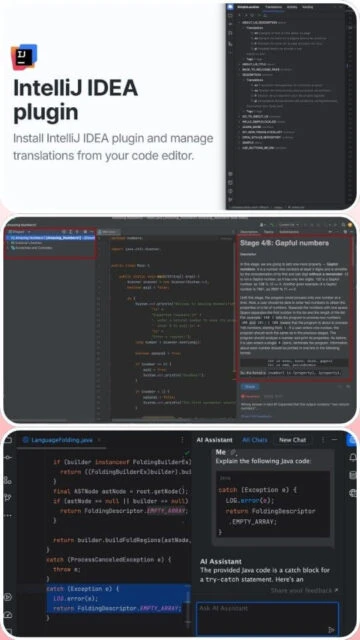
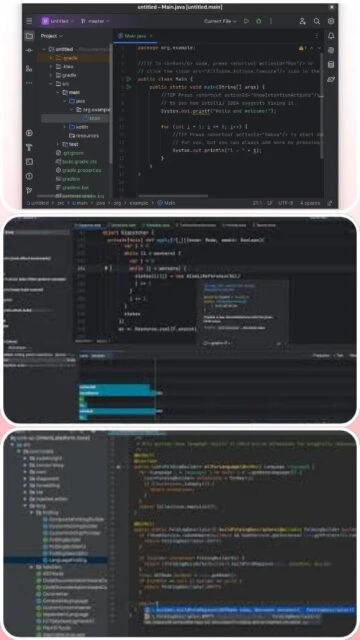
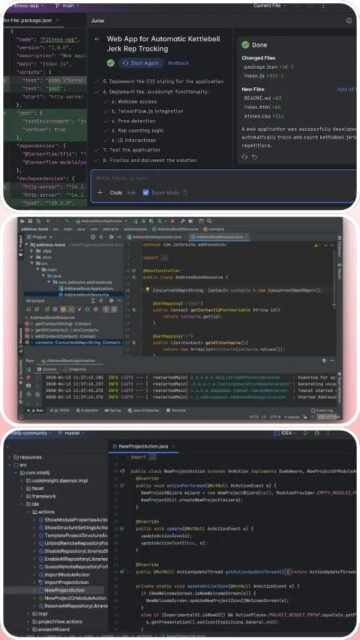
IntelliJ IDEA represents the gold standard for Java development environments and stands as the world’s leading IDE for professional enterprise programming. Developed by JetBrains, the 2025.3 unified release merges Community and Ultimate editions into a single product, making advanced features accessible while maintaining free development capabilities. The Spring Debugger, intelligent refactoring, and AI-assisted completion transform complex debugging scenarios into transparent, visual experiences where bean lifecycles and database connections become inspectable abstractions rather than black boxes.
How to Install IntelliJ IDEA
Installing IntelliJ IDEA is straightforward and platform-specific. The unified 2025.3 distribution is approximately 30% smaller than previous Ultimate editions while providing expanded capabilities. Setup requires administrative privileges and takes approximately 5-10 minutes depending on system specifications.
- Download the Unified Installer – Visit jetbrains.com/idea/download and select IntelliJ IDEA for your operating system. The unified installer (942 MB for 2025.2, expected similar for 2025.3) includes both Community and Ultimate features with a single download.
- Run Installation Wizard – Execute the .exe (Windows), .dmg (macOS), or .tar.gz (Linux) file. Select installation directory (minimum 3.5 GB free space required) and choose optional desktop shortcuts and PATH integration.
- Configure Startup Options – On Windows, specify JVM options for memory allocation (8 GB RAM or more recommended for optimal performance). Create desktop shortcuts for quick access and select file type associations.
- Launch and Activate – Start IntelliJ IDEA and sign in with JetBrains Account for free Community features or Ultimate trial (30 days free). Plugins automatically update, and IDE recognizes Java projects for immediate development.
Who Should Use IntelliJ IDEA
IntelliJ IDEA appeals to Java teams requiring production-grade tools and individual developers seeking the most capable IDE for enterprise backend development. The unified distribution ensures all developers access professional features regardless of budget constraints.
- Java Enterprise Teams – Corporations building microservices, Spring Boot applications, and complex enterprise systems benefit from advanced refactoring, profiling, and team collaboration features that accelerate development.
- Kotlin Developers – First-class Kotlin support with interoperability tools, extension generation, and Kotlin-specific inspections make IntelliJ the natural choice for Kotlin projects and Android development.
- Spring Boot Developers – Spring Debugger visualizes bean contexts, configurations, and transactions at runtime; Spring Boot wizards auto-generate projects with frameworks, and Spring Cloud integration enables microservice development.
- NOT ideal for – Web developers using primarily JavaScript or Python may find IntelliJ’s resource consumption excessive; VS Code or specialized IDEs provide lighter alternatives without enterprise Java features.
IntelliJ IDEA Platform Compatibility
IntelliJ IDEA 2025.3 unified distribution runs identically across Windows, macOS, and Linux while integrating native platform capabilities. The unified architecture eliminates separate Community/Ultimate downloads, simplifying distribution and ensuring consistent features across operating systems.
| Platform |
Min. Version |
Unique Features |
Limitations |
| Windows |
Windows 10 version 1809 (64-bit) or later, Windows 11 recommended |
Native Windows Terminal integration, PowerShell script debugging, WSL2 support for Linux development, DirectX hardware acceleration for UI rendering |
32-bit Windows not supported; legacy Windows 7/8 requires older IDE versions |
| macOS |
macOS Monterey (11) or later, Ventura/Sonoma (M1/M2/M3) recommended |
Full Apple Silicon native support with performance optimizations, Spotlight integration for quick file access, native Gatekeeper signing, Touch ID authentication |
Older Intel-based Macs may experience slower performance with large projects |
| Linux |
GNOME/KDE desktop, glibc 2.28+, Ubuntu 18.04+, Fedora 35+, Debian 10+ |
Snap package for easy installation and automatic updates, complete keyboard customization for desktop environments, GTK+ native theme integration |
Wayland support limited; X11 required for stable operation; some desktop customizations unavailable |
| Web |
Not applicable – JetBrains Fleet provides cloud-based alternative |
JetBrains Fleet offers browser-based collaborative IDE with distributed architecture (separate product) |
No native web version; Fleet is separate product with different feature set |
IntelliJ IDEA Integrations & Plugins
The JetBrains plugin ecosystem integrates development tools, cloud platforms, and testing frameworks directly into the IDE. Integration capabilities transform IntelliJ IDEA into specialized environments for Docker deployment, database management, version control operations, and team collaboration.
- Spring Boot 4 and Spring Framework 7 – Native wizards auto-generate Spring Boot projects with Gradle/Maven, Spring Data JDBC, and Spring Cloud integration; Spring Debugger visualizes running beans and their dependencies.
- Docker & Kubernetes – Manage containerized applications, push/pull images, run containers with full debugging support, and deploy Kubernetes manifests without switching tools; integrated registry authentication.
- Database Tools – Schema viewing, SQL completion, visual query builders, and migration tools for PostgreSQL, MySQL, Oracle, MongoDB; data source auto-detection in Spring Boot applications.
- JetBrains AI Ecosystem – Native Claude and Junie AI support, context-aware code generation, transparent AI quota tracking, and bring-your-own-key option for custom model endpoints.
Best Alternatives to IntelliJ IDEA
While IntelliJ dominates Java development, alternative IDEs excel in specific scenarios. Consider these options when cost sensitivity, lightweight requirements, or different programming languages justify evaluating other environments.
- Eclipse IDE – Best for teams with existing Eclipse plugins or Java development on budget constraints, offering free open-source alternative with Java Web Tools Platform (WTP) for enterprise development.
- Visual Studio Code with Extensions – Best for lightweight Java development or polyglot teams preferring a unified editor, using Language Server Protocol and lightweight extensions instead of monolithic IDE.
- Apache NetBeans – Best for educational institutions and open-source projects, providing free alternative with Java EE/Jakarta EE support and visual web development tools.
- JetBrains Fleet – Best for distributed teams requiring real-time collaboration, offering cloud-native IDE with lighter resource consumption than IntelliJ for smaller projects.
IntelliJ IDEA vs Top Competitors
IntelliJ IDEA maintains clear advantages in Java/Kotlin development while acknowledging where alternative IDEs excel in other domains. The unified 2025.3 release eliminates Edition fragmentation, providing consistent capabilities across all users.
| Feature |
IntelliJ IDEA |
Eclipse IDE |
Visual Studio Code |
| Pricing |
Free (Community features) or $199/year (Ultimate with 30-day trial) |
Free, open-source, Apache 2.0 license |
Free, open-source, MIT license |
| Key Strength |
Advanced Java/Kotlin support with intelligent refactoring and Spring Debugger visualization |
Lowest cost alternative with mature Java support and community plugins |
Lightweight performance with extension ecosystem covering multiple languages |
| Target Users |
Enterprise Java teams, Kotlin developers, Spring Boot/microservices architects |
Budget-conscious teams, educational institutions, open-source projects |
Web developers, full-stack engineers, polyglot programmers |
| Unique Feature |
Spring Debugger visualizing bean contexts, transactions, database connections at runtime |
PDE for plugin development, integrated model-driven development tools |
Live Share for real-time pair programming, container integration |
| Learning Curve |
Moderate to steep – comprehensive but requires Java ecosystem understanding and keyboard shortcuts |
Moderate – familiar interface but less intuitive refactoring than IntelliJ |
Easy – minimal setup with progressive feature discovery |
IntelliJ IDEA Keyboard Shortcuts
IntelliJ IDEA keyboard shortcuts dramatically accelerate development by eliminating mouse usage for common operations. The IDE supports Vim, Emacs, and Visual Studio keymaps, allowing developers to preserve muscle memory from previous editors.
| Action |
Windows |
macOS |
| Find Action / Command Palette |
Ctrl+Shift+A |
Cmd+Shift+A |
| Go to Class |
Ctrl+N |
Cmd+O |
| Go to File |
Ctrl+Shift+N |
Cmd+Shift+O |
| Refactor Menu |
Ctrl+Alt+Shift+T |
Ctrl+T |
| Find in Files |
Ctrl+Shift+F |
Cmd+Shift+F |
| Reformat Code |
Ctrl+Alt+L |
Cmd+Option+L |
| Smart Code Completion |
Ctrl+Shift+Space |
Ctrl+Shift+Space |
| Run/Debug Configuration |
Alt+Shift+F10 |
Cmd+Shift+F10 |
IntelliJ IDEA Performance Optimization
IntelliJ IDEA’s resource consumption can challenge systems with limited RAM or storage. Strategic configuration ensures optimal performance even on modest hardware through memory allocation tuning, index optimization, and plugin management.
- Increase JVM Heap Memory – Edit bin/idea.vmoptions (Windows/Linux) or bin/idea.vmoptions in Contents/bin/idea.vmoptions (macOS) to allocate 4-8 GB heap space, reducing garbage collection pauses and improving overall responsiveness.
- Disable Unnecessary Plugins – Navigate to Settings > Plugins and disable unused language support, version control integrations, and development tools; IDE restart required for changes to take effect.
- Configure Index Exclusions – Add node_modules, .gradle, build directories to Settings > Directories to prevent IDE from indexing non-essential files, reducing memory usage and startup time.
- Enable Disk Cache – Configure IDE to use disk cache for project indexes via Settings > Advanced Settings, reducing memory footprint while maintaining quick project navigation.
- Monitor Performance with Profiler – Use Help > Diagnose IDE Performance to identify memory leaks, slow extensions, or thread contention; export diagnostic reports for troubleshooting.
IntelliJ IDEA Accessibility Features
IntelliJ IDEA meets WCAG 2.1 standards with comprehensive accessibility support ensuring all developers can navigate, edit, and debug code independently without requiring sighted assistance or accessibility modifications.
- Screen Reader Support – NVDA and JAWS compatibility with semantic announcements for tool windows, project structure, and editor content; screen reader optimization mode available through Help > Accessibility.
- Visual Customization – High contrast themes specifically designed for visual impairment (Dark, Light, High Contrast variants), customizable font sizes (8pt to 50pt), color blindness-friendly syntax highlighting themes.
- Keyboard-Only Navigation – Complete IDE functionality without mouse requirement through Find Action (Ctrl+Shift+A), tool window shortcuts, and configurable keybindings for all operations.
- International Localization – UI available in 10+ languages with full RTL support for Arabic/Hebrew; marketplace plugins extend language support to additional locales.
IntelliJ IDEA Support & Documentation
JetBrains provides extensive documentation, active community forums, and professional support options ensuring developers quickly resolve issues and master advanced features. Regular webinars and training resources accelerate expertise development.
- Official Documentation – Comprehensive user guides covering IDE features, plugins, configuration; API documentation for extension developers; searchable help system accessible within IDE (Help > Help Contents).
- Community Forum – JetBrains YouTrack for issue tracking and feature requests; Community Forums for discussions; Stack Overflow (20k+ questions tagged intellij-idea) with rapid community responses.
- Video Tutorials – Official JetBrains YouTube channel with feature announcements, release overviews, and tutorial series; countless third-party video resources for specific frameworks and workflows.
- Professional Support – JetBrains provides email support for license holders; priority issue resolution; team licensing includes dedicated support contacts for enterprise deployments.