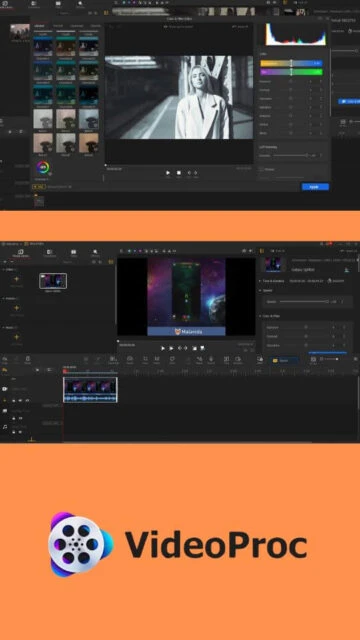
VideoProc Vlogger – Free Professional Video Editing Software

Free video editing software for vloggers with 4K/8K support, GPU acceleration, and professional features including color grading and audio editing.

About VideoProc Vlogger

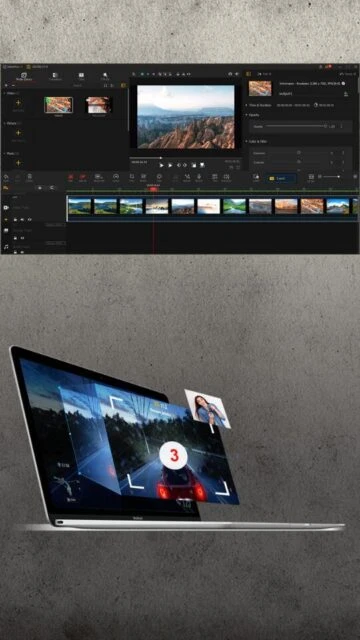
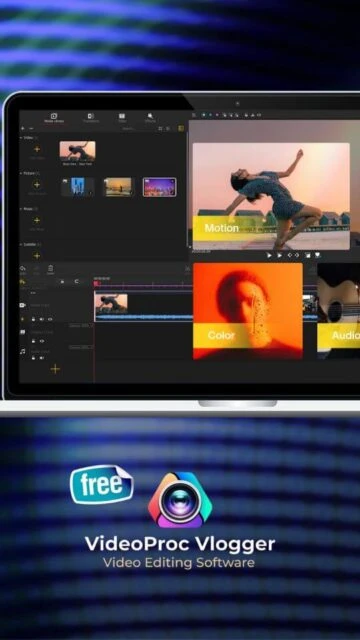
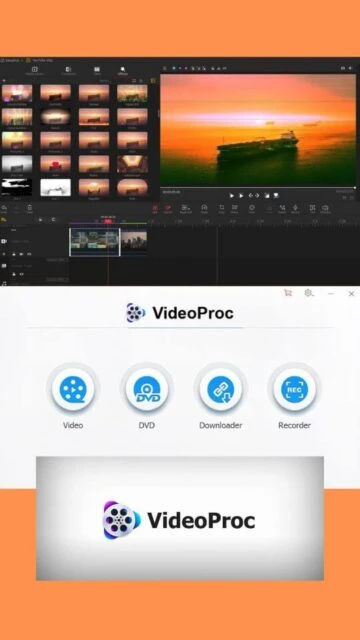
VideoProc Vlogger stands out as a free alternative to expensive video editing suites, offering professional capabilities without watermarks or hidden costs. Created by Digiarty Software with over four million users worldwide, it balances powerful features with intuitive design. The software excels at processing action camera footage from GoPro and DJI devices, stabilizing shaky video, and reducing wind noise from drone recordings. Its GPU acceleration technology dramatically speeds up rendering, while the ripple edit feature simplifies timeline management for creators working with multiple clips.

System Requirements

  • Operating System: Windows 7, Windows 8, Windows 8.1, Windows 10, Windows 11, macOS 10.11 or higher (Intel and Apple Silicon M1/M2/M3/M4)
  • Processor: Intel Core i5 or equivalent, better performance with i7 or higher
  • RAM: 8 GB minimum, 16 GB recommended for 4K editing
  • Disk Space: 1 GB free space for installation, additional space for project files
  • Additional Requirements: GPU acceleration recommended (NVIDIA, AMD, Intel integrated graphics, or Apple Silicon), stable system memory for 4K/8K processing

Features Of VideoProc Vlogger

  • Hardware-accelerated GPU processing: Leverage NVIDIA CUDA, AMD HIP, Intel Quick Sync, and Apple Metal for lightning-fast 4K/8K video editing and export.
  • Ripple edit with timeline management: Automatically adjust adjacent clips when deleting segments, streamlining complex multi-clip editing workflows.
  • Speed ramping and motion effects: Apply 14+ preset speed-ramping effects with non-linear speed curves or use constant speed changes up to 8x speed.
  • Color grading with 3D LUT filters: Professional color correction tools including exposure, contrast, saturation adjustment, and pre-made cinematic LUT profiles.
  • Advanced audio editing tools: 10-band equalizer, automatic beat detection, audio analyzer with frequency visualization, and audio mixing capabilities.
  • Green screen and chroma key: Change video backgrounds in real-time, compose layered effects, and create split-screen or picture-in-picture videos.
  • Motion crop and zoom effects: Add cinematic camera movements, stabilize shaky footage, apply lens correction, and zoom in/out with smooth transitions.
  • Comprehensive subtitle support: Add hardcoded or softcoded subtitles, extract subtitle tracks, search online for movie/TV subtitles, and customize text styling.

Pros & Cons

Pros

  • Completely free with no watermarks: Full access to all professional features at zero cost with unlimited exports in any resolution.
  • Powerful GPU acceleration for fast processing: Hardware-accelerated encoding delivers 4K/8K video processing significantly faster than CPU-only solutions.
  • Supports 4K and 8K video editing: Handles high-resolution footage from modern cameras, drones, and professional equipment without requiring compression.
  • Professional color grading and effects: Advanced editing capabilities including 3D LUT filters, motion crop, green screen, and lens correction rival expensive software.
  • Intuitive ripple edit feature: Automatically maintains timeline integrity when removing clips, reducing tedious adjustment work.
  • Comprehensive audio editing suite: 10-band equalizer, beat detection, and audio mixing provide professional sound design without separate software.

Cons

  • Interface requires learning curve: Despite intuitive design, advanced features need time to master compared to simplified cloud editors.
  • No cloud backup or online collaboration: Projects exist only on local computer with no automatic cloud saving or team collaboration features.
  • Limited regular updates: Development pace slower than commercial software, with last major version update in 2022.
  • No built-in stock assets: Users must source their own royalty-free music, images, and footage from external libraries.
  • Mac version limited to browser export: macOS users have fewer export options compared to full Windows desktop application.

Changelog

Version 1.4 (March 2022):
- Added clip usage tags in media library for tracking clip placement
- Custom video resolution options for non-standard aspect ratios
- New audio bitrate options (192, 256, 320 kbps) for high-quality MP3 export
- Improved export initialization error messages with troubleshooting guidance
- Enhanced stability and performance optimizations
Version 1.2 (December 2021):
- Refined interface and workflow improvements
- Performance optimizations for timeline rendering
- Enhanced media import compatibility

Frequently Asked Questions

Is VideoProc Vlogger truly free with no limitations?

Yes, VideoProc Vlogger is completely free with no watermarks, subscription fees, or feature limitations. You get unlimited exports at any resolution, from 1080p to 8K, with full access to all professional editing tools.

Can VideoProc Vlogger edit 4K and 8K video?

Yes, VideoProc Vlogger supports 4K (3840x2160) and 8K (7680x4320) video editing. GPU acceleration significantly speeds up processing. For smooth editing, 16GB RAM recommended for 4K projects.

What video formats does VideoProc Vlogger support?

The software supports MP4 (H.264/H.265/HEVC), MKV, QuickTime, ProRes, HDR video, GIF, HEIF/HEIC images, and nearly all common video codecs. Export formats include MP4, MKV with multi-track support.

Does VideoProc Vlogger work on Mac?

Yes, VideoProc Vlogger runs on macOS 10.11 and later, including Apple Silicon M1/M2/M3/M4 Macs. The Mac version is a universal binary but has limited native export options compared to Windows.

How does GPU acceleration improve performance?

GPU acceleration uses your graphics card to handle video encoding, delivering up to 10x faster processing for 4K/8K content compared to CPU-only processing, dramatically reducing export wait times.

Can I stabilize shaky video from action cameras?

Yes, VideoProc Vlogger includes advanced stabilization tools perfect for GoPro, DJI drone, and smartphone footage. The lens correction feature removes distortion from wide-angle camera lenses.