BSPlayer is a hardware-accelerated video player optimized for Android devices, supporting playback of videos and music in numerous formats. It features automatic subtitle discovery, multiple audio stream support, and advanced video controls. The app enables network streaming from shared drives and NAS servers, eliminating the need for file conversion or copying to device storage.
The player includes customizable gestures, adjustable playback speed, popup window playback for multitasking, and playlist management. Its intelligent design reduces battery consumption through hardware acceleration while maintaining superior video quality. The app provides a complete multimedia solution for Android users with extensive format compatibility.
Features Of BSPlayer
Hardware-accelerated playback with multi-core decoding for superior performance
Automatic subtitle search and download in multiple languages
Direct network streaming from SMB shares, USB drives, and NAS servers
Multiple audio streams and subtitle format support
Background popup window playback for multitasking
Customizable gesture controls for intuitive navigation
Playlist support with various playback modes and shuffle options
Children lock feature to prevent accidental video changes
RAR file support for direct playback from compressed archives
USB OTG support for external storage device compatibility
Premium Features in the Paid Plan
Ad-free interface without promotional content or bundled offers
Chromecast support for streaming to compatible big-screen devices
Volume boost up to 500% for enhanced audio without headphones
Advanced audio pre-amplification and equalization controls
Priority technical email support for troubleshooting and issues
Playback speed customization from 0.1x to 6x normal speed
Frame-by-frame advancement for detailed video analysis
Advanced subtitle editor with customization options
Exclusive premium playback features and beta testing access
Unlimited license for up to 3 computers simultaneously
Free with ads; BSPlayer Pro available at $5.99
Free vs Premium Comparison
Feature
Free
Premium
Subtitle Management
Basic subtitle support with limited online search
Advanced subtitle editor and enhanced automatic search
Ads
Contains ads and occasional bundled offers
Completely ad-free experience
Chromecast
Not supported
Full Chromecast streaming support
Volume Control
Standard volume adjustment only
Volume boost up to 500%
Technical Support
Community forum only
Priority email technical support
Playback Speed
Limited speed adjustment
Full 0.1x to 6x speed customization
Frequently Asked Questions
Is BSPlayer free to use?
Yes, BSPlayer offers a free ad-supported version with comprehensive features. A premium ad-free version called BSPlayer Pro is available for $5.99, offering additional features like Chromecast support and volume boost.
Can I stream videos from my computer to BSPlayer?
Yes, BSPlayer supports direct network streaming from SMB shares, PC shared folders, USB drives, and NAS servers without requiring file conversion or copying to your device.
How does automatic subtitle search work?
Enable mobile data or Wi-Fi in your device settings. When playing videos, BSPlayer automatically searches online subtitle databases and downloads matching subtitles in your preferred language.
What formats does BSPlayer support?
BSPlayer supports 40+ multimedia formats including MP4, MKV, AVI, WMV, MOV, FLV, and numerous audio formats. Hardware acceleration enables smooth playback of HD and 4K videos.
Does BSPlayer work with external storage devices?
Yes, the app supports USB OTG devices, allowing direct playback from external USB drives and media importers without transferring files to internal storage.
Can I watch videos in a popup window?
Yes, BSPlayer offers background popup window playback. Press and hold the back button to minimize video to a popup window while using other apps.
BSPlayer stands as a premier video playback solution for Android devices, delivering exceptional performance through hardware-accelerated video decoding. The app supports an extensive range of multimedia formats, making it an all-in-one media player for movies, TV shows, and music files without requiring format conversion.
Why Choose BSPlayer?
BSPlayer delivers superior video playback quality with hardware acceleration that significantly improves speed while reducing battery consumption. Its intelligent subtitle system automatically searches and downloads subtitles online, supporting numerous languages and formats. The player excels at network streaming, allowing direct playback from Wi-Fi shares, SMB drives, and NAS servers without file copying.
Hardware Acceleration: Multi-core HW decoding support boosts playback performance and extends battery life dramatically
Smart Subtitles: Automatic online subtitle search and download with support for SSA/ASS, SRT, SUB, and TXT formats
Network Playback: Stream directly from PC shared folders, USB drives, SMB shares, and NAS servers seamlessly
Top BSPlayer Alternatives on Rumman
Discover reliable media player alternatives on Rumman that offer seamless playback and wide format support.
Video Player All Format – XPlayer supports almost all video formats and features a hardware accelerator to ensure smooth playback and save battery.
VLC Media Player is a widely used open-source player that plays most multimedia files as well as DVDs, Audio CDs, and various streaming protocols.
MX Player is known for its powerful video player capabilities, offering advanced hardware acceleration and subtitle gestures for a better viewing experience.
How It Works
Launch the app and open video files directly from your device storage, SD card, or network locations. BSPlayer automatically detects video format and codec, applying optimal hardware acceleration. The background popup window feature allows audio playback while using other apps. Customize playback with gesture controls, speed adjustment, and multiple audio stream selection.
Who Should Use It?
Media enthusiasts who value format versatility and network streaming capabilities will appreciate BSPlayer’s comprehensive feature set. Users managing large video libraries benefit from playlist support and media organization tools. Those seeking battery-efficient playback on their Android devices gain significant advantages from its hardware acceleration technology.
User reviews and ratings for BSPlayer
See what users think about BSPlayer. Read honest reviews and ratings from real users.
3.5
★★★★★
3 reviews
Excellent video player with great format support
by Alex Kumar
★★★★★
2025-11-22
BSPlayer has been my go-to video player for years. The hardware acceleration works great, subtitle search is incredibly convenient, and network streaming from my NAS works flawlessly. Perfect for my needs.
Good player but recently has stability issues
by Maria Santos
★★★★★
2025-10-15
Used to be my favorite but lately crashes frequently on MKV files. Volume and brightness controls lack sensitivity. Overall still functional but could use optimization improvements in newer updates.
Great features but navigation could be better
by James Wilson
★★★★★
2025-09-08
Excellent codec support and format compatibility, but the interface is somewhat counterintuitive. Wish there were clearer ways to organize playlists and access frequently played content without restarting.
Write a Review
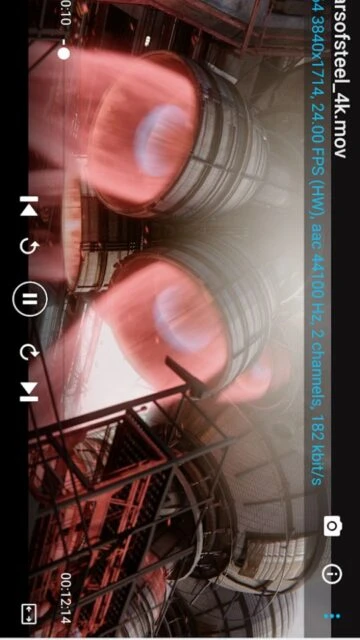
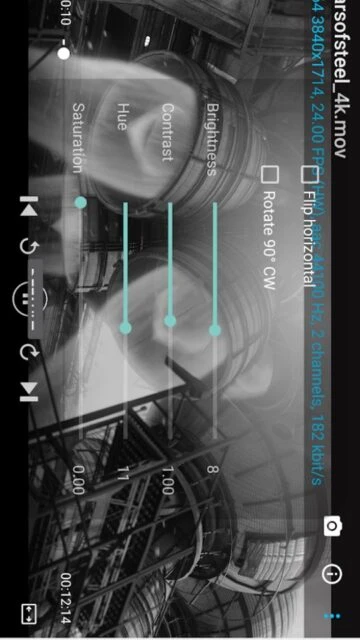
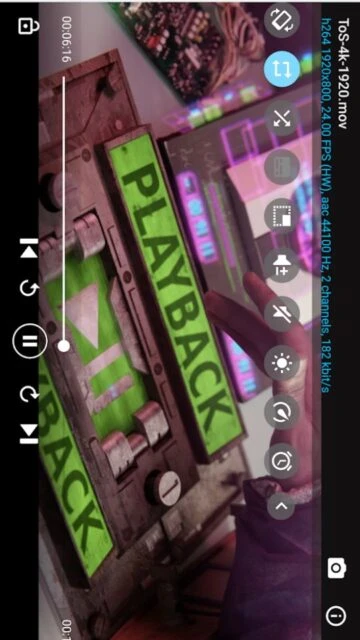
BSPlayer Screenshots & Photos
Browse through screenshots and photos of BSPlayer to see how it looks and works.
BSPlayer Videos
Watch videos to see how this app works and learn about its features.

 130
130