Video Player All Format (XPlayer) is a highly rated utility designed to simplify your mobile viewing experience. Its core strength lies in its ability to play high-definition content smoothly, leveraging hardware acceleration to reduce battery consumption.
The app goes beyond basic playback by prioritizing user privacy and convenience. With features like background play and a floating window, it transforms your phone into a versatile media center. Whether you are watching a movie, a music video, or a recorded clip, XPlayer ensures the best visual and audio quality possible.
Features Of Video Player All Format
Supports ALL video formats including MKV, MP4, AVI, MOV
Ultra HD video player with full support for 4K content
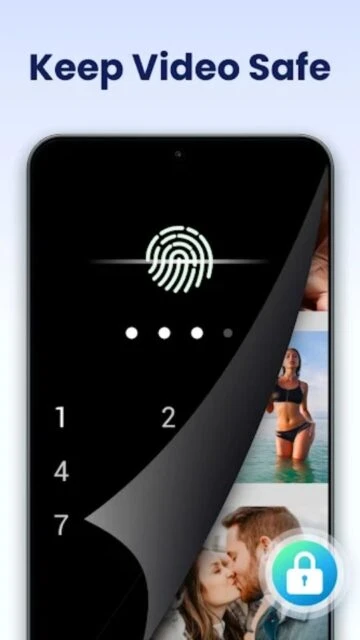
Private Folder to keep sensitive videos safe and hidden
Cast videos to TV easily with Chromecast integration
Subtitle downloader to find and add subtitles automatically
Hardware acceleration for smoother playback and battery saving
Night Mode and Quick Mute for comfortable viewing
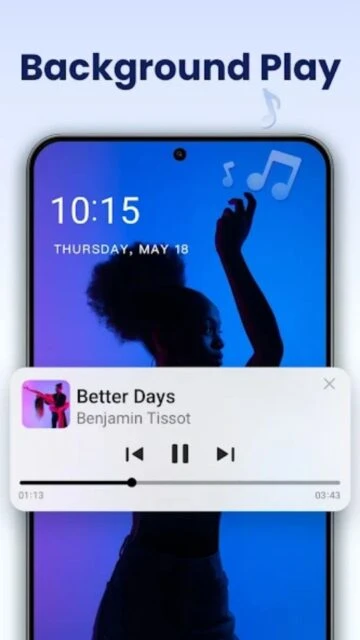
Background play allows listening to video as audio
Premium Features in the Paid Plan
Remove all banner and pop-up ads permanently
Additional themes to customize the player appearance
Priority updates and early access to new features
Enhanced support for specialized audio codecs
Premium support channel for faster issue resolution
Backup features for your private video folder settings
Seamless playback without any promotional interruptions
Free / $4.99 Lifetime (varies by region)
Free vs Premium Comparison
Feature
Free
Premium
Advertisements
Contains Ads
No Ads
Private Folder
Available (Basic)
Available (Full Support)
Format Support
All Formats
All Formats
Chromecast
Supported
Supported
Cost
Free
One-time Purchase
Background Play
Supported
Supported
Frequently Asked Questions
Can XPlayer play 4K videos?
Yes, XPlayer is an Ultra HD video player that supports 4K playback efficiently, using hardware acceleration to ensure smooth performance.
How do I hide videos in the Private Folder?
Select the videos you want to hide, tap the 'Lock' icon in the menu options, and set a PIN. The videos will move to the secure Private Folder.
Does it support subtitles?
Yes, it supports multiple subtitle formats and includes an online subtitle downloader feature to fetch subtitles directly within the app.
Is there a fee to use Chromecast?
No, the Chromecast feature is available in the free version, allowing you to cast videos from your phone to your TV easily.
What happens if I forget my Private Folder PIN?
You can reset your PIN using the security question you set up during the initial configuration. Without this, data recovery is strictly limited for security.
XPlayer, officially known as Video Player All Format, has established itself as a premier choice for Android users seeking reliability and privacy. It combines a lightweight footprint with a powerful decoding engine that handles everything from standard MP4s to heavy 4K MKV files with ease.
Why Choose XPlayer?
The app is renowned for its ‘Private Folder’ feature, which secures your sensitive videos with a PIN, keeping them safe from prying eyes. Its hardware acceleration technology ensures that high-definition videos play smoothly without draining your battery excessively.
Privacy Protection: Hide personal videos in a password-protected folder that is invisible to other apps.
Smart Gestures: Control volume, brightness, and playing progress with simple, intuitive swipes on the screen.
All-Format Support: Native support for MKV, MP4, M4V, AVI, MOV, 3GP, FLV, WMV, RMVB, and TS formats.
Top Video Player All Format – XPlayer Alternatives on Rumman
Discover robust media player alternatives on Rumman that offer comprehensive format support and high-definition playback similar to XPlayer.
MX Player is a highly popular choice featuring hardware acceleration and multi-core decoding to ensure smooth playback of various file types.
VLC Media Player provides an open-source solution capable of playing almost any media format without the need for additional codec packs.
KMPlayer delivers a user-friendly interface with extensive customization options for both audio and video settings.
How It Works
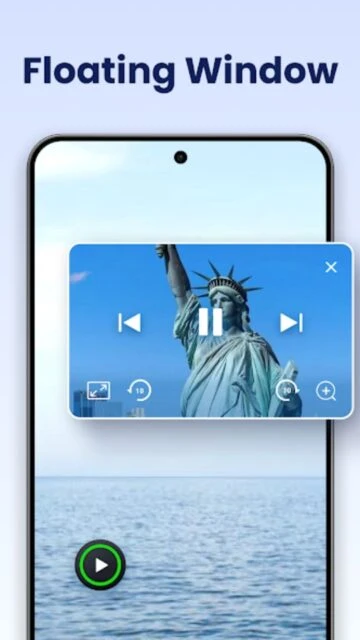
XPlayer automatically identifies all video files on your device and SD card. You can browse by folders or a unified list. The floating window option allows you to watch content in a resizeable pop-up while using other applications, making multitasking effortless.
Who Should Use It?
This app is perfect for privacy-conscious users who share their device with others, thanks to its security features. It also suits casual viewers who need a reliable, no-nonsense player that just works with any file type downloaded from the web.
User reviews and ratings for Video Player All Format
See what users think about Video Player All Format. Read honest reviews and ratings from real users.
4.8
★★★★★
3 reviews
The best video player on Android
by David K.
★★★★★
2025-11-28
I've tried them all, and this is the only one that plays my 4K drone footage without stuttering. The private folder is a brilliant addition for keeping personal clips safe.
Simple and effective
by Maria Garcia
★★★★★
2025-10-30
Does exactly what it says. Plays every file type I have. The interface is clean and I love the gesture controls for volume and brightness.
Good but ads can be annoying
by Liam O'Connor
★★★★★
2025-09-14
Excellent playback quality and features. The free version has ads which are understandable, but I eventually paid for the premium to remove them. Worth it.
Write a Review
Video Player All Format Screenshots & Photos
Browse through screenshots and photos of Video Player All Format to see how it looks and works.
Video Player All Format Videos
Watch videos to see how this app works and learn about its features.

 180
180