

Content creators are increasingly searching for the best TikTok video editing apps that give them speed and rich effects at the same time, as audiences no longer settle for creative ideas alone but expect polished visual production that grabs attention in just seconds. These apps allow precise scene cutting, music mixing with rhythm, and cinematic transitions that boost a video’s competitiveness against millions of daily posts.
What are the best 10 TikTok video editing apps?
Professional editing tools act as a digital workshop where creators turn raw footage into short artistic pieces that reflect their personality and match the fast pace of the “For You” feed. These apps enable precise music synchronization, fine color adjustments with sliders, realistic or fantasy filters, and dynamic transitions that showcase creativity in every visual piece.
Thanks to built-in AI algorithms, it has become easy to enhance lighting, remove visual noise, and even create virtual green screen backgrounds, making the top 10 TikTok video editing apps a creative lifeline that makes the difference between an ordinary video and a clip that captures engagement and turns viewers into loyal followers. Below are the most powerful TikTok editing apps:
- Motion Ninja – Motion Ninja
- Funimate – Funimate
- BeatSync – BeatSync
- Tempo – Tempo
- Noizz – Noizz
- YouCut – YouCut
- Efectum – Efectum
- VideoLeap by Lightricks – VideoLeap
- Beat.ly – Beat.ly
- Glitch Video Editor – Glitch Video Editor
Motion Ninja App (Motion Ninja)
- Motion Ninja App – Motion Ninja
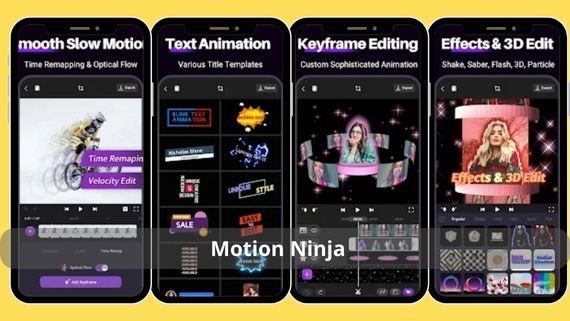
Motion Ninja offers a multi-layer timeline interface that allows users to manipulate each element individually. It adds cinematic motion effects, fast rhythm-synced transitions, and playback speed control to create slow motion or dramatic acceleration suitable for fast TikTok challenges. The app excels with precise Keyframe support that enables professional text and sticker animation, and it provides 1080p export at 60fps to maintain visual clarity when uploading. It is an ideal choice among TikTok editing apps for those who want to combine simplicity and precision.
- Main features
- Layer and keyframe support
- Ready-made motion transition library
- 1080p/60fps export
- AI background removal
- Key editing tools
- Multi-layer timeline splitter
- Speed up and slow down controller
- Motion path effects generator
- Color grading and LUTs
- Strengths
- High precision motion control
- Easy interface despite professionalism
- Real-time preview without lag
- Supported devices
- Android 6.0 and above
Download Motion Ninja app 👈🏻 Motion Ninja 👉🏻
Funimate App (Funimate)

- Funimate App – Funimate
Funimate is known as an interactive effects playground that allows TikTok creators to produce complex music transitions with just a few taps. Its rich library includes rhythm-based effects such as synchronized flashes and beat cuts, making it one of the best TikTok editing apps for dancers and lip-sync creators. The app supports over 100 animated texts and the ability to loop clips smoothly to visually trick viewers, and it offers weekly challenges that inspire users with new ideas.
- Main features
- Rhythmic music effects
- Animated text and loop maker
- Community challenges
- Direct sharing to TikTok
- Key editing tools
- Tap-based trimming and cutting
- Mixing multiple effects
- Beat Meter
- Community effects library
- Strengths
- Fast video production
- Supportive creative community
- Weekly effect updates
- Supported devices
- Android 5.0 and above
Download Funimate app 👈🏻 Funimate 👉🏻
BeatSync App (BeatSync)
- BeatSync App – BeatSync
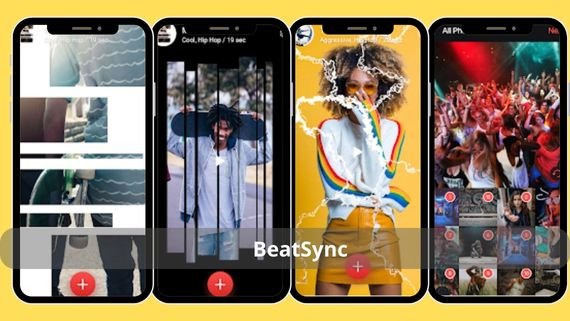
BeatSync saves time by creating a fully rhythm-synced video in seconds. It analyzes the selected audio track and suggests your best clips, automatically cutting them on beats, then adds transitions and light effects that make the content look professionally produced. This speed makes it one of the strongest TikTok editing apps for daily publishers who need a smooth production process without sacrificing quality.
- Main features
- Automatic beat-based editing
- Smart clip suggestions
- Watermark-free export
- 4K format support
- Key editing tools
- Beat AI analyzer
- Automatic clip cutting
- Quick-apply filters
- Beat speed adjustment
- Strengths
- Beginner-friendly
- Saves editing time
- Accurate audio synchronization
- Supported devices
- Android 7.0 and above
Download BeatSync app 👈🏻 BeatSync 👉🏻
Tempo App (Tempo)
- Tempo App – Tempo
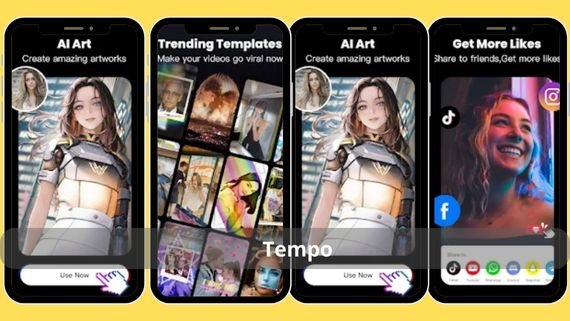
Tempo stands out by offering pre-designed editing templates based on the latest trends. Once you choose a template, it automatically arranges your clips with suggested effects and text, allowing TikTok creators to produce a professional video in under a minute. It includes a royalty-free music library, making it safe for monetized content, and it ranks among the top 10 TikTok editing apps for those who enjoy working with ready-made templates while retaining customization options.
- Main features
- Daily updated trend templates
- Royalty-free audio library
- 4K export
- Background removal option
- Key editing tools
- Drag-and-drop clip replacement
- Text editing and diverse fonts
- Beat Mark rhythm timer
- Color grading and visual effects
- Strengths
- Fast production
- Safe music for publishing
- User-friendly Arabic interface
- Supported devices
- Android 5.0 and above
Download Tempo app 👈🏻 Tempo 👉🏻
Noizz App (Noizz)
- Noizz – Noizz
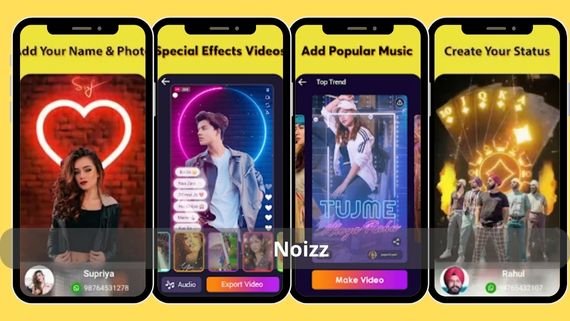
Noizz highlights AI capabilities in creating interactive face and background effects, turning ordinary clips into artistic works with 3D effects synced to rhythm. It also offers the “Magic Effects” feature, which adds a live background that changes with movement.
- Main features
- AI face and background effects
- 3D music effects
- Tone and filter library
- One-tap sharing to TikTok
- Key editing tools
- Magic Effects editor
- Automatic background extraction
- Lighting and contrast adjustment
- Smart transition clip merging
- Strengths
- Unique effects
- Lightweight on the device
- Creative sharing community
- Supported devices
- Android 5.0 and above
Download Noizz app 👈🏻 Noys 👉🏻
YouCut App (YouCut)
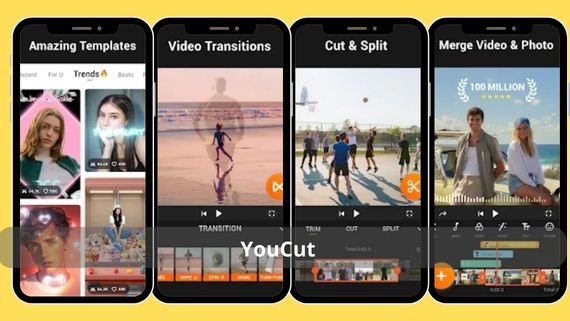
- YouCut App – YouCut
YouCut combines simplicity and efficiency. It adds no watermark, handles 4K clips smoothly, and allows merging, cutting, and splitting videos with adjustable aspect ratios suitable for TikTok. It is ideal for users seeking fast performance without complexity.
- Main features
- No watermark
- 4K support
- Video compression without quality loss
- Precise speed control
- Key editing tools
- Cut, merge, split
- Aspect ratio adjustment
- Add text and music
- Audio and visual fade
- Strengths
- Lightweight and fast
- No annoying ads
- Fast export
- Supported devices
- Android 5.0 and above
Download YouCut app 👈🏻 YouCut 👉🏻
Efectum App (Efectum)
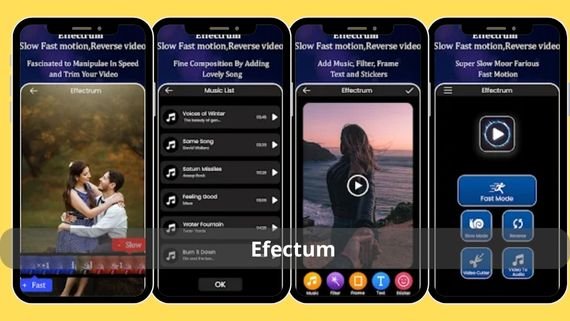
- Efectum App – Efectum
Efectum specializes in speed effects such as enhanced slow motion and visual acceleration with middle frame and repeat options. This allows TikTok creators to produce dramatic or comedic clips based on timing, ranking it among the top 10 TikTok editing apps for slow-motion enthusiasts.
- Main features
- Precise speed control
- Middle frame and repeat
- 120fps slow motion support
- HD export without watermark
- App-specific editing tools
- Curve speed controller
- Image stabilization
- Add music and text
- Lighting adjustment
- Strengths
- Accurate slow-motion effects
- Instant preview
- Small app size
- Supported devices
- Android 5.0 and above
Download Efectum app 👈🏻 Efectum 👉🏻
VideoLeap by Lightricks App (VideoLeap by Lightricks)
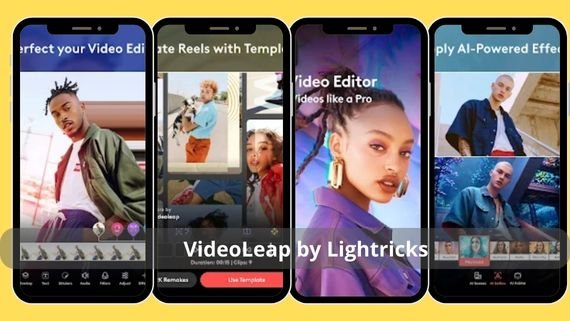
- VideoLeap by Lightricks App – VideoLeap
VideoLeap provides a professional environment similar to desktop software. It enables chroma key blending, time ramping, and advanced sound effects, making it one of the best TikTok editing apps for users who want to push their creativity to the limits without needing a computer.
- Main features
- Chroma key layers
- Advanced audio mixing
- Cinematic effects
- 4K export
- Key editing tools
- Multi-layer timeline
- Color blending and tilt
- Sound effects generator
- Color spectrum adjustment
- Strengths
- Professional capabilities
- High-resolution preview
- Ongoing support
- Supported devices
- Android 7.0 and above
Download VideoLeap app 👈🏻 VideoLeap by Lightricks 👉🏻
Beat.ly App (Beat.ly)

- Beat.ly – Beat.ly
Beat.ly focuses on automatic music editing. It analyzes rhythm and creates flowing visual stories with transitions and glowing effects suited to TikTok’s remix feature. It is considered one of the best TikTok editing apps for producing quick dance or intro videos.
- Main features
- Automatic beat-based editing
- Glowing templates and transitions
- Trending music library
- HD export without watermark
- Key editing tools
- Beat AI analyzer
- Tap-based template switching
- Animated text editing
- Automatic color grading
- Strengths
- Speed and ease of use
- Attractive visual output
- Continuous music updates
- Supported devices
- Android 5.0 and above
Download Beat.ly app 👈🏻 Beat.ly 👉🏻
Glitch Video Editor App (Glitch Video Editor)
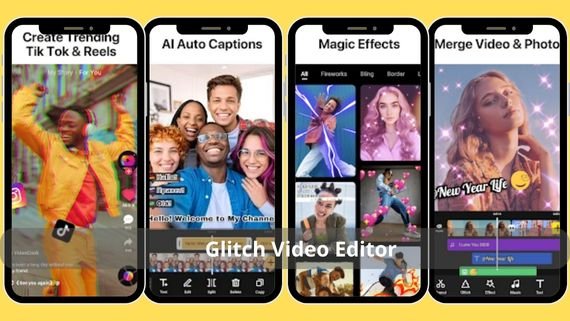
- Glitch Video Editor App – Glitch Video Editor
Glitch Video Editor offers an innovative editing experience based on digital signal distortions and creative visual errors, giving TikTok creators a modern aesthetic suitable for dance, music, and experimental cinema clips. It provides speed manipulation tools, neon text options, and 1080p export without watermark, making it one of the top 10 TikTok editing apps for showcasing a distinctive artistic style in seconds.
- Main features
- 100+ artistic glitch filters
- Rhythm analysis and beat-based effects
- 1080p export without watermark
- Multi-layer effect blending
- Key editing tools
- RGB Split, VHS, and Datamosh
- Curve speed engine
- Neon text and color tilt
- Automatic music transitions
- Strengths
- Distinct visual style that attracts engagement
- Instant preview without lag
- Lightweight with low resource usage
- Supported devices
- Android 5.0 and above
Download Glitch Video Editor app 👈🏻 Glitch Video Editor 👉🏻
Choosing the Best TikTok Editing App
When choosing the best app for editing TikTok videos, you should consider the type of content you produce and the features you need to achieve the desired results. The table below helps you make the right decision:
| App | Advantages | Disadvantages |
|---|---|---|
|
|
|
|
|
|
|
|
|
|
|
|
|
|
|
|
|
|
|
|
|
|
|
|
|
|
|
|
|
|










TikTok editing apps serve as a mobile workshop that enables any content creator to turn ideas into engaging videos with professional quality. Choose the app that fits your creative style and needs, start adding your personal touches, stand out in the content stream, and build a distinctive presence on TikTok.