
Task management apps are digital tools designed to organize daily tasks, turn chaos into clear plans, and remind you of priorities. They work as a personal assistant that helps individuals and teams track deadlines, increase productivity, and stay aligned anywhere. Rumman website offers a package of featured apps that help you choose what suits your work requirements.
What are task management apps?
Task management apps are the “digital assistant” that does not forget; they allow you to schedule appointments, divide large projects into daily tasks, activate instant alerts, track progress percentages, and interact with colleagues through boards and comments. This reduces delays and improves adherence to deadlines by up to 40 percent according to recent studies. Among the best 10 apps dedicated to managing your tasks:
- Todoist
- TickTick
- Microsoft To Do
- Notion
- Trello
- ClickUp
- Any.do
- Google Tasks
- Asana
- Tasks
Todoist app

Todoist is based on a system of projects and nested tasks; you create a project, divide it into subtasks, assign dates, colored priorities, and context labels. It sends smart reminders based on location or time and integrates with Google Calendar and Gmail. It allows collaboration by assigning tasks and discussing them in comments, making it ideal for both small teams and individuals. Below are the main features of Todoist:
- Simple and easy-to-use interface
- Support for quick commands for fast task entry
- Task classification by projects and labels
- Recurring tasks with advanced customization options
- Ready-made templates for common projects
- Measurable daily and weekly goals
- Multiple reminders: time notification, location-based reminder, email
- Integration with more than 80 other apps
- Effective team collaboration
📥 Download Todoist from here
TickTick app

TickTick combines a task list with a calendar; you add a task with a long press, set its priority, and activate the built-in Pomodoro timer to increase focus. It supports dividing projects into sublists with voice notes and sends multiple reminders until the task is completed. It allows teams to share lists and interact through comments and is considered one of the best options for fans of the 25-minute focus technique. Below are the main features of TickTick:
- Built-in Pomodoro technique to increase focus
- Visual calendar to display tasks by date
- List and card view modes
- Recurring tasks with advanced customization options
- Task grouping with tags for organization
- Completion statistics to improve productivity
- Multiple reminders: double notification, location reminder, morning email
- Ability to add voice notes to tasks
- Sharing lists with teams and family
📥 Download TickTick from here
Microsoft To Do app

The Microsoft To Do app is built on the “My Day” concept, which shows only what needs to be done today. You create multiple lists, add sub-steps within each task, and assign colored due dates. It integrates seamlessly with Outlook, Teams, and OneNote and sends reminders via email or notifications. It allows sharing lists with colleagues and is the ideal choice for those working within the Microsoft environment. Below are the main features of Microsoft To Do:
- Full synchronization with Outlook and other Microsoft services
- Smart “My Day” list showing today’s tasks only
- Flag coloring for visual organization
- Sub-steps within each task for detail
- Ability to add notes and attachments
- Multiple reminders: notification, email, recurring reminder
- Simple and easy-to-use interface
- Ability to share lists with colleagues
- Integration with Teams and OneNote
📥 Download Microsoft To Do from here
Notion app

Notion is not just a task app; it is a “blank canvas” where you create a task database with a Kanban board, table, or list view. You assign the responsible member, date, priority, and relationships with other databases such as files or notes. It sends reminders as deadlines approach and allows live commenting and simultaneous editing for teams. It is considered the strongest option for linking task management with knowledge and documentation. Below are the main features of Notion:
- Interconnected databases for tasks and projects
- Ready-made templates for various project types
- Embedding files and multimedia
- Kanban board and timeline views
- Smart filters to organize tasks
- In-app and email reminders
- Live commenting and simultaneous editing
- Compatible with Android and iOS.
- Compatible with Windows, Mac, Web
- Integration with many other apps
📥 Download Notion from here
Trello app
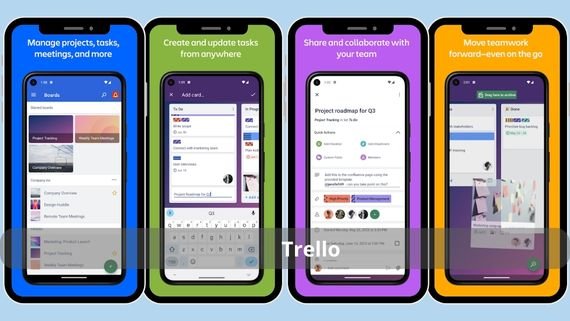
Trello is based on a board and card system; you create a project board, divide it into lists such as “To Do, In Progress, Done,” and add cards for tasks. You assign members, dates, colored labels, and activate Slack or email reminders. It supports comments, attachments, and voting, making it the first choice for marketing or design teams. Below are the main features of Trello:
- Intuitive drag-and-drop interface
- Integration with Slack and many other apps
- Custom board backgrounds
- Checklist cards to track progress
- Task timelines
- Butler automation for repetitive processes
- Reminders: pre-deadline notification, email, Google Calendar integration
- Ability to add attachments and comments
- Compatible with Android, iOS, Web
📥 Download Trello from here
ClickUp app
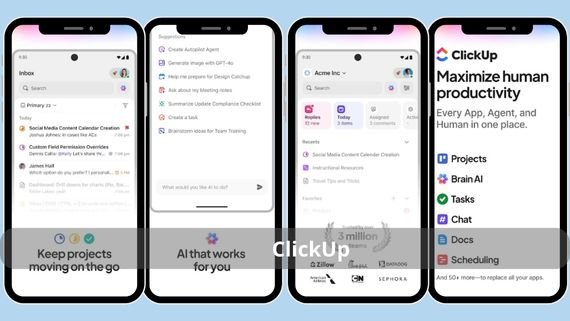
ClickUp offers more than 15 views: list, Kanban board, Gantt, calendar, mind maps. You create multiple workspaces, divide projects into task lists, and assign estimated time. It sends smart reminders based on progress and allows built-in chat, documents, and team goals, making it a comprehensive productivity platform for startups. Below are the main features of ClickUp:
- Multiple task views (list, Kanban, Gantt, calendar)
- Measurable and trackable goals
- Collaborative documents
- Nested tasks and time tracking
- Task dependencies to organize workflow
- Smart reminders based on progress and delays
- Built-in chat for instant communication
- Advanced reporting tools
- Integration with more than 1000 apps
📥 Download ClickUp from here
Any.do app
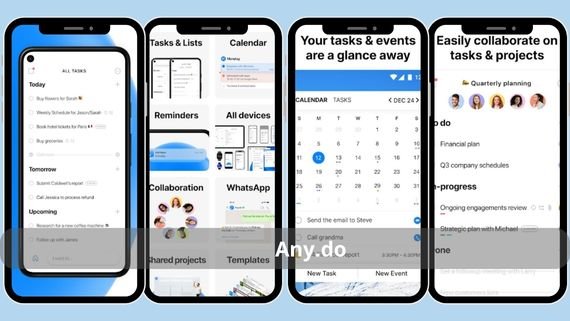
Any.do combines a task list with a progressive daily calendar; you add a task with a swipe gesture, assign time and location, and receive a reminder when you enter the location. It supports dividing tasks into voice notes or images and sharing lists with family or team members. It is considered the best option for those who want a smooth and fast visual experience. Below are the main features of Any.do:
- Progressive daily calendar view
- Ability to add voice tasks
- Location-based reminders
- Recurring tasks with advanced options
- Sub-steps within tasks
- Change priority with a long press
- Reminders: notification, location reminder, morning email
- Sharing lists with family or team
- Compatible with Android, iOS, Web
- Smooth and easy-to-use visual interface
📥 Download Any.do from here
Google Tasks app
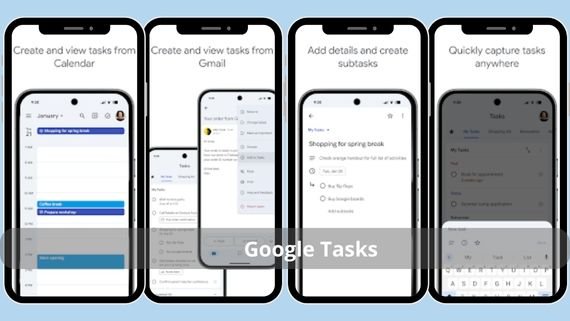
Google Tasks works within Gmail and Calendar apps; you create a task from any email with one click, assign a date and time, and the reminder appears instantly on your phone. It supports creating multiple lists and keeps tasks synchronized with your account. It is the ideal choice for those who already rely on Google services and want no complexity. Below are the main features of Google Tasks:
- Seamless integration with Gmail and Calendar
- Instant synchronization with Google account
- Simple and easy-to-use interface
- Add tasks directly from emails
- Set due dates for tasks
- Expand and collapse subtasks
- Reminders via Google notifications and calendar
- Create multiple lists for organization
- Compatible with Android, iOS, Web
- Completely free
📥 Download Google Tasks from here
Asana app
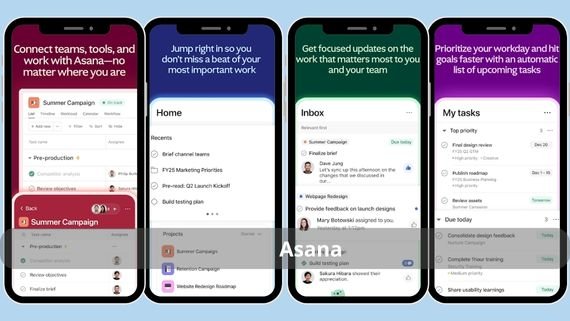
Asana creates projects displayed as a list, Kanban board, or timeline; you assign tasks to members, dates, dependencies, and priority. It sends automatic reminders when delays occur and provides in-task chat and real-time reports for managers. It is ideal for marketing or product development teams that need precise progress tracking. Below are the main features of Asana:
- Multiple project views (list, Kanban, timeline)
- Detailed progress reports for managers
- Integration with more than 200 apps
- Nested tasks and clear dependencies
- Ready-made templates for common projects
- Rule automation for repetitive processes
- Reminders: notification, email, automatic pre-deadline reminder
- Built-in chat within tasks
- Compatible with Android, iOS, Web
- Advanced collaboration tools for large teams
📥 Download Asana from here
Tasks app
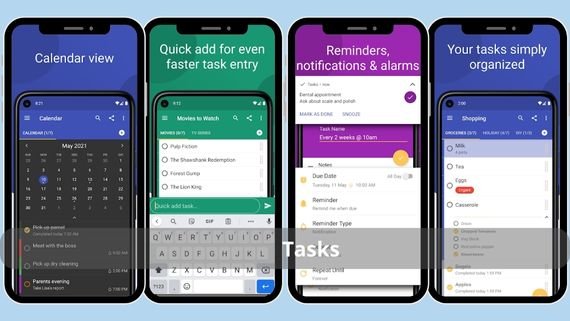
Tasks combines task management with time tracking and meeting management; you create a project, divide it into tasks and subtasks, assign resources, and activate recurring meeting schedules. It sends reminders for appointments and potential risks and allows team members to comment and share files. It is considered an economical choice for small project teams that need more than just a task list. The main features of the Tasks app include:
- Time tracking for tasks and projects
- Integrated meeting management with scheduling
- Project risk log
- Multiple views: Kanban, Gantt, list
- Task dependencies to organize workflow
- Reminders: notification, email, pre-meeting reminder
- Ability to comment and share files
- Compatible with Android, iOS, Web
- Project reporting tools
- Economical plan for small teams
📥 Download Tasks from here
Choose the best task management app for you
Task management apps are essential tools for organizing time and increasing productivity in our personal and professional lives. The following table shows a comparison between the best available task management apps to help you choose what suits your needs:
| App | Features | Cons |
|---|---|---|
|
|
|
|
|
|
– Built-in Pomodoro technique – Visual calendar – List and card view – Tag grouping and completion statistics – Voice notes |
– Interface may feel crowded for new users – Some advanced features are paid |
|
|
– Integration with Outlook and Microsoft services – Smart “My Day” list – Flag coloring – Sub-steps and attachments |
– Limited integration with non-Microsoft apps – No Kanban board view |
|
|
– Interconnected databases – Ready templates – File and media embedding – Multiple views (Kanban, table) |
– Steep learning curve for beginners – May be slow on low-end devices |
|
|
– Intuitive drag-and-drop interface – Integration with Slack and apps – Checklist cards and timelines – Butler automation |
– Limited advanced reporting – Subtasks not supported in the free version |
|
|
– 15+ view types – Measurable goals – Collaborative documents – Time tracking and dependencies – Integration with 1000+ apps |
– Complex interface for new users – Can be resource-heavy |
|
|
– Daily calendar view – Voice tasks – Location reminders – Sub-steps and priority changes |
– Limited advanced team features – No Kanban board view |
|
|
– Integration with Gmail and Calendar – Instant sync – Simple interface – Add tasks from email – Completely free |
– Basic features only – No advanced collaboration tools |
|
|
– Multiple project views – Detailed progress reports – Integration with 200+ apps – Nested tasks and dependencies – Built-in chat |
– Free version has limited features – Complex interface for new users |
|
|
– Time tracking and meeting management – Project risk log – Multiple views (Kanban, Gantt) – Task dependencies – Economical plan |
– Slightly outdated user interface – Limited integration with other apps |








Whatever your field of work, you will find in these apps a tool that turns the chaos of your day into a clear plan. Whether you are an individual who needs to organize daily tasks or a team working on complex projects, there is an app that fits your needs. Try the app that aligns with your work style and start organizing your time and increasing your productivity now. Remember, productivity is a decision, and organization is in your hands.