
Are you looking for an effective tool to turn your photos and videos into engaging stories? Content creators face a challenge when choosing the most suitable app among many options. The top 10 professional story design apps offer diverse solutions for producing and creating stunning visual content. From beginner-friendly all-in-one Canva, to powerful video editing with CapCut, and animated stories with Mojo, these apps provide artificial intelligence features and professional templates. Rumman Net helps you choose the right tool to produce professional content that attracts your followers.
What are the top 10 professional story design apps?
Story production apps vary between specialized and all-in-one tools, each offering unique features to suit different needs. In the following list, you will find tools that help you easily create professional content that attracts thousands of views and followers:
- Canva app.
- Mojo app.
- CapCut app.
- Unfold app.
- InShot app.
- StoryArt app.
- Adobe Express app.
- Prequel app.
- InStories app.
- Picsart app.
Canva App
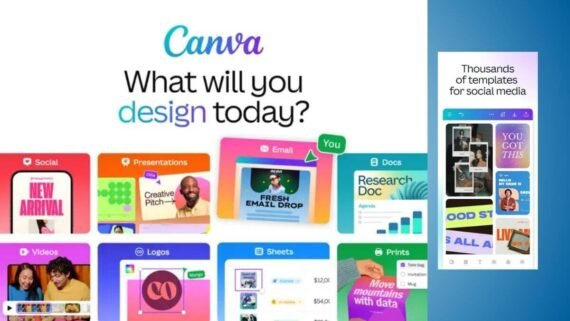
Canva is considered the first trusted choice for millions of users worldwide. Designers and marketers use it to create professional designs suitable for all social media platforms. It combines ease of use with powerful tools, with full Arabic language support. What distinguishes Canva:
- A library of more than 2 million ready-made templates fully customizable.
- Magic Switch tool to convert designs between different platform sizes.
- Advanced AI features that help create professional designs quickly.
Main tools:
- Magic Edit: Smart editing of elements using artificial intelligence.
- Brand Kit: Save and manage brand identity with unified colors and fonts.
- Video Editor: Add audio clips, free music, and professional transitions.
| App name | Canva |
| Main function | Comprehensive graphic design and video editor |
| Operating systems | Android / iOS / Web / Windows / Mac |
| Price | Free / Paid Pro |
| Artificial intelligence | Yes |
| Ease of use | Very easy |
| Users | Beginners and professionals |
| Download link | Download Canva app |
Mojo App
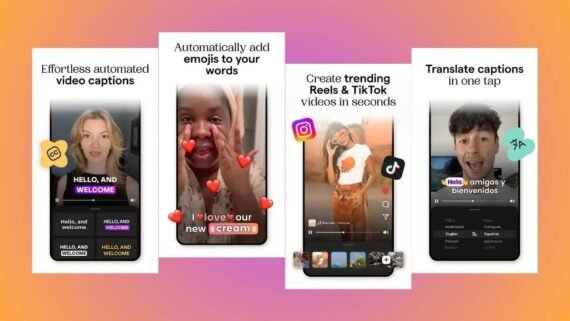
The Mojo app specializes in turning static images into engaging and dynamic animated stories. Mojo focuses on content creators and influencers who are looking for a fast way to create advanced visual content. Mojo helps create Reels and TikTok videos with professional studio-quality, offering the following:
- Ready-made animated templates designed by professionals with high quality.
- Licensed music directly from the app without copyright restrictions.
- Advanced text animation tools with professional visual effects.
Main tools:
- Showcase templates: Display products in a professional commercial way.
- Auto Captions: Automatically and accurately add subtitles to videos.
- Trends section: Templates that follow current trending music and styles.
| App name | Mojo |
| Main function | Create professional animated stories and reels |
| Operating systems | Android / iOS |
| Price | Free / Paid Pro |
| Artificial intelligence | Yes |
| Ease of use | Easy to medium |
| Users | Beginners and professionals |
| Download link | Download Mojo app |
CapCut App
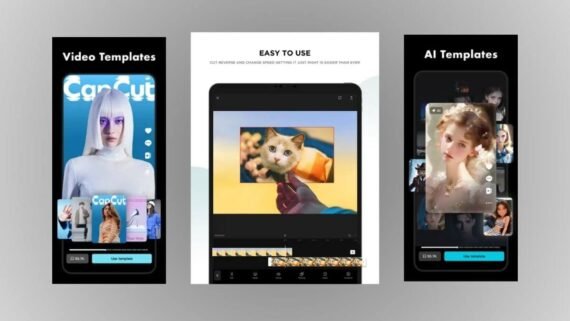
CapCut is one of the most powerful video editing programs specialized in producing professional short-form content. This app is owned by ByteDance, making it fully integrated with TikTok. Millions of creators use it as one of the top 10 story design apps with precision and professionalism, to edit clips from events and matches and turn them into viral videos with high quality. It also offers:
- Keyframe technology for extremely precise control over motion and effects.
- AI-powered face and body tracking features with high accuracy.
- Background removal from videos without the need for a green screen.
Main tools:
- Speed Ramping: Advanced professional control over video speed.
- AutoCut: Ready-made editing templates that work with one click.
- Captions: Convert audio to written text with high accuracy.
| App name | CapCut |
| Main function | Advanced professional video editing and montage |
| Operating systems | Android / iOS / Web / Windows / Mac |
| Price | Free / Optional purchases |
| Artificial intelligence | Yes |
| Ease of use | Medium |
| Users | Mainly professionals |
| Download link | Download CapCut app |
Unfold App
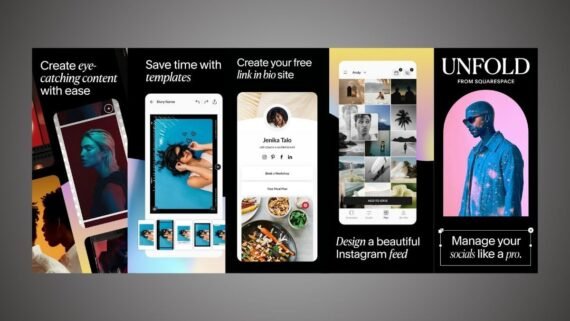
The Unfold app is distinguished by offering simple and elegant designs that focus on visual beauty. Professional photographers and fashion bloggers prefer it to showcase their work with subtlety and artistry. Unfold offers templates resembling classic films and art magazines, providing the following:
- Clean and elegant templates that focus on image quality and simplicity.
- Distinctive modern fonts and advanced text editing tools.
- The ability to create a Bio Site page placed in the bio that includes your important links.
Main tools:
- Bio Sites: Create a mini website for your personal and professional links.
- Filters & Effects: Calm, cinematic, high-quality visual filters.
- Film Frames templates: Classic frames that mimic photographic images.
| App name | Unfold |
| Main function | Artistic story templates with a simple and elegant style |
| Operating systems | Android / iOS |
| Price | Free / Unfold+ / Paid Pro |
| Artificial intelligence | No |
| Ease of use | Very easy |
| Users | Beginners and professionals |
| Download link | Download Unfold app |
InShot App
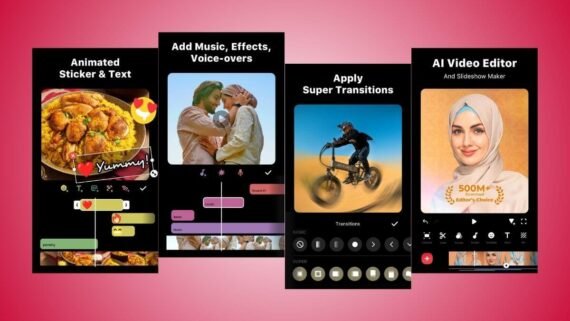
The InShot application is the ideal choice for quick and practical edits. Millions of users rely on it to quickly edit short videos and adjust their dimensions to suit different social media platforms. InShot provides all the basic tools in a simple interface that does not require prior experience through:
- Changing aspect ratio (Canvas) for any platform with one click.
- Seamlessly combining photos and videos into a single clip.
- A library of free sound effects and music with thousands of options.
Main tools:
- PIP tool: Place a video or image over another easily.
- Voiceover: Record a direct voice commentary over the video.
- Stickers: Animated stickers and various interactive texts.
| App name | InShot |
| Main function | Fast and practical video and photo editor |
| Operating systems | Android / iOS |
| Price | Free / Paid Pro |
| Artificial intelligence | Yes (limited features) |
| Ease of use | Very easy |
| Users | Beginners |
| Download link | Download InShot app |
StoryArt App
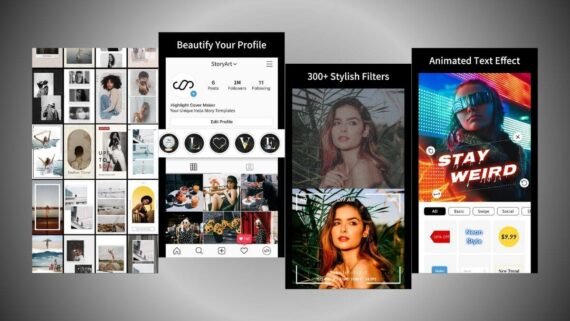
The StoryArt app offers a huge library of carefully designed templates to meet diverse needs. It makes it easy to find the right design for any occasion or topic thanks to clear categories. StoryArt helps organize Highlights with professional and consistent covers, with the following features:
- More than 2000 templates with very diverse colors and themes.
- Animated and static templates covering various occasions and situations.
- Video speed adjustment tools and precise clip trimming.
Main tools:
- Highlight cover maker: Design distinctive icons for your profile.
- Vintage filters: Old cinematic effects for photos and videos.
- Multiple themes: Design sets (marble, minimal, bright colors, dark).
| App name | StoryArt |
| Main function | Comprehensive library of story and highlight templates |
| Operating systems | Android / iOS |
| Price | Free / Paid VIP |
| Artificial intelligence | No |
| Ease of use | Very easy |
| Users | Beginners and professionals |
| Download link | Download StoryArt app |
Adobe Express App
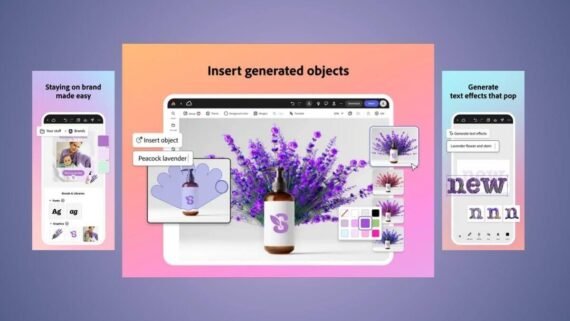
Adobe Express brings the power of professional Adobe software to your smart device in a simplified and effective way. It benefits from Firefly AI technology and Photoshop expertise to deliver fast professional results. It supports cloud synchronization, allowing you to work easily between phone and computer. What distinguishes Adobe Express:
- Generate professional images from text prompts using Firefly.
- Access to the vast Adobe Stock library of images, fonts, and videos.
- Background removal and image resizing with one click.
Main tools:
- Text to Image: Turn text descriptions into professional artistic images.
- Scheduler: Schedule and publish content automatically across platforms.
- Text effects: Turn text into impressive 3D designs.
| App name | Adobe Express |
| Main function | Professional graphic design with Adobe technology |
| Operating systems | Android / iOS / Web |
| Price | Free / Paid Premium |
| Artificial intelligence | Yes (Firefly) |
| Ease of use | Medium |
| Users | Beginners and professionals |
| Download link | Download Adobe Express app |
Prequel App
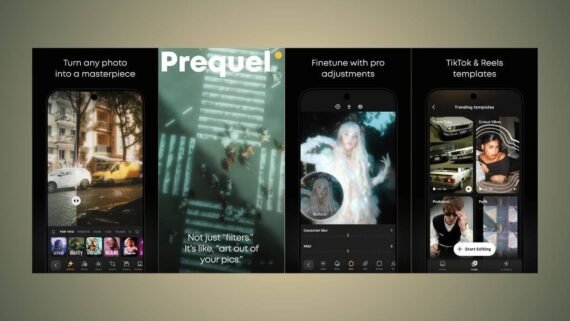
The Prequel application is known for specializing in aesthetic filters and unique visual effects. Generation Z loves it for its distinctive cinematic and cartoon effects. Prequel allows you to turn your personal photos into fictional characters using artificial intelligence through:
- Exclusive filters and effects not found in other apps.
- Easy simultaneous photo and video editing technologies.
- Weekly updates with new filters that follow global trends.
Main tools:
- D3D effect: Turn static images into three-dimensional illustrations.
- AI Avatar: Turn personal photos into artistic drawings and designs.
- Retro filters: VHS, disco, and old film grain effects.
| App name | Prequel |
| Main function | Specialized aesthetic visual filters and effects |
| Operating systems | Android / iOS |
| Price | Free / Paid Gold |
| Artificial intelligence | Yes |
| Ease of use | Easy to medium |
| Users | Beginners and professionals |
| Download link | Download Prequel app |
InStories App
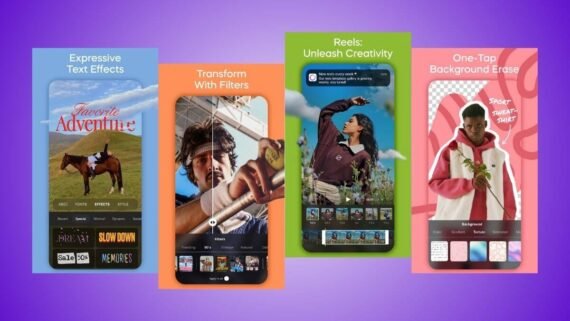
InStories focuses on providing visual content aimed at marketers and e-commerce store owners. It helps showcase products in innovative ways that increase sales and engagement. It features very high export quality that preserves color accuracy and details, with the following:
- Templates tailored for e-commerce and promotional offers.
- Extremely precise background removal for videos and images.
- Professional transitions between scenes that attract attention.
Main tools:
- Sticker Maker: Turn your images into WhatsApp and app stickers.
- Music library: Audio tracks suitable for commercial ads.
- Swap Face: Easily swap faces in photos and clips.
| App name | InStories |
| Main function | Marketing and commercial story templates |
| Operating systems | Android / iOS |
| Price | Free / Paid Pro |
| Artificial intelligence | Yes |
| Ease of use | Easy to medium |
| Users | Mainly professionals |
| Download link | Download InStories app |
Picsart App
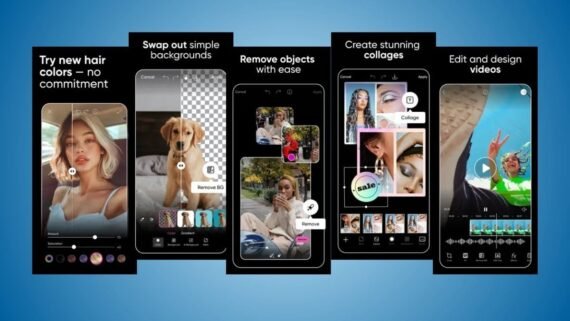
Picsart goes beyond being a regular editing tool to become a complete creative community that includes millions of artists. It allows users to combine images, draw on them, and add multiple layers with complete freedom. Picsart gives unlimited artistic freedom thanks to its flexible and powerful tools.
- Advanced drawing tools and multi-layer editing capabilities.
- A creative community for sharing and reusing designs.
- A huge library of free stickers and images for use.
Main tools:
- Dispersion effect: Scatter parts of the image with an attractive artistic effect.
- Collage maker: Combine images into various shapes and designs.
- AI Enhance: Automatically improve the quality of old and low-quality photos.
| App name | Picsart |
| Main function | Creative photo editing and video editing |
| Operating systems | Android / iOS / Web / Windows |
| Price | Free / Paid Gold |
| Artificial intelligence | Yes |
| Ease of use | Medium to complex |
| Users | Beginners and professionals |
| Download link | Download Picsart app |
Key guidelines for choosing the most suitable story creation app
Modern apps in 2025 and 2026 are moving toward integrating generative artificial intelligence to reduce work time and improve quality. Experts recommend the following:
- Choose one comprehensive app like Canva or Adobe Express for general and varied tasks.
- Keep a specialized app like CapCut for professional video work.
- Be aware that some free apps place a watermark on designs, so purchasing the paid version is preferable for a professional, condition-free appearance.
- Ensure your device supports fast graphics processing when using heavy apps.
- Always review privacy policies before installing the app, especially those that request access to the photo gallery and camera.
These tools now provide features comparable to desktop software, allowing the design of high-quality content about sports tournaments and football matches with broadcast-level quality.
What are the key differences between the top 10 story video design apps?
The following table shows a comparison between the best story design apps, helping you choose what suits your needs based on features, drawbacks, and strengths and weaknesses of each app:
| App | Main advantages | Main disadvantages |
|---|---|---|
| Canva | All-in-one services, full Arabic support, very large library | Advanced features require a paid subscription |
| Mojo | Best text animation, modern templates, licensed music | Limited long video editing options |
| CapCut | Very powerful and free, professional video features | Relatively complex for complete beginners |
| Unfold | Elegant and artistic designs, ideal for photography | Limited video and effects options |
| InShot | Very easy and fast, practical for daily use | Does not include a large story template library |
| StoryArt | Thousands of ready-made templates, light on phone resources | Many ads in the free version |
| Adobe Express | High professional quality, powerful AI | May be slow on older devices |
| Prequel | Unique and exclusive aesthetic filters | Occasional quality reduction in the free version |
| InStories | Specialized templates for professional marketing and sales | Relatively high price compared to competitors |
| Picsart | Complete creative freedom, very advanced drawing tools | Interface crowded with ads and elements |
We have put in your hands the top 10 professional story design apps so you can choose what you need to create distinctive and engaging content. Choose Canva if you are a beginner looking for ease and comprehensiveness, or CapCut if your focus is on professional video. All these tools allow you to produce high-quality visual content that rivals specialized channels.