

The need for screen recording apps has become essential with the growth of educational and promotional content production, as these tools allow capturing everything happening on the screen in high quality with precise audio and video, making it easier to prepare tutorials, record gameplay, or save calls and live streams. Rumman website presents the top ten options to help users choose the most suitable app without the hassle of searching.
What are the best 10 screen recording apps?
Screen recording apps are practical tools for anyone who wants to document processes, create educational videos, save gameplay moments, or even record live streams; therefore, this concise list was prepared featuring the best ten free and paid solutions available on Android, saving users time and effort and guiding them directly to the option that best matches their needs.
- AZ Screen Recorder
- XRecorder
- Mobizen Screen Recorder
- ScreenCam
- ADV Screen Recorder
- Screen Master
- Google Play Games
- Screen Recorder app (LinuxAuthority)
- Loom app
- Glip app
AZ Screen Recorder App
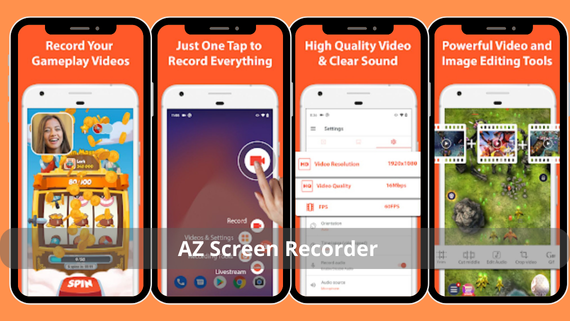
- AZ Screen Recorder
AZ tops the list because it does not require root permissions and offers smooth recording at 1080p resolution with 60 frames per second. It also allows live streaming to YouTube and adding watermarks and the front camera during recording, making it an ideal choice for publishers and gamers alike. Below are the key features of AZ Screen:
- Recording at 1080p resolution at 60 frames per second
- Live streaming support for multiple platforms
- Front camera support during recording
- Pause tool to control recording
- Built-in video editor for basic editing
Download AZ Screen Recorder 👈🏻 AZ Screen Recorder 👉🏻
XRecorder App
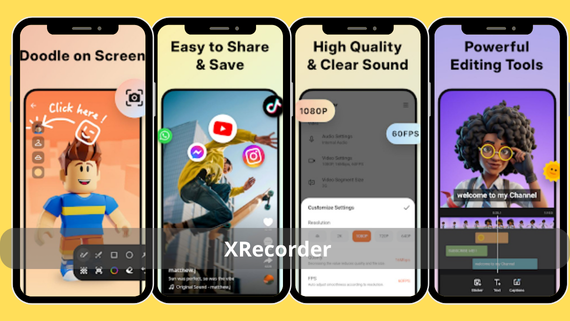
- XRecorder screen recorder
XRecorder is known for its lightweight interface and fast response, allowing screen and audio recording together without lag, with support for 2K resolution and 60fps, in addition to a floating FPS counter during gameplay, making it flexible for creating short TikTok and YouTube videos. Key features include:
- 2K recording while maintaining performance
- Floating FPS counter during operation
- Built-in video editor with trimming and merging tools
- Direct sharing to social platforms
- Separate audio quality adjustment
Download XRecorder 👈🏻 XRecorder 👉🏻
Mobizen Screen Recorder App
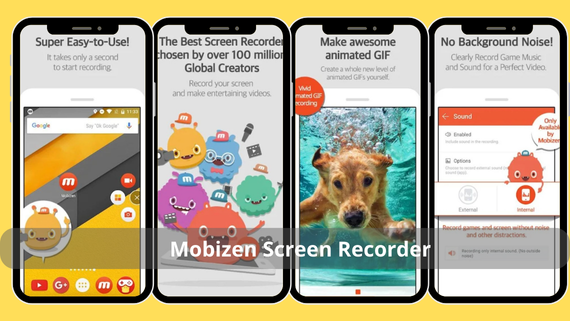
- Mobizen screen recording app
Mobizen allows full control over video quality from 240p up to 1080p and includes a built-in video editor with the ability to add music and effects, along with the “floating front camera” feature that keeps the speaker’s image in the corner during recording. Key features include:
- Adjust video quality from 240p to 1080p
- Video editor with music and effects library
- Floating front camera feature
- Watermark removal option
- Frame rate adjustment as needed
Download Mobizen Screen Recorder 👈🏻 Mobizen 👉🏻
ScreenCam App
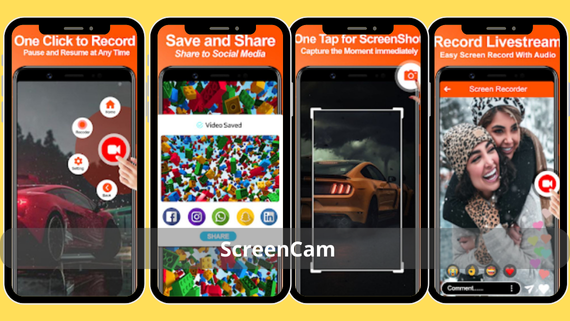
- ScreenCam app
ScreenCam relies on an open-source, ad-free interface and is distinguished by its ease of use and lightweight size. It records the screen and internal audio only without complications, making it suitable for beginners and those seeking high privacy. Key features include:
- Open-source interface without ads
- Internal audio recording only
- Very small size (3 MB)
- Very simple user interface
- Automatic video saving
Download ScreenCam 👈🏻 ScreenCam 👉🏻
ADV Screen Recorder App
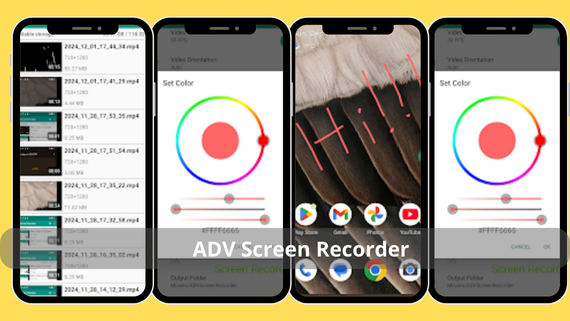
- ADV Screen Recorder app
ADV allows dual recording using both the front and rear cameras while capturing the screen, adds a countdown timer before starting, and enables manual adjustment of resolution and bitrate to meet the needs of users who want precise video details. Key features include:
- Dual recording with front and rear cameras
- Countdown timer before start
- Manual adjustment of resolution and bitrate
- Add text to videos
- Quick file sharing
Download ADV Screen Recorder 👈🏻 ADV Screen Recorder 👉🏻
Screen Master App
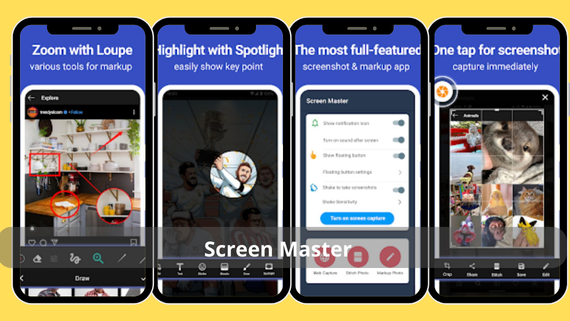
- Screen Master app
Screen Master is distinguished by its lightweight nature and not requiring an internet connection. It records the screen at up to 2K resolution with both microphone and system audio simultaneously, and allows manual adjustment of orientation, resolution, and bitrate to suit devices with limited specifications without performance impact. Key features include:
- Works without an internet connection
- Records microphone and system audio together
- Full manual settings control
- Simple user interface
- Stable performance on low-end devices
Download Screen Master app 👈🏻 ScreenMaster👉🏻
Google Play Games App
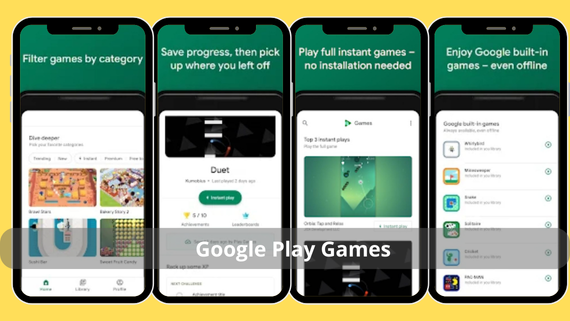
- Google Play Games for recording game screens
The official Google Games app offers a built-in recording feature that activates directly during gameplay, supporting 720p resolution with voice commentary, making it ideal for those who want to share clips without installing additional apps. Key features include:
- Activate recording directly within games
- Add instant voice commentary
- Quick sharing to gaming platforms
- No need to install external apps
- Player-focused interface
Download Google Play Games app 👈🏻 Google Play Games👉🏻
Screen Recorder App (LinuxAuthority)
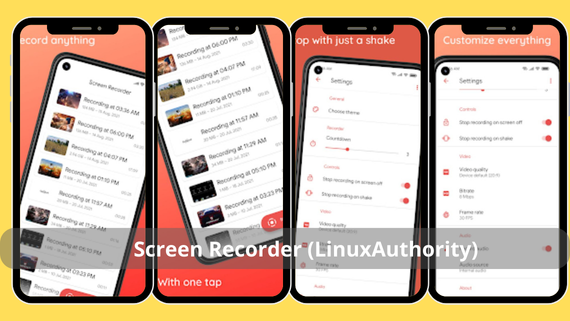
- Screen Recorder app
The open-source Screen Recorder app provides a completely ad-free and watermark-free recording experience. It is considered one of the most powerful screen recording apps as it supports capturing the screen and internal audio together up to 1080p resolution at 60 frames per second, with manual bitrate adjustment to achieve the highest possible quality or smallest file size as needed. Key features include:
- Open source without ads
- Manual bitrate adjustment
- Internal audio recording only
- Very simple interface
- High-quality video saving
Download Screen Recorder app 👈🏻 Screen Recorder👉🏻
Loom App
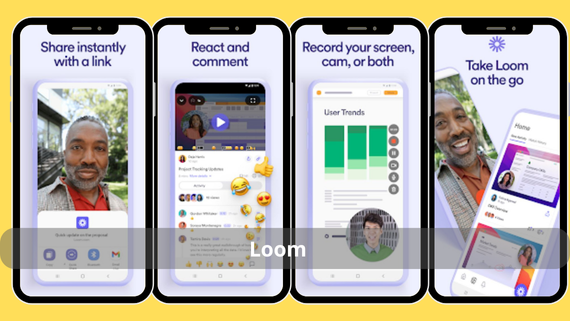
- Loom screen recording app
Loom focuses on sharing speed. Once recording stops, the video is automatically uploaded to the cloud and a share link is instantly copied to the clipboard. It also allows recording the front camera and screen simultaneously at 1080p, making it ideal for quick explanatory videos and visual feedback. Key features include:
- Automatic cloud upload after recording
- Instant share link creation
- Record camera and screen together
- 1080p video resolution
- Ability to add text comments
Download Loom app 👈🏻 Loom 👉🏻
Glip App
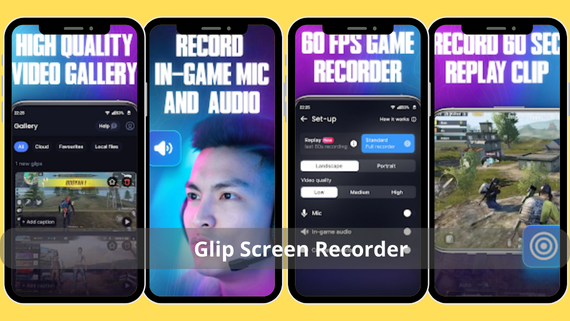
- Glip screen recording
Glip targets gamers and content creators alike. It records the screen at 1080p/60fps and automatically adds high-quality voice commentary, then generates a ready-to-share file for Discord or Twitter with one click, without the need for additional editing. Key features include:
- Recording at 1080p with 60 frames per second
- Automatic voice commentary
- Direct sharing to Discord and Twitter
- Compressed file size
- Gamer-focused interface
Download Glip app 👈🏻 Glip 👉🏻
Choose what suits your screen recording needs
Whether you want to record your games in high quality, create educational tutorials, or capture professional clips quickly, download the app that suits you from the dedicated screen recording apps by knowing the key strengths of each app:
| App | Advantages | Disadvantages |
|---|---|---|
|
|
|
|
|
|
|
|
|
|
|
|
|
|
|
|
|
|
|
|
|
|
|
|
|
|
|
|
|
|
|
|
|
|
|
|
|
|
|
|









Having reliable screen recording apps is an essential necessity for anyone producing educational or promotional content or wanting to save their in-game moments. The ten options above cover all needs, from basic functions to advanced editing tools. Choose the app that matches your device capabilities and usage type, then start recording immediately without hesitation, because the best moment to document is the moment you decide to share.