
Remote Desktop applications have become essential tools in the modern digital work environment, as they enable you to access your device or manage other devices from anywhere as if you were physically sitting in front of them. These applications rely on advanced connectivity and encryption technologies that allow full control, screen sharing, file transfer, and running programs remotely with security and smooth performance. Whether you work from home, manage a technical support team, oversee company servers, or simply need access to your personal computer while traveling, remote desktop applications provide a practical and flexible solution that saves time, reduces costs, and frees work from location constraints.
What are Remote Desktop applications?
They are software solutions that allow you to fully control a remote computer or server over the internet or a local network, as if you were sitting in front of its screen. They are used for working from home, providing fast technical support, managing servers, or even for entertainment and playing high-performance games from anywhere. Most of them offer strong encryption, file transfer, remote printing, and collaborative features to ensure uninterrupted workflow. Among the top 10 Remote Desktop applications:
- TeamViewer
- AnyDesk
- Splashtop
- DeskIn
- RemotePC
- Zoho Assist
- AnyViewer
- RealVNC Connect
- Microsoft Windows App
- GoToMyPC
TeamViewer
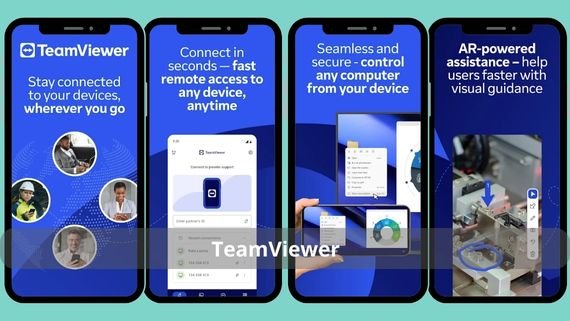
Considered the gold standard for remote connectivity, it allows control of Windows, macOS, and Linux devices in addition to iOS and Android, with screen sharing above 4K, file transfer, remote printing, and session recording. It features multi-user support simultaneously, the ability to wake sleeping devices, and integration with ticket management tools. It is widely used in enterprises due to its AES-256 encryption and two-factor authentication that meet the highest security standards. Key features of TeamViewer include:
- An intuitive interface that allows connection in just three clicks without complex setup
- The ability to manage up to 500 devices in a single list with precise permissions for each user
- File transfer speeds up to 200 Mbps with drag-and-drop support and automatic resume
- High-definition video recording of all sessions with automatic cloud storage for later review
- AES-256 encryption and two-factor authentication compliant with PCI DSS and GDPR standards
- 24/7 technical support via live chat and email with the option to schedule a phone call
🖥️ Control your device remotely with ease using TeamViewer now!
AnyDesk
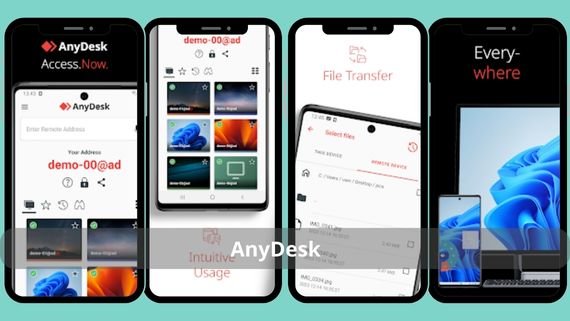
It is distinguished by its lightweight performance and TLS 1.2 encryption with RSA 2048 key exchange, making it an ideal choice for devices with limited resources. It enables remote printing, high-speed file transfer, and 4:4:4 color accuracy at up to 60 frames per second, which makes it preferred by designers and developers. It supports unattended access deployment, allowing maintenance and technical support without the presence of the other party. The most notable features of AnyDesk include:
- A client size that does not exceed 3 MB and runs on devices with 1 GB RAM without lag
- 4:4:4 color accuracy and 60 frames per second to ensure a smooth visual experience during design or editing
- The ability to set up a whitelist for specific devices allowing password-free access while remaining fully encrypted
- Low Bandwidth mode that reduces data consumption to less than 100 kbps, allowing it to work even on 3G networks
- Automatic backup of session settings and passwords to your cloud account with the ability to import them to any device
🖥️ Control your device remotely with speed and security using AnyDesk now!
Splashtop
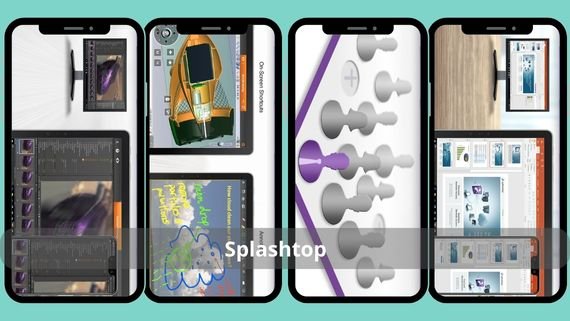
Known for its high streaming quality and low latency, it supports 4K resolution at 240 frames per second with multi-monitor support, making it an ideal choice for designers, engineers, and advertising teams. It offers two versions: Business Access for regular users and SOS for fast technical support. It features 256-bit AES and TLS encryption and complies with GDPR and HIPAA standards to ensure data security. Key features of Splashtop include:
- Support for 4K resolution and 240 frames per second to ensure smooth performance when running heavy applications or games
- Audio, printing, and clipboard redirection for a complete experience as if you were sitting at the actual device
- Privacy Screen mode that displays a black screen on the remote device during connection to protect data from onlookers
- The ability to wake sleeping devices via Wake-on-LAN without needing to modify router settings
- Automatic session recording with storage on Google Drive or OneDrive for review or sharing with the team
- A free 7-day trial for all plans with direct technical support during business hours
💼 Control your devices remotely with ease using Splashtop Business now!
DeskIn
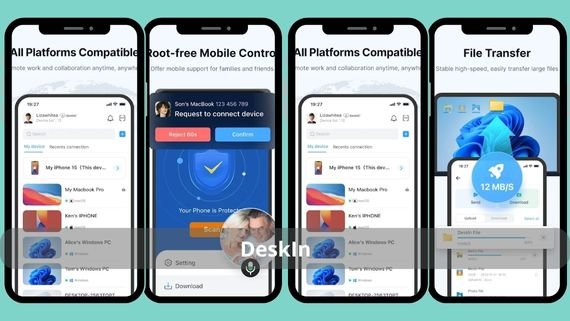
The newest player in the remote connectivity market, it delivers exceptional performance with latency under 40 milliseconds and true support for 4K@60fps or 2K@144fps, making it ideal for gaming, design, or heavy remote work. It relies on optimized H.266 encoding to reduce data consumption to less than half of H.264 without compromising quality. Key features of DeskIn include:
- Latency below 40 milliseconds to ensure instant responsiveness even with fast-paced games or heavy design tools.
- Optimized H.266 encoding that reduces data usage by more than 50 percent compared to H.264
- Maintains 4K@60fps or 2K@144fps.
- File transfer speeds up to 12 MB per second without limits on size or format
- Turn your iPad into a second screen for your computer or gain full control over Android devices without root, with one click.
- End-to-end encryption with white and blacklists and multi-level authentication to ensure enterprise and sensitive data security.
- A free unlimited-time version for basic features with paid plans starting at only $3.58 per month.
🖥️ Control your device remotely with ease using DeskIn now!
RemotePC
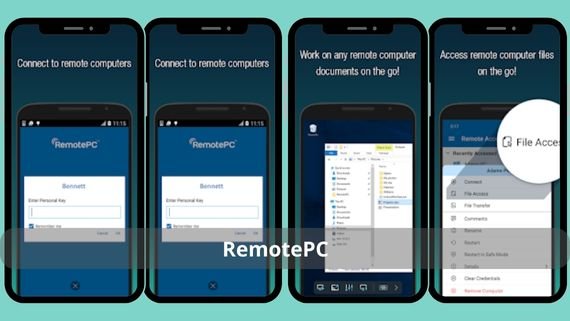
It offers one of the most cost-effective solutions for managing multiple devices, providing unattended access to an unlimited number of computers for a fixed annual fee. It features a lightweight web interface that does not require installing an additional client on the connecting device, making it ideal for working from public devices or Chromebooks. It supports file transfer, remote printing, and session recording. Key features of RemotePC include:
- Flat pricing based on the number of devices rather than users, reducing costs for large teams
- Browser-based web access without software installation, enabling quick connections from any device, even public ones
- File transfer speeds up to 10 Mbps with drag-and-drop support and resume after interruptions
- Video recording of all sessions with automatic cloud storage and secure link sharing
- Wake-on-LAN feature to wake sleeping devices even outside the local network via an integrated mobile app
- Email-based technical support with responses within 4 business hours and a comprehensive knowledge base of over 500 articles
🖥️ Control your device remotely with ease using RemotePC Viewer now!
Zoho Assist
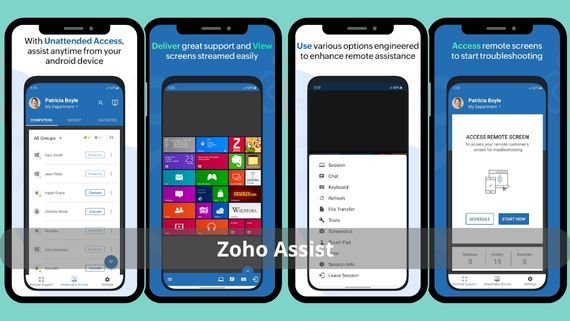
Designed for technical support teams and managed service providers (MSPs), it enables unattended access, session recording, and on-screen annotations during connections. It features 256-bit AES and SSL encryption and supports mobile device management for iOS and Android in addition to computers. It provides APIs and SDKs to integrate the service into your own applications or existing ticket management platforms. Features of Zoho Assist include:
- Group management of unlimited devices with folder organization and precise permission assignment for each team or client
- Automatic video recording of all sessions with storage on Zoho Drive and secure time-limited sharing links
- Annotation tools such as drawing, pointers, and highlighting that allow technicians to guide users without taking full control
- Mobile device support, allowing you to view and interact with iOS and Android screens or install APK and IPA files remotely
- Integration with Zoho Desk, Salesforce, and Jira to automatically create tickets or link sessions to existing tickets
- A free plan supporting one technician and five devices with unlimited time, with upgrades starting at only $5 per month
🖥️ Control your device from anywhere with Zoho Assist now!
AnyViewer
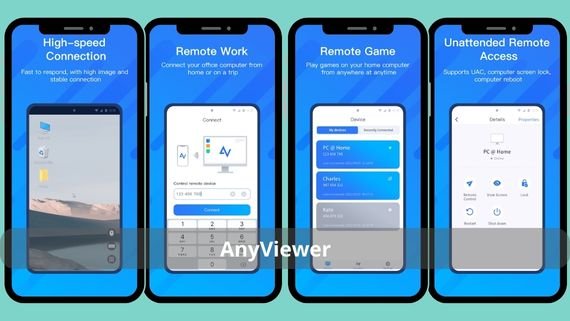
It provides fast and free connectivity for beginners with 256-bit ECC encryption, making it suitable for personal use or small businesses seeking a simple solution without high costs. It supports high resolution, file transfer speeds up to 10 Mbps, and remote printing. Paid plans are available at competitive prices starting from $3.58 per month, offering unlimited sessions and priority support. Key advantages of AnyViewer include:
- 256-bit ECC encryption providing strong security with smaller keys and lower data volume, improving performance on weak networks
- Support for 1440p resolution at 60 frames per second with the option to lower quality to save data on mobile networks
- File transfer to multiple devices simultaneously at speeds of up to 10 Mbps
- A free unlimited-time plan for personal use with the option to upgrade later without losing settings or device lists
- Email-based technical support with responses within 12 hours and a knowledge base translated into more than 15 languages
🖥️ Control your device remotely with ease using AnyViewer now!
RealVNC Connect
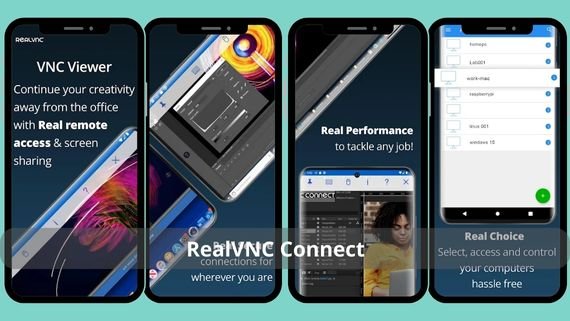
It offers a lightweight and open-source solution for those who want to manage multiple devices at a low cost. It supports Windows, macOS, Linux, and Raspberry Pi, making it ideal for IoT enthusiasts and developers. It provides 256-bit AES encryption, multi-monitor support, and the ability to deploy on more than 100 devices simultaneously through a simple control panel. Features of RealVNC include:
- A lightweight client under 5 MB that runs on devices with 512 MB RAM, suitable for older hardware or Raspberry Pi
- Multi-monitor support with the ability to select a specific screen or view all screens in one window with fast switching
- Mass deployment via command line or MSI to more than 100 devices simultaneously with unified default settings
- AES-256 encryption and two-factor authentication with the option to assign enterprise-specific keys for added security
- A free unlimited-time plan supporting 3 devices, with upgrades starting at only $1 per month per additional device
🖥️ Control your device remotely with ease using RealVNC Viewer now!
Microsoft Windows App
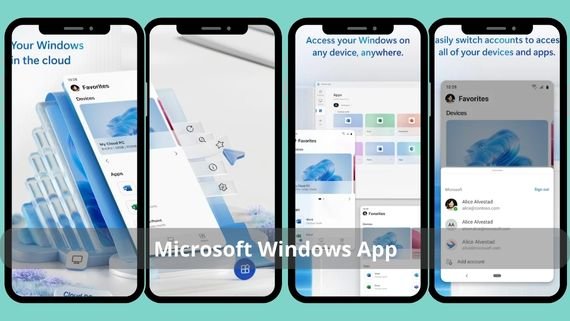
The new name for Microsoft’s Remote Desktop application, it is the ideal choice for users of Windows 365 or Azure Virtual Desktop. It supports 4K resolution with adaptive refresh rates based on network speed and integrates with fingerprint authentication and Windows Hello for secure access. It works across all platforms (Windows, macOS, iOS, Android, and Chrome OS), making it suitable for organizations fully invested in the Microsoft ecosystem. Key features of the Microsoft Windows App include:
- Support for 4K resolution with adaptive refresh rates ranging from 30 to 240 Hz depending on network speed
- Full integration with Windows Hello and fingerprint authentication for secure login without repeatedly entering passwords
- Automatic redirection of files, clipboard, and printers with granular control based on organizational policy
- No VPN required, using a secure Azure-managed tunnel integrated with your other cloud services
- Completely free for Windows 365 or Azure Virtual Desktop users with direct Microsoft technical support
🖥️ Easily access your device remotely with Microsoft Remote Desktop now!
GoToMyPC
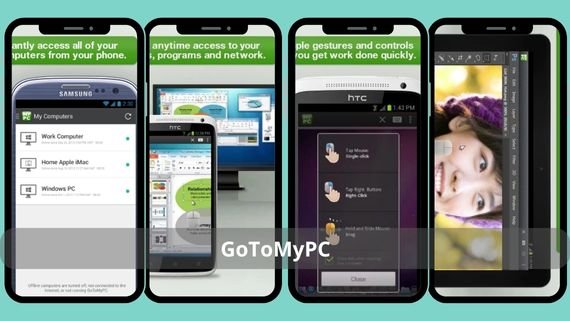
It focuses on simplicity and speed, allowing you to connect to your personal computer with one click from any browser or mobile app. It features a Privacy Screen that displays a black screen on the remote device during connection, hiding your data from anyone nearby. It provides 24/7 technical support and complies with HIPAA standards, making it safe for the healthcare sector. Features of GoToMyPC include:
- One-click connection from the browser or app without entering IP addresses or complex configurations
- Privacy Screen that hides the actual screen from anyone near the computer and displays only a “Session Active” message
- Automatic backup of settings and device lists to the cloud with easy restoration when changing phones or computers
- 24/7 technical support via phone or chat with the option to schedule a video call for remote troubleshooting
- Compliance with HIPAA and SOC 2 standards with ready-to-sign Data Processing Agreements (DPA)
- A free 7-day trial without a credit card, with the option to cancel at any time
🖥️ Control your device remotely with ease using GoToMyPC now!
How do you choose the best Remote Desktop application?
To choose the right application for your work requirements, here is a summary of the key advantages and disadvantages of the most popular options to help you make the right decision without wasting time:
| Application | Main Advantages | Main Disadvantages |
|---|---|---|
| TeamViewer | Feature-rich, mobile device support, strong security | High long-term cost |
| AnyDesk | Lightweight, fast, strong free version | Free version limited for commercial use |
| Splashtop | High performance 4K/240Hz, clear pricing | Interface less modern than some competitors |
| Cloudvara | Heavy application hosting, fully managed support | Requires contacting sales for pricing |
| RemotePC | Low pricing, browser access | Lacks advanced collaboration tools |
| Zoho Assist | Integration with Zoho tools, mobile support | Limited remote printing in some reports |
| AnyViewer | Generous free plan, strong ECC encryption | Does not support Linux or macOS yet |
| RealVNC | Lightweight, open source, affordable | Requires advanced network configuration for optimal performance |
| Windows App | Free, integrated with Azure | Requires a Windows 365 or AVD subscription |
| GoToMyPC | Complete simplicity, high privacy | Fewer features compared to enterprise solutions |
There is no single Remote Desktop application that fits everyone. If you are looking for strong performance at a reasonable price, start with AnyDesk or Splashtop. If you are a large organization needing comprehensive management, TeamViewer or Zoho Assist are the ideal solutions. If you are a fan of the Microsoft ecosystem, do not hesitate to use Windows App. Choose your tool now and do not let your work or data remain tied to a location any longer.