
Mobile photo editing apps are the fast key to turning ordinary shots into scenes ready for publishing and commerce. Rumman website presents a selection of photo apps that balance the power of professional tools with smooth use on a small screen, so you can choose what suits your project or daily moment without getting lost in random trials.
What are the top 10 mobile photo editing apps?
Whether you are an amateur photographer, a professional, or simply want to highlight the beauty of your daily memories, choosing the right photo editing app opens wide doors to creativity. Apps today range between simplicity and professionalism, and support artificial intelligence to deliver impressive results with one tap. Below, we review the top 10 mobile photo editing apps that combine ease, power, and innovation:
- Adobe Lightroom Mobile Adobe Lightroom Mobile
- Snapseed Snapseed
- VSCO VSCO
- PicsArt PicsArt
- Afterlight Afterlight
- Pixlr Pixlr
- Lightroom Mobile Premium Lightroom Mobile Premium
- Canva Canva
- Photoshop Express Photoshop Express
- Photo Lab Photo Lab
Adobe Lightroom Mobile Adobe Lightroom Mobile
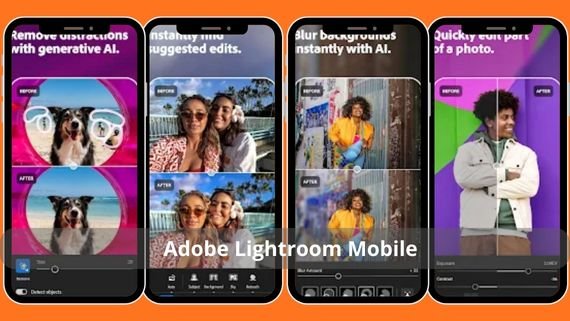
Lightroom Mobile delivers a fully professional mobile photo editing experience, combining precise RAW color management with cloud synchronization with desktop. It stands out with curve tools, color mixing, and customizable presets, making it the first choice for photographers seeking precise control without losing quality.
| Lightroom | Core features | Specifications | Download link |
|---|---|---|---|
| Adobe Lightroom Mobile | RAW editing, presets, cloud sync | 120 MB – Version 9.2 – Android 8.0+ | Lightroom Mobile |
Snapseed Snapseed
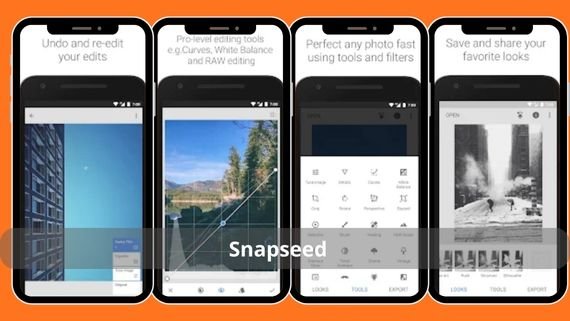
A completely free app developed by Google, combining simplicity with technical depth through selective adjustment tools and healing brushes. It is known for its precision in detail control and the ability to save edits as non-destructive, making it ideal for users who want fast results without complexity.
| Snapseed | Core features | Specifications | Download link |
|---|---|---|---|
| Snapseed | Selective adjustment, healing brushes, non-destructive export | 30 MB – Version 2.19 – Android 6.0+ | Snapseed |
VSCO VSCO
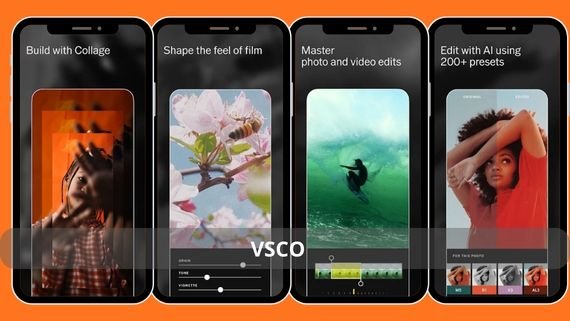
VSCO distills the philosophy of film photography into your phone, offering filters that emulate famous Kodak and Fuji films with precise control over intensity and gradients. It includes a quiet social network that encourages focus on visual content, making it a haven for lovers of simple aesthetics and neutral colors.
| VSCO | Core features | Specifications | Download link |
|---|---|---|---|
| VSCO | Film filters, VSCO Grid, manual camera | 85 MB – Version 331 – Android 7.0+ | VSCO |
PicsArt PicsArt
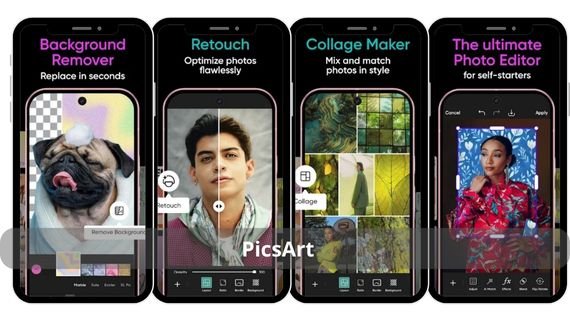
PicsArt is known as an all-in-one studio that combines traditional editing with creative design through layers, short animations, and a huge sticker library contributed by the community. It allows recreating your images in artistic or comedic styles and is an ideal platform for content creators who need endless options.
| PicsArt | Core features | Specifications | Download link |
|---|---|---|---|
| PicsArt | Layers, Remix Chat, drawing and cutting tools | 65 MB – Version 22.3 – Android 6.0+ | PicsArt |
Afterlight – Afterlight
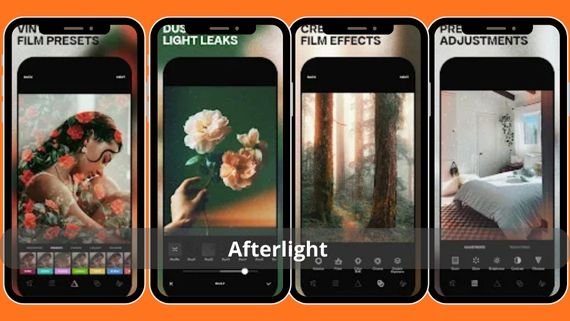
Afterlight offers a clean interface with more than 130 original filters and 20 unique editing tools such as gradients and light leaks. It targets users who want a cinematic look without diving into professional complexity, with the ability to add rare frames and film textures with one tap.
| Afterlight | Core features | Specifications | Download link |
|---|---|---|---|
| Afterlight | 130 filters, light leaks, gradients | 40 MB – Version 4.8 – Android 7.0+ | Afterlight |
Pixlr Pixlr
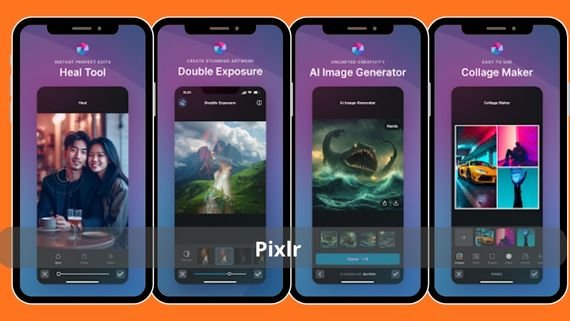
Pixlr stands out as a fast, cloud-based editor that works even on mid-range devices, offering automatic editing modes, AI-powered cutouts, and color burst effects. It is a reliable choice for those who want social media-ready results in seconds.
| Pixlr | Core features | Specifications | Download link |
|---|---|---|---|
| Pixlr | Smart cutout, artistic effects, automatic modes | 35 MB – Version 3.5 – Android 6.0+ | Pixlr |
Lightroom Mobile Premium

Adds 100 GB of cloud storage, AI Masking smart composition tools, and the ability to edit video with the same photo tools. It meets the needs of professionals working across multiple devices who want maximum control and secure preservation of original files.
| Lightroom Premium | Core features | Specifications | Download link |
|---|---|---|---|
| Lightroom Mobile Premium | AI Masking, video editing, 100 GB cloud | 120 MB – Version 9.2 – Android 8.0+ | Lightroom Mobile Premium |
Canva Canva
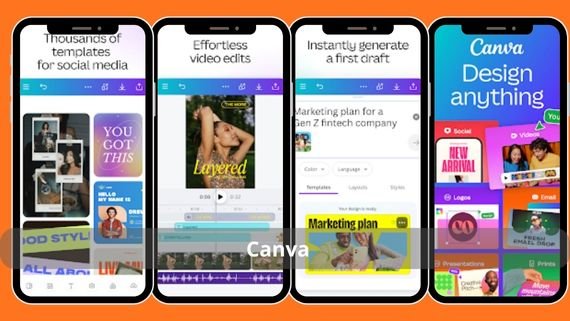
Canva is known as a comprehensive design platform, but its visual editor includes powerful photo editing tools such as background removal, color grading, and layers, along with millions of ready-made elements. It allows turning an image into a poster or story in minutes and is an ideal option for entrepreneurs and marketers.
| Canva | Core features | Specifications | Download link |
|---|---|---|---|
| Canva | Background removal, ready templates, real-time collaboration | 95 MB – Version 2.214 – Android 7.0+ | Canva |
Photoshop Express Photoshop Express
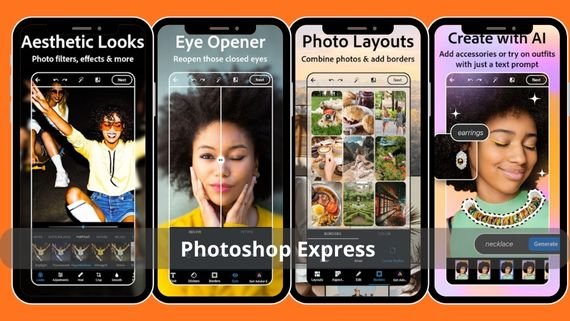
Photoshop Express offers a simplified Adobe experience among mobile photo editing apps, with noise reduction tools, automatic HDR composition, and perspective correction. It suits users who want the trusted Photoshop brand without the complexity of the full interface, with integration with the Creative Cloud library to save projects.
| Photoshop Express | Core features | Specifications | Download link |
|---|---|---|---|
| Photoshop Express | Automatic HDR, blur removal, perspective correction | 70 MB – Version 11.4 – Android 7.0+ | Photoshop Express |
Photo Lab – Photo Lab

Photo Lab focuses on ready-made artistic effects such as caricatures, fantasy movie effects, and smart face swaps. It is a fun option for those who want to turn ordinary photos into impressive artworks with one tap, without needing editing experience.
| Photo Lab | Core features | Specifications | Download link |
|---|---|---|---|
| Photo Lab | 900 artistic effects, caricature conversion, fast processing | 45 MB – Version 3.12 – Android 6.0+ | Photo Lab |
Choosing mobile photo editing apps makes a clear difference in your production speed and output quality, so first test what suits your goals. If you are a photographer, look for RAW editing. If you are a content creator, choose a platform that combines design and publishing. Try the free versions, then decide to invest in advanced tools that save your time and highlight your visual identity.