
With exceptional capabilities, the top 10 PDF apps for mobile give you document reading and editing, with smart tools for scanning, format conversion, and electronic signature support. The best available Android PDF document apps for Android and iOS combine ease of use with advanced professional features like OCR and AI, offering options that suit students and entrepreneurs to complete tasks efficiently, for free or paid. We review them now via the Rumman Net website.
What are the best 10 PDF apps for mobile?
The strongest PDF phone apps currently available in official stores combine diverse solutions that suit students, employees, and business owners who want speed and accuracy when handling files professionally. We present them below:
- UPDF Editor app (UPDF Editor).
- Adobe Acrobat Reader app (Adobe Acrobat Reader).
- PDFgear app (PDFgear).
- Xodo PDF Reader app (Xodo PDF Reader).
- CamScanner app (CamScanner).
- Microsoft Lens app (Microsoft Lens).
- ReadEra app (ReadEra).
- WPS Office app (WPS Office).
- Foxit PDF Editor app (Foxit PDF Editor).
- PDF Reader Editor app (PDF Reader Editor).
UPDF Editor app (UPDF Editor)
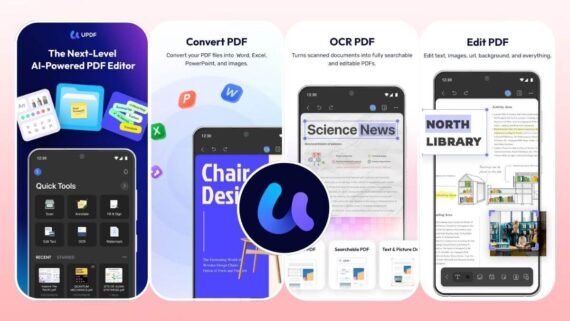
The UPDF Editor app provides an AI-powered PDF editing experience, making it an excellent choice for beginners and professionals who want progress and simplicity at the same time. It features a modern, attractive interface and ultra-fast cloud sync across different devices. You can rely on it to complete complex tasks like summarizing long texts or translating them instantly thanks to the built-in AI assistant. Key tools and features:
- Summarize, explain, and translate document content with high accuracy using AI.
- Edit text, images, and links inside files with complete ease.
- Convert PDF files to 14 different formats such as Word and Excel.
- Turn scanned documents into searchable and editable text.
- Automatic file syncing to access them from any device at any time.
- Add comments, highlight text, and place electronic signatures clearly.
| App name | UPDF Editor (UPDF Editor) |
|---|---|
| Main function | AI PDF editing and cloud syncing |
| Operating systems | Android / iOS / Windows / Mac |
| Price | Free with paid subscriptions |
| Does it support AI | Yes |
| Ease of use level | Very easy |
| Download link | Download UPDF Editor app |
Adobe Acrobat Reader app (Adobe Acrobat Reader)
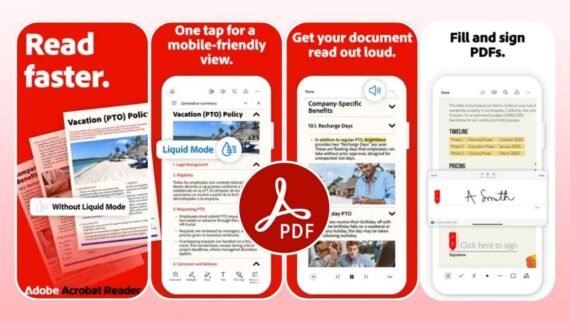
Adobe Acrobat Reader is considered the trusted global standard for viewing and managing digital documents, and it is very suitable for professionals who need high accuracy and reliability at work. It is known for Liquid Mode, which intelligently reformats text to fit small phone screens. In addition, Adobe Acrobat offers strong collaboration tools that make teamwork easier and file sharing secure. Key technical features:
- An improved reading experience that automatically adapts to your phone screen size.
- Ask questions and get instant answers from inside the document.
- Fill forms and add digital signatures quickly and efficiently.
- Accurately convert files into editable Microsoft Office documents.
- Protect sensitive files with passwords and strong encryption for security.
- Tools to review documents with colleagues in real time.
| App name | Adobe Acrobat Reader (Adobe Acrobat Reader) |
|---|---|
| Main function | Read and edit PDFs with reliable global standards |
| Operating systems | Android / iOS / Windows / Mac |
| Price | Free with paid subscriptions |
| Does it support AI | Yes |
| Ease of use level | Easy |
| Download link | Download Adobe Acrobat Reader app |
PDFgear app (PDFgear)
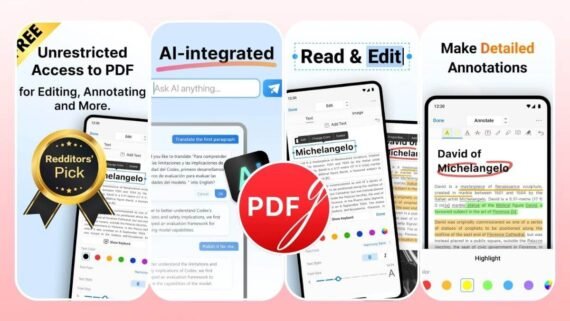
The PDFgear application stands out as a completely free solution with no annoying ads, making it the ideal choice among the top 10 PDF apps for mobile for students and users who want strong tools at no cost. Despite being free, PDFgear competes with paid apps by offering advanced features such as AI and comprehensive editing tools. It is an ideal tool for anyone who wants simplicity and effectiveness in document management without restrictions. Main features and tools:
- All features and tools are available to use with no hidden fees.
- A built-in smart assistant to analyze texts and extract information quickly.
- Edit file content, including text and images, with full freedom.
- Convert documents into various image formats and text document formats.
- Reduce the size of large files to make sharing them online easier.
- OCR support to convert images into text.
| App name | PDFgear (PDFgear) |
|---|---|
| Main function | A comprehensive free PDF editor with open features |
| Operating systems | Android / iOS / Windows / Mac |
| Price | Completely free |
| Does it support AI | Yes |
| Ease of use level | Very easy |
| Download link | Download PDFgear app |
Xodo PDF Reader app (Xodo PDF Reader)
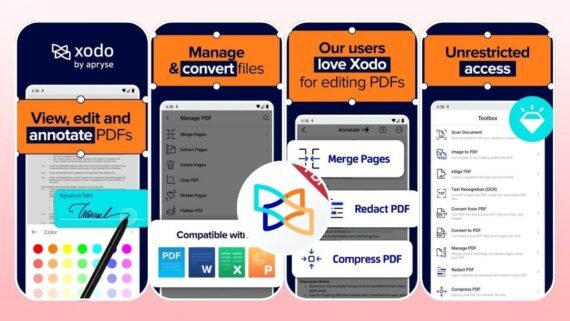
Xodo PDF Reader is a powerful platform that combines fast performance with a wide range of editing tools, and it is very suitable for heavy academic and professional use. The Xodo app provides a smooth experience when dealing with complex files and supports deep integration with various cloud storage services. Many people prefer it thanks to its fast rendering engine and precise drawing and annotation tools. Available functions:
- Wide options for drawing, highlighting, and adding side notes.
- Full support for filling interactive forms and text fields accurately.
- Direct access to your files on Google Drive, Dropbox, and more.
- Create custom signatures and insert them into documents with one tap.
- Tools to merge, split, and reorder document pages easily.
- Convert camera images into PDF files and extract text from them.
| App name | Xodo PDF Reader (Xodo PDF Reader) |
|---|---|
| Main function | Fast reading and editing with strong cloud integration |
| Operating systems | Android / iOS / Windows / Mac / Linux |
| Price | Free with paid Pro options |
| Does it support AI | No |
| Ease of use level | Easy |
| Download link | Download Xodo PDF Reader app |
CamScanner app (CamScanner)
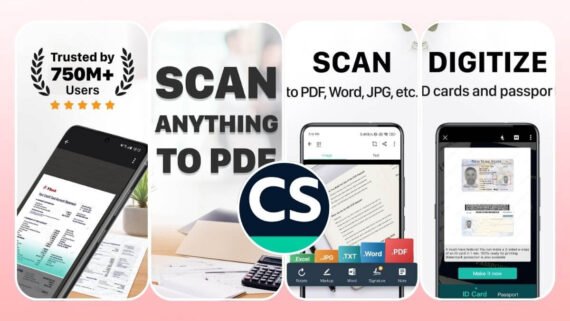
It is hugely popular as the best tool to turn your phone into a portable scanner, and it is ideal for students and business people who deal with paper constantly. CamScanner helps you digitize receipts, documents, and business cards in very high quality. It offers advanced features to enhance image quality and automatically remove unwanted backgrounds. Key digital scanning features:
- Capture photos, crop edges, and correct perspective automatically.
- Text recognition support in more than 40 global languages.
- Ability to send scanned documents as a fax to many countries.
- Smart recognition of business cards and saving their data to contacts.
- Save files and sync them automatically across all your connected devices.
- Options to set passwords for files before sharing them for security.
| App name | CamScanner (CamScanner) |
|---|---|
| Main function | Scan and digitize documents in high quality |
| Operating systems | Android / iOS / Windows / Mac |
| Price | Free with paid subscription plans |
| Does it support AI | No |
| Ease of use level | Very easy |
| Download link | Download CamScanner app |
Microsoft Lens app (Microsoft Lens)
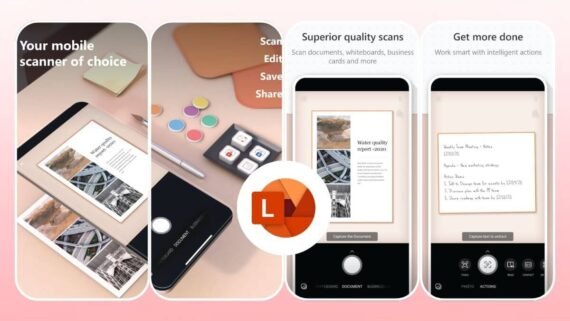
Microsoft Lens offers a simple and effective solution for scanning documents and whiteboards, and it especially suits Office suite users and students. The Microsoft Lens app stands out for its strong ability to clean up images and make text clearly readable. It integrates directly with other Microsoft apps to streamline workflows and transfer data. Notable tools and features available:
- Custom settings for capturing documents, whiteboards, and business cards clearly.
- Enhance lighting and adjust angles to get an ideal image.
- Direct export of files to Word, PowerPoint, and PDF formats.
- Convert handwritten and printed text into editable digital text.
- Automatically save files in OneNote or OneDrive cloud storage.
- An immersive reader feature for scanned text to help with accessibility.
| App name | Microsoft Lens (Microsoft Lens) |
|---|---|
| Main function | Smart scanning for documents and whiteboards |
| Operating systems | Android / iOS |
| Price | Free |
| Does it support AI | No |
| Ease of use level | Very easy |
| Download link | Download Microsoft Lens app |
ReadEra app (ReadEra)
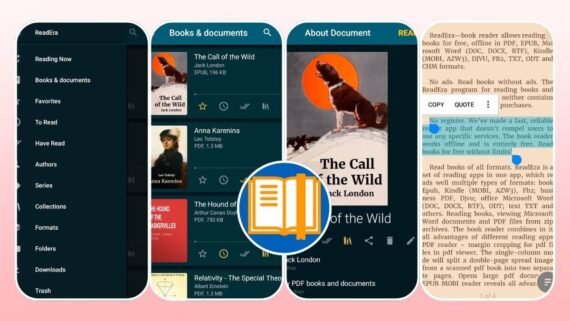
ReadEra is designed to be an all-in-one reader for books and documents, and it is the best choice for reading lovers who prefer a distraction-free interface. The ReadEra app supports a wide range of digital formats and does not require any internet connection to work efficiently. It features a smart library management system that helps you organize your books and documents in a neat, easy-to-access way. Key reading and organization benefits:
- Open PDF, EPUB, Word, Kindle, and many more.
- A user interface completely free of annoying ads and pop-ups.
- Ability to adjust font type and size, and background colors for eye comfort.
- Automatic categorization of books and documents by author or series.
- Convert written text into spoken audio with good quality.
- A fast app that does not consume device resources and does not duplicate files.
| App name | ReadEra (ReadEra) |
|---|---|
| Main function | Read and organize e-books and documents |
| Operating systems | Android only |
| Price | Completely free |
| Does it support AI | No |
| Ease of use level | Very easy |
| Download link | Download ReadEra app |
WPS Office app (WPS Office)
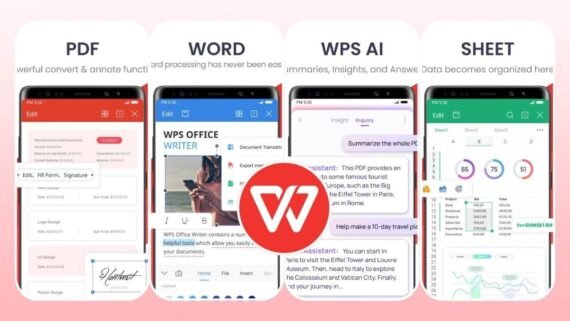
The WPS Office application is a complete mobile office, and it suits employees and students who need more than just a PDF reader. WPS Office combines word processing, spreadsheets, and presentations in one place, so you do not need to install multiple apps. It provides excellent compatibility with Microsoft Office files and Google Docs. Office tools include:
- Combine document, spreadsheet, and presentation editing tools with a PDF reader.
- AI features to help with writing and document analysis.
- Open, edit, and save various Office files smoothly.
- Free storage space with support for linking external cloud services.
- Options for annotation, merging, extracting pages, and changing watermarks.
- Sharing features and collaborative editing in real time.
| App name | WPS Office (WPS Office) |
|---|---|
| Main function | A comprehensive office suite to manage all types of documents |
| Operating systems | Android / iOS / Windows / Mac |
| Price | Free with premium options |
| Does it support AI | Yes |
| Ease of use level | Easy to medium |
| Download link | Download WPS Office app |
Foxit PDF Editor app (Foxit PDF Editor)
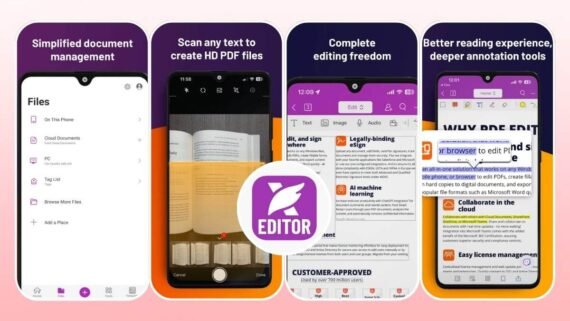
The Foxit PDF Editor app targets advanced users and companies that require high security standards and precise editing tools. The Foxit PDF app provides a professional work environment for managing digital documents, with a focus on data protection and privacy. It stands out for its fast performance and its ability to handle large, complex files without freezing. Advanced features and capabilities:
- AI tools to summarize content, rephrase text, and translate it.
- Precise control over text, images, and multimedia inside the file.
- Support for verified digital signatures to ensure documents are legally valid.
- Redaction to permanently and securely obscure sensitive information.
- Convert paper documents into editable and searchable digital copies.
- Easy linking with cloud storage services to share work with the team.
| App name | Foxit PDF Editor (Foxit PDF Editor) |
|---|---|
| Main function | Professional and secure PDF editing for businesses and companies |
| Operating systems | Android / iOS / Windows / Mac |
| Price | Free with advanced subscriptions |
| Does it support AI | Yes |
| Ease of use level | Medium |
| Download link | Download Foxit PDF Editor app |
PDF Reader Editor app (PDF Reader Editor)
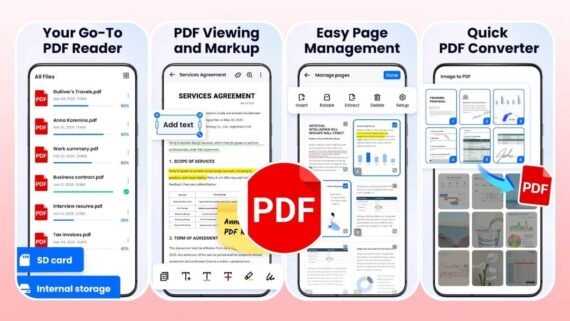
PDF Reader is a good option for anyone looking for a lightweight and fast tool to perform essential daily tasks, and it is very suitable for beginners. The PDF Reader program focuses on providing necessary functions such as reading, converting, and scanning in a simple, uncomplicated interface. It is a practical solution for mid-range devices and limited storage space. Core functions and tools:
- Flexible viewing options including night mode and smooth page scrolling.
- Quickly add text, images, and explanatory comments.
- Use the camera to create PDF files from photos and paper documents.
- Highlight important text, add notes, and freehand draw on pages.
- Convert PDF files to images or text documents and vice versa.
- An effective tool to reduce document size to save storage space.
| App name | PDF Reader Editor (PDF Reader Editor) |
|---|---|
| Main function | Basic and fast document reading and editing |
| Operating systems | Android / iOS |
| Price | Free with in-app purchases |
| Does it support AI | No |
| Ease of use level | Very easy |
| Download link | Download PDF Reader Editor app |
What are the pros and cons of the top 10 PDF apps for mobile?
Before making your final decision, this table helps you see the full picture of the most important strengths and weaknesses of each option among the best PDF mobile apps to read your documents:
| App | Key advantages | Key disadvantages |
|---|---|---|
| UPDF Editor app UPDF Editor | Strong AI, modern interface, fast syncing | Full features require a paid subscription |
| Adobe Acrobat Reader app Adobe Acrobat Reader | Most globally reliable, advanced reading mode, high security | Monthly subscription price is relatively high |
| PDFgear app PDFgear | Completely free and no ads, built-in AI assistant | May lack some very precise editing tools |
| Xodo PDF Reader app Xodo PDF Reader | Excellent cloud integration, rich annotation tools | Does not include AI features currently |
| CamScanner app CamScanner | Best scan quality, strong OCR features | The free version adds a watermark |
| Microsoft Lens app Microsoft Lens | Free and easy, great Office integration | Its official support will be discontinued soon |
| ReadEra app ReadEra | Clean reading experience, supports many formats, offline | No version for iOS (iPhone) |
| WPS Office app WPS Office | All-in-one app for all documents, AI | The user interface may feel a bit crowded |
| Foxit PDF Editor app Foxit PDF Editor | High data security, professional editing tools | The interface may be complex for beginners |
| PDF Reader Editor app PDF Reader Editor | Lightweight and fast, easy for daily tasks | Limited capabilities compared to big competitors |
When handling sensitive documents or legal contracts, it is always recommended to use apps that provide encryption and password protection features such as Foxit or Adobe Acrobat. Relying on apps that offer built-in cloud storage also ensures you do not lose important files if the phone is lost or damaged.
Choosing the best PDF apps for mobile depends entirely on your daily use. If you are a student or a reader, ReadEra or PDFgear will give you an excellent, free experience. For business and official documents, paid options like UPDF or Adobe Acrobat offer tools you cannot do without. Start by trying the free versions to determine what suits you, and benefit from AI technologies to save your time and effort.