
Note-taking apps are no longer just places to write text, they have evolved into smart spaces that combine text, drawings, audio, and video, organizing our ideas and helping us create and remember. Rumman website helps you choose the best apps suited to your tasks and work.
What are note-taking apps?
Note-taking apps are digital tools that go beyond the concept of the traditional paper notebook. They allow us to record ideas and notes in multiple ways, whether text, audio, visual, or even graphical. These apps give us the ability to organize information hierarchically, add multimedia, search content quickly, and sync notes across all our devices. Whether you are a student recording lectures, a writer jotting down ideas, an engineer drawing diagrams, or simply someone who wants to remember a shopping list, these apps provide the tools you need to turn your ideas into an organized reality.
Criteria for choosing note-taking apps
The apps were selected based on precise criteria including free availability, app popularity, variety of note-taking options, ease of use, Android compatibility, regular updates, sync capabilities, and absence of annoying ads.
| Criterion | Details | Category |
|---|---|---|
| Free | Provides a full free version without mandatory subscriptions | Essential |
| App popularity | Number of downloads and high ratings on Google Play | Essential |
| Variety of note-taking options | Support for text, audio, images, drawings, attachments | Essential |
| Ease of use | Intuitive interface and smooth user experience | Secondary |
| Compatibility | Works with different Android versions and devices | Secondary |
| Updates | Regular updates and active developer support | Secondary |
| Sync | Compatibility with cloud storage services | Essential |
| Ad-free | Smooth experience without annoying ads | Secondary |
What are the best 10 note-taking apps?
Note-taking apps represent the culmination of millions of user experiences around the world and provide multiple solutions that suit all styles and needs. These apps are ranked based on the comprehensiveness of their features, ease of use, and user ratings, offering you diverse options that suit different note-taking and thinking styles. Below is a list of the top 10 free note-taking apps:
- Google Keep (Google Keep)
- Microsoft OneNote (Microsoft OneNote)
- Evernote (Evernote)
- Notion (Notion)
- ColorNote Notepad Notes (ColorNote)
- Notein (Notein)
- Easy Notes (Easy Notes)
- Squid (Squid)
- Nimbus Note (Nimbus Note)
- Notewise (Notewise)
Google Keep app (Google Keep)
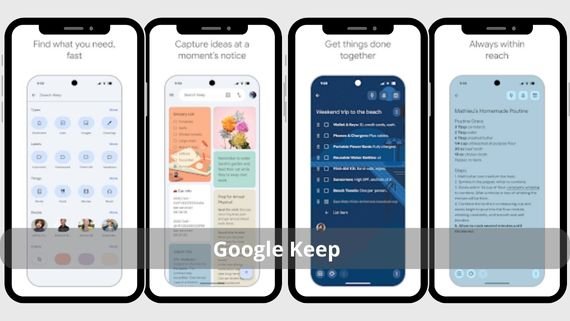
Google Keep is Google’s official app for taking quick notes. It stands out for its simplicity and speed in capturing fleeting ideas. It allows you to create text notes, to-do lists, voice recordings, and images, with the ability to color notes and organize them using labels. Below are the key features of Google Keep:
- Create notes with one tap using a simple and fast interface
- Multimedia support including text, audio, images, and drawings
- Color notes for quick categorization and visual organization
- Seamless integration with other Google services such as Google Docs and Google Calendar
- Smart search that effectively searches text and images within notes
- Ability to pin important notes to the main screen
- Support for quick sharing of notes with others
- Convert text into to-do lists with one tap
- Instant sync across all devices connected to your Google account
- Support for location-based or time-based reminders
Record your ideas and lists quickly with Google Keep 🟨 for easy note-taking and task organization!
Microsoft OneNote app (Microsoft OneNote)
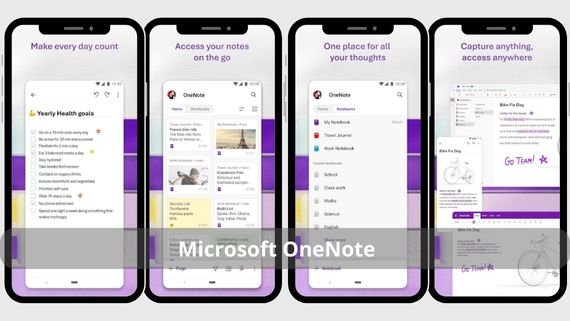
Microsoft OneNote is a powerful note-taking app that resembles a digital paper notebook. It allows you to create multiple notebooks with unlimited internal sections. It supports handwriting, drawing, multimedia insertion, and hierarchical organization of information. Below are the key features of Microsoft OneNote:
- Create unlimited notebooks and sections to organize notes hierarchically
- Support for handwriting and digital pen for free drawing
- Insert multimedia such as images, audio, video, and files
- Multi-level organizational structure for effective information management
- Excellent integration with Microsoft Office and other services
- Ability to take notes while viewing presentations
- Support for real-time collaboration with others on the same note
- Easy copy and paste of content from any other app
- Advanced search within text, images, and attachments
- Sync notes across all devices and platforms
Write and keep your notes with Microsoft OneNote 📝 to organize your ideas effortlessly!
Evernote app (Evernote)
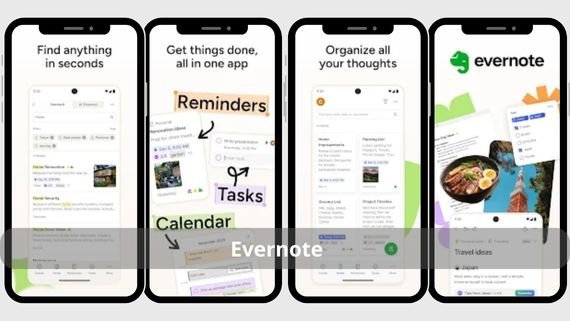
Evernote is one of the most popular professional note-taking apps, known for its ability to organize large amounts of information effectively. It allows you to create multimedia notes, add attachments, and organize notes into notebooks and tags. Below are the key features of Evernote:
- Advanced organization using notebooks and tags to categorize notes
- Smart search that looks through text, images, and scanned documents
- Add attachments of various types and formats
- Device sync to access notes from anywhere
- High-quality document and card scanning
- Ability to save web pages directly into the app
- Team collaboration support on notes and projects
- Create ready-made templates for recurring notes
- Add reminders and tasks to notes
- High security with the option to lock the app with a password
Organize your notes easily with Evernote 📒 for a professional and distinctive organization experience!
Notion app (Notion)
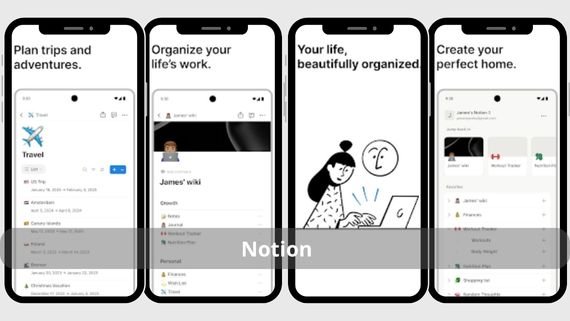
Notion is more than just a note-taking app, it is an all-in-one workspace that combines notes, tasks, databases, and wikis. It features a flexible interface that allows creating custom pages, tables, lists, and AI integration. Below are the key features of Notion:
- Comprehensive workspace that merges notes, tasks, and databases
- Large library of ready-to-use templates
- AI integration to assist with writing and organization
- Real-time team collaboration on projects
- Unlimited customization options for workspace design
- Create integrated databases linked with notes
- Link pages and notes together
- Support for adding multimedia and attachments
- Export content in multiple formats
- Clean and modern interface that simplifies navigation
Organize your tasks and notes intelligently with Notion 🧠 for full control and high productivity!
ColorNote app (ColorNote Notepad Notes)
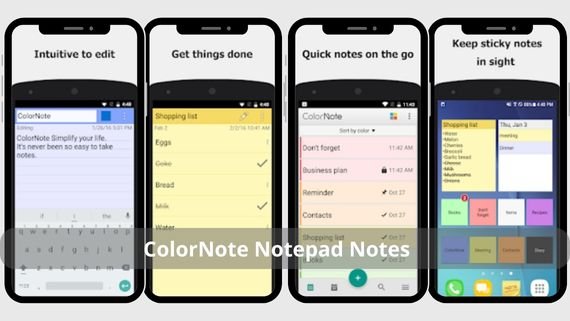
ColorNote is a simple and easy-to-use app for daily note-taking, known for its clean interface and lightweight performance. It allows you to create text notes and to-do lists with coloring and organization options, along with reminder support and password protection. Below are the key features of ColorNote:
- Clean, simple interface that is beginner-friendly
- Color notes for quick categorization and visual organization
- Support for both text notes and multiple to-do lists
- Notifications and reminders for important notes and tasks
- Password lock to protect notes and maintain privacy
- Sync across devices to prevent data loss
- Fast search within notes
- Easy backup and restore options
- Lightweight and smooth performance even on low-end devices
- Support for multiple languages including Arabic
Organize your ideas quickly with ColorNote 🟨 for easy and colorful note-taking!
Notein app (Notein)

Notein is a specialized app for handwriting and PDF annotation, featuring a smooth and precise writing engine. It allows you to import and annotate PDF, Word, and PowerPoint files, draw charts, and add comments. Below are the key features of Notein:
- Smooth and precise handwriting engine for a natural experience
- Import and annotate PDF, Word, and PowerPoint documents
- Advanced drawing tools for creating diagrams
- Organize notes into folders for quick access
- Auto-save and cloud sync to ensure no data loss
- Support for adding images and drawings to notes
- Export notes in multiple formats
- Simple and organized user interface
- Support for digital pens on various devices
- Ability to record audio while writing
Write your ideas by hand with NoteIn ✍️ for a natural and smooth note-taking experience!
Easy Notes app (Easy Notes)
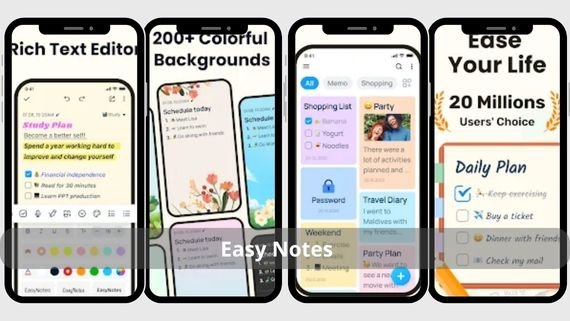
Easy Notes is a versatile app that combines simplicity with advanced features. It allows you to create text notes, to-do lists, and voice notes, with the ability to add images and drawings. It features a beautiful interface with customizable backgrounds. Below are the key features of Easy Notes:
- Multimedia support for text, audio, images, and drawings in one note
- Customizable backgrounds and colors to match preferences
- Organize notes using tags and folders
- Fast and effective search across all notes and content
- Auto-save and cloud sync for access from any device
- Create multiple to-do lists with due dates
- Support for reminders and notifications for tasks
- Attractive and user-friendly interface
- Share notes with others easily
- Full support for the Arabic language
Record your ideas quickly with Easy Notes 🗒️ for simple and organized note-taking!
Squid app (Squid)
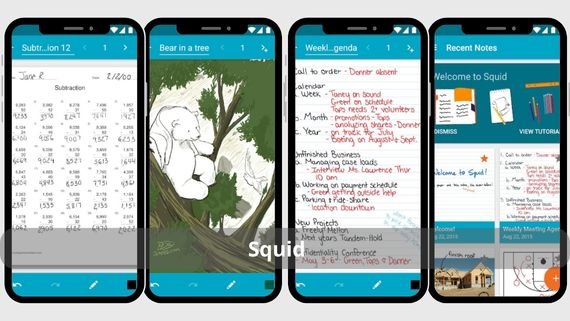
Squid is an app specialized in handwriting and drawing, turning your device into a digital notebook. It features natural pen writing support, PDF import and annotation, and note export in multiple formats. Below are the key features of Squid:
- High-precision natural handwriting support with a digital pen
- Import and annotate PDF documents directly within the app
- Export notes in multiple formats such as PDF, PNG, SVG
- Organize notes into notebooks for easy classification
- Integration with cloud storage services like Google Drive
- Change pen color, size, and type
- Support for inserting images and drawings into notes
- Ability to record audio while writing
- Simple user interface suitable for students
- Support for handwriting recognition
Try Squid 🖊️ for easy and professional note-taking and PDF editing!
Nimbus Note app (Nimbus Note)
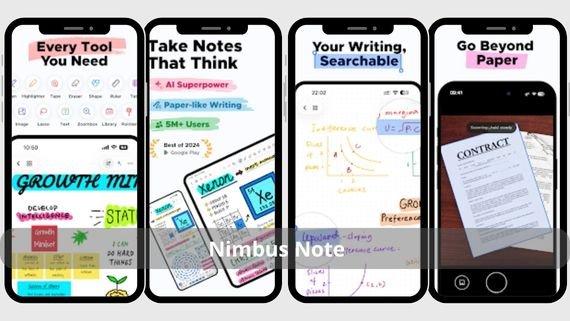
Nimbus Note is a professional app for information and note management, known for its ability to organize large amounts of data effectively. It allows you to create multimedia notes, add attachments, and organize information into folders and subfolders. Below are the key features of Nimbus Note:
- Hierarchical organization using folders and subfolders
- Support for all file types and multimedia
- Advanced and powerful search across all note content
- High-level encryption and protection for sensitive notes
- Share notes with the team for effective collaboration
- Create ready-made templates for recurring notes
- Support for real-time collaboration on notes and projects
- Add tasks and reminders to notes
- Professional and organized user interface
- Sync across all devices and platforms
Discover the power of note organization with Nimbus Note 📒 and enjoy an impressive organization experience!
Notewise app (Notewise)

Notewise is a modern app that combines handwriting with artificial intelligence, featuring an elegant interface and advanced features. It allows you to take handwritten notes, draw diagrams, annotate PDFs, with AI support to enhance writing and note organization. Below are the key features of Notewise:
- Advanced handwriting engine for a natural writing experience
- AI-powered assistant to improve and organize notes
- Advanced annotation tools for PDF documents
- Automatic note classification using artificial intelligence
- Sync with multiple services for access from any device
- Convert handwritten notes into digital text
- Support for adding images and drawings to notes
- Modern and attractive user interface
- Create multiple notebooks for organization
- Support for digital pens on various devices
Download Notewise AI 📝 for a smart, AI-powered note-taking experience!
Choosing the best note-taking app
With many note-taking apps available, choosing the right one can be difficult. The best choice depends on several factors such as usage type, content type, and required level of organization. The comparison table below helps you choose the app that best fits your needs:
| App | Advantages | Disadvantages |
|---|---|---|
|
|
|
|
|
|
|
|
|
|
|
|
|
|
|
|
|
|
|
|
|
|
|
|
|
|
|
|
|
|
|
|
|
|
|
|
|
|
|
|









Each note-taking app offers unique features that suit different usage styles. Try several apps to choose the one that best fits your specific needs, and take advantage of the advanced features they provide to organize your ideas effectively.