
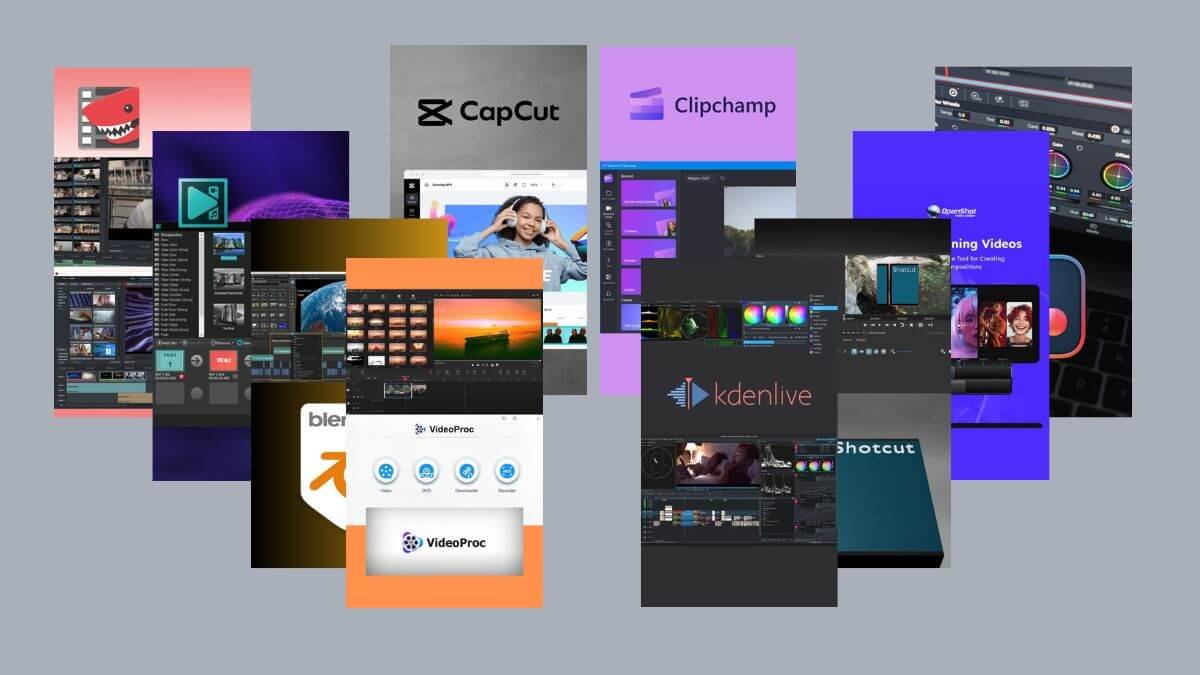
Millions of content creators are looking for the best free video editing programs for PC that offer professional tools with no cost or watermarks. The top 10 free and modern PC editing programs provide advanced features such as color correction, AI, and high resolution up to 8K. From DaVinci Resolve with cinematic color grading tools to CapCut with AI, cloud-based Clipchamp, and lightweight Kdenlive. All of them are watermark-free with 4K and 8K support. Whether you are a beginner or a professional, you will find the best video editor that fits your needs here. Rumman Net presents a comprehensive comparison of the most powerful video editing programs available today for 2025-2026.
What are the top 10 free video editing programs for PC?
If you are looking for the best video editing programs for PC without costs, this list includes the strongest and most reliable programs used by millions of users worldwide. All the free editing programs mentioned provide professional tools for video editing without a watermark, with high-resolution support and advanced features suitable for all levels.
- DaVinci Resolve.
- Shotcut.
- OpenShot.
- Kdenlive.
- VSDC.
- CapCut.
- Lightworks.
- Blender.
- Clipchamp.
- VideoProc Vlogger.
DaVinci Resolve
DaVinci Resolve is considered one of the most powerful professional editing programs available for free on PC. Developed by Blackmagic Design, DaVinci combines video editing, color correction, visual effects, and audio production in one integrated platform. It is used by cinema and TV professionals worldwide to produce Hollywood-quality work.
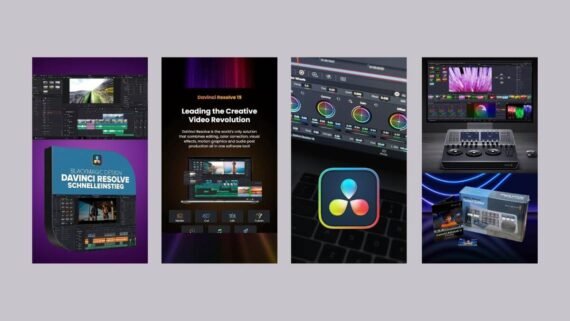
Resolve features the DaVinci Neural Engine AI engine that provides advanced features such as face recognition and speed retiming. Despite its professional power, DaVinci Resolve runs efficiently on mid-range devices with GPU acceleration, but it requires at least 16 GB of RAM for optimal use. Its main sections include:
- Edit Page: for basic editing and timeline work.
- Color Page: for professional color correction and grading.
- Fairlight Page: for audio production, mixing, and sound effects.
- Fusion Page: for visual effects and motion graphics.
- Deliver Page: to export video in all formats and resolutions.
- Media Pool: to manage project files and assets.
| Item | Details |
|---|---|
| Program name | DaVinci Resolve |
| Main function | Professional video editing with color correction and visual effects |
| Supported operating systems | Windows 10/11 / Mac macOS 11+ / Linux Rocky/CentOS |
| License type and price | Completely free (Studio version paid $295 lifetime) |
| Interface difficulty level | Complex and professional |
| Target audience | Professionals, filmmakers, and video experts |
| Download link | Download DaVinci Resolve |
Shotcut
Shotcut is a free, open-source video editor that combines simplicity and power. The Shotcut app supports hundreds of video and audio formats via FFmpeg without needing to convert or import files. It is an excellent choice for beginners who want an easy-to-use PC video editing program.
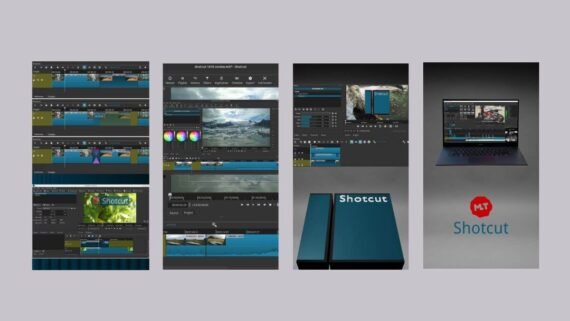
Shotcut software provides a fully customizable interface with detachable panels to fit your needs. It runs efficiently on mid-range devices, needing only 4 GB of RAM for SD editing and 8 GB for HD. It supports 4K and up to 8K video editing with GPU acceleration. It also includes the following tools:
- Timeline: multi-track timeline for editing.
- Filters: a list of visual and audio filters and effects.
- Properties: properties for each item and control settings.
- Playlist: a playlist of files and items.
- Export: exporting with advanced quality and format options.
- Keyframes: control of keyframes for motion and effects.
| Item | Details |
|---|---|
| Program name | Shotcut |
| Main function | Free video editing with broad format support |
| Supported operating systems | Windows 10/11 / Mac macOS 12+ / Linux 64-bit |
| License type and price | Completely free and open source |
| Interface difficulty level | Medium |
| Target audience | Beginners, hobbyists, and home use |
| Download link | Download Shotcut |
OpenShot
OpenShot is a free, open-source video editor known for extreme ease of use. The OpenShot video editing program is designed specifically for beginners who need a simple and fast video editor without technical complexity. It supports all major platforms including Linux, macOS, Windows, and even ChromeOS.
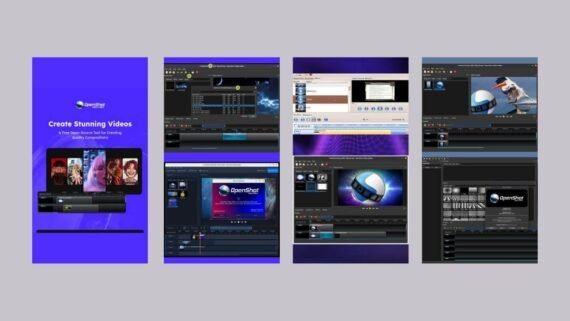
Key tools and sections inside the program:
- Timeline: multi-layer timeline.
- Effects: visual effects including chroma key.
- Transitions: transitions between scenes.
- Title Editor: built-in 2D title editor.
- Animation: motion and keyframes tool.
- Export: export options with different qualities and resolutions.
| Item | Details |
|---|---|
| Program name | OpenShot |
| Main function | Simple, free video editing for beginners |
| Supported operating systems | Windows / Mac / Linux / ChromeOS |
| License type and price | Completely free and open source |
| Interface difficulty level | Easy for beginners |
| Target audience | Beginners, students, and home use |
| Download link | Download OpenShot |
Kdenlive
Kdenlive is a free, open-source video editor that combines power and flexibility. Kdenlive is one of the best editing programs for users who want professional tools without costs. Kdenlive software supports unlimited multi-track video editing, with all audio and video formats via FFmpeg.
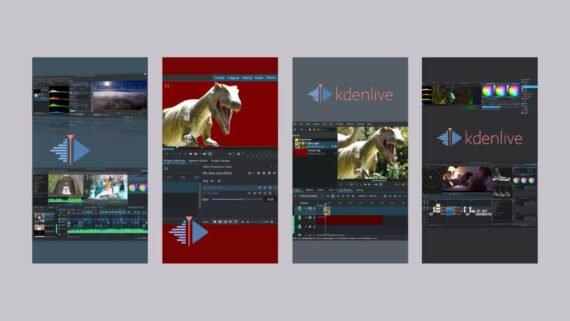
Main tools and sections:
- Project Bin: project files and assets library.
- Timeline: multi-track editing timeline.
- Effects: a wide range of effects and filters.
- Transitions: professional transitions between scenes.
- Scopes: visual analysis tools for color and audio.
- Render: export tool with advanced options.
| Item | Details |
|---|---|
| Program name | Kdenlive |
| Main function | Free professional multi-track video editing |
| Supported operating systems | Windows 10/11 / Mac macOS 12+ / Linux 64-bit |
| License type and price | Completely free and open source |
| Interface difficulty level | Medium |
| Target audience | Hobbyists, professionals, and advanced users |
| Download link | Download Kdenlive |
VSDC
VSDC Video Editor is a specialized PC video editing software for Windows only. The VSDC app is fully free with no watermark even in the free version. The VSDC editor supports editing videos in 4K, 5.3K, and up to 8K at up to 120 frames per second.
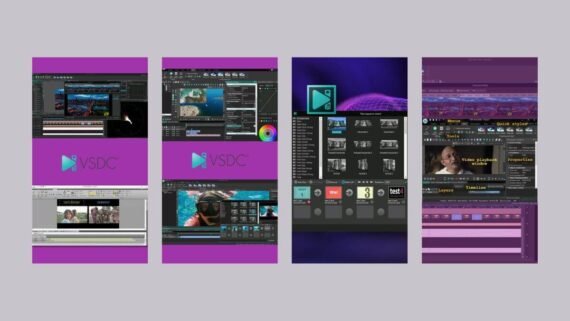
Tools and sections inside the program:
- Video Editor: the main non-linear video editor.
- Video Converter: a tool to convert video formats.
- Screen Recorder: built-in screen recording.
- Video Effects: visual effects library.
- Color Correction: color correction and grading tools.
- Audio Effects: audio effects and mixing.
| Item | Details |
|---|---|
| Program name | VSDC Video Editor |
| Main function | Free, watermark-free video editing for Windows |
| Supported operating systems | Windows XP/7/8/10/11 only |
| License type and price | Free (Pro version paid $19.99 per year) |
| Interface difficulty level | Medium |
| Target audience | Windows users, beginners, and hobbyists |
| Download link | Download VSDC Video Editor |
CapCut
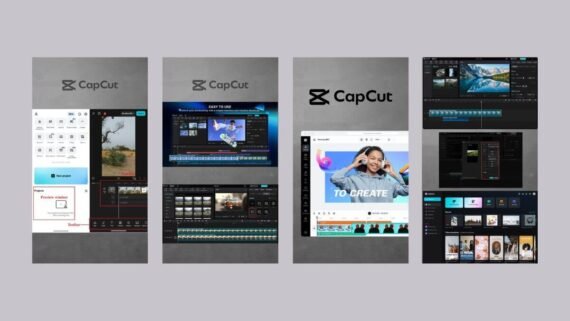
CapCut is a modern AI-powered video editor. It is developed by ByteDance, the company behind TikTok, and CapCut is considered one of the best easy video editing programs for beginners. The CapCut editor provides strong AI features such as automatic subtitles in more than 30 languages and automatic background removal. It includes a set of tools:
- Edit: basic and advanced editing tools.
- Text: add text and AI auto captions.
- Effects: a library of visual effects and filters.
- Stickers: ready-made animated stickers and elements.
- Audio: audio tools, a music library, and an AI voice generator.
- Export: export in different qualities up to 4K.
| Item | Details |
|---|---|
| Program name | CapCut |
| Main function | Free AI-powered video editing |
| Supported operating systems | Windows 10/11 / Mac macOS 10.14+ / Web / iOS / Android |
| License type and price | Free (optional Pro subscription $7.99-9.99 per month) |
| Interface difficulty level | Easy for beginners |
| Target audience | YouTubers, content creators, and beginners |
| Download link | Download CapCut |
Lightworks
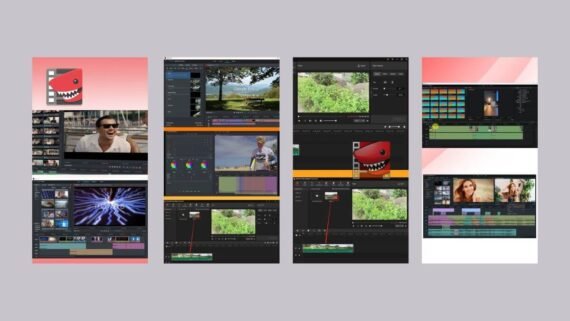
Lightworks is a professional editor with a long history in the film industry. The Lightworks editor has been used in famous Hollywood movies such as “The Wolf of Wall Street” and “Pulp Fiction”. The Lightworks app provides advanced color correction and grading tools with full HDR workflow support. It also includes the following tools:
- Edit: professional video editor.
- VFX: visual effects tools.
- Color: color correction and grading.
- Audio: audio mixing and DAW integration.
- Bins: file and asset organization library.
- Export: professional export options.
| Item | Details |
|---|---|
| Program name | Lightworks |
| Main function | Professional cinematic video editing |
| Supported operating systems | Windows 8+ / Mac macOS 10.14+ / Linux Debian |
| License type and price | Free (Create $9.99/month or Pro $23.99/month) |
| Interface difficulty level | Complex and professional |
| Target audience | Professionals, filmmakers, and video producers |
| Download link | Download Lightworks |
Blender
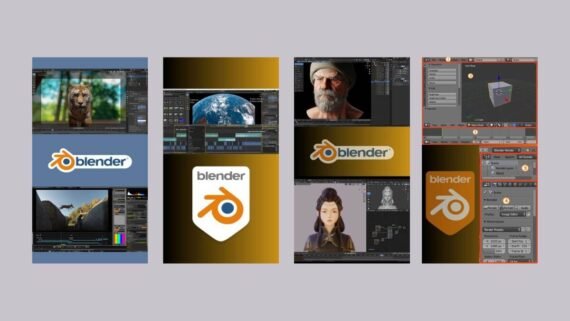
Blender is a comprehensive open-source 3D creation suite. Despite its fame in 3D animation, Blender includes a powerful built-in video editor called the Video Sequence Editor. Blender software is one of the best free editing programs for projects that need to combine animation with video editing. Its sections and tools include:
- Video Sequencer: the main video editor.
- Compositor: compositing and visual effects.
- Color Management: color management and grading.
- Modifiers: advanced modifiers for video and audio.
- Render: render and export options.
- 3D Viewport: to create 3D titles and animations.
| Item | Details |
|---|---|
| Program name | Blender |
| Main function | 3D creation suite with a built-in video editor |
| Supported operating systems | Windows / Mac / Linux |
| License type and price | Completely free and open source (GPL) |
| Interface difficulty level | Complex and professional |
| Target audience | Designers, animators, and animation producers |
| Download link | Download Blender |
Clipchamp
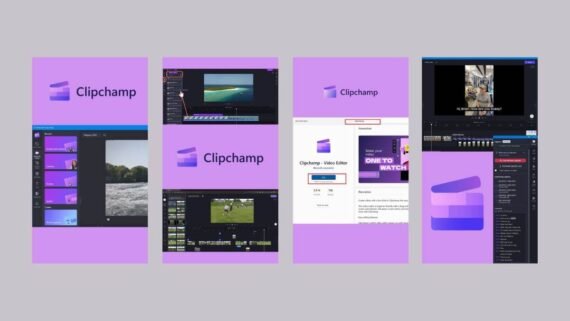
Clipchamp is an online video editing and editing program from Microsoft, integrated into Windows 11. The Clipchamp app is one of the easiest video editing programs to use, as it runs in the browser and does not need installation on the device. The Clipchamp editor offers strong AI tools such as Auto Captions, AI Voiceovers, and automatic background removal. Its main tools are:
- Create: start a new project with different aspect ratios.
- Templates: a library of ready templates.
- Record: screen and camera recording.
- Text to Speech: AI voice generator.
- Auto Captions: automatic captions.
- Brand Kit: visual identity kit.
| Item | Details |
|---|---|
| Program name | Clipchamp |
| Main function | Online video editor from Microsoft |
| Supported operating systems | Windows 10/11 (integrated) / Web (all systems) / iOS |
| License type and price | Free (Premium $11.99/month within Microsoft 365) |
| Interface difficulty level | Easy for beginners |
| Target audience | Beginners, home use, and small businesses |
| Download link | Download Clipchamp |
VideoProc Vlogger
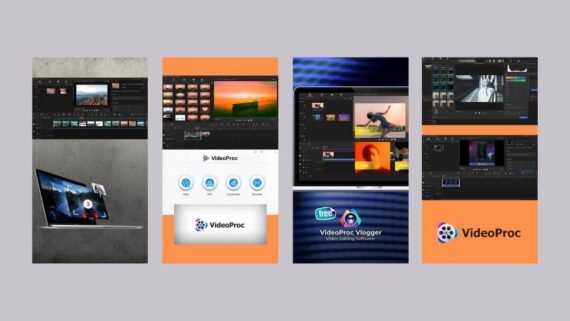
VideoProc Vlogger is a completely free, watermark-free video editor designed specifically for vloggers and content creators. Developed by Digiarty Software, the VideoProc app is one of the best easy editing programs that combines simplicity with professional features. The VideoProc editor supports 4K, 8K, and 10-bit HDR video editing with strong hardware acceleration. Its most important tools and sections:
- Timeline: multi-track timeline.
- Effects: visual effects and cinematic filters.
- Color: color correction with 3D LUTs.
- Motion Tracking: motion tracking and adding elements.
- Speed Curve: speed curve for Speed Ramping.
- Audio Tools: advanced audio tools.
| Item | Details |
|---|---|
| Program name | VideoProc Vlogger |
| Main function | Easy free video editing with professional features |
| Supported operating systems | Windows 7/10/11 / Mac macOS 10.11+ / Apple Silicon M1/M2/M3 |
| License type and price | Completely free with no restrictions |
| Interface difficulty level | Easy for beginners |
| Target audience | Vloggers, YouTubers, and content creators |
| Download link | Download VideoProc Vlogger |
Tips to choose the best video editing program for you
After reviewing the top 10 free PC video editing programs, here are some smart guidelines to help you choose the best program that fits your needs and your device specifications.
Basic selection criteria:
- If your device is low-spec (4-8 GB RAM), choose lightweight editors such as Shotcut, Kdenlive, or VideoProc Vlogger.
- For beginners, CapCut, Clipchamp, or OpenShot are recommended for their easy interfaces, while professionals prefer DaVinci Resolve or Lightworks
- Operating system: Mac users can choose DaVinci Resolve, Shotcut, or CapCut, while VSDC is available only for Windows.
- For professional color correction, choose DaVinci Resolve, for fast AI tools choose CapCut or Clipchamp.
- For large and long projects you will need a professional editor such as DaVinci Resolve or Kdenlive with at least 16 GB of RAM.
- If your internet is limited, avoid cloud programs like Clipchamp and choose desktop editors.
Modern trends in video editing 2025-2026
- AI has become an essential part of modern free editing programs for automatic captions and background removal.
- Some PC editing programs such as Clipchamp are moving toward fully cloud-based work.
- HDR and high-resolution support: most free programs now support 4K, and some reach 8K.
- Proxy editing has become a standard in the best editing programs to ensure smooth performance.
What is the difference between free PC video editing programs?
To make it easier to compare the top 10 free editing programs mentioned, we provide the following comprehensive comparison table that highlights the most important pros and cons of each PC video editing program.
| Program | Key advantages | Key disadvantages |
|---|---|---|
| DaVinci Resolve | Professional color correction, integrated 5-in-1 editor, 32K support, advanced AI, collaborative work, no watermark | High system requirements (16-32 GB RAM), steep learning curve, huge installation size |
| Shotcut | Broad support for all formats, 70+ filters, 4K-8K support, screen recording, customizable interface, lightweight | Unconventional interface that may confuse beginners, mixed performance with 4K, few ready templates |
| OpenShot | Very easy for beginners, unlimited tracks, 3D titles, advanced animations, 16K UHD support | Mixed stability, sometimes slow performance, few built-in effects |
| Kdenlive | Unlimited multi-track editing, customizable interface, professional analysis tools, automatic backups, animated vector graphics | CPU-only dependency, needs 16 GB RAM for large projects, dense interface |
| VSDC | No watermark, 4K-8K at 120 fps, no size limits, 999+ tracks, hardware acceleration | Windows only, somewhat outdated interface, some advanced features are paid |
| CapCut | Strong AI, huge effects library, text-based editing, Auto Reframe, 10 GB cloud storage, very easy | Some features require Pro subscription, needs internet for advanced features, privacy concerns |
| Lightworks | Cinematic history, advanced color grading, full HDR support, advanced motion graphics, high-quality proxy | Free version limited to 720p only, very steep learning curve, high price for Pro version |
| Blender | Comprehensive 3D and video suite, advanced analysis tools, modern codec support, completely free, huge community | Very complex, video editor is not specialized, heavy resource use |
| Clipchamp | Integrated in Windows 11, runs in the browser, advanced AI tools, ready templates, no watermark, Brand Kit | Always needs internet, occasional sync issues, limited by browser performance |
| VideoProc Vlogger | Completely free with no watermark, 4K-8K and HDR support, advanced Motion Tracking, professional Speed Ramping, 90+ 3D LUTs | Few ready templates, relatively new with a small community, limited Arabic tutorials |
Thus, the top 10 free PC video editing programs provide multiple solutions for every need and budget. Free editing programs range from simple, beginner-friendly tools to professional options for experts, with most supporting high resolution, AI, and modern features without a watermark.
For beginners, CapCut, Clipchamp, or OpenShot are recommended for their easy interfaces. If your device is low-spec, Kdenlive, Shotcut, or VideoProc Vlogger are reliable options. For professionals and filmmakers, DaVinci Resolve is the best choice despite its high requirements. Choose a video editor that matches your skills and your device specifications, and start your journey with the best PC video editing programs with confidence.