
Sharing documents or large video files is no longer a secondary task, but a daily necessity that determines the speed of your projects and the effectiveness of your communication with others. Rumman provides you with a comprehensive guide to the top 10 file sharing apps, helping you choose the fastest and most secure tool without wasting time searching.
What are file sharing apps?
File sharing apps are software tools that allow you to send or receive photos, documents, videos, and apps between devices or people using technologies such as Wi-Fi Direct, Bluetooth, or cloud services, without the need for cables or consuming mobile data. Most of them provide encryption during transfer, the ability to resume transfers if interrupted, and group sharing with dozens of devices at the same time. Top 10 file sharing apps for 2026:
- SHAREit
- Xender
- Send Anywhere
- Zapya
- Smart Transfer
- Files by Google
- MobileTrans
- Send files to TV
- Smart Mobile
- EasyShare
SHAREit app
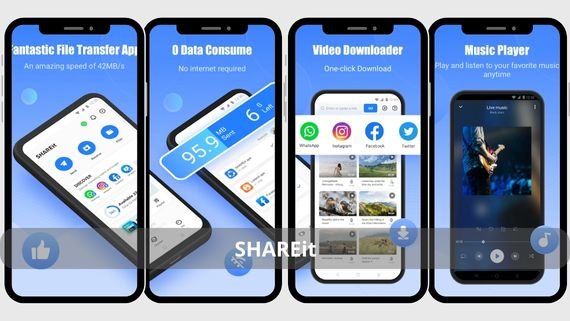
It relies on Wi-Fi Direct technology to achieve speeds of up to 20 MB/s, which is 200 times faster than traditional Bluetooth. It supports transferring all file types, including installed apps, and offers a “group sharing” mode to send a file to up to 5 devices at the same time. Below are the key features of SHAREit:
- Transfer speeds up to 20 MB/s without using mobile data.
- Group mode allows sending files to 5 devices with one tap.
- Built-in media player with pop-up playback during transfer.
- Send installed apps as APK files with their basic data.
- AES-256 encryption during transfer with session password support.
- No file size limits with automatic resume after interruption.
Download the app SHAREit 🚀📂 and transfer and share your files at ultra-fast speed without internet!
Xender app
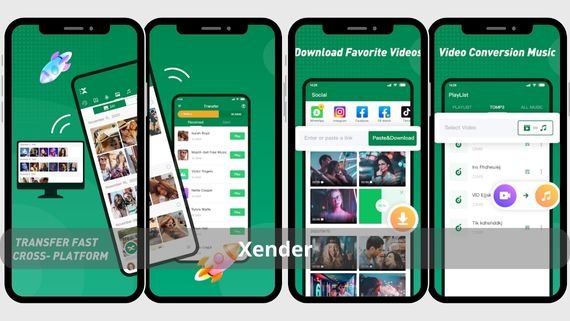
It stands out for its high speed in transferring large files such as movies or entire folders, and allows switching between “phone to phone” or “phone to computer” modes without installing additional software on the PC. It provides a “history” list that shows the last 100 send or receive operations, with the ability to resend any file directly from the log without reselecting it. Below are the key features of Xender:
- Transfer speeds up to 40 MB/s using Multi-peer technology.
- Complete history list showing details of the last 100 transfers.
- Group sharing with up to 8 devices while displaying channel speed.
- Floating music player that works while waiting for files.
- Send entire folders while preserving their internal structure.
Download the app Xender ⚡📲 to share and transfer files and music quickly without internet!
Send Anywhere app
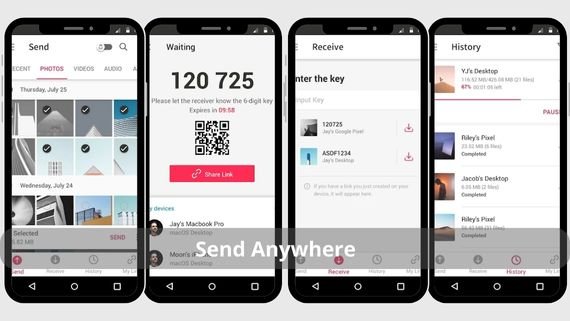
It focuses on security and online sharing through a link or numeric code valid from 10 minutes to 48 hours, with 256-bit encryption during upload and download. It allows sending files up to 50 GB in the free version and 100 GB in the paid version, and also supports direct sharing between nearby devices using Wi-Fi Direct without account registration. Below are the key features of Send Anywhere:
- Create temporary links valid from 10 minutes to 48 hours.
- Direct transfer between nearby devices without data usage.
- Support files up to 50 GB for free and 100 GB with paid plans.
- Send files to yourself using the My Devices feature.
- AES-256 encryption with optional link password protection.
- Integration with Google Drive and Dropbox without pre-upload.
Download the app Send Anywhere 📤📥 to transfer files quickly and securely across all devices!
Zapya app
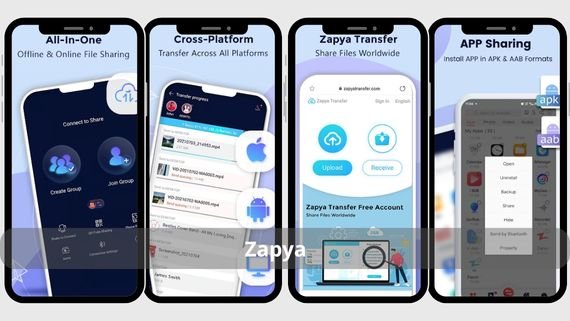
It excels at transferring large files such as games or long videos using fast QR Code technology, simply scan the code to start the transfer instantly. It offers a Group Sharing mode that receives up to 20 devices simultaneously, and includes an internal video and music player using a mini-player mode during waiting time. Below are the key features of Zapya:
- Dynamic QR code generation updated every 60 seconds.
- Group Sharing mode supports up to 20 devices at once.
- Built-in video player with mini-player technology.
- Send APK files while preserving user settings.
- No file size limits with automatic transfer resume.
- Phone to PC mode creates a private Wi-Fi hotspot.
Download the app Zapya 🚀📁 to share and transfer files at ultra-fast speed without internet!
Smart Transfer app

It combines file sharing and phone management in one app, allowing you to transfer contacts, text messages, call logs, and even installed apps from an old phone to a new one with one tap. It provides a phone cleaning tool to delete duplicate and temporary files to free up storage before transfer, reducing transfer time. Below are the key features of Smart Transfer:
- Complete transfer of contacts, messages, and apps between Android and iOS.
- Phone cleaning tool to remove duplicate and temporary files.
- One-Click Transfer mode automatically selects suitable files.
- Floating music player works while waiting for files.
- Automatic cloud backup for contacts and messages.
Download the app Smart Transfer 📱⚡ to share and transfer files easily and quickly!
Files by Google app
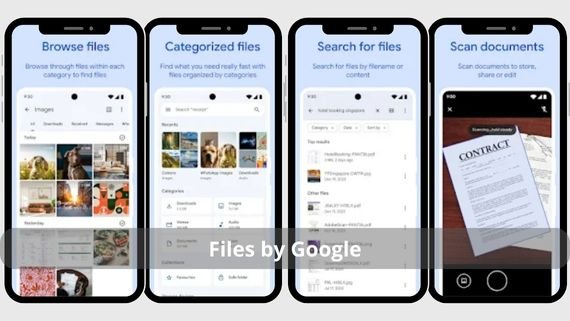
It is a lightweight file sharing and management tool developed by Google, works without an internet connection and consumes less than 20 MB of RAM. It offers a Nearby Share mode to share files with nearby devices using full encryption, and includes a Clean feature that suggests deleting duplicate, temporary, or unused files to free up storage space. Below are the key features of Files by Google:
- Small size under 20 MB with battery usage below 1%.
- Nearby Share mode for sharing files with nearby devices.
- Clean feature suggests deleting unnecessary files.
- Ability to transfer installed apps as APK files.
- Support files up to 1 GB with automatic resume.
- No ads or in-app purchases with regular security updates.
Download the app Files by Google 📁✨ to organize files, clean storage, and share easily!
MobileTrans app
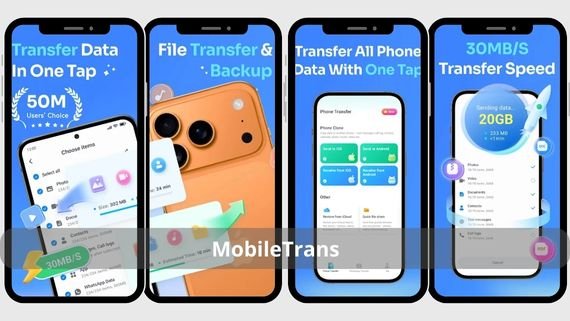
It specializes in full data migration when switching phones, allowing transfer of contacts, messages, logs, photos, videos, apps, and even WhatsApp data between Android and iOS with one click. It offers a WhatsApp Transfer version to sync chats and attachments between devices without using Google Drive or iCloud. Below are the key features of MobileTrans:
- Complete transfer of WhatsApp and other data between Android and iOS.
- WhatsApp Transfer version without Google Drive or iCloud.
- Backup WhatsApp data with restore capability later.
- Support for over 6000 phone models from Android 6.0 and iOS 9.0 and above.
Download the app MobileTrans 🔄📱 to transfer data between phones easily and securely!
Send files to TV app
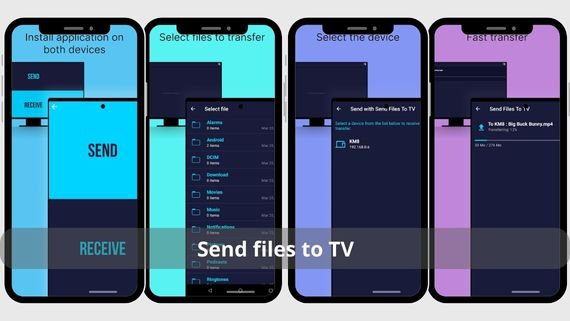
It focuses on sharing files with smart TVs via DLNA or Android TV protocol, as long as the TV and phone are on the same local network, the TV appears automatically in the device list. It supports most video and audio formats up to 4K and works without ads or subscriptions. Below are the key features of Send files to TV:
- Wireless sharing with smart TVs via DLNA or Android TV.
- Support video and audio formats up to 4K with embedded subtitles.
- Simple interface that automatically displays available TVs.
- No ads or subscriptions and works without internet.
- Send external subtitle files with font and size control.
- Support remote playback control via DLNA signals.
Download the app Send Files to TV 📺📂 to transfer files quickly from phone to TV with ease!
Smart Mobile Switch app
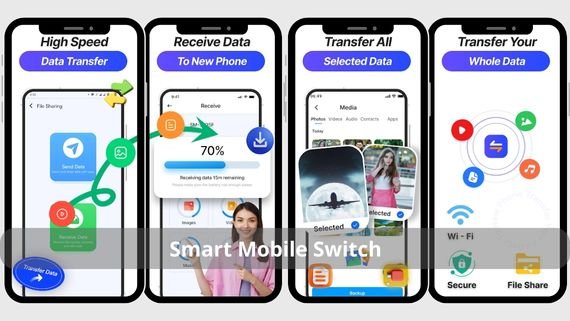
A lightweight app focused on speed and security in transferring files between nearby devices using Wi-Fi Direct technology. It features a simple and easy-to-use interface, with multiple connection options such as QR code scanning or NFC. It supports transferring almost all file types at very high speeds, with the ability to resume transfers if the connection is interrupted. Below are the key features of Smart Mobile Switch:
- Transfer speeds up to 50 MB/s using Wi-Fi Direct for fast device-to-device transfer.
- Multiple connection methods: QR code scanning, NFC, or manual sharing key.
- Built-in web interface to transfer files between phone and computer without extra apps.
- Support transfer of all file types (photos, videos, documents, apps) and full folders.
- Automatic resume on connection interruption to prevent data loss.
- Secure data encryption during transfer to protect file and personal data privacy.
- Simple and user-friendly interface designed to simplify data transfer.
- Compatible with most Android devices and various iOS versions.
- Ability to copy contacts, messages, and settings from old phone to new one.
- Lightweight and does not consume system resources during transfer.
Download the app Smart Mobile Switch – PhoneClone 📲🔄 to transfer all your data between phones!
EasyShare app
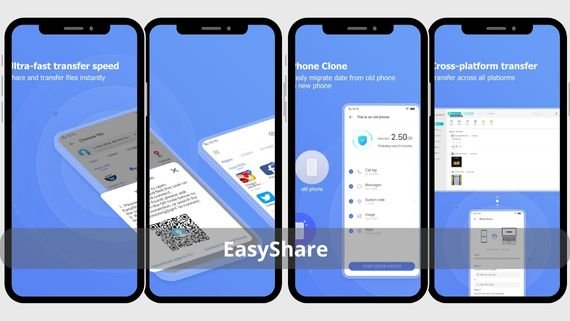
A lightweight app by Vivo that works on all Android devices and does not exceed 10 MB in size. It allows transferring 1 GB in just 30 seconds using Wi-Fi Direct technology. It supports transferring contacts, text messages, photos, videos, and apps between devices without requiring a Google or iCloud account. Below are the key features of EasyShare:
- Small size of 10 MB with battery usage below 0.5%.
- Transfer 1 GB in 30 seconds using Wi-Fi Direct.
- Support transfer of contacts and messages without accounts.
- Create a private Wi-Fi hotspot without mobile data usage.
- No ads or in-app purchases and works without Google services.
- Automatic backup of contacts and messages to local storage.
Download the app EasyShare 📱⚡ to share and transfer files quickly and easily!
How do you choose the best file sharing app for your needs?
Choosing the optimal file sharing app depends on several factors such as the size of files you regularly transfer, the number of devices you share with, and the level of security you require. Some apps excel in speed, while others focus on ease of use or compatibility across systems and devices. The following table summarizes the main advantages and disadvantages of popular apps to help you make the right decision without wasting time:
| App Name | Advantages | Disadvantages |
|---|---|---|
| SHAREit | 20 MB/s speed, group sharing with 5 devices, built-in media player | Many ads in the interface, high resource consumption |
| Xender | 40 MB/s speed, share with 8 devices, phone to PC transfer | May face connection issues in crowded networks |
| Send Anywhere | Secure link sharing, 256-bit encryption, supports files up to 50 GB | Requires internet for link feature, paid version for larger files |
| Zapya | Share with 20 devices, QR code sending, built-in video player | Interface may feel cluttered for beginners, high battery consumption |
| Smart Transfer | Full phone data transfer, cleaning tool, Android and iOS support | Slightly slower than specialized apps, large app size |
| Files by Google | Lightweight, no ads, close to Android system, cleaning feature | Does not support sharing with more than two devices directly, limited file size |
| MobileTrans | Transfer WhatsApp and full data across systems, supports 6000 devices | Not fully free for all features, requires internet connection |
| Send files to TV | No ads, works with most TVs, supports multiple formats | Limited to TV file transfer only, does not support device-to-device transfer |
| Smart Mobile | 50 MB/s speed, multiple connection methods, built-in web interface | Ads in free version, some features are paid |
| EasyShare | Small size 10 MB, no Google services required, good speed | Fewer features than larger apps, limited compatibility with some devices |
File sharing apps available today vary to meet different needs and use cases, from simple and fast apps for everyday users to advanced solutions for professionals who need to securely transfer large amounts of data.