

Choosing the right file management app is not just a tool, but a personal guardian for your digital organization. It saves time, protects your data, and boosts productivity. These apps turn digital chaos into an organized system, saving time, reducing the risk of data loss, and enhancing productivity for both regular users and professionals alike.
What are File Management Apps?
File management apps are digital tools designed to organize, classify, and control files stored on your devices (phones, computers) or in the cloud. These apps go beyond the traditional “file explorer” functions by offering advanced features such as:
- Smart organization: Creating custom folders and categorizing files by type or date.
- Effective search: Quickly finding files by name or content, even inside images and documents.
- Cloud synchronization: Connecting the app with services like Google Drive or Dropbox to access files from any device.
- Protection: Encrypting sensitive files, securely deleting them, or creating backups.
- Automation: Renaming multiple files at once or automatically moving them between folders.
Criteria for Choosing File Management Apps
- Platform compatibility: Support for Android, iOS, Windows, or Mac
- Core features: Advanced search, categorization, encryption, cloud support
- Ease of use: Intuitive interface with Arabic language support
- Security: Data encryption and protection options
- Price: Balance between features and cost (free/paid options)
What are the Best 10 File Management Apps?
File management apps have become essential tools for organizing documents, photos, and various files effectively. These apps offer advanced features such as smart search, cloud synchronization, encryption, and automation, transforming digital chaos into an organized system that boosts productivity and protects data. Here are the top 10 carefully selected apps based on completeness and suitability for users:
- Files by Google – Google Files
- Solid Explorer – Solid Explorer
- Total Commander – Total Commander
- FX File Explorer – FX File Explorer
- X-plore File Manager – X-plore File Manager
- Amaze File Manager – Amaze File Manager
- Google Drive – Google Drive
- Dropbox – Dropbox
- MEGA – MEGA
- pCloud – pCloud
Files by Google App
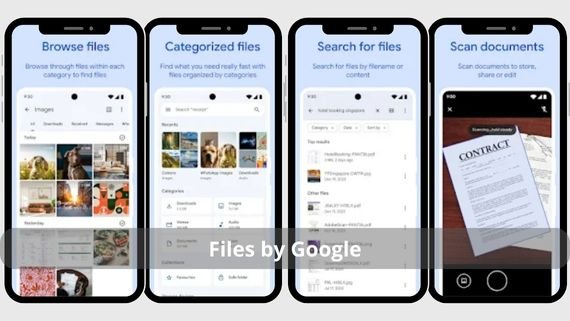
The official lightweight and free Google app, designed to simplify file management on Android. It features smart cleaning tools that remove unnecessary files, fast search, and full Arabic language support. Below are the key features of Files by Google:
- Automatic cleaning of unnecessary files and storage optimization
- Smart and fast search for files and documents
- File sharing with others without the need for internet
- Full Arabic language support in the interface and file names
- Ability to browse files by categories (photos, videos, documents)
- Storage usage analysis and identifying space-consuming files
- Easy file backup to the cloud
- Support for compressed files and creating them
- Secure and permanent file deletion
Try Files by Google 📂 to organize your files quickly and easily!
Solid Explorer App

One of the most powerful file management apps on Android, combining elegant design with advanced features. It supports all cloud storage services and provides a dual-pane interface for easy file copying. Below are the key features of Solid Explorer:
- Dual-pane interface for easy file copying and moving between folders
- Support for all cloud storage services (Google Drive, Dropbox, OneDrive)
- Advanced encryption options to protect sensitive data
- Elegant and attractive Material Design
- Access to network files (FTP, SMB, WebDAV)
- Support for compressed files, creating and browsing them
- Ability to edit text files directly within the app
- Storage usage analysis and identifying large files
- Root support for advanced users
- Customizable interface and colors
Enjoy professional file management with Solid Explorer 🔐 a powerful and easy-to-use app!
Total Commander App

A legendary app for professionals, known for its dual-pane interface and ultra-fast performance for complex tasks. It supports plugins to extend functionality and allows task automation through custom commands. Below are the key features of Total Commander:
- Classic dual-pane interface for fast file copying and moving
- Plugin support to extend functionality (FTP, archiving, cloud)
- Task automation through custom commands and scripts
- FTP and SFTP support for server file access
- Ability to archive and extract files in multiple formats
- Built-in text editor for direct file editing
- Support for comparing files and folders
- Customizable interface and shortcut creation
- Root support for advanced users
- Advanced tools for managing files and folders
Organize your files efficiently with Total Commander 🗂️ a powerful and reliable file manager!
FX File Explorer App

A versatile app that combines powerful local and cloud file management. It features a multi-window interface, full network support, and built-in image and text editing tools. Below are the key features of FX File Explorer:
- Multi-window interface to work on multiple folders simultaneously
- Full network support (FTP/SFTP/SMB) for remote file access
- Built-in image and text editor for direct file editing
- Storage analysis to identify space-consuming files
- Support for all major cloud storage services
- Ability to create and browse compressed files
- Root support for advanced users
- File encryption to protect data
- Advanced file search tools
- Customizable user interface
Discover easy file management with FX File Explorer 📁 a smart and fast experience!
X-plore File Manager App

A flexible app with a dual-pane interface that simplifies file transfers between folders. It supports browsing compressed files, cloud access, and app management. Below are the key features of X-plore File Manager:
- Dual-pane interface for easy file copying and moving
- Support for browsing and creating compressed files (ZIP/RAR)
- Integration with cloud storage services (Google Drive, Dropbox)
- Storage analysis and space distribution insights
- App management and APK installation
- Root support for advanced users
- Access to network files (SMB)
- Simple text editor for file editing
- Tools for searching files and folders
Browse and organize your files easily with X-Plore File Manager 📂 a practical and powerful app!
Amaze File Manager App

A lightweight open-source app with an elegant design. It focuses on speed and simplicity while supporting Root access, compressed file management, and offline browsing. Below are the key features of Amaze File Manager:
- Completely free and open-source app with no ads
- Elegant and attractive Material Design
- Root support for advanced users
- Compressed file management and creation
- Offline operation support
- Network file access support (SMB)
- Storage usage analysis tools
- File encryption for data protection
- Advanced file search support
- Fast and lightweight user interface
Enjoy easy file management with Amaze File Manager 📁 a lightweight and fast app!
Google Drive App
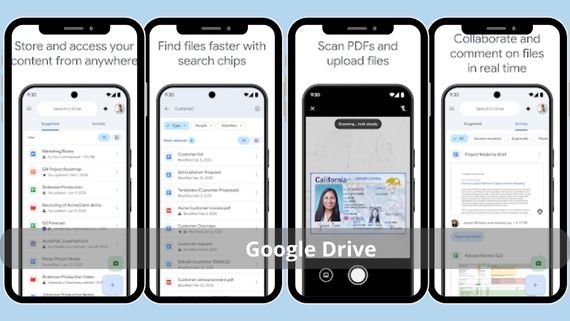
More than just a cloud storage app, it is a complete file manager. It features smart search within files, real-time document collaboration, and 15 GB of free storage. Below are the key features of Google Drive:
- Smart search inside files, including images and documents
- Real-time document collaboration with teams
- 15 GB of free storage space
- Integration with all other Google services
- Full Arabic language support
- Access to files from any device
- Easy file and folder sharing
- Restore deleted files within 30 days
- Offline work support
- Advanced data encryption protection
Store and share your files securely with Google Drive ☁️ smart cloud storage!
Dropbox App
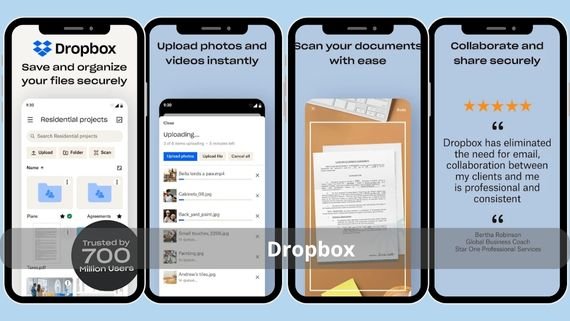
- Dropbox
A leading cloud storage service with a powerful file management app. It features instant synchronization, file recovery, and integration with hundreds of other apps. Below are the key features of Dropbox:
- Instant file synchronization across all devices
- Integration with hundreds of other apps and services
- Secure file and folder sharing
- 2 GB of free storage space
- Ability to comment on files directly
- Advanced encryption to protect user data
- Arabic language support
Store your files securely and share them easily with Dropbox ☁️ trusted cloud storage!
MEGA App
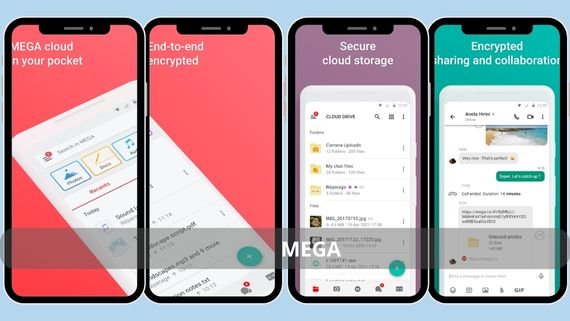
- MEGA
An app focused on privacy with end-to-end encryption. It offers generous free storage (20 GB), secure sharing, and high-level data protection. Below are the key features of MEGA:
- End-to-end encryption for all files and data
- Generous free storage space of 20 GB
- Secure file and folder sharing
- High-level data and privacy protection
- Offline work support
- Device synchronization support
- Arabic language support
- Encrypted in-app chats
- Ability to restore deleted files
Keep your files fully secure with MEGA 🔒 an encrypted and fast cloud!
pCloud App
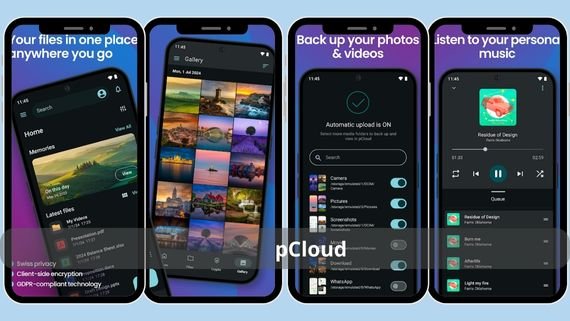
A cloud storage solution offering a lifetime storage purchase option. It features automatic backup, full Arabic language support, and integration across all devices. Below are the key features of pCloud:
- Automatic backup for files and photos
- Full Arabic language support in the interface
- Lifetime storage purchase option
- Integration across all devices and platforms
- 10 GB of free storage space
- File and folder sharing support
- Offline work support
- Ability to restore deleted files
- Simple and easy-to-use interface
Store your files securely and easily with pCloud ☁️ a smart and reliable cloud!
How to Choose the Right File Management App
With the many file management apps available on Google Play Store, choosing the right app becomes challenging. The best choice depends on factors such as usage type, file size, need for cloud storage, and required privacy level. Below is a comparison table to help you choose the most suitable app for your needs:
| App Name | Features | Disadvantages |
|---|---|---|
| Files by Google | Free, simple, Arabic support, cleaning tools | Limited advanced features |
| Solid Explorer | Dual-pane interface, cloud support, encryption | Paid after trial period |
| Total Commander | Fast, unlimited plugins, automation | Old interface, difficult for beginners |
| FX File Explorer | Multi-window interface, network support | Contains ads |
| X-plore File Manager | Dual-pane interface, archive support, storage analysis | Some features are paid |
| Amaze File Manager | Open source, lightweight, ad-free | Limited advanced features |
| Google Drive | Smart search, collaboration, Google integration | Limited free storage |
| Dropbox | Instant sync, app integrations | Small free storage |
| MEGA | End-to-end encryption, large free storage | Limited upload speed |
| pCloud | Automatic backup, lifetime storage | Encryption service is paid |
Choosing the right file management app is an important step toward organizing your digital life and protecting your data. Each app offers unique features suited to different usage patterns. We recommend trying several apps to select the one that best fits your specific needs and taking advantage of their advanced features to organize your files effectively.