
In a world where photos, documents, and videos never stop piling up on our devices, cloud storage apps have become like an invisible “vault of the future” that keeps everything safe; from travel memories to work contracts, from massive project files to backups that save you on disaster day. Rumman website brings you the best cloud storage apps, helping you choose a secure, fast, and cost-effective environment for your data without draining your wallet or compromising your privacy.
What are cloud storage apps?
Cloud storage apps are services that store your files on remote servers instead of keeping them locally, allowing you to access them from any internet-connected device, share them via customizable links (permissions, expiration dates, passwords), sync them automatically when edited, and keep multiple previous versions for restoration whenever you want. Most services also provide encryption during transfer, and some add full end-to-end encryption to ensure that only you can decrypt your files, even the service provider itself cannot access them. The top 10 cloud storage apps for 2026:
- IDrive
- Microsoft OneDrive
- Google Drive
- Sync.com
- Dropbox
- MEGA
- Tresorit
- Box
- pCloud
- NordLocker
1. IDrive App
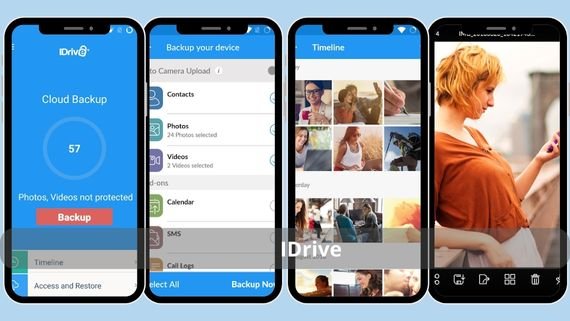
IDrive is considered the most affordable and comprehensive cloud storage option; it combines large capacity, ease of use, and unlimited device support under one account. You can sync files from your computer, phone, and even external drives or network servers (NAS), while keeping the last 30 versions of each file, giving you freedom to roll back to any previous point in time. It also offers the “IDrive Express” feature, which sends you a physical hard drive to restore massive terabytes of data within days instead of waiting long hours online. Below are the key features of the IDrive app:
- Storage plans starting from 10 TB up to 50 TB
- Unlimited multi-device backup in a single subscription
- Retention of up to 30 previous versions per file
- Optional end-to-end AES-256 encryption
- IDrive Express service: shipping a hard drive to restore large data
- Desktop sync with “Block-level” mode to save time and bandwidth
📥 Download the IDrive app here
2. Microsoft OneDrive App
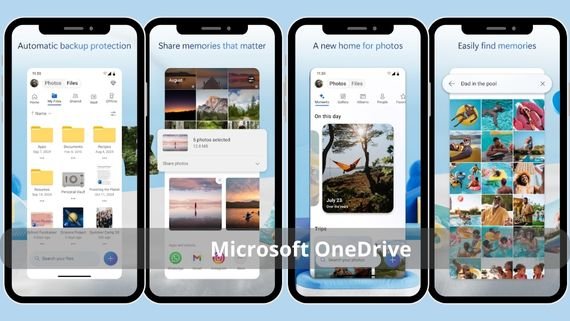
The natural choice for Windows and Office users; it integrates deeply with the file system, allowing you to open and save files directly from Word or Excel to the cloud, with the “Personal Vault” feature adding an extra layer of protection through two-factor authentication for sensitive files. It offers 5 GB of free storage per Microsoft account, while Microsoft 365 subscribers get a full 1 TB along with complete Office apps. Below are the key features of the Microsoft OneDrive app:
- Deep integration with Windows 10/11 and “Files On-Demand” support
- Personal Vault: an encrypted folder requiring two-factor authentication
- Support for files up to 250 GB each
- Ability to restore deleted files within the last 30 days
- Integration with Microsoft Teams and Office Online for real-time collaboration
- AES-256 encryption during transfer and storage with smart ransomware monitoring
📥 Download the Microsoft OneDrive app here
3. Google Drive App
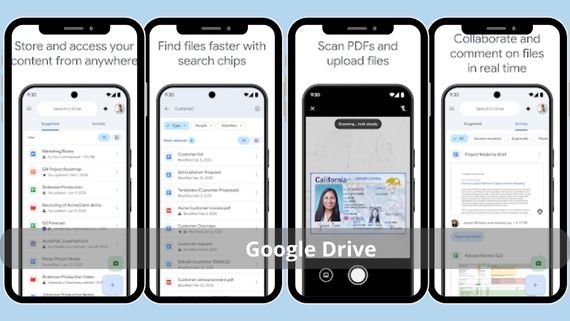
The most popular among Google Workspace users; it gives you 15 GB free shared across Drive, Gmail, and Google Photos, with real-time collaboration tools via Docs, Sheets, and Slides that run directly in the browser. It features smart search that indexes file content and even text inside images, allowing you to retrieve files by typing a keyword instead of digging through folders. Below are the key features of the Google Drive app:
- 15 GB free storage shared between Drive, Gmail, and Google Photos
- Real-time collaboration on Google Docs, Sheets, and Slides
- Smart search with OCR on images and indexed PDF content
- Support for more than 100 file formats viewable in the browser
- “Workspaces” feature that groups related files in one workspace
- Encryption during transfer and at rest with optional two-factor authentication
📥 Download the Google Drive app here
4. Sync App
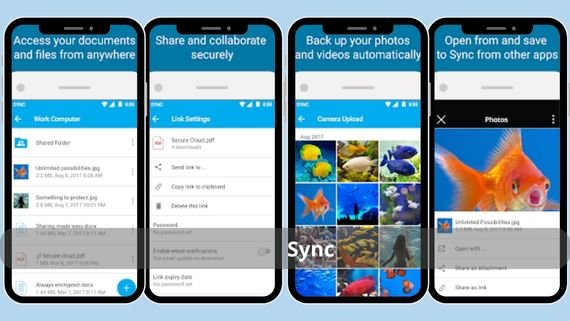
It meets the needs of users with sensitive data thanks to its true end-to-end (zero-knowledge) encryption, ensuring that only you hold the keys and even the Sync team cannot view your content. It offers unlimited version history and allows restoring deleted files indefinitely on advanced plans, making it ideal for small businesses seeking compliance with GDPR and HIPAA standards. Below are the key features of the Sync app:
- True zero-knowledge end-to-end encryption with no keys stored on servers
- Unlimited version history retaining every file change
- Fully customizable sharing links (permissions, expiration dates, passwords)
- Full compliance with GDPR, HIPAA, and PIPEDA privacy standards
- Ability to sync folders outside the main “Sync” folder
- Apps for all platforms with offline access support
📥 Download the Sync app here
5. Dropbox App
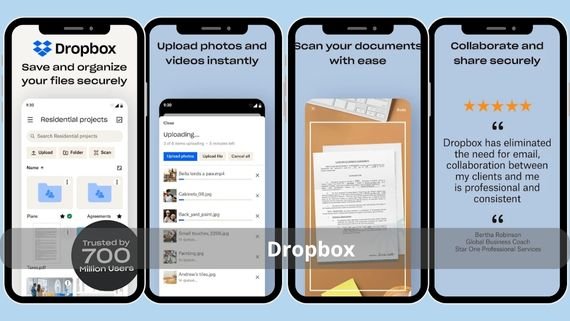
The pioneer of cloud storage that still maintains simplicity and fast syncing, with the “Smart Sync” feature that shows all your files on your desktop without actually downloading them until needed, saving disk space. It offers an integrated workspace including “Dropbox Paper” for project management, “Dropbox Transfer” for sending large files up to 100 GB without consuming storage space, and built-in electronic signatures. Below are the key features of the Dropbox app:
- Smart Sync: view files without using local disk space
- Dropbox Paper: collaborative workspace for notes and task management
- Dropbox Transfer: send files up to 100 GB
- Built-in eSignature with document status tracking
- Wide integrations with Microsoft 365, Google Workspace, and Slack
- Smart document scanner converting paper files into searchable PDFs
📥 Download the Dropbox app here
6. MEGA App
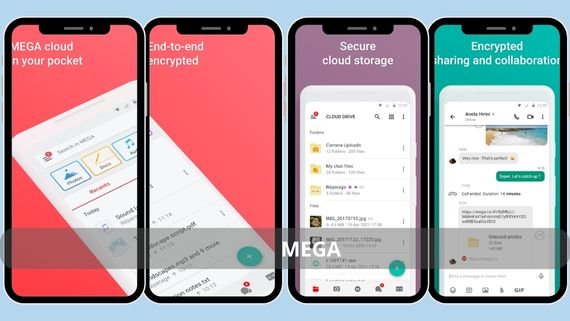
It appeals to users seeking large free storage and real encryption; it gives you 20 GB free with the ability to earn additional storage by completing tasks such as installing the desktop app or inviting friends. It uses true zero-knowledge encryption and also offers encrypted video calls and text chats alongside storage, making it a comprehensive privacy platform. Below are the key features of the MEGA app:
- 20 GB free storage expandable up to 50 GB by completing tasks
- True end-to-end encryption for files, chats, and video calls
- Encrypted group video calls for up to 50 participants with screen sharing
- Temporary and resettable sharing links with optional passwords
- No limits on individual file size as long as it fits your account quota
- Apps for all platforms with an “Import” mode to pull files from other services
📥 Download the MEGA app here
7. Tresorit App
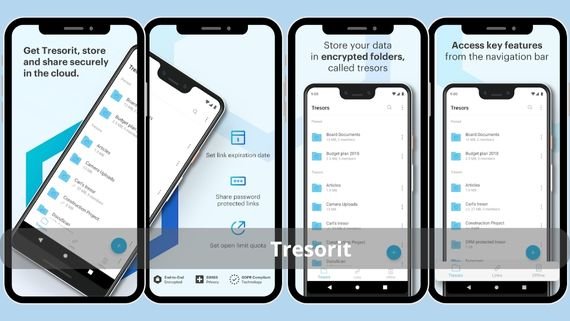
One of the strongest options for businesses and freelancers dealing with sensitive data; it provides full zero-knowledge encryption along with compliance with HIPAA, GDPR, and FedRAMP standards. It allows enterprise-level user management with granular permission settings (view only, download, edit, delete) and remote access revocation at any time. Below are the key features of the Tresorit app:
- True end-to-end encryption with keys stored only on your device
- Enterprise-level user management with role assignments
- Audit Trail policy logging every file operation
- European servers with options to choose other data centers
- Ability to create fully secured links requiring recipient login
- “Email Verification Link” feature that sends a link requiring only the recipient’s email
📥 Download the Tresorit app here
8. Box App
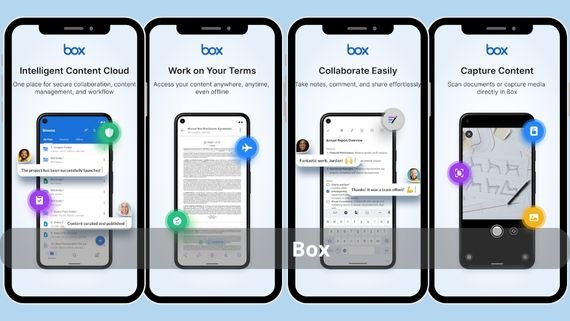
It goes beyond simple storage to become a business-focused content management platform with automated workflows and AI; it offers “Box Skills” apps that analyze images, documents, and videos and add automatic annotations. It provides more than 1,500 ready integrations (Salesforce, Slack, Okta) and allows developers to build custom apps via extensive APIs. Below are the key features of the Box app:
- Integration with over 1,500 popular business apps such as Salesforce and Slack
- Box Skills: AI add-ons that analyze images, documents, and video
- Automated workflows (Box Relay) with “IF-THEN” rules
- Interactive analytics reports showing file engagement
- Powerful file viewer supporting 200+ formats including CAD and Photoshop
📥 Download the Box app here
9. pCloud App
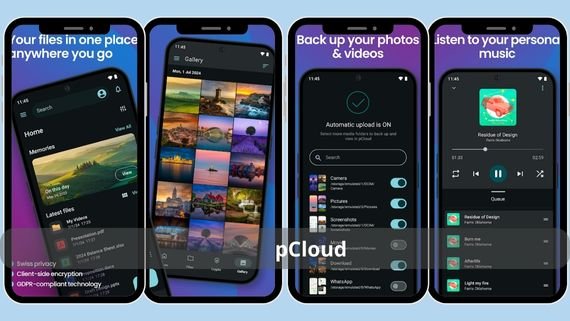
It offers a unique option for users who prefer a one-time purchase instead of monthly subscriptions; you can buy 500 GB or 2 TB of lifetime storage. It provides user-focused encryption (pCloud Crypto) as an add-on service, with a built-in video and music player that works without downloading the file. Below are the key features of the pCloud app:
- Lifetime plan allowing one-time storage purchase with free updates
- Optional pCloud Crypto service with end-to-end encryption
- File sharing of individual files up to 5 TB without splitting
- Built-in video and music player supporting subtitles and playlists
- “Backup” feature to automatically back up any folders from your computer or phone
- Integration with Adobe Lightroom, Zapier, and WordPress for direct media imports
📥 Download the pCloud app here
10. NordLocker App
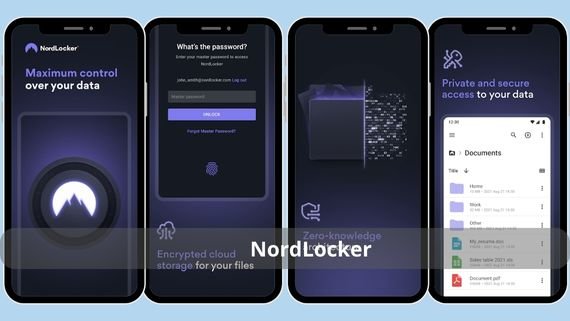
From the team behind NordVPN, it focuses on absolute privacy; it encrypts your files using ChaCha20 and AES-256 on your device before uploading them to servers, ensuring full zero-knowledge. It allows local file encryption and saving them in any folder you choose, then uploading them to the cloud, keeping them encrypted even if copied to another device. Below are the key features of the NordLocker app:
- Local encryption with ChaCha20 and RSA-4096 keys generated only on your device
- Ability to encrypt any local folder without moving it
- Cross-platform sync with decryption available on any new device
- “Locker Sharing” feature to share encrypted folders with others
- Free plans with 3 GB and paid upgrades up to 2 TB
📥 Download the NordLocker app here
How do you choose the best cloud storage app for your needs?
The choice depends on your priority: capacity, speed, encryption, or collaboration. Here is a comparison table summarizing the key features and drawbacks of the most popular options to help you make the right decision without confusion:
| App Name | Free Storage | Main Advantages | Main Drawbacks |
|---|---|---|---|
| IDrive | 10 GB | Unlimited device backup, 30 previous versions | Interface may feel outdated |
| OneDrive | 5 GB | Deep integration with Windows and Office | Relatively small free tier |
| Google Drive | 15 GB | Real-time collaboration, smart search | No default end-to-end encryption |
| Sync.com | 5 GB | True zero-knowledge encryption | Upload speeds slightly slower than competitors |
| Dropbox | 2 GB | Smart Sync, smooth sharing | Smallest free storage on the list |
| MEGA | 20 GB | Strong encryption, expandable to 50 GB | Daily data transfer limits |
| Tresorit | 3 GB | Enterprise-grade security, compliance | High price for individual users |
| Box | 10 GB | Extensive business integrations | Somewhat complex for simple personal use |
| pCloud | 10 GB | Lifetime plan, no file size limits | Encryption service sold separately |
| NordLocker | 3 GB | Local ChaCha20 encryption, zero-knowledge | Very limited free storage |
If you are looking for large free storage, start with MEGA or Google Drive among cloud storage apps. If privacy is your top priority, Tresorit or Sync.com are the best fit. If you are tired of subscriptions, choose the lifetime plan from pCloud. The important thing is to start now; every photo or document without a remote backup is at risk of being lost at any moment.