
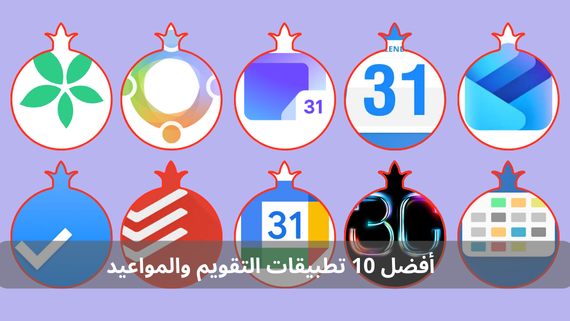
The role of calendar and appointment apps comes as smart solutions that help us manage our lives with efficiency and precision. These apps are no longer just tools for writing down appointments, but have turned into personal assistants that remind us of our tasks, coordinate our schedules with others, and help us achieve our goals effectively. Rumman website presents to you the most important free calendar and appointment apps to be a reliable companion on your journey toward time organization and productivity.
What are calendar and appointment apps?
Calendar and appointment apps are digital tools designed to help you organize your daily and professional schedule effectively. These apps allow you to create appointments, set reminders, share schedules with others, and synchronize events across different devices. These apps are an ideal solution for students, professionals, and families who seek to achieve the highest levels of organization and productivity. Below is a list of the top 10 calendar and appointment apps:
- Google Calendar
- Microsoft Outlook Calendar
- Any.do
- Todoist
- Business Calendar 2
- DigiCal Calendar
- TimeTree
- Calendar 2024
- FamCal
- Proton Calendar
Google Calendar App (Google Calendar)
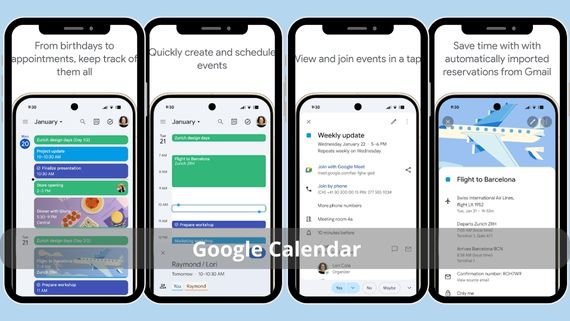
Google Calendar is the official app from Google for managing appointments and events. It is distinguished by its perfect integration with other Google services. It provides a simple and easy-to-use interface with the ability to quickly create events and automatic synchronization across all devices. Below are the main features of Google Calendar:
- Automatic synchronization with all your devices and Google services
- Ability to share the calendar with individuals and teams
- Smart notifications for upcoming appointments and events
- Seamless integration with Gmail and Google Meet
- Support for multiple views (daily, weekly, monthly, agenda)
- Ability to add attachments and notes to events
- Smart suggestions for appointments based on activity history
- Ability to create multiple calendars for different purposes
- Interface adapted to dark mode
📥 Download the Google Calendar app from here
Microsoft Outlook Calendar App (Microsoft Outlook Calendar)
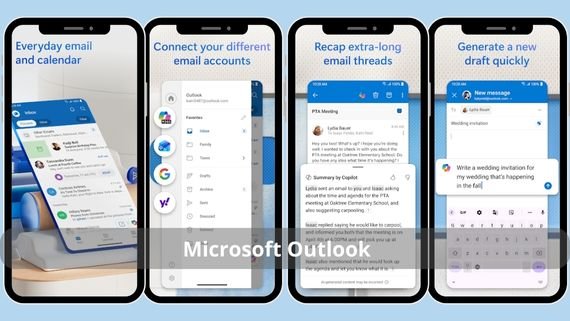
Microsoft Outlook Calendar is part of the comprehensive Outlook app that combines email and calendar. It is distinguished by its strong integration with Microsoft 365 services and the ability to efficiently manage professional and personal appointments. Below are the main features of Microsoft Outlook Calendar:
- Manage email and calendar in one place
- Multiple synchronization with different services including Google
- Smart scheduling that suggests suitable meeting times
- Ability to share the calendar with colleagues and teams
- Advanced customizable notifications for appointments
- Support for creating meetings via Microsoft Teams
- Ability to add attachments and notes to events
- Multiple event views (daily, weekly, monthly)
- Integration with other Microsoft apps
- Professional interface suitable for the work environment
📥 Download the Microsoft Outlook Calendar app from here
Any.do App (Any.do)
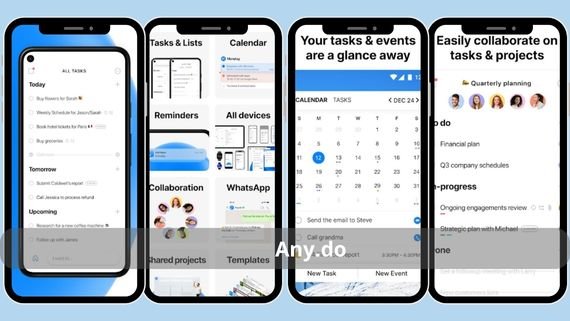
Any.do is an app that combines a to-do list and a calendar in one elegant and easy-to-use interface. It features the ability to quickly create tasks and appointments with support for notes, attachments, and smart reminders. Below are the main features of Any.do:
- Seamless integration between task management and calendar
- Smart customizable notifications based on location and time
- Seamless synchronization across all devices
- Ability to add files and notes to appointments
- Simple and attractive user-friendly interface
- Support for creating multiple task lists
- Ability to share tasks and calendars with others
- Recurring reminders for daily tasks
- Integration with voice assistants
📥 Download the Any.do app from here
Todoist App (Todoist)

Todoist is the famous task management app that includes advanced calendar features. It is distinguished by the ability to organize tasks into projects with deadlines, reminders, and synchronization with Google Calendar. Below are the main features of Todoist:
- Organize tasks into separate projects and groups
- Add due dates and deadlines for tasks
- Advanced notifications for tasks and appointments
- Seamless synchronization with Google Calendar
- Ability to share tasks with team members
- Support for comments and discussions within tasks
- Ability to attach files and notes
- Track daily progress and productivity
- Integration with other productivity apps
- Simple and organized interface
📥 Download the Todoist app from here
Business Calendar 2 App (Business Calendar 2)
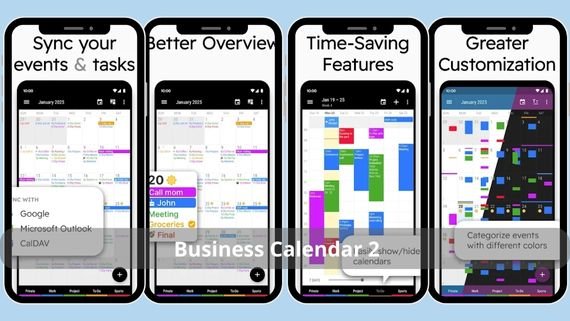
Business Calendar 2 is a professional calendar app designed for users who need advanced features. It is distinguished by a fully customizable interface with support for multiple views and synchronization with multiple services. Below are the main features of Business Calendar 2:
- Full customization of interface and colors as desired
- Support for all types of calendar views (daily, weekly, monthly, yearly)
- Advanced synchronization with multiple services
- Integrate tasks with the calendar in one place
- Advanced home screen widgets
- Ability to add attachments and notes
- Integration with other productivity apps
- Display weather status within the calendar
- Dark and light modes
📥 Download the Business Calendar 2 app from here
DigiCal Calendar App (DigiCal Calendar)
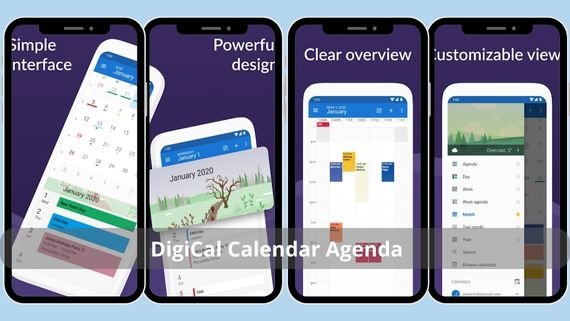
DigiCal is an advanced calendar app distinguished by an elegant and easy-to-use interface with support for multiple views and extensive customization. It features synchronization with all major calendar services, with support for weather and recurring events. Below are the main features of DigiCal Calendar:
- Modern, attractive, and easy-to-use interface
- Support for 7 different calendar view types
- Display weather status directly in the calendar
- Synchronization with all major calendar services
- Ability to share the calendar with others
- Ability to add attachments and notes
- Multiple home screen widgets
- Dark mode to protect the eyes
📥 Download the DigiCal Calendar app from here
TimeTree App (TimeTree)
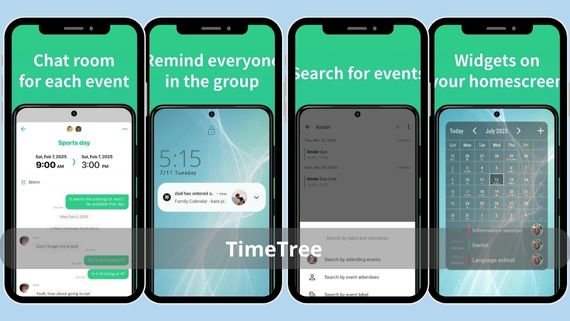
TimeTree is a shared calendar app designed for families, couples, and teams. It features the ability to create shared calendars with support for chats, notes within events, and shared notifications. Below are the main advantages of TimeTree:
- Create shared calendars for groups and families
- Ability to have conversations within events
- Shared notifications for all calendar members
- Seamless synchronization across all devices
- Simple interface suitable for everyone
- Ability to add attachments and notes
- Integration with social media apps
- Ability to create multiple calendars for different purposes
📥 Download the TimeTree app from here
Calendar 2025 App (Calendar 2025)
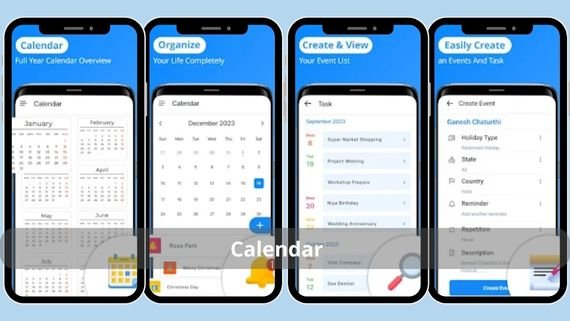
Calendar 2025 is a simple and easy-to-use calendar app designed for users who want a basic calendar without complexity. It features a clean interface with support for monthly and daily views and easy addition of appointments and reminders. Below are the main features of the Calendar app:
- Simple and easy interface without complications
- Support for official holidays in many countries
- Monthly and daily calendar view as needed
- Smart notifications for appointments and events
- Lightweight on system resources and battery-friendly
- Ability to add notes and attachments
- Integration with navigation apps
- Dark mode to protect the eyes
- Simple home screen widget
📥 Download the Calendar 2025 app from here
FamCal App (FamCal)
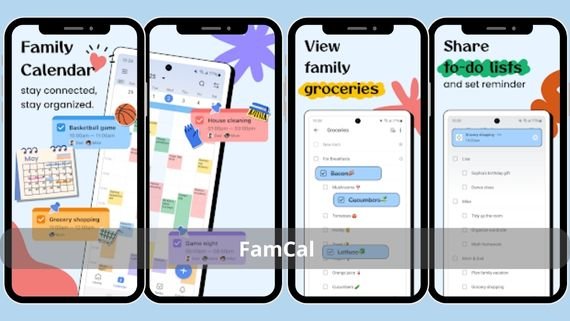
FamCal is a specialized family calendar app designed to help families organize their shared appointments and tasks. It features the ability to create separate calendars for each family member with sharing capabilities. Below are the main features of FamCal:
- Organize family appointments in one place
- Ability to share with all family members
- Create shared family task lists
- Add notes to events and appointments
- Shared notifications for all family members
- Ability to create separate calendars for each member
- Integration with family communication apps
- Simple interface suitable for all ages
- Daily, weekly, and monthly calendar views
📥 Download the FamCal app from here
Proton Calendar App (Proton Calendar)
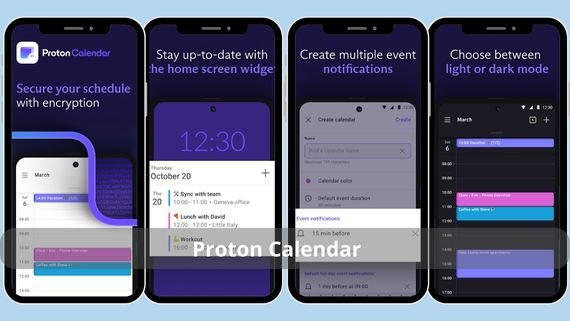
Proton Calendar is a secure and encrypted calendar app focused on user privacy. It features encryption of all events and appointments with no collection of personal data. Below are the main features of Proton Calendar:
- Encrypt all events and appointments with the latest technologies
- Complete privacy with no collection of personal data
- Encrypted and secure synchronization across all devices
- Easy-to-use and simple interface
- High-level protection for data and personal information
- Ability to add encrypted attachments and notes
- Integration with other Proton services
- Support for recurring events and special occasions
📥 Download the Proton Calendar app from here
Choosing the Best Calendar App
With the many calendar and appointment apps available on Google Play Store, choosing the right app becomes difficult. The most suitable choice depends on several factors such as usage type, data volume, required privacy level, and integration with other apps. Below is a comparison table to help you choose the most suitable app:
| App Name | Features | Drawbacks |
|---|---|---|
|
|
|
Limited advanced customization |
|
|
|
Somewhat complex interface |
|
|
|
Free version has limited features |
|
|
|
Limited calendar features |
|
|
|
Complex interface for beginners |
|
|
|
Some features are paid |
|
|
|
Limited features for individual users |
|
|
|
Very limited features |
|
|
|
Not suitable for professional use |
|
|
|
Limited features, relatively new |









Choosing the right calendar and appointment app is an important step toward achieving organization and productivity in your daily life. Whether you are a student who needs to track academic appointments, an engineer managing complex projects, or an individual seeking balance between work and personal life, these apps provide ideal solutions. We recommend trying several apps before settling on the one that best fits your needs and taking advantage of the advanced features they offer to organize your time effectively. Always remember that good time organization is the key to success in all aspects of life.