

Background removal apps have become a daily necessity for anyone working in design, e-commerce, or even visual content. These tools provide a fast and accurate solution for isolating the main subject from the background without the need for complex software. Rumman website presents the best apps, both free and paid, which vary in the artificial intelligence algorithms used, making the choice of the most suitable option dependent on the nature of use and the required level of accuracy.
What are the top 10 background removal apps?
Background removal apps are among the essential work tools in the digital content era. They allow users to extract the main subject from an image within seconds without needing design expertise or relying on heavy desktop software. These apps enable the production of transparent images or replacing the background with a new one, contributing to faster ad creation, product design, or even professional personal photo editing.
- Remove.bg (Remove BG)
- PhotoRoom (Photo Room)
- Background Eraser
- PixelLab (Pixel Lab)
- Infinite Design
- Blend Me
- Auto Photo Cut Paste
- Ultimate Background Eraser
- Magic Eraser
- LightX Photo Editor
Remove.bg (Remove BG)
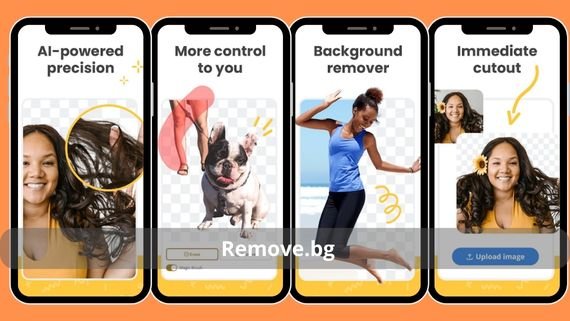
Remove.bg relies on a specialized artificial intelligence model to recognize people and objects and automatically cut them from the background within seconds, without manual intervention. The app is ideal for merchants and e-commerce store owners who need product images with white or transparent backgrounds at a professional quality.
- Main features:
- Instant automatic processing.
- High accuracy around edges
- Support for transparent PNG files
- Background replacement option
- Specifications:
- 19 MB.
- Version 1.6.5.
- Android 7.0 and above
Download Remove.bg 👈🏻 Remove.bg 👉🏻
PhotoRoom (Photo Room)
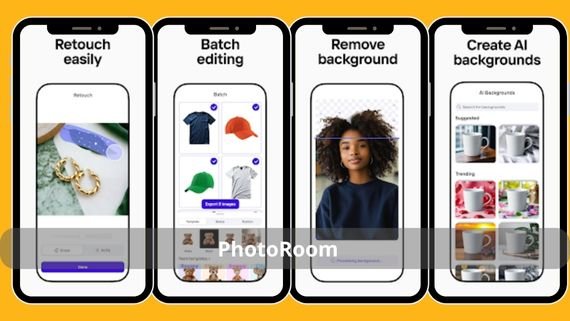
PhotoRoom is designed for small business owners. It removes the background and replaces it with white or colored backgrounds or ready-made advertising templates with a single tap. The app produces images ready for publishing on e-commerce platforms while maintaining product accuracy and lighting reflections.
-
- Main features:
- Commercial product templates.
- Batch background removal.
- 4K export.
- Integration with sales platforms
- Specifications: 56 MB.
- Version 4.7.2.
- Android 7.0 and above
- Main features:
Download PhotoRoom 👈🏻 PhotoRoom 👉🏻
Background Eraser
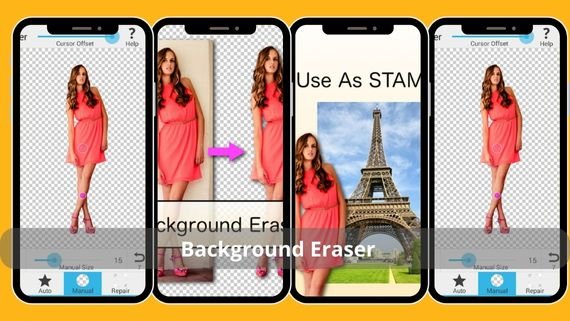
Background Eraser focuses on a single task: accurately extracting the subject using both automatic and manual selection tools, producing a transparent image that can later be used in any other editor. It is an ideal choice for users looking for a lightweight and fast app that does not consume device resources.
-
- Main features:
- Automatic and manual selection.
- Precise zoom support.
- Transparent PNG saving.
- Lightweight and fast interface
- Specifications: 8 MB.
- Version 2.17.1.
- Android 5.0 and above
- Main features:
Download Background Eraser 👈🏻 Background Eraser 👉🏻
PixelLab (Pixel Lab)

PixelLab combines an advanced text editor with a background removal tool, allowing users to add text and 3D effects to images after isolating the main subject. It suits designers who create marketing posts or visual ads quickly.
- Main features:
- Automatic background removal.
- 100 Arabic and English fonts.
- 3D effects.
- Export without watermark
- Specifications:
- 35 MB.
- Version 2.1.3.
- Android 5.0 and above
Download PixelLab 👈🏻 PixelLab 👉🏻
Infinite Design

Infinite Design offers vector drawing tools in addition to a background removal feature, allowing users to create unlimited designs after isolating the subject. It is suitable for designers working on logos or complex illustrations.
- Main features:
- Unlimited vector drawing.
- Smart background removal.
- Multiple layers.
- Export in SVG and PDF formats
- Specifications:
- 47 MB.
- Version 3.5.6.
- Android 6.0 and above
Download Infinite Design 👈🏻 Infinite Design 👉🏻
Blend Me

Blend Me focuses on background removal and replacing it with natural images or artistic effects to easily create double exposure photos. It includes artificial intelligence algorithms designed to isolate people in portrait images.
- Main features:
- Automatic photo blending.
- Ready-made natural backgrounds.
- Double exposure effects.
- Direct sharing.
- Specifications:
- 28 MB.
- Version 1.9.4.
- Android 6.0 and above.
Download Blend Me 👈🏻 Blend Me 👉🏻
Auto Photo Cut Paste

Auto Photo Cut Paste allows automatic cutting of the subject and pasting it into different backgrounds with the ability to adjust lighting and shadows to match the new scene. It includes a library of natural and architectural backgrounds.
-
- Main features:
- Smart automatic cutting.
- Lighting and shadow adjustment.
- Diverse background library.
- Professional editing tools
- Specifications:
- 31 MB.
- Version 3.2.5.
- Android 5.0 and above
- Main features:
Download Auto Photo Cut Paste 👈🏻 Cut & Paste Photo Editor 👉🏻
Ultimate Background Eraser
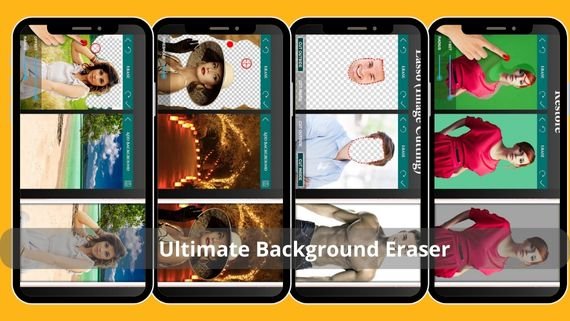
Ultimate Background Eraser provides multiple selection tools including automatic, manual, and smart eraser modes to remove backgrounds with the highest possible accuracy. It supports 4K image processing and allows saving work in stages for later use.
-
- Main features:
- 3 selection modes.
- 4K processing.
- Project saving.
- Transparent PNG export without compression
- Specifications:
- 19 MB.
- Version 2.8.3.
- Android 6.0 and above
- Main features:
Download Ultimate Eraser 👈🏻 Ultimate Background Eraser 👉🏻
Magic Eraser
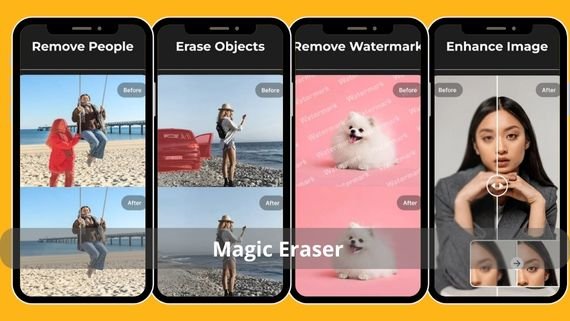
Magic Eraser features a simple interface among background removal apps, relying on artificial intelligence to remove the background with one tap, with the option to replace it with ready-made backgrounds or images from the gallery. It suits beginners who want fast results without complexity.
-
- Main features:
- One-tap removal.
- Ready-made backgrounds.
- High accuracy around edges.
- Automatic image saving
- Specifications:
- 22 MB.
- Version 1.4.2.
- Android 6.0 and above
- Main features:
Download Magic Eraser 👈🏻 Magic Eraser 👉🏻
LightX Photo Editor
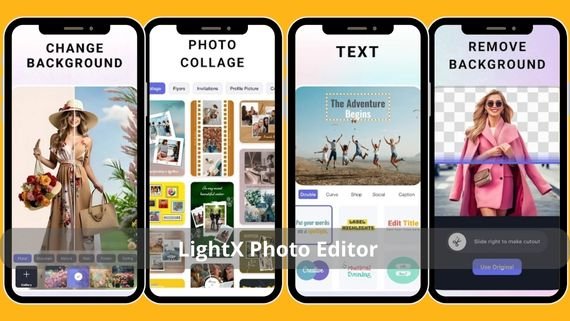
LightX combines a comprehensive photo editor with a background removal tool, enabling the creation of advanced visual montages with support for layers and effects. It includes precise manual control tools to refine edges after automatic removal.
-
- Main features:
- Smart background removal.
- Layers and effects.
- Precise manual control.
- Export without watermark
- Specifications: 38 MB
- Version 2.3.1
- Android 7.0 and above
- Main features:
Download LightX 👈🏻 LightX Photo Editor 👉🏻
Background removal apps have become an integral part of daily workflow in content design or even personal use. They save time and produce image quality comparable to professional software. Choosing the most suitable app depends on the task nature: if you seek speed, choose dedicated tools, and if you need precise control, look for apps that allow manual editing. This ensures achieving the desired result without complexity or additional costs.