
Many users suffer from low quality old photos or lost details in quick snapshots. The top 10 blurry photo repair apps help you restore your memories at the highest possible resolution without needing design experience. Some are now completely free like Snapseed, others deliver stunning results like Remini, and some specialize in background removal like PicWish or selfie enhancement like BeautyPlus. With one click, you can sharpen your photos and rebuild facial features and lost colors. Rumman Net has compiled the best 10 powerful apps specialized in fixing blurry photos and improving their quality using artificial intelligence.
What are the best 10 blurry photo repair apps for 2025?
The internet has seen a real boom in photo enhancement apps that rely on advanced AI technologies. These programs provide practical and effective solutions to sharpen blurry images and restore old photos in high quality. Here is a carefully selected list of the top 10 blurry photo repair apps for this purpose:
- YouCam Enhance
- Snapseed
- SnapEdit
- Remini
- Fotor
- Picsart
- Pixelup
- BeautyPlus
- PicWish
- Remaxi
YouCam Enhance
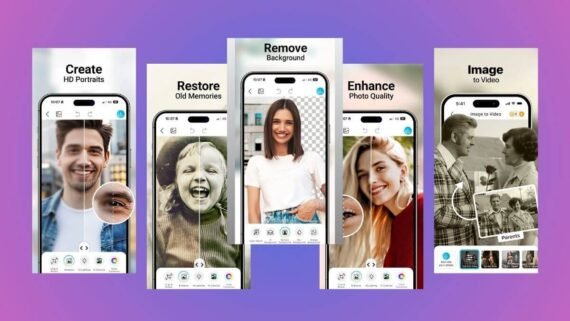
YouCam Enhance is an ideal choice for those looking to improve photo quality with one click. The app relies entirely on advanced AI algorithms to process missing details. YouCam Enhance transforms low resolution images into high definition HD photos. It is highly specialized in photo sharpening compared to full featured editing apps.
Main advantages:
- Powerful one tap ability to sharpen blurry photos.
- “AI Colorize” feature to colorize old photos accurately.
- Smart removal of unwanted objects from the background.
- Automatic portrait lighting enhancement.
Main disadvantages:
- Adds a watermark to photos in the free version.
- Requires a stable internet connection for processing.
Main tools and sections:
- AI Photo Enhance tool for upscaling.
- AI Object Removal tool.
- Colorize section for black and white photos.
- Background Remover tool.
| Item | Details |
|---|---|
| App name | YouCam Enhance |
| Main function | Upscale and sharpen photos using AI |
| Operating systems | Android / iOS |
| Price | Free with in app purchases |
| AI support | Yes |
| Ease of use | Very easy |
| Suitable for | Beginners and professionals |
| Review and download links | [Download YouCam Enhance] |
Snapseed
Snapseed, owned by Google, is one of the most powerful professional photo editing apps. It gives you precise manual control over every detail to increase sharpness and clarity. Snapseed does not rely on a single magic button, but provides tools like “Structure” and “Sharpening” that deliver impressive results. Photographers prefer Snapseed because it is completely free and ad free.

Main advantages:
- Completely free with no ads.
- Supports RAW file editing for maximum quality.
- Precise “Details” tools to increase sharpness.
- Ability to save Looks and apply them to other photos.
Main disadvantages:
- No one tap AI blur fix feature.
- The interface may be slightly complex for new users.
Main tools and sections:
- Details tool for sharpening and structure.
- Healing tool to remove imperfections.
- HDR Scape tool to enhance lighting.
- Selective tool to edit specific areas.
| Item | Details |
|---|---|
| App name | Snapseed |
| Main function | Professional photo editing with manual control |
| Operating systems | Android / iOS |
| Price | Completely free |
| AI support | Yes (limited processing) |
| Ease of use | Medium |
| Suitable for | Mainly professionals |
| Review and download links | [Download Snapseed] |
SnapEdit
SnapEdit became famous for its powerful ability to remove people and unwanted objects, and later evolved to include strong photo quality enhancement tools. SnapEdit uses AI to detect problems in photos and fix them instantly. The interface is extremely simple and designed to complete tasks in seconds. It is an excellent option for those who want to sharpen blurry photos while also cleaning up imperfections.

Main advantages:
- Very powerful remover tool to clean backgrounds.
- “Enhance” feature to sharpen old and shaky photos.
- Convert photos to anime style in high quality.
- Modern and easy to navigate interface.
Main disadvantages:
- Many ads in the free version.
- Enhancement quality may be slightly lower than fully specialized apps.
Main tools and sections:
- Remover tool.
- Enhancer tool.
- Anime AI tool.
- Restore Old Photos tool.
| Item | Details |
|---|---|
| App name | SnapEdit |
| Main function | Object removal and clarity enhancement |
| Operating systems | Android / iOS / Web |
| Price | Free (with ads) / Paid |
| AI support | Yes |
| Ease of use | Very easy |
| Suitable for | Beginners only |
| Review and download links | [Download SnapEdit] |
Remini
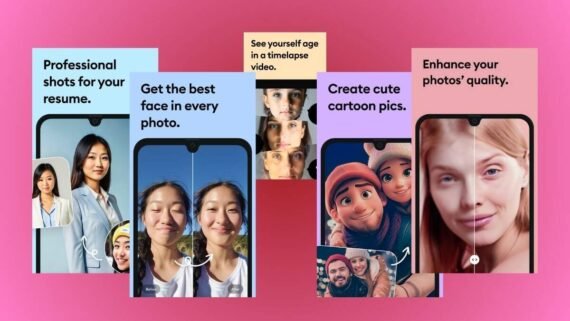
Remini sits at the top of old photo restoration apps and has revolutionized this field. It uses complex techniques to rebuild missing facial features with striking accuracy, making photos look recently taken. Remini is the main reference when discussing converting blurry images to HD. It also supports blurry video enhancement, not just photos.
Main advantages:
- Best facial restoration results on the market.
- Supports video enhancement.
- Creates high quality AI avatars.
- Colorizes black and white photos realistically.
Main disadvantages:
- Free version is very limited with long ads.
- Paid subscription is expensive compared to competitors.
Main tools and sections:
- Enhance tool.
- Video Enhancer.
- AI Photos tool.
- History section.
| Item | Details |
|---|---|
| App name | Remini |
| Main function | Rebuilding and restoring old photos and faces |
| Operating systems | Android / iOS / Web |
| Price | Free (limited) / Paid subscription |
| AI support | Yes (heavily) |
| Ease of use | Very easy |
| Suitable for | Beginners and professionals |
| Review and download links | [Download Remini] |
Fotor
Fotor combines full photo editing with powerful AI enhancement tools. You can use it not only for repair but also for design, text, and effects in one place. Fotor provides a “One Tap Enhance” tool that automatically adjusts lighting, colors, and sharpness. It is a balanced choice for users who want design tools alongside photo sharpening.

Main advantages:
- All in one editing and graphic design platform.
- AI tools for upscaling, background removal, and image generation.
- Hundreds of ready made templates.
- Works efficiently on web and mobile.
Main disadvantages:
- Some AI tools require credits or subscription.
- The interface can feel crowded.
Main tools and sections:
- AI Enlarger.
- Magic Remove.
- Collage section.
- Design Templates.
| Item | Details |
|---|---|
| App name | Fotor |
| Main function | Full editing and graphic design with enhancement |
| Operating systems | Android / iOS / Web |
| Price | Free / Paid (Pro) |
| AI support | Yes |
| Ease of use | Medium |
| Suitable for | Beginners and professionals |
| Review and download links | [Download Fotor] |
Picsart
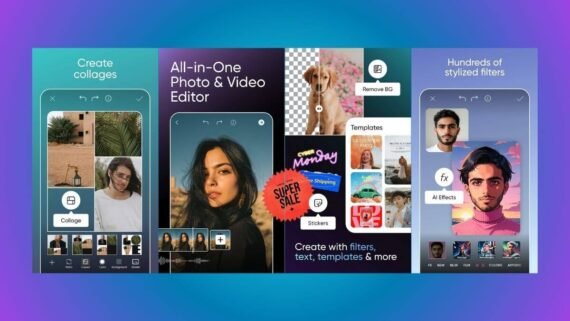
Picsart is the most famous creative community and editing app on smartphones. It recently added AI powered tools to improve photo quality and reduce blur. It allows you to turn ordinary images into artwork and then upscale them for printing or publishing. Picsart stands out with its massive library of filters and stickers.
Main advantages:
- Unlimited creative tools including drawing and layers.
- New “AI Enhance” tool to upscale old photos.
- Large community for sharing and inspiration.
- Edit photos and videos in one app.
Main disadvantages:
- Most powerful and AI tools are paid (Gold).
- Can be heavy on older devices.
Main tools and sections:
- Tools section with Enhance and Resize.
- Remove BG tool.
- Sticker Maker section.
- AI Image Generator.
| Item | Details |
|---|---|
| App name | Picsart |
| Main function | Creative editing with enhancement tools |
| Operating systems | Android / iOS / Web |
| Price | Free (with ads) / Gold subscription |
| AI support | Yes |
| Ease of use | Medium to complex |
| Suitable for | Professionals and creatives |
| Review and download links | [Download Picsart] |
Pixelup
Pixelup is a strong competitor to Remini, focusing heavily on bringing old photos back to life. It features a unique face animation tool that adds emotional value to memories. Pixelup efficiently repairs scratches and tears in scanned paper photos. If your goal is restoring old family albums, Pixelup is an excellent choice.
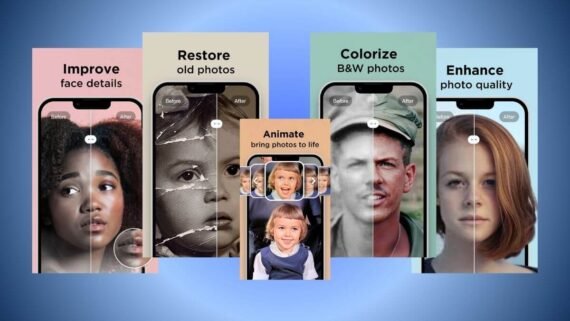
Main advantages:
- Animate feature to add realistic motion to faces.
- One tap colorization of black and white photos.
- Scratch removal from old paper photos.
- Simple interface focused on restoration.
Main disadvantages:
- Heavily subscription based.
- Some animations may look artificial.
Main tools and sections:
- Enhance tool.
- Colorize tool.
- Descratch tool.
- Animate tool.
| Item | Details |
|---|---|
| App name | Pixelup |
| Main function | Restoring old photos and animating faces |
| Operating systems | Android / iOS |
| Price | Free trial / Subscription |
| AI support | Yes |
| Ease of use | Very easy |
| Suitable for | Beginners only |
| Review and download links | [Download Pixelup] |
BeautyPlus
BeautyPlus is designed specifically for selfie and portrait lovers. Although known as a beauty app, it includes a powerful Photo Repair tool for fixing blurry portraits. It focuses on enhancing skin, eyes, and makeup, making it ideal for social media photos. BeautyPlus uses AI to preserve natural skin texture while increasing clarity.
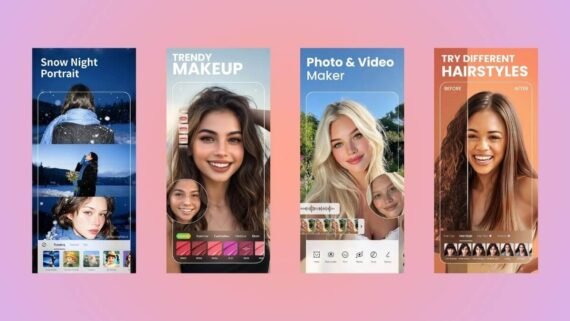
Main advantages:
- Specialized in selfie and face enhancement.
- Advanced retouch tools for skin smoothing.
- AI Enhance tool for full image upscaling.
- Modern beauty filters and effects.
Main disadvantages:
- May over beautify and reduce realism.
- Advanced enhancement requires Premium subscription.
Main tools and sections:
- Photo Repair tool.
- Retouch tool.
- AI Portrait tool.
- Filters & Makeup section.
| Item | Details |
|---|---|
| App name | BeautyPlus |
| Main function | Selfie beautification and portrait enhancement |
| Operating systems | Android / iOS |
| Price | Free / Premium subscription |
| AI support | Yes |
| Ease of use | Easy to medium |
| Suitable for | Beginners (selfie lovers) |
| Review and download links | [Download BeautyPlus] |
PicWish
PicWish targets e commerce sellers and designers who need ultra clear product images. It excels at precise background separation and enhancing the main subject. PicWish works very fast and produces professional noise free results. It is a practical solution for preparing images for online sales.
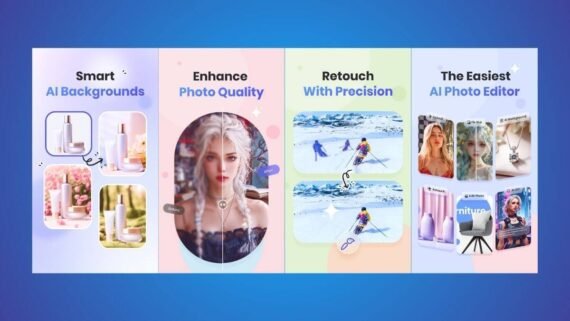
Main advantages:
- Best background removal tool with high precision.
- “Unblur” feature for product photos and text.
- Batch photo processing support.
- No compression that reduces image quality.
Main disadvantages:
- Payment may rely on credits or subscription.
- Limited creative tools compared to Picsart.
Main tools and sections:
- Remove Background tool.
- Photo Enhancer.
- Retouch tool.
- ID Photo tool.
| Item | Details |
|---|---|
| App name | PicWish |
| Main function | Product photo enhancement and background removal |
| Operating systems | Android / iOS / Windows / Web |
| Price | Free (limited) / Paid |
| AI support | Yes |
| Ease of use | Very easy |
| Suitable for | Professionals (e commerce) |
| Review and download links | [Download PicWish] |
Remaxi
Remaxi is a simple alternative focused entirely on the Unblur feature. It aims to deliver a similar experience to larger apps with a lighter interface. Remaxi scans images, detects blurry areas, and fixes them instantly. It suits users who find other apps complex or overloaded with unnecessary features.
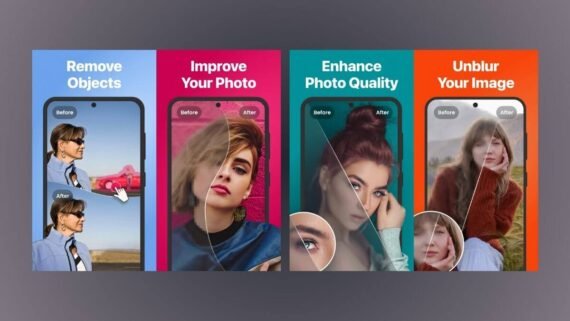
Main advantages:
- Very simple and direct interface.
- Fully focused on blur removal.
- Reduces noise and grain in old photos.
- Lightweight app size.
Main disadvantages:
- Contains many ads in the free version.
- Results may be less accurate than Remini for faces.
Main tools and sections:
- Enhance tool.
- Clarify tool.
- Colorize tool.
- My Gallery section.
| Item | Details |
|---|---|
| App name | Remaxi |
| Main function | Simple blur removal tool |
| Operating systems | Android / iOS |
| Price | Free (ad supported) |
| AI support | Yes |
| Ease of use | Very easy |
| Suitable for | Beginners only |
| Review and download links | [Download Remaxi] |
Which app is best for you among the top 10 blurry photo repair apps?
To make your choice easier, here is a quick summary comparing the strengths and weaknesses of each app:
| App | Main advantages | Main disadvantages |
|---|---|---|
| YouCam Enhance | One tap enhancement, accurate colorization | Watermark, requires internet |
| Snapseed | Completely free, professional tools, manual control | No fast automatic AI enhance button |
| SnapEdit | Excellent object removal, easy to use | Too many ads |
| Remini | Best face restoration, video support | Expensive subscription, long ads |
| Fotor | Complete design platform, multi platform | Many features are paid |
| Picsart | Creative community, unlimited tools | Crowded interface, heavy on device |
| Pixelup | Face animation, scratch removal | Animations may look unnatural |
| BeautyPlus | Best for selfies, natural beautification | Focused mainly on faces |
| PicWish | Ideal for products, precise background cutting | Relies on credit system |
| Remaxi | Simple, lightweight | Many ads, average results |
Improving photo quality and restoring old images has become easier than ever thanks to this curated set of apps. We reviewed the top 10 reliable AI powered blurry photo repair apps to transform faded memories into high clarity masterpieces. Whether you want a fully free app or a professional tool, the choice is now yours.
If you are a beginner and want fast results for faces, we recommend starting with Remini. If you prefer free manual control, Snapseed is your best companion. Do not hesitate to download and test these apps yourself to see the difference in photo clarity.