
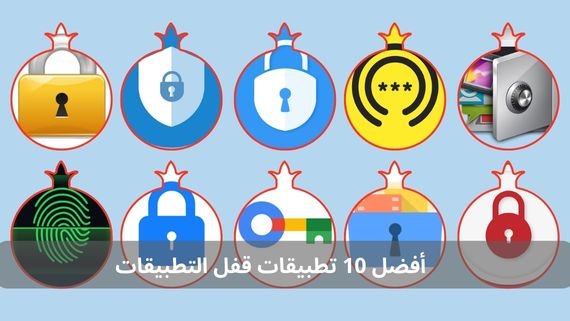
App lock applications give you this protection at the touch of a button, and while options vary on the Google Play Store, choosing the right one depends on the level of security you need and additional features such as intruder capture, icon hiding, or cloud sync. Rumman puts in your hands the best tested options to match your most important needs and security requirements.
What are app lock applications?
They are security tools installed on your Android device to add a second protection gateway inside the phone itself. After locking the screen, sensitive apps such as WhatsApp, photos, or banking apps remain open to any other user. Here comes the role of app lock tools that force the viewer to enter a passcode, draw a pattern, or use a fingerprint before opening any app you specify. This separates your personal use from family or colleagues without needing to buy a second phone. The top 10 app lock applications are:
- AppLock
- Norton App Lock
- IVY AppLock
- Smart AppLock
- Perfect AppLock
- Lock Me Out
- Gallery Vault
- Password Manager
- BioLockdown
- Fingerprint Login
1. AppLock
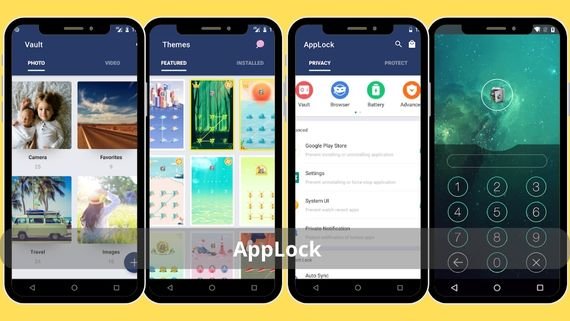
It is one of the earliest free solutions that established the concept of double locking on Android. It allows you to protect any app with a passcode, pattern, or fingerprint, and also hides photos and videos in a secret vault that does not appear in the gallery. It adds a unique feature of taking a selfie of anyone who enters the wrong code more than three times, helping you identify who tried to snoop while you were away. It also lets you customize the lock screen background and colors to match your phone theme. The main features include:
- Supports three locking methods: passcode up to six digits, multi-directional pattern, or fingerprint
- Integrated secret vault that hides files from file explorers and gallery apps
- Intruder camera that works silently and stores intruder photos in a hidden folder
- Ability to customize the lock screen background using your own images or built-in wallpapers
- Smart lock feature that disables protection when connected to trusted Wi-Fi networks
- Does not require root permissions and works on Android versions starting from 5.0
📥 Download AppLock from here
2. Norton App Lock
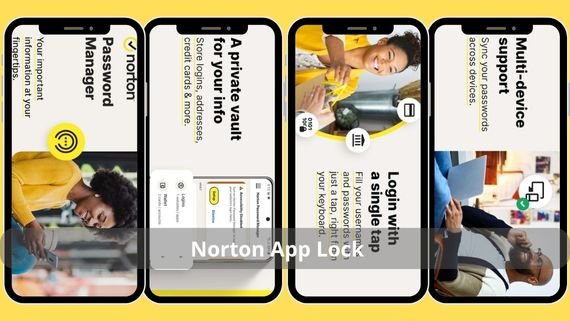
Comes from the security giant Symantec and delivers a completely ad-free experience with a high encryption level similar to their paid products. Its interface is built on simplicity, requiring no account or login. After installation, you choose the apps to protect and set a code or fingerprint. It also allows blocking app uninstallation or system settings changes without permission. Key specifications include:
- Completely ad-free interface with no pop-ups or banners
- Uses AES-256 encryption to store codes and fingerprint data locally
- Prevents app uninstallation or permission disabling without entering the passcode
- Supports temporary lock that disables protection for a set time then restores automatically
- Works on Android 6.0 and above with full fingerprint support
- App size does not exceed 8 MB and consumes minimal CPU and battery resources
📥 Download Norton App Lock from here
3. IVY AppLock

Features a modern design similar to weather and lighting apps, but hides powerful tools behind its simple interface. Most notably, it can completely hide its icon from the app drawer and only appear by entering a secret code in the phone browser. It also offers a fake crash window that shows a sudden stop message when opening a locked app, tricking intruders into thinking the app is broken. Key features include:
- Complete icon hiding from the home screen and recent apps list
- Fake crash window showing a black screen or “App has stopped” message
- Separate browser locking with blocked access to download history and open sites
- Smart timer that automatically disables locking at scheduled times such as work hours
- Supports multiple profiles with different locked apps based on time or network
- Weekly updates via Play Store with added themes and seasonal wallpapers
📥 Download IVY AppLock from here
4. AppLock – Fingerprint
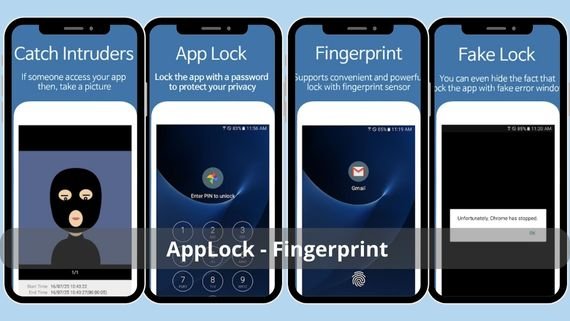
Known for its unique remote lock feature, where you send an SMS containing a preset secret code to your phone to activate or deactivate the lock. This is useful if you forget the code or want to unlock an app for a trusted person without sharing the permanent code. It also secretly captures intruders with location tracking and sends reports to your email. Key features include:
- Remote lock and unlock via SMS with a 6-digit code
- Records a 10-second screen video after three consecutive wrong attempts
- Sends weekly email reports with attempt counts and geographic location
- Locks Quick Settings to prevent airplane mode activation
- Supports a whitelist of contacts allowed to send remote control codes
- Consumes battery only when receiving control messages and stays in deep sleep otherwise
📥 Download AppLock – Fingerprint from here
5. Perfect App Lock
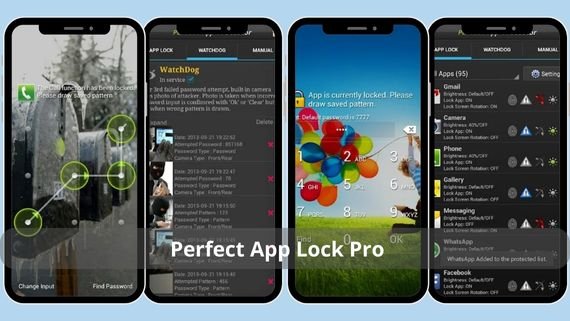
Focuses on protecting the system itself, not just apps. You can block access to Wi-Fi, Bluetooth settings, or even volume controls. It is very useful for parents who want to control children usage without official child accounts. Key features include:
- Locks volume buttons to prevent sound changes or screenshots
- Blocks access to Wi-Fi, Bluetooth, or mobile data settings
- Time lock feature that disables protection for a set period then restores automatically
- Ability to assign multiple passcodes to the same app based on day or time
- Creates a detailed log showing open, close times, and usage duration per locked app
- App size does not exceed 6 MB and stores no data on servers
📥 Download Perfect App Lock Pro from here
6. Lock Me Out
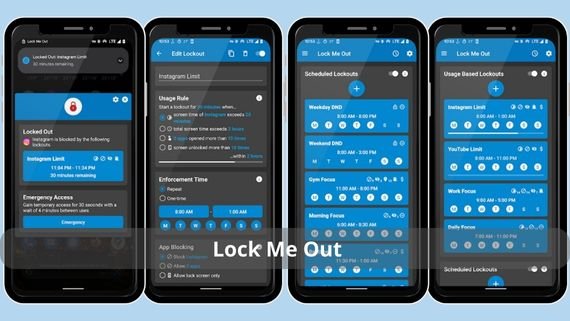
One of the lightest and simplest solutions focusing on speed without sacrificing security. It locks apps in under 150 milliseconds using fingerprint or a passcode up to 8 digits. It also offers a smart blacklist that automatically adds newly installed apps to protection and integrates with the system lock screen to appear as a built-in security feature. Key features include:
- 150 ms locking speed using optimized verification algorithms
- Long passcode up to 8 digits with repeated numbers for added complexity
- Smart blacklist that auto-detects and protects new apps
- Full integration with the native lock screen as a system feature
- No root required and works on Android 7.0 and above
- Displays a simple notification for each blocked attempt with time and app name
📥 Download Lock Me Out from here
7. Gallery Vault
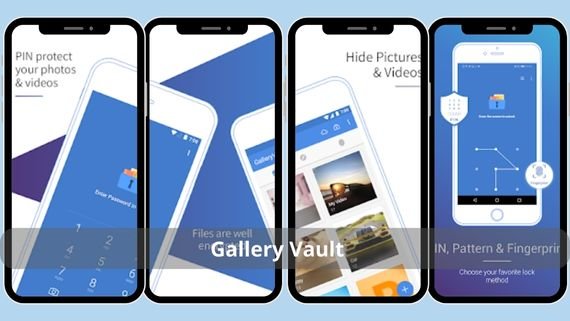
Specialized in protecting photos and videos only, performing this task with high professionalism. It hides files completely from file explorers and gallery apps and applies AES-256 encryption to each file individually. It also allows creating multiple internal albums with different codes for each, offering a multi-level vault in one app. Key features include:
- AES-256 encryption applied to each file individually
- Multiple vaults with separate codes for each album
- Read-only mode preventing deletion or modification
- Optional encrypted Google Drive sync with the same key
- Ability to hide the app icon and access via secret browser code
- Leaves no file traces in cache or system logs
📥 Download Gallery Vault from here
8. Google Password Manager
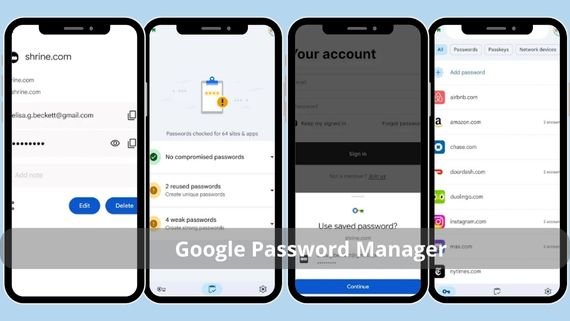
The name suggests password storage only, but it also includes integrated app locking. It stores codes in an encrypted vault and applies the same code to selected apps. It also offers a guest password that shows an empty or fake vault, useful for travel or device servicing. Key features include:
- Main encrypted vault using AES-256
- Guest password that displays a fake or empty vault
- Automatic app locking using the same stored code
- Strong password generator creating 32-character codes
- Supports two-factor verification via email or phone
- Works offline and remains protected even in airplane mode
📥 Download Google Password Manager from here
9. Lockdown
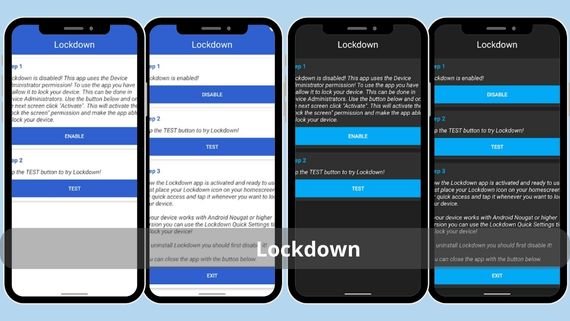
Designed for users seeking the highest level of biometric security. It relies exclusively on fingerprint or face recognition without backup codes. It encrypts the files themselves and allows defining GPS-based safe zones that disable protection automatically when entered and re-enable when exited. Key features include:
- Exclusive biometric locking without numeric backup
- AES-256-GCM file encryption even if files are copied
- Geographic safe zones with radius from 100 meters to 5 km
- Detailed security log with interactive map
- Supports SafetyNet and disables protection on rooted devices
- Automatically rotates encryption keys every 30 days with email notification
📥 Download Lockdown from here
10. Fingerprint Lock Screen
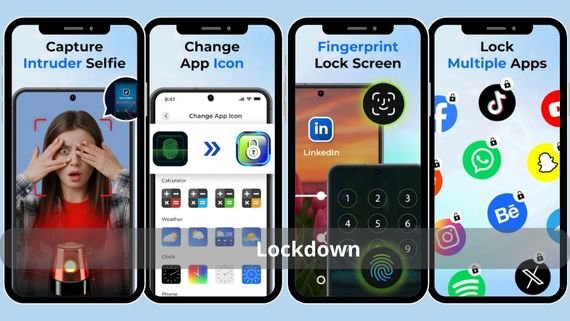
Supports more than 16 languages including full Arabic and focuses on extreme speed, locking or unlocking apps in under 200 milliseconds. It allows multiple profiles such as Work, Personal, Kids, each with its own app list and fingerprint. This turns the phone into a multi-user device without separate Android accounts. Key features include:
- Response speed up to 200 ms from touch to unlock
- Full Arabic interface with RTL support
- Unlimited profiles with custom app lists and backgrounds
- Automatic Google Drive sync per profile
- Hidden mode that hides the app icon and opens via secret code
- No ads or in-app purchases, all features free
📥 Download Fingerprint Lock Screen from here
How do you choose the best app lock for your needs?
With so many options, choosing becomes easier when you know your priorities. Do you want simple locking or advanced protection with intruder capture? Is fingerprint enough or do you want a backup code? The following table summarizes key strengths and weaknesses to help you decide:
| App | Features | Drawbacks |
|---|---|---|
|
|
|
|
|
|
|
|
|
|
|
|
|
|
|
|
|
|
|
|
|
|
|
|
|
|
|
|
|
|
|
|
|
|
|
|
|
|
|
|




There is no one-size-fits-all solution. If you want simplicity and free access, AppLock is a great start. If you want ad-free enterprise-grade security, Norton App Lock is ideal. If you handle sensitive data or share your phone often, combining more than one app such as BioLockdown for files and Smart AppLock for apps gives layered protection. The key is to start now, every day of delay leaves your data exposed to the first curious hand holding your phone.