
Turning personal photos into contemporary artworks can now be done in seconds, without the need for a brush or drawing experience. Thanks to deep artificial intelligence algorithms, any user can give an ordinary snapshot the look of an oil painting, a pop art piece, or even an impressionist drawing, and obtain a professional result ready for printing or sharing. This technology has become a destination for millions of digital creativity enthusiasts. Rumman website will present you with a package of ten apps that suit all your needs and requirements for transforming photos into AI art.
What are the best 10 AI photo art transformation apps?
AI art apps enable users to go beyond the limits of the camera; they recompose visuals through neural networks trained on thousands of classical and modern artworks, changing styles, adding vivid effects, and producing high-resolution images that are hard to distinguish from hand-painted artworks, all through simple taps on the screen.
- DreamArt – Dream Art
- DeepArt – Deep Art
- Artisto – Artisto
- Painnt – Painnt
- GoArt – Go Art
- Vinci – Vinci
- ToonMe – Toon Me
- Dream AI Art – Dream by WOMBO
- AI Gahaku – AI Gahaku
- Fotor AI Art – Fotor AI Art
DreamArt App (DreamArt)
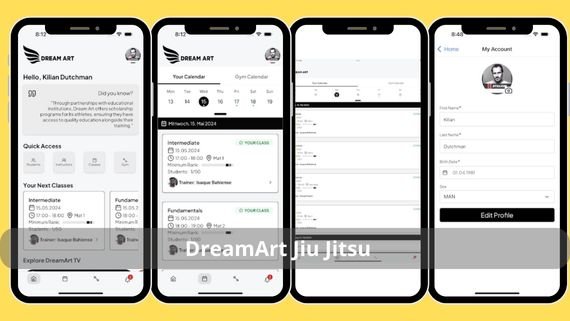
DreamArt is considered a fast digital lab that uses reformulated generative models to turn any image into a multi-style artwork. It offers more than thirty adjustable artistic filters per image and preserves the original resolution, making it ideal for printing artworks or sharing them on social networks. Below are the main features of the app:
- Lightweight size that does not consume much device storage
- 4K resolution support for high-quality images
- Fast cloud processing that ensures instant results
- Artistic filters updated weekly with the latest art trends
- Ability to merge multiple styles in one image
- Save images without a watermark for professional results
- Support for direct sharing on social media platforms
- Compatible with most modern Android devices
- Ability to save favorite settings for future use
Download DreamArt App 👈🏻 DreamArt 👉🏻
DeepArt App (DeepArt)
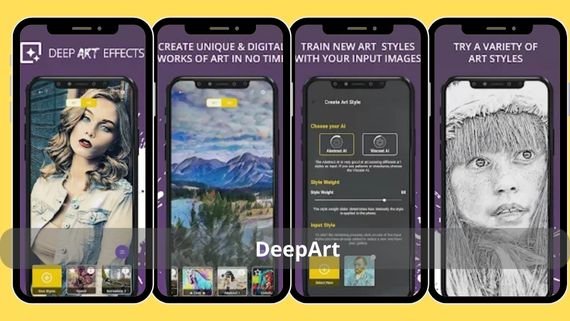
DeepArt relies on a deep neural network trained on more than forty thousand famous paintings, repainting your photos in the style of your favorite artist within minutes. It is distinguished by its smart color contrast algorithm that preserves facial features while transforming the background, giving you a visually balanced artwork ready for framing. Below are the main features of the app:
- High-speed cloud processing for quick results
- RAW file support for professional photos
- A list of famous artists whose styles can be selected
- Ability to order a printed version of the artwork
- Multiple resolution options for different uses
- Preservation of facial features while transforming the background
- Elegant and easy-to-use user interface
- Ability to preview the result before final saving
- Supports sharing images on social media platforms
- Compatible with most Android devices
Download DeepArt App 👈🏻 DeepArt 👉🏻
Artisto App (Artisto)
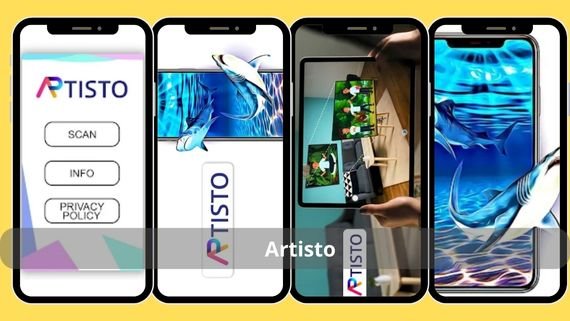
Artisto is not limited to still images, it also transforms short videos into artistic clips with classical or modern styles. It uses frame recognition techniques to apply effects to each frame without distortion, making it the top choice for content creators seeking surreal or dynamic pop art scenes. Below are the main features of the app:
- 1080p video processing for high quality
- Support for videos up to 30 seconds
- Advanced frame recognition technologies
- Live preview of effects before applying
- Direct sharing to TikTok and Reels
- Synchronized sound effects with video
- Simple and easy-to-use interface
- Ability to save projects for later editing
- Compatible with most Android devices
Download Artisto App 👈🏻 Artisto 👉🏻
Painnt App (Painnt)
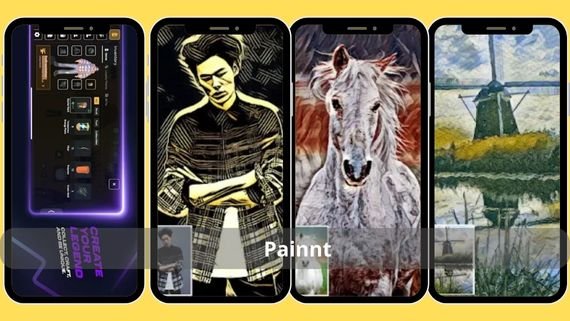
Painnt offers a massive library of over a thousand artistic filters ranging from classical to contemporary, with a professional editor that allows local masking and transparency adjustment. Its smart detail algorithm preserves fine lines in architecture and landscapes, which is why it is widely used for poster design. Below are the main features of the app:
- Support for various PNG/JPEG/HEIF formats
- Resolution up to 8K for ultra-high-quality images
- Huge library exceeding one thousand artistic filters
- Professional editor for local masking and transparency control
- Smart detail algorithm to preserve fine lines
- Ability to merge two filters in one image
- Manual control of contrast and colors
- Library of ready-to-use presets
- Advanced user interface suitable for professionals
- Compatible with most Android devices
Download Painnt App 👈🏻 Painnt 👉🏻
GoArt App (GoArt)
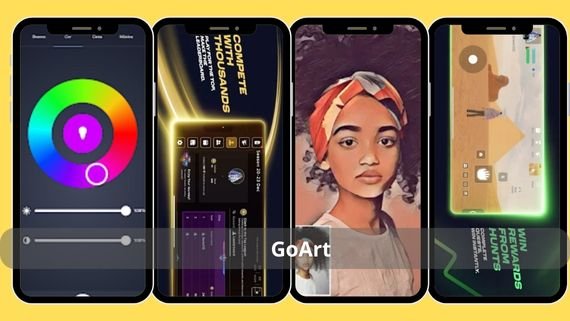
GoArt focuses on Asian styles and Japanese impressionism, using harmonic transfer technology that preserves the original image texture. It provides a “large canvas” feature that splits the artwork into parts and reassembles it precisely, enabling full mural printing from a simple phone photo. Below are the main features of the app:
- Transparent PNG output for professional use
- CMYK support for high-quality printing
- Harmonic transfer technology to preserve image texture
- “Large canvas” feature for mural printing
- Direct export to printing services
- Smart resizing to maintain quality
- Comprehensive Japanese art gallery
- Elegant and easy-to-use interface
- Support for sharing images on social platforms
- Compatible with most Android devices
Download GoArt App 👈🏻 GoArt Nano Banana 👉🏻
Vinci App (Vinci)
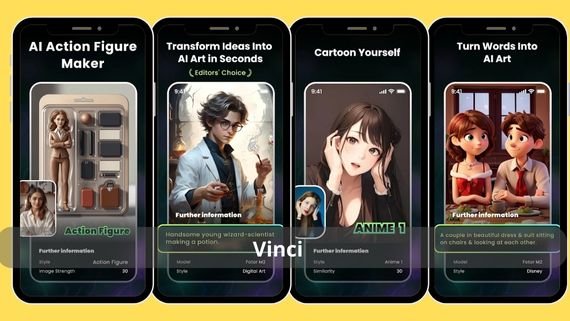
Vinci is known for its simplified interface that completes the transformation in just three steps, yet it hides powerful dual processing: a neural network for feature extraction and a generative network for redrawing. It produces sharp images even in low light and is widely used for creating artistic profile pictures. Below are the main features of the app:
- APK size under 40 MB for fast download
- No account required for use
- Dual processing with neural networks
- Produces sharp images even in low light
- Before and after preview for comparison
- Automatic background removal
- Direct Instagram sharing
- Simplified and easy-to-use interface
- Compatible with most Android devices
Download Vinci App 👈🏻 Vinci 👉🏻
ToonMe App (ToonMe)
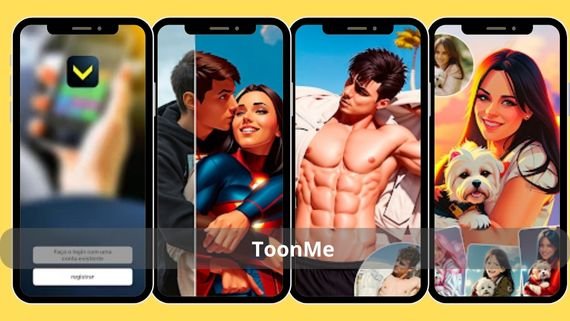
Specialized in transforming faces into cartoon or vector illustrations using 3D facial feature recognition technology, then redrawing them in caricature, anime, or American comics styles. It produces scalable vector files without quality loss, making it preferred for creating brand avatars. Below are the main features of the app:
- SVG/PNG output for scalable files
- 300 DPI resolution for printing
- 3D facial feature recognition technology
- Ready-made famous character templates
- Changeable backgrounds
- Merge two faces in one frame
- Simple user interface
- Support for sharing images on all social platforms
- Compatible with most Android devices
- Ability to save favorite settings
Download ToonMe App 👈🏻 ToonMe 👉🏻
Dream AI Art App (Dream AI Art)
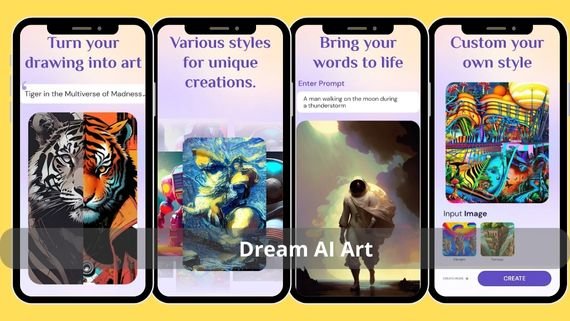
Dream stands out by generating artistic images from scratch or from a base image using an advanced text-to-image engine, then allowing the result to be blended with the original image at a user-defined transparency level. It is used to create album posters or unique desktop wallpapers using descriptive words only. Below are the main features of the app:
- Arabic language support for descriptions
- Fast GPU processing for instant results
- Advanced text-to-image engine
- Multi-layer artistic modes
- Ability to generate unlimited images
- Blend results with the original image
- Community sharing of artworks
- Elegant and easy-to-use interface
- Support for a wide range of artistic styles
- Compatible with most Android devices
Download Dream Art App 👈🏻 Dream AI Art 👉🏻
AI Gahaku App (AI Gahaku)
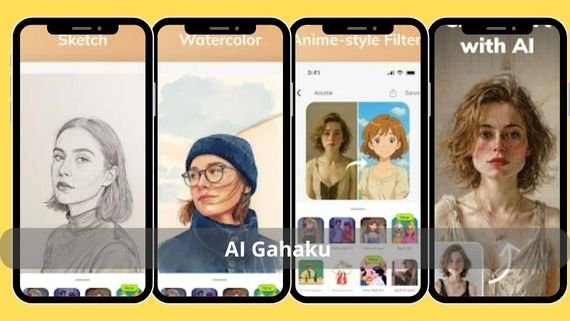
The app name is inspired by “great artist” in Japanese, and it transforms selfie photos into classical portrait paintings with studio-like lighting reminiscent of 19th-century studios. It accurately preserves facial expressions and adds realistic oil color touches, making it ideal for printed personal gifts. Below are the main features of the app:
- Fifty diverse classical styles
- Virtual golden frames for photos
- Accurate preservation of facial expressions
- Realistic oil color touches
- Automatic side-by-side comparison
- Order a printed version with a digital signature
- Portrait and landscape photo modes
- Compatible with Android devices
- Simple and easy-to-use interface
- Support for image sharing
Download AI Gahaku App 👈🏻 AI Gahaku 👉🏻
Fotor AI Art App (Fotor AI Art)
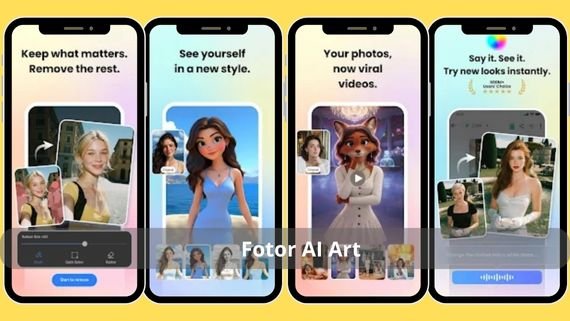
The comprehensive Fotor editor is integrated with a dedicated AI module that transforms photos into digital art and then completes editing on the same platform. The app allows color adjustment, removal of unwanted elements, and adding text before export, providing a complete all-in-one experience without the need for external apps. Below are the main features of the app:
- Professional RAW file processing
- Support for non-flattened layers for editing
- Comprehensive editor integrated with an AI module
- Advanced color and lighting adjustment
- Removal of unwanted elements
- Add text and effects
- Renewable AI filters library
- Direct export to cloud storage services
- Batch editing of multiple images
- Professional user interface
Download Fotor AI Art App 👈🏻 Fotor AI Art 👉🏻
Choosing the Best AI Photo Transformation App
When choosing the best AI photo art transformation app, you should consider several important factors that match your artistic and technical needs. The optimal choice depends on the type of images you want to transform, your preferred artistic style, the required level of accuracy, and whether you need a comprehensive editor or a specialized app. Below is a comparison table to help you make the right decision:
| App Name | Features | Drawbacks |
|---|---|---|
| DreamArt | Weekly updated filters, 4K support, multiple style blending | Some features are available only in the paid version |
| DeepArt | RAW support, famous artists list, direct printing | Cloud processing may be slow on weak connections |
| Artisto | Video transformation, sound effects, direct sharing | Limited video duration (maximum 30 seconds) |
| Painnt | Huge library, professional editor, 8K support | Complex interface for beginners |
| GoArt | CMYK support, mural printing, Asian styles | Limited focus on Asian styles only |
| Vinci | Simplified interface, automatic background removal, lightweight | Limited control options compared to other apps |
| ToonMe | Vector output, ready templates, face merging | Specialized in faces only |
| Dream Wonder | Arabic language support, text generation, multiple layers | High battery consumption |
| AI Gahaku | Classic styles, golden frames, direct printing | Limited styles compared to other apps |
| Fotor AI Art | Comprehensive editor, RAW support, non-flattened layers | Large app size and high resource consumption |
You can now turn any ordinary shot into an artwork within moments using one of these apps. Try the app that matches your creative style and start sharing your digital art with the world instantly.