
Are you looking for a fast and easy way to turn text into video without technical experience? The best AI text to video apps let you create professional videos in just minutes. Some of these apps specialize in generating realistic virtual speakers (Avatars) like HeyGen and Virbo, while others focus on editing and montage like CapCut and Filmora. There are also all-in-one tools like Canva and InVideo that combine design and video generation. Many people struggle to create professional visual content, but AI technologies have completely changed the equation. Rumman Net website RummanNET now presents you with the best available solutions.
What are the best 10 AI text to video apps in 2026?
Tech companies compete to offer the best 10 text to video creation apps that help content creators produce professional videos. By using a text conversion tool, you can achieve impressive results. This list is based on in-depth research of the most efficient AI text to video and content generation apps (free and paid):
- InVideo AI app
- Canva app
- Microsoft Designer app
- Renderforest app
- HeyGen AI app
- Wondershare Virbo app
- CapCut app
- Adobe Express app
- Filmora app
- PowerDirector app
InVideo AI app
InVideo AI is a true revolution in AI text to video generation, designed specifically to create complete content from scratch. The app uses advanced algorithms to understand your text and convert it into coherent videos that include images, music, and voiceover. It is the first choice for anyone looking for a text to video generator that relies entirely on text prompts.
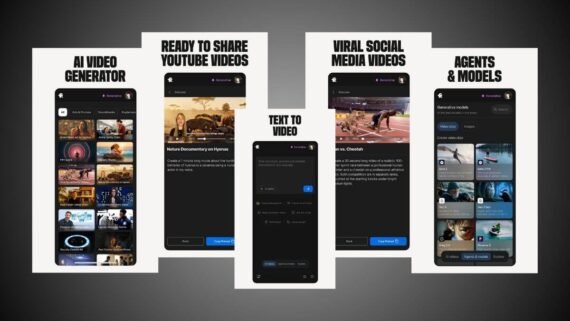
Key features:
- Full AI-powered text to video conversion (script, voice, and editing).
- Supports human voice cloning for very realistic voiceovers.
- Allows video editing through text commands like “make the tone more enthusiastic”.
- Large stock media library automatically integrated.
Main drawbacks:
- Adds a watermark in the free version.
- Requires a strong and stable internet connection for cloud processing.
Main tools and sections inside InVideo AI:
- Magic Box prompt tool.
- AI Script Generator.
- Realistic voiceover library.
- Quick Edit tool.
| Item | Details |
|---|---|
| App name | InVideo (InVideo AI) |
| Usage and function | Full text-based video generator (Generative AI) |
| Operating systems | Android / iOS / Web |
| Price | Free (with watermark) / Paid |
| AI support | Yes (fully) |
| Ease of use | Very easy |
| Suitable for beginners or professionals | Beginners and professionals |
| Review and download links | Download InVideo app (InVideo AI) |
Canva app
Canva is known as an all-in-one design platform and has recently integrated powerful AI text to video tools. The app lets you create animated designs and short videos by combining text with ready-made images and videos. It is the best choice for anyone who wants to combine graphic design and video in one place.

Key features:
- Magic Media tool that converts text into images and short videos.
- Magic Switch feature to resize videos for different platforms with one click.
- Millions of ready-made and customizable templates.
- Very intuitive drag and drop interface.
Main drawbacks:
- Advanced AI features require a Canva Pro subscription.
- Video timeline tools are simple compared to specialized editing software.
Main tools and sections inside Canva:
- Magic Studio.
- Video background remover.
- Elements and media library.
- Beat Sync audio tool.
| Item | Details |
|---|---|
| App name | Canva |
| Usage and function | All-in-one design and simple video editing |
| Operating systems | Android / iOS / Web |
| Price | Free / Paid |
| AI support | Yes |
| Ease of use | Very easy |
| Suitable for beginners or professionals | Mainly for beginners |
| Review and download links | Download Canva app (Canva) |
Microsoft Designer app
Microsoft entered the competition strongly with this app powered by advanced DALL-E 3 technology. The app focuses on using text prompts to create visual designs that can be animated and used in videos. It is an excellent supporting tool for content creators who want to generate unique visual elements from their text.
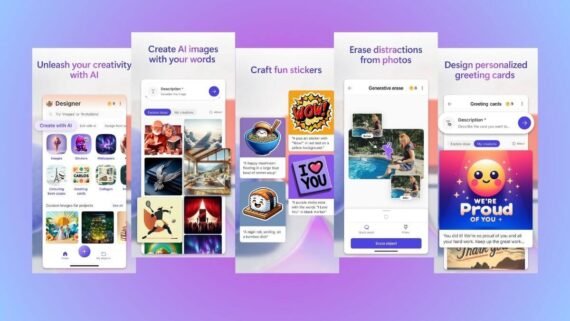
Key features of Microsoft Designer:
- Generates very high-quality images from text descriptions for video use.
- Free to use for now for Microsoft account holders.
- Seamless integration with other Microsoft apps.
- Strong natural language understanding for prompts.
Main drawbacks:
- Not a full video editor, but a design and image generation tool.
- Generated or animated videos are very short.
Main tools and sections inside Microsoft Designer app:
- Image Creator.
- Sticker Creator.
- Background Remover.
- Brand Kit creator.
| Item | Details |
|---|---|
| App name | Microsoft Designer |
| Usage and function | AI-powered image and design generation |
| Operating systems | Android / iOS / Web |
| Price | Free (requires Microsoft account) |
| AI support | Yes (DALL-E 3) |
| Ease of use | Easy to medium |
| Suitable for beginners or professionals | Beginners and professionals |
| Review and download links | Download Microsoft Designer app (Microsoft Designer) |
Renderforest app
The Renderforest app is a long-standing platform specialized in converting text into marketing videos and animations. Using its built-in text to video tool, you can create professional explainer videos. It stands out with a huge template library that makes video creation a matter of simple selection and editing.
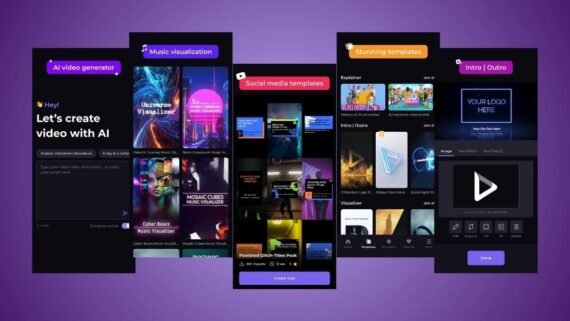
Key features:
- Large library of animation and whiteboard templates.
- Smart tool that suggests the best scenes based on the written script.
- Automatic synchronization between speech and audio in some templates.
- Ability to create logos and websites alongside videos.
Main drawbacks:
- The free version is limited in quality and adds a watermark.
- Character movements may feel repetitive at times.
Main tools and sections inside Renderforest:
- Intro Maker.
- Explainer Video Toolkit.
- Music Visualizer.
- Smart text editor.
| Item | Details |
|---|---|
| App name | Renderforest |
| Usage and function | Animation and corporate intro video creation |
| Operating systems | Android / iOS / Web |
| Price | Free / Paid |
| AI support | Yes |
| Ease of use | Very easy |
| Suitable for beginners or professionals | Beginners and business owners |
| Review and download links | Download Renderforest app (Renderforest) |
HeyGen AI app
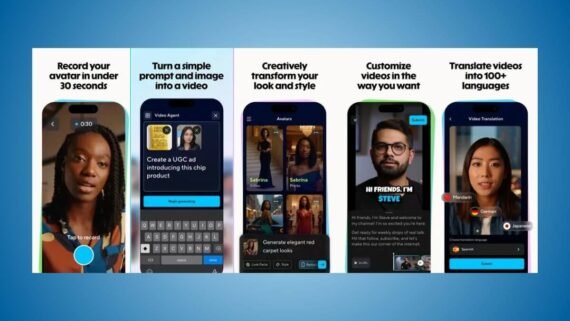
If you are looking for an AI text to video tool to create talking virtual avatars, this app is the strongest option. The app converts written text into a video of a realistic character with highly accurate lip movement. HeyGen is a leader in AI-powered virtual speakers.
Key features of HeyGen AI:
- Amazing lip-sync accuracy.
- Ability to create a digital twin of yourself to speak on your behalf.
- Video translation into other languages while keeping your original voice tone.
- Supports hundreds of languages and accents.
Main drawbacks:
- High cost compared to other apps (credit-based system).
- The free version is very limited in video duration.
Main tools and sections inside HeyGen app:
- Talking Photo.
- Custom Avatar generator.
- Voice Clone tool.
- AI Script editor.
| Item | Details |
|---|---|
| App name | HeyGen (HeyGen AI) |
| Usage and function | Creating realistic virtual avatars |
| Operating systems | Android / iOS / Web |
| Price | Free trial / Paid subscription |
| AI support | Yes (very advanced) |
| Ease of use | Medium |
| Suitable for beginners or professionals | Professionals and companies |
| Review and download links | Download HeyGen app (HeyGen AI) |
Wondershare Virbo app
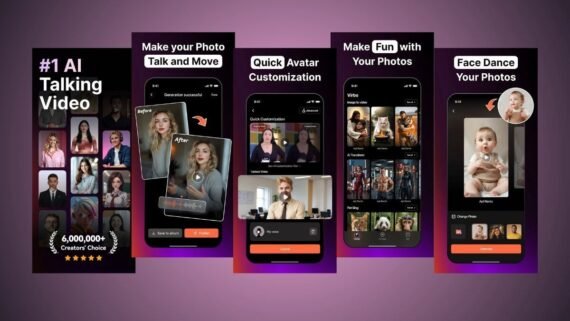
The Virbo app from Wondershare is a specialized business-focused text to video generator. It provides a fast solution to convert text into AI videos using ready-made avatars, eliminating the need to hire actors or expensive filming equipment.
Key features:
- Over 300 virtual avatars with diverse appearances.
- Professional text to speech tool.
- Ready-made templates for marketing and presentations.
- Seamless cross-platform support on mobile and desktop.
Main drawbacks:
- Requires purchasing minutes or a subscription to remove limits.
- Rendering time may be long for high-resolution videos.
Main tools and sections inside Virbo app:
- AI video generator.
- AI Script Writer.
- Talking Photo tool.
- Instant video translation tools.
| Item | Details |
|---|---|
| App name | Virbo |
| Usage and function | Marketing videos with virtual avatars |
| Operating systems | Android / iOS / Windows |
| Price | Free (limited) / Paid |
| AI support | Yes |
| Ease of use | Very easy |
| Suitable for beginners or professionals | Beginners and store owners |
| Review and download links | Download Virbo app (Virbo) |
CapCut app
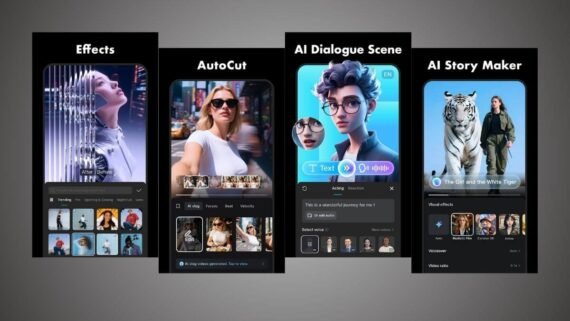
Although known as a video editor, CapCut has added free AI text to visual features. It is the best option for combining AI text to video with powerful and easy editing tools. You can quickly turn simple text into TikTok-style videos.
Key features of CapCut:
- AutoCut tool that automatically creates videos from media and music.
- Text to speech with very natural voices.
- High-accuracy background removal without green screen.
- Automatic caption generation from audio.
Main drawbacks:
- Some professional features are now paid (Pro).
- Occasional privacy concerns related to the parent company.
Main tools and sections inside CapCut app:
- Text to Image tool.
- AutoCut.
- Enhanced Video tool.
- Trending templates.
| Item | Details |
|---|---|
| App name | CapCut |
| Usage and function | All-in-one video editing with AI features |
| Operating systems | Android / iOS / Windows / Web |
| Price | Free (with Pro options) |
| AI support | Yes |
| Ease of use | Easy to medium |
| Suitable for beginners or professionals | Beginners and professionals |
| Review and download links | Download CapCut app (CapCut) |
Adobe Express app
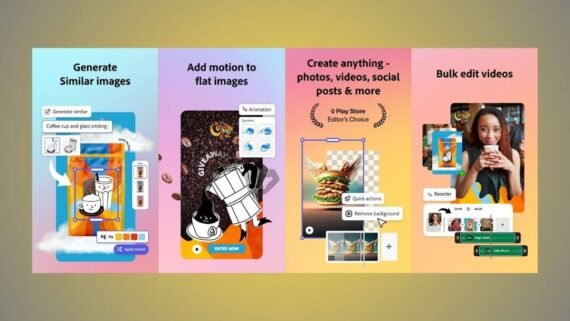
Adobe offers this app as a fast and simplified AI text to video solution. Adobe Express relies on the powerful Firefly engine to generate images and artistic text. It helps turn your text into short, attractive social media videos with professional quality.
Key features:
- Powerful Firefly engine for commercially safe image and text effect generation.
- Access to Adobe Stock library of images and videos.
- Smart suggestions for designs, colors, and fonts.
- Excellent integration with other Adobe software like Photoshop.
Main drawbacks:
- Some premium assets require a paid subscription.
- May be slightly slower to load compared to lightweight apps.
Main tools and sections inside Adobe Express app:
- Text to Image generation.
- Remove Background.
- Video Merge.
- Animate from Audio.
| Item | Details |
|---|---|
| App name | Adobe Express |
| Usage and function | Professional fast graphic and video design |
| Operating systems | Android / iOS / Web |
| Price | Free / Paid |
| AI support | Yes (Adobe Firefly) |
| Ease of use | Medium |
| Suitable for beginners or professionals | Beginners and designers |
| Review and download links | Download Adobe Express app (Adobe Express) |
Filmora app
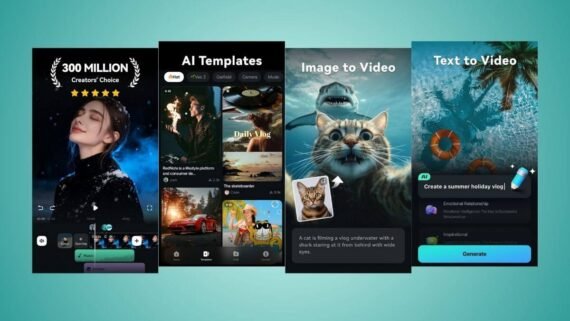
The Filmora mobile app is a compact yet powerful version of the popular desktop software. It focuses on using AI to turn complex editing into simple steps. It includes AI copywriting tools to turn text into video elements, making it a strong content creation tool.
Key features:
- AI Smart Cutout tool for precise object and person isolation.
- Ad and script writing using integrated ChatGPT.
- Speech to text and text to speech with high accuracy.
- Large library of cinematic effects and filters.
Main drawbacks of Filmora:
- Adds a large watermark at the end of videos in the free version.
- The interface may feel crowded for complete beginners.
Main tools and sections inside Filmora app:
- Smart Cutout.
- AI Audio Denoise.
- AI text editor.
- Motion Tracking.
| Item | Details |
|---|---|
| App name | Filmora |
| Usage and function | Professional video editing for creators |
| Operating systems | Android / iOS |
| Price | Free (limited) / Paid |
| AI support | Yes |
| Ease of use | Medium to complex |
| Suitable for beginners or professionals | Mainly for professionals |
| Review and download links | Download Filmora app (Filmora) |
PowerDirector app
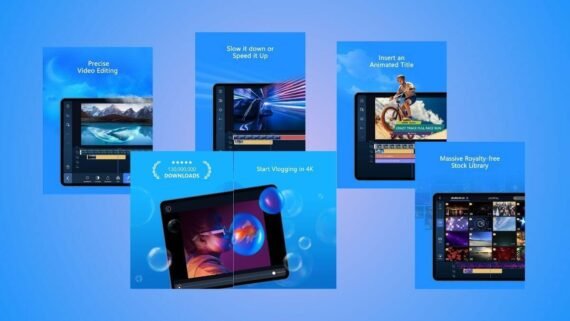
PowerDirector is known as one of the strongest video editing apps and has recently added free AI text to image and visual effects features. Using its built-in text conversion tools, you can create voiceovers or generate animated images to enhance your project.
Key features:
- 4K video editing with strong stabilization.
- AI Anime effects that turn real video into cartoons.
- Powerful video stabilizer tools.
- Smart voice changer.
Main drawbacks:
- The free version contains many ads.
- The monthly subscription may be expensive for some users.
Main tools and sections inside PowerDirector app:
- AI Body Effects.
- Chroma Key.
- AI image generation.
- Audio enhancement tool.
| Item | Details |
|---|---|
| App name | PowerDirector |
| Usage and function | Powerful classic video editor |
| Operating systems | Android / iOS |
| Price | Free (with ads) / Paid |
| AI support | Yes |
| Ease of use | Medium to complex |
| Suitable for beginners or professionals | Professionals |
| Review and download links | Download PowerDirector app (PowerDirector) |
Is there a major difference between AI text to video apps in performance and features?
To help you choose the most suitable text to video tool, we summarized the key differences in this comparison table so you can see which app offers the best AI text to video solution.
| App | Main features | Main drawbacks |
|---|---|---|
| InVideo AI app | Full text to video generation, voice cloning | Needs strong internet, watermark |
| Canva app | Easy design, massive templates | Advanced AI features are paid |
| Microsoft Designer app | Free, DALL-E 3 integration | Not a full video editor |
| Renderforest app | Great for businesses and animation | Generic templates, free limits |
| HeyGen AI app | Highly realistic avatars, video translation | High cost (credit system) |
| Wondershare Virbo app | Diverse avatars, business friendly | Long processing time sometimes |
| CapCut app | Free and powerful, TikTok trends | Some features became paid |
| Adobe Express app | Professional quality, commercially safe | Requires a capable device |
| Filmora app | Professional editing, smart tools | Complex interface for beginners |
| PowerDirector app | 4K support, strong classic tools | Many ads in free version |
The top 10 text to video apps let you turn your ideas into professional visual reality with ease. Each app excels in specific areas: InVideo specializes in full text-based video generation, Canva combines design with simple video, HeyGen and Virbo lead the realistic avatar market, and CapCut dominates fast social content editing.
In terms of cost, most of these apps offer limited free versions and paid subscriptions. The main differences lie in output quality, speed, and extra features. If you are a beginner, Canva is recommended for its simplicity and template variety. If you want to create a professional official speaker, HeyGen AI is the best option despite its higher cost.