USB-AV Antivirus represents a mature solution developed over sixteen years specifically targeting threats transmitted through removable storage. Unlike general antivirus tools that scan entire systems, this specialized software concentrates defensive efforts on USB ports and external devices where malware frequently enters computers. The development team continuously refines detection algorithms through user feedback and real-world malware analysis. This comprehensive guide covers installation procedures, platform compatibility, performance optimization, and integration strategies for maximum USB security in any computing environment.
How to Install USB-AV Antivirus
Installation of USB-AV Antivirus requires downloading the latest version from the official website and running the setup wizard. The process takes approximately five minutes and automatically configures system settings for immediate protection. First-time users should enable all recommended features during initial setup.
- Download Latest Version – Visit https://usbavfree.com and click the Download Installer button for version 4.9.3.0 released August 21, 2025. The 20.7 MB file downloads quickly on standard internet connections.
- Execute Installation Wizard – Double-click the downloaded installer file and follow on-screen prompts. Select default installation folder unless you have specific directory preferences for program storage.
- Configure Protection Settings – During installation, enable Real-time Protection and set automatic update frequency. The setup wizard recommends daily updates for optimal threat detection against emerging malware.
- Complete Installation and Launch – Click Finish to complete installation. The software automatically launches and begins monitoring USB devices connected to your system.
Who Should Use USB-AV Antivirus
USB-AV Antivirus targets users prioritizing dedicated USB security with professional support infrastructure. Enterprise administrators managing multiple computers benefit from its mature detection algorithms. Security-conscious individuals handling sensitive files appreciate its specialized approach to removable device protection.
- Security Professionals – IT security teams implementing layered defense strategies use USB-AV alongside primary antivirus for comprehensive removable media scanning.
- Enterprise Administrators – System managers protecting corporate networks from USB-based threats appreciate its lightweight design and minimal performance impact on managed computers.
- Users Handling Sensitive Data – Individuals transferring confidential documents via USB benefit from advanced detection capabilities and professional-grade threat analysis through USB-AV LAB.
- NOT ideal for – Users wanting free protection should explore USB Disk Security or USB Drive Defender; USB-AV requires paid license for premium features.
USB-AV Antivirus Platform Compatibility
USB-AV Antivirus maintains compatibility with Windows operating systems from legacy versions through modern releases. The software provides consistent protection regardless of Windows version, with optimizations for both 32-bit and 64-bit architectures. Cross-platform users must seek alternative solutions as macOS and Linux versions are unavailable.
| Platform |
Min. Version |
Unique Features |
Limitations |
| Windows Legacy |
Windows XP |
Full compatibility with older systems, reduced system requirements, legacy driver support |
May not receive newest threat definitions indefinitely |
| Windows Modern |
Windows 10/11 |
Advanced real-time protection, integration with Windows security center, native API support |
Requires minimum 256MB RAM for optimal operation |
| USB Devices |
All USB versions |
Protects USB 1.1, 2.0, 3.0, 3.1 devices; supports external drives, flash drives, SD cards |
Cannot protect devices not recognized by Windows |
| Not Supported |
N/A |
No macOS, Linux, or mobile device versions available |
Cross-platform users must use alternative solutions |
USB-AV Antivirus Integrations & Plugins
USB-AV Antivirus integrates with Windows security infrastructure and third-party antivirus solutions to create comprehensive protection layers. The USB-AV LAB online service provides advanced threat analysis capabilities exceeding local scanning capabilities. Integration points enable automated workflows in enterprise environments.
- USB-AV LAB Service – Cloud-based malware analysis platform allowing users to submit suspicious files for examination with world-class antivirus engines and behavioral analysis tools.
- Windows Integration – Works alongside Windows Defender, Windows Security, and built-in protections without conflicts or resource competition.
- Third-party Antivirus – Compatible with Norton, McAfee, Kaspersky, Bitdefender, Avast, and other antivirus suites for enhanced layered protection.
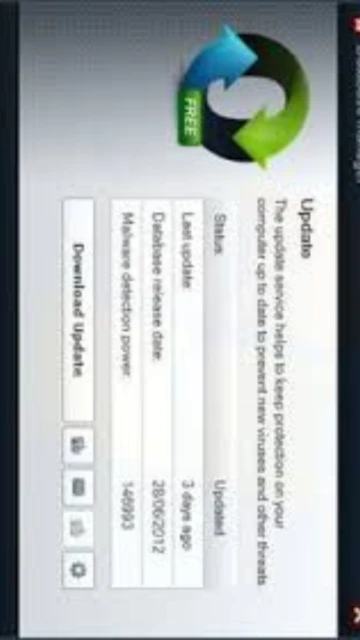
- Automatic Updates – Virus database updates automatically download and install without user intervention, maintaining protection against newly discovered threats.
Best Alternatives to USB-AV Antivirus
Several competing products offer USB-focused security with different features and price points. Selection depends on budget constraints, required support level, and integration preferences. Open-source and free alternatives exist alongside premium solutions.
- USB Disk Security – Best for budget-conscious users, offers similar USB protection with lower cost and lighter system footprint suitable for older computers.
- Smadav Antivirus – Best for users wanting AI-powered detection, includes advanced machine learning algorithms specifically trained on USB malware variants.
- Norton 360 – Best for comprehensive security, includes bootable USB antivirus, dark web monitoring, unlimited VPN, and complete system protection.
- Kaspersky Total Security – Best for enterprise deployment, includes advanced threat prevention, vulnerability scanning, and centralized management capabilities.
USB-AV Antivirus vs Top Competitors
Comparing USB-AV Antivirus against competing solutions reveals distinct differences in pricing strategy, detection approaches, and feature completeness. Each solution balances affordability against advanced capabilities.
| Feature |
USB-AV Antivirus |
USB Disk Security |
Smadav Antivirus |
| Pricing |
$15 for 3 PCs/year (limited offer) |
Commercial trial version |
Free version available |
| Key Strength |
16 years development, online LAB analysis |
Lightweight and resource efficient |
AI-powered detection algorithms |
| Target Users |
Security professionals, enterprises |
Office workers, administrators |
Users wanting advanced AI features |
| Unique Feature |
USB-AV LAB for manual threat analysis |
Copy prevention to USB drives |
Machine learning malware detection |
| Learning Curve |
Easy – Minimal configuration needed |
Easy – Automatic operation |
Moderate – Additional AI features |
USB-AV Antivirus Keyboard Shortcuts
Keyboard shortcuts accelerate common operations without navigating menu systems. USB-AV Antivirus provides shortcuts for scanning operations, settings access, and threat management accessible from the main interface and system tray.
| Action |
Windows |
Description |
| Quick USB Scan |
Ctrl+S from main window |
Initiates immediate scan of all connected USB devices |
| Manual Update Check |
Ctrl+U from main window |
Checks virus database for updates and downloads if available |
| Open Settings Panel |
Ctrl+, (Ctrl+Comma) |
Opens preferences dialog for scanning behavior and protection options |
| View Protection Status |
F1 from main window |
Displays real-time protection status and threat information |
USB-AV Antivirus Performance Optimization
Optimizing USB-AV Antivirus performance ensures rapid threat detection without excessive system resource consumption. Configuration adjustments and scheduled operations balance protection with system responsiveness during critical work periods.
- Enable Smart Scanning – Configure smart scanning mode that prioritizes frequently accessed USB devices while minimizing overhead on infrequently used storage.
- Schedule Database Updates – Set automatic virus definition updates during off-hours or low-usage periods to avoid interrupting work with update processes.
- Optimize Cache Settings – Increase scan cache memory to 512MB for faster repeat scanning of same USB devices with previously cached results.
- Use Exclude Lists Wisely – Add known-safe USB devices to exclusion lists to prevent redundant scanning while maintaining protection for unknown devices.
- Monitor Real-time Protection – Balance real-time scanning intensity to detect threats rapidly without degrading system performance below acceptable thresholds.
USB-AV Antivirus Accessibility Features
USB-AV Antivirus incorporates accessibility features ensuring diverse users can operate protection functions effectively. Clear status indicators and simple navigation design accommodate users with different technical proficiency levels and physical abilities.
- Simple User Interface – Intuitive dashboard displays protection status clearly with color-coded indicators requiring no technical interpretation.
- Multiple Language Support – Available in English, Spanish, French, German, Portuguese, Italian, Russian, Chinese, Japanese, and other major languages.
- Keyboard-only Operation – Complete functionality accessible through keyboard navigation without requiring mouse interaction.
- Visual Status Indicators – High-contrast protection status displays with clear warning messages accessible to users with color blindness or visual impairments.
USB-AV Antivirus Support & Documentation
Comprehensive support infrastructure assists users with installation, troubleshooting, and feature optimization. Multiple contact channels and extensive documentation resources address common questions and technical issues within hours.
- Official Documentation – Knowledge base at https://usbavfree.com includes installation guides, feature documentation, and detailed FAQ answering common user questions.
- Support Tickets – Email support through https://usbavfree.com/support with claimed 5-minute response time for technical inquiries and billing questions.
- USB-AV LAB Analysis – Online service at https://usbavfree.com/virscan/ analyzes suspicious files using multiple antivirus engines completely free and confidentially.
- Community Resources – Forums and community discussions provide peer support with experienced users sharing troubleshooting tips and optimization strategies.