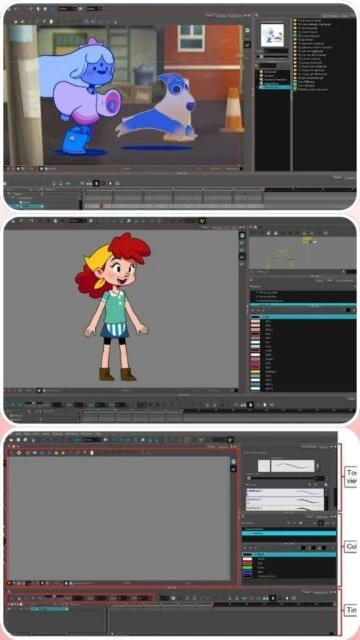
Toon Boom Harmony is the professional standard for 2D animation in studios worldwide, trusted by Disney, Warner Bros, and major game developers. Version 24 introduces advanced 3D integration with Blender support, improved deformation engines, and symmetry drawing guides for faster character creation. Available in three subscription tiers—Essentials ($30/month), Advanced ($77/month), and Premium ($139/month)—each tailored to different production needs from basic cut-out animation to complex studio pipelines.
System Requirements
Operating System:Windows 10 64-bit or macOS 12.7.3 or later
Processor:Intel Core i5 or equivalent
RAM:8 GB
Disk Space:1.3 GB (Windows), 2.5 GB (macOS)
Additional Requirements:NVIDIA GeForce GTX 960 or better, Internet connection required for license activation
Features Of Toon Boom Harmony
Advanced vector and bitmap drawing tools with dynamic brush textures
Pencil tool with opacity variations and real-time texture application
Three symmetry drawing guides for mirrored strokes
Professional rigging system with bone deformers and master controllers
Node-based compositing with extensive effects library
Full 3D environment supporting FBX, OBJ, and Alembic file formats
Automated lip-synching technology with phoneme detection
Toon Shader effects for cartoonish 3D model rendering
CryptoMatte support for seamless pipeline integration
Paper animation scanning with auto-vectorization technology
Pros & Cons
Pros
Industry-standard software used by major animation studios and game developers
Comprehensive drawing engine with unparalleled brush customization options
Seamless integration with Maya and Blender for 3D character animation
Advanced rigging capabilities with multiple deformer types
Robust sound editing and audio synchronization features
Flexible pricing model with subscription options for different skill levels
Extensive documentation and community resources available
Cons
Steep learning curve for beginners due to complex feature set and interface
High cost at $139/month for Premium version, expensive for independent animators
Resource-intensive application requiring powerful hardware for smooth performance
Subscription-based pricing model rather than one-time purchase option
Limited cross-platform availability on Linux
Changelog
Version 24.0.2 (December 2024):
- Fixed GPU rendering performance issues with 3D models
- Added cryptoMatte support for EXR file rendering
- Improved Blender integration for faster 3D export workflows
- Enhanced memory management for complex scenes
- Fixed Tint Panel color accuracy in non-sRGB color spaces
Version 24.0 (November 2024):
- Added three symmetry drawing guides (vertical, horizontal, dual-axis)
- Enhanced Pencil tool with opacity variation support
- New deformation engine with improved weight distribution
- Port naming and filtering in Node View
- Blender 3D character bone animation support
- Improved 3D model loading performance
Frequently Asked Questions
What are the main differences between Harmony Essentials, Advanced, and Premium?
Essentials ($30/month) provides basic vector drawing and HD/2K rendering. Advanced ($77/month) adds bitmap support, 4K rendering, and full paperless animation tools. Premium ($139/month) includes 8K+ rendering, advanced rigging, effects compositing, and 3D integration with Maya and Blender.
Can I use Toon Boom Harmony on macOS?
Yes, Harmony supports macOS 14.5 Sonoma, 13.6.7 Ventura, and 12.7.3 Monterey. Apple Silicon (M1/M2) is supported. macOS version requires 2.5GB disk space and Apple's ProRes codec support for optimal performance.
Is a free trial available?
Yes, Toon Boom offers a 21-day free trial with full access to Premium features. No credit card is required. Trial requires internet connection for activation and automatic expiration after 21 days.
What 3D software does Harmony integrate with?
Harmony natively supports Autodesk Maya and Blender for 3D character rigging and animation. Users can import FBX, OBJ, and Alembic files directly. 3D models can be animated alongside 2D elements in the same project.
Can I export my animation to other formats?
Harmony supports export to ProRes, QuickTime, FFmpeg-compatible formats, SWF, and image sequences. Projects can be imported into After Effects, Blender, and other post-production software for further editing.
What are the minimum hardware requirements?
Minimum: Intel Core i5, 8GB RAM, NVIDIA GeForce GTX 960. Recommended: Intel Core i7/Xeon, 32GB RAM, RTX 3070 or better. SSD storage strongly recommended for smooth performance with large projects.
Toon Boom Harmony is the industry-leading 2D animation software used by the largest animation and gaming studios globally. This comprehensive guide covers installation, platform support, integrations, and advanced features that make Harmony the standard for animation production pipelines.
Installation & Setup
Download Harmony from your account on the Toon Boom Store after logging in
Run the installer and select your preferred language (English, Spanish, Japanese, Chinese)
Accept the license agreement and choose your installation location
Complete the installation wizard
Activate your software license through your Toon Boom account
Launch the software and configure your workspace preferences
Platform Availability
Platform
Support
Key Features
Windows
Windows 11, 10 (64-bit)
Full vector and bitmap drawing, HD/2K/4K/8K+ rendering, rigging tools
macOS
macOS 14.5+, 13.6.7+, 12.7.3+
Complete feature parity with Windows, Apple Silicon optimized
Linux
CentOS/RedHat Enterprise Linux 7.6+
Server deployment, database support, limited desktop client
Integration Ecosystem
Autodesk Maya – Native 3D integration for character rigging and animation preview
Blender – 3D rendering support and model manipulation within Harmony
Ctrl + Alt + Shift + C – Optimize selected drawing strokes
Shift + L – Activate Auto Light Table
Alt + O – Toggle Onion Skin
Ctrl + Shift + R – Automatically fill inside regions
Performance Tips
Allocate 32GB RAM for complex scenes and multiple layers to prevent slowdowns
Use lower resolution playback during animation phase, switch to full resolution for final render
Optimize 3D model loading by using simplified versions during animation workflow
Enable GPU acceleration in preferences for faster viewport performance
Organize assets into master controllers to reduce scene complexity and cache management
Regular save backups using version control to prevent data loss during heavy operations
User reviews and ratings for Toon Boom Harmony
See what users think about Toon Boom Harmony. Read honest reviews and ratings from real users.
4.6
★★★★★
4 reviews
Professional-Grade Animation Software That Delivers Results
by Alex Martinez
★★★★★
2025-11-20
As a studio lead, Harmony's node-based effects and rigging capabilities are unmatched. The 3D integration with Blender saves weeks of pipeline work. Premium tier is expensive but absolutely worth the investment for serious productions.
Powerful But Steep Learning Curve for New Users
by Jordan Chen
★★★★★
2025-10-15
Harmony is incredibly comprehensive with amazing drawing tools and rigging system. However, the interface is complex and tutorials can be hard to find. Once you master it, there's nothing else like it in the industry.
High Cost Barrier for Indie Animators
by Sam Williams
★★★★★
2025-09-28
Features are exceptional and widely used in studios, but $139/month subscription is prohibitive for freelancers. The software is excellent, but the pricing model makes alternatives like Moho Pro more appealing for independent projects.
Essential for TV Animation Production
by Emma Thompson
★★★★★
2025-08-12
Used Harmony for three TV series productions. The paperless animation workflow, color management system, and effects compositing are industry standards. Technical support is responsive and documentation is comprehensive.
Write a Review
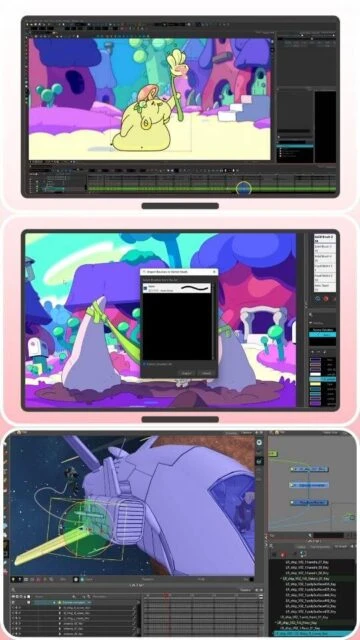
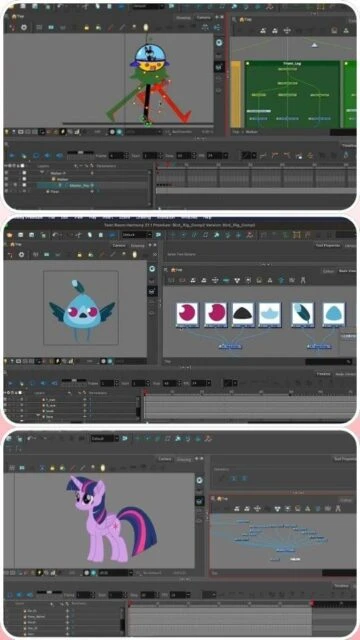
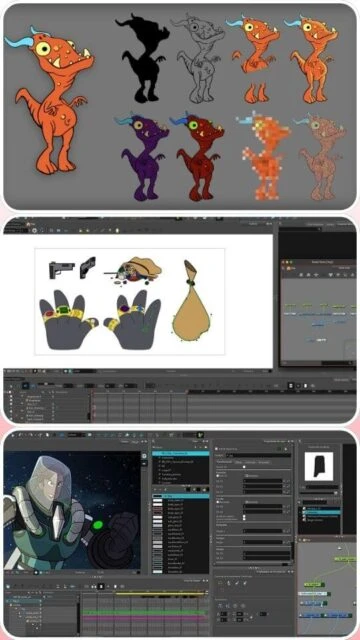
Toon Boom Harmony Screenshots & Photos
Browse through screenshots and photos of Toon Boom Harmony to see how it looks and works.
Toon Boom Harmony Videos
Watch videos to see how this software works and learn about its features.