Synfig Studio – Free Open-Source 2D Animation Software
Free and open-source 2D animation with powerful tweening and rigging
Powerful free and open-source 2D animation software featuring automated tweening, bone rigging, and vector/bitmap capabilities for independent animators.
Synfig Studio is a powerful free and open-source 2D animation software used by professional animation studios and independent artists. Version 1.4.5 provides industrial-strength animation capabilities with automated tweening, bone rigging, and layer-based compositing. Supporting 25+ languages and running on Windows, macOS, and Linux, Synfig eliminates frame-by-frame animation burden through its vector morphing engine and mathematical expression linking system.
System Requirements
Operating System:Windows 10 64-bit or macOS 10.15 or later
Automated tweening with intelligent morphing between vector shapes
Full skeleton bone rigging system for character animation
Vector and bitmap drawing tools with layer support
Layer linking and parametric expressions for advanced animation
Multiple shape morphing modes with contour hints
Onion skin for frame reference and drawing guides
Color palettes and gradient tools
Audio import and synchronization
Lottie format export for web and mobile animation
SVG import and export compatibility
Pros & Cons
Pros
Completely free and open-source with no licensing fees or subscription costs
Excellent automated tweening system reduces manual frame-by-frame work
Strong bone rigging system comparable to professional software
Cross-platform support with portable version available
Supports 25+ languages for international users
Active community providing tutorials and third-party plugins
Low system requirements compared to professional alternatives
Cons
Steep learning curve for beginners despite free nature
Limited documentation and smaller community compared to commercial software
Performance issues with complex projects and heavy files
Frequent crashes reported during certain operations requiring frequent saves
Limited special effects and compositing capabilities
SVG import reliability inconsistent with shape and color distortions
Changelog
Version 1.4.5 (August 2024):
- Fixed GUI crash when clicking control points with Graphs panel active
- Improved memory efficiency with PNG file import
- Enhanced pixel information display in Info panel
- Better handling of recent file list to prevent reversing
- Restored tool hotkeys functionality
- Updated Solid Color layer naming in Lottie exporter
Version 1.4.4 (June 2024):
- Added CSS classes and ID support for widget customization
- Optimized Action System rendering performance
- Improved Motion Blur effect with subsampling options
- Enhanced layer and parameter tree styling with even/odd rows
- Fixed mouse click behavior while dragging ducks
Frequently Asked Questions
Is Synfig Studio truly free to use?
Yes, Synfig Studio is completely free and open-source under GNU GPL v3 license. No payment, subscription, or license key is required. The source code is publicly available on GitHub for anyone to modify or audit.
Can I use Synfig professionally for commercial projects?
Yes, Synfig has been used by professional animation studios for commercial productions. The open-source license allows commercial use. However, support and documentation resources are more limited than commercial software.
What are the system requirements for running Synfig?
Minimum: 2GB RAM, dual-core 2GHz CPU, 500MB disk space. Recommended: 4GB+ RAM, quad-core processor, dedicated graphics card with 1GB VRAM. Linux requires GTK+ 3.0 development libraries.
Does Synfig support importing from other animation software?
Synfig can import SVG files, image sequences, audio files, and video. Direct project import from Harmony or other software is not supported, but assets can be exported as image sequences.
What export formats does Synfig support?
Synfig exports to image sequences, video via FFmpeg, Lottie JSON for web animation, SIF (native format), and SVG vector files. Audio must be added separately in post-production.
Is there a portable version of Synfig Studio?
Yes, a portable Windows version is available (114MB) from PortableApps.com. This requires no installation and can run from USB drives. macOS requires standard installation to Applications folder.
How does Synfig's bone rigging compare to Harmony?
Synfig provides solid skeleton-based rigging suitable for character animation. Harmony's professional rigging offers more advanced deformers and master controllers. Synfig is excellent for basic to intermediate character rigging.
Synfig Studio is a free and open-source 2D animation software designed for creating film-quality animation using vector and bitmap artwork. This guide covers installation, platform availability, integration options, and performance optimization techniques for this industrial-strength animation tool.
Installation & Setup
Download Synfig Studio 1.4.5 from the official website (synfig.org) for your operating system
On Windows, run the installer and follow the setup wizard
On macOS, drag the application to Applications folder after mounting the DMG
On Linux, use your package manager or download the AppImage version
Launch Synfig Studio and configure default workspace settings
Import any brushes, gradients, or custom settings from previous installations
Platform Availability
Platform
Support
Features
Windows
64-bit (107MB installer)
Full vector and bitmap support, bone rigging, layers and effects
macOS
10.15+ with Intel or Apple Silicon via Rosetta 2
Complete feature parity, optimized for Retina displays
Linux
64-bit distributions (110MB)
Full functionality, requires GTK+ 3.0 dependencies
Portable
Windows portable 114MB
No installation required, run from USB drive or folder
Integration Ecosystem
FFmpeg – Video export and audio import capabilities
ImageMagick – Image sequence processing and batch operations
SVG Format – Import and export vector graphics directly
Lottie Export – Export animations for web and mobile applications
Git/Version Control – Project file compatibility with version control systems
Use lower resolution preview during animation work, render at full quality when finished
Organize complex scenes into multiple linked files to reduce memory footprint
Enable GPU acceleration in preferences if your graphics card supports it
Save work frequently in complex projects as some operations can trigger crashes
Use bitmap layers for static backgrounds and vector layers for animated elements
Optimize bone rigging by limiting hierarchy depth to improve performance
User reviews and ratings for Synfig Studio
See what users think about Synfig Studio. Read honest reviews and ratings from real users.
4.3
★★★★★
4 reviews
Incredible Value for Free and Open-Source Software
by David Park
★★★★★
2025-11-10
The automated tweening in Synfig is phenomenal. For a free tool, the bone rigging system is surprisingly capable. Compared to $139/month Harmony, this delivers 70% of professional functionality at zero cost. Worth learning despite the curve.
Great Animation Tools With Stability Concerns
by Lisa Rodriguez
★★★★★
2025-10-22
Synfig's morphing system is excellent for smooth transitions between shapes. The learning curve is steep, but tutorials help. Main issue is occasional crashes with large projects requiring frequent saves. Solid choice for indie animators.
Free But Requires Patience and Strong Hardware
by Michael Zhang
★★★★★
2025-09-18
I appreciate the free nature and open-source benefits. The bone rigging and layer system work well. Performance slows significantly with complex animations, and documentation could be more comprehensive. Good for learning animation fundamentals.
Professional-Quality Results with Community Support
by Sarah Mitchell
★★★★★
2025-08-05
Used Synfig for a short film and got excellent results. The parametric expression system is powerful for advanced animations. Community is helpful on forums. Recommend for anyone serious about 2D animation on a budget.
Write a Review
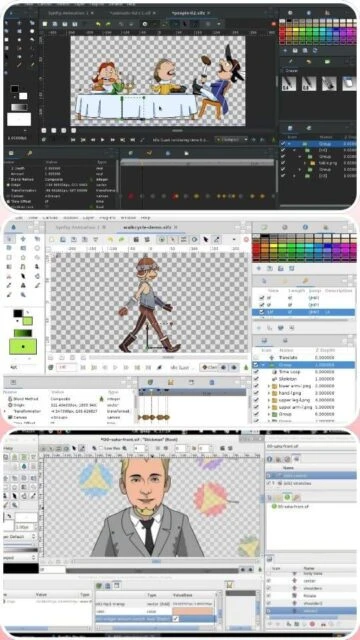
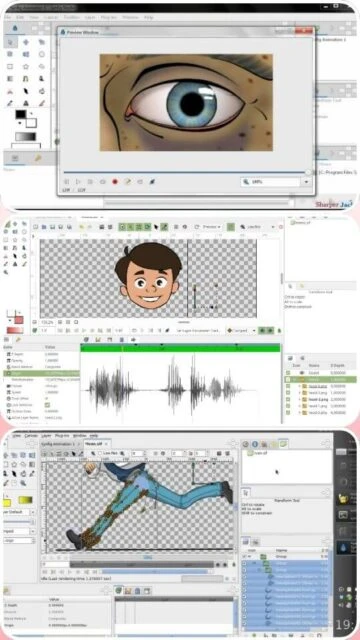
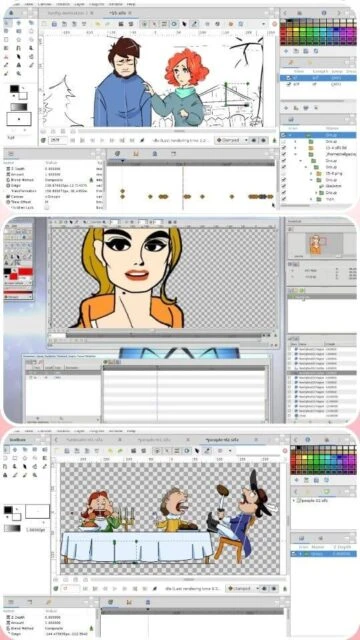
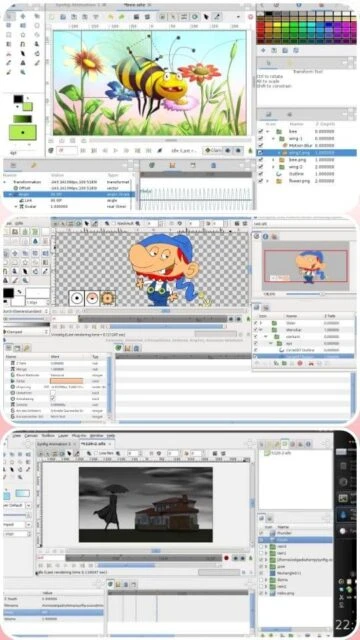
Synfig Studio Screenshots & Photos
Browse through screenshots and photos of Synfig Studio to see how it looks and works.
Synfig Studio Videos
Watch videos to see how this software works and learn about its features.

 88
88