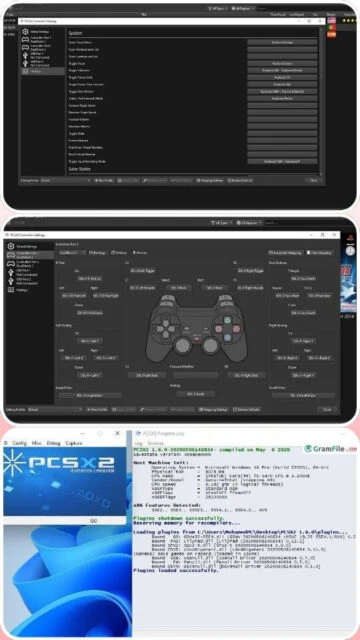
PCSX2 stands as the definitive PlayStation 2 emulation solution, enabling players to experience the complete PS2 library on modern computers with enhancements surpassing original hardware. As a free, open-source emulator utilizing dynamic recompilation technology, PCSX2 transforms your PC into a high-performance PS2 console capable of running games at arbitrary resolutions up to 4K with custom upscaling filters. The emulator’s rendering target in rendering target RT in RT implementation fixes compatibility issues affecting split-screen games, making previously unplayable titles like Jak X and Ghost in the Shell fully functional. This comprehensive guide explains installation procedures, system requirements, performance optimization, and practical troubleshooting for accessing your favorite PS2 titles with enhanced visuals.
How to Install PCSX2
PCSX2 installation requires administrative privileges and depends on your technical comfort level. Windows users can choose between portable and installer versions, while macOS and Linux users require additional configuration steps. The emulator mandates PS2 BIOS files before launching games.
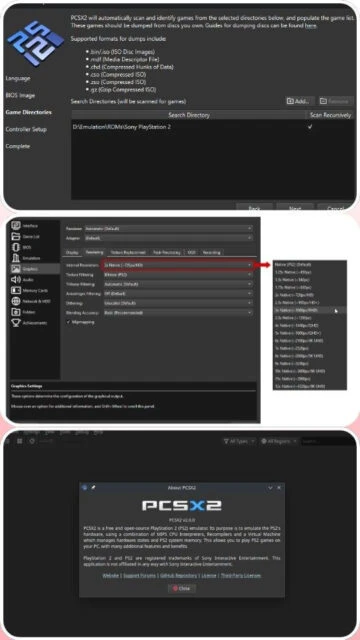
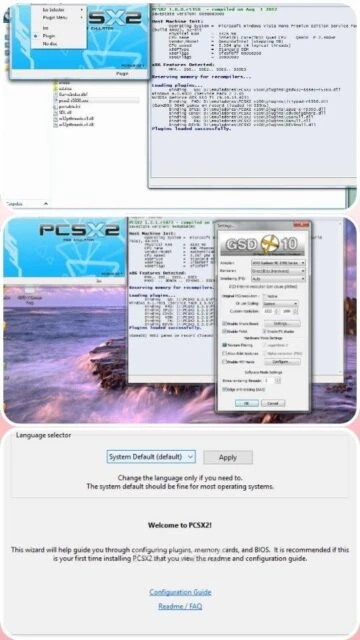
- Download Installation Package – Visit pcsx2.net and download version 2.4.0 for your operating system Windows x64, macOS, or Linux, selecting the installer version for automatic configuration or portable version for manual setup
- Extract and Configure BIOS Files – Obtain PS2 BIOS files through dumping legitimate consoles using tools like dump_bios.elf, placing extracted files in the PCSX2 bios directory before launching the emulator
- Configure Graphics Settings – Open PCSX2 settings and select your GPU renderer: DirectX 11 for compatibility, Vulkan for performance, or OpenGL for macOS compatibility, adjusting upscaling and anti-aliasing
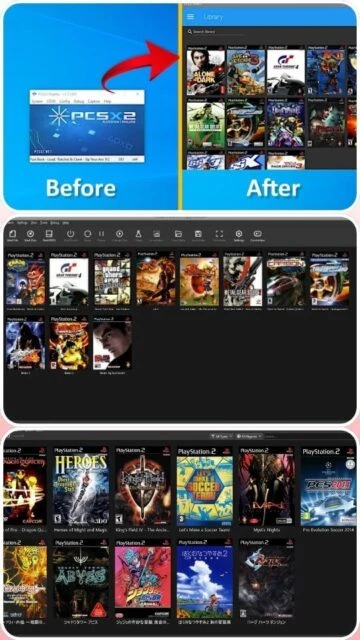
- Load Your First Game – Use File greater than Run ISO to load PS2 game discs or ISO files you legitimately own, allowing PCSX2 to auto-detect optimal settings while providing manual optimization
Who Should Use PCSX2
PCSX2 serves dedicated PS2 enthusiasts unwilling to compromise on compatibility or visual fidelity. The emulator demands more technical knowledge and system resources than broader solutions but delivers unmatched performance for the PlayStation 2 library.
- PS2 Game Collectors – Players owning extensive PS2 game libraries benefit from PCSX2’s exceptional compatibility with Final Fantasy X, Metal Gear Solid 3, Devil May Cry 3, and nearly all major releases running at full speed
- Visual Enhancement Seekers – Users wanting to replay classic games at 4K resolution with custom shader filters and anti-aliasing enabling visual fidelity impossible on original hardware
- Modding and Texture Pack Enthusiasts – Players pursuing advanced customization including high-resolution texture replacements, HD character model swaps, and total conversion mods enabled by PCSX2’s plugin architecture
- NOT ideal for – Players wanting multi-system emulation or requiring Nintendo ecosystem titles should use RetroArch instead; likewise, emulation newcomers should start with more beginner-friendly solutions
PCSX2 Platform Compatibility
PCSX2 maintains native support across Windows, macOS, and Linux with platform-specific optimizations leveraging each operating system’s graphics APIs. Signed macOS binaries simplify installation while SDL 3.0 support provides unified controller management across all platforms.
| Platform |
Min. Version |
Unique Features |
Limitations |
| Windows |
Windows 10 64-bit |
DirectX 11 renderer, native Windows controller support, Discord Rich Presence integration, fastest performance |
Early Windows 7 compatibility problematic with latest PCSX2 versions |
| macOS |
macOS 11 Big Sur or later |
Signed binaries eliminating security warnings, Metal graphics optimization for M1 and M2 Apple Silicon, native gamepad support |
Performance trails Windows equivalents; Metal API less mature than DirectX 11 |
| Linux |
Any distribution with Vulkan support |
Vulkan renderer delivering highest performance, native Steam Deck compatibility, unlimited customization through package managers |
Audio driver configuration requires manual ALSA or PulseAudio setup |
| Web |
Not available |
N slash A |
PCSX2 is not web-based and cannot run in browsers |
PCSX2 Integrations and Plugins
PCSX2’s modular plugin architecture enables flexible integration with external tools enhancing gameplay and enabling advanced features. The emulator connects directly with cheat databases, texture packs, and graphics enhancement plugins through streamlined workflows rather than external applications.
- Texture Pack Integration – Use the Texture Replacer feature to load custom-created texture packs replacing original game graphics with high-resolution recreations or artistic reimaginations without modifying core files
- Cheat Engine Support – Import PNACH cheat files directly into PCSX2 enabling invulnerability modes, infinite money codes, unlocked content access, and game speed modifications for enhanced gameplay flexibility
- Internal Gameplay Recorder – Capture lossless Full HD video at full game speed enabling tournament-quality recordings for streaming or archival purposes without external encoding software
- Custom Controller Configuration – Configure virtually any modern gamepad through SDL 3.0 support enabling DualSense, Xbox Series X, and arcade stick compatibility with button remapping
Best Alternatives to PCSX2
While PCSX2 dominates PS2 emulation, alternative solutions offer different advantages. Choosing alternatives depends on platform availability and specific game compatibility requirements rather than overall quality distinctions.
- RetroArch PCSX2 Core – Best for users wanting unified multi-system emulation, offering acceptable PS2 performance with convenient core management and cross-platform save synchronization
- AetherSX2 – Best for Android mobile emulation, delivering exceptional performance on smartphones enabling portable PS2 gameplay unavailable through other emulators on mobile platforms
- Play Emulator – Best for experimental PlayStation emulation enthusiasts, this unconventional interpreter-based approach supports features like cloud saves and streaming integration despite lower compatibility
- DamonPS2 – Best for casual mobile players, providing simplified setup with popular games like Kingdom Hearts and Final Fantasy X functioning well despite occasional compatibility gaps
PCSX2 vs Top Competitors
PCSX2’s competitive position stems from unmatched PS2 compatibility and visual enhancement capabilities. Alternatives trade some flexibility for simplified configuration or mobile device support, but none approach PCSX2’s combination of accuracy and feature richness.
| Feature |
PCSX2 |
RetroArch PCSX2 Core |
Play Emulator |
| Pricing |
100 percent free and open-source LGPL |
100 percent free and open-source GPLv3 |
Free with optional donations |
| Key Strength |
Exceptional PS2 compatibility with RT in RT fixes enabling split-screen games and 4K upscaling |
Unified emulation platform supporting 80 plus systems with identical controller configuration |
Innovative cloud save support and streaming integration features |
| Target Users |
PS2 collectors seeking maximum compatibility and visual enhancements through custom resolutions |
Multi-system enthusiasts wanting convenient core management and cross-platform consistency |
Experimental emulation users prioritizing alternative technical approaches and cloud features |
| Unique Feature |
Render target in render target RT in RT implementation fixing split-screen and advanced graphics techniques |
Netplay supporting online multiplayer across all emulated systems simultaneously |
Cloud synchronization enabling save state backup across multiple devices automatically |
| Learning Curve |
Steep; requires BIOS dumping and technical configuration knowledge for optimal results |
Moderate; numerous menu options but accessible documentation guides newcomers effectively |
Easy; automated setup and simplified configuration attract casual players despite lower accuracy |
PCSX2 Keyboard Shortcuts
Keyboard shortcuts enable advanced gameplay control and screenshot capture during emulation. Strategic hotkey configuration transforms competitive gameplay and speedrunning through frame advance capabilities, save state management, and real-time video recording control.
| Action |
Windows |
macOS |
| Save Game State |
F1 |
Cmd+1 |
| Load Game State |
F3 |
Cmd+3 |
| Pause Emulation |
Escape |
Escape |
| Take Screenshot |
Print Screen |
Cmd+S |
| Toggle Fullscreen |
Alt+Enter |
Cmd+F |
| Frame Advance |
Shift+F |
Shift+F |
PCSX2 Performance Optimization
PCSX2 performance varies dramatically based on hardware configuration and game-specific optimization. Strategic adjustments to graphics settings, CPU rendering options, and graphics hardware utilization enable smooth 60 FPS gameplay on modern systems.
- Select Appropriate Graphics Renderer – Choose Vulkan for maximum performance on Windows and Linux, DirectX 11 for stability, or OpenGL for macOS; renderer selection directly impacts frame rate consistency
- Enable AVX2 CPU Support – If your processor supports AVX2 instruction set, enable it in CPU settings for substantial performance improvements in demanding games exceeding 20 percent speed gains
- Adjust Upscaling Settings – Reduce upscaling resolution from 4K to 1440p or 1080p on systems with mid-range GPUs; balance visual enhancement with performance to maintain 60 FPS consistency
- Configure Speedhacks Cautiously – Enable frame skipping and cycle rate adjustments selectively per game; aggressive settings cause graphical glitches and physics desynchronization in sensitive titles
- Manage Memory Settings – Increase EE memory cycles only on specific games requiring adjustment; default settings provide optimal compatibility for the vast majority of PS2 titles
PCSX2 Accessibility Features
PCSX2 provides fundamental accessibility through customizable controller mapping and visual settings adjustments. While less comprehensive than RetroArch’s screen reader integration, the emulator enables visually impaired players through display contrast adjustments.
- Screen Reader Support – Limited NVDA compatibility available through Windows accessibility APIs for menu navigation; in-game content reading requires external tools or game-specific modifications
- Visual Accessibility – User-adjustable display contrast, scalable UI font sizing up to 150 percent, and brightness adjustment for low vision users; limited color blind mode support
- Motor Accessibility – Complete keyboard-only menu navigation supporting full gamepad remapping with configurable button sensitivity for users with limited dexterity
- Languages – 12 UI languages supported including English, Japanese, German, French, Spanish, Italian, Portuguese, Russian, Chinese, Korean, Greek, and Polish
PCSX2 Support and Documentation
PCSX2 maintains comprehensive official documentation covering compatibility lists, debugging procedures, and game-specific optimization guides. The active community forum and Discord server provide real-time troubleshooting assistance from developers and experienced users.
- Official Documentation – PCSX2 wiki provides detailed setup guides, comprehensive compatibility database tracking game-specific fixes, and developer documentation for contributors and advanced users
- Community Forum – Official forums at forums.pcsx2.net facilitate game-specific troubleshooting with developers providing direct input on reported issues and compatibility regression investigation
- Video Tutorials – YouTube channels including PCSX2 2025 Setup Guide demonstrate installation procedures, graphics configuration, and game-specific optimization strategies through step-by-step walkthroughs
- Discord Community – Official Discord server provides instant technical support, linking users experiencing identical compatibility issues with those possessing solutions and workarounds