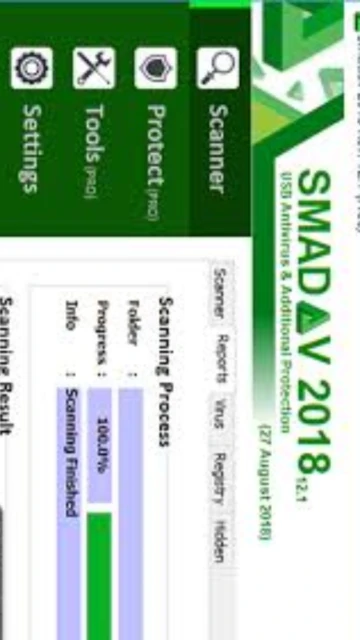
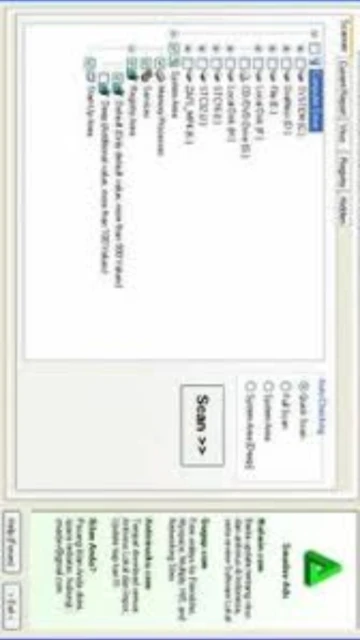
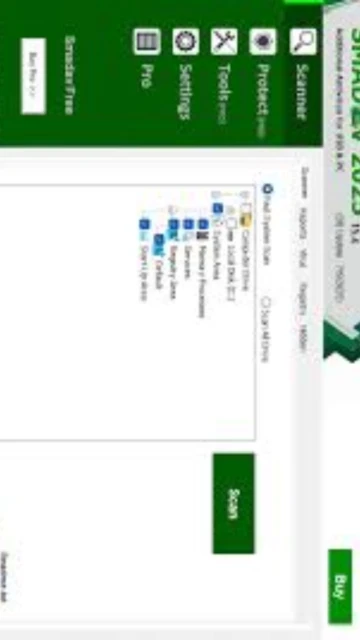
Smadav 2025 Rev. 15.6 represents an advanced lightweight antivirus solution designed as secondary protection for Windows computers. With an installation size under 10 MB and minimal RAM consumption (under 20 MB), Smadav distinguishes itself in a crowded market by offering AI-powered threat detection without slowing system performance. The software is unique in its ability to run alongside Windows Defender and other antivirus programs, providing an additional security layer against evolving threats. Users will discover comprehensive protection mechanisms including signature-based detection, heuristic analysis, and advanced AI technology that identifies zero-day threats before they cause damage.
How to Install Smadav
Installing Smadav is a straightforward process requiring just a few minutes. The lightweight installer ensures rapid deployment even on systems with minimal storage capacity, and the setup wizard guides users through essential configuration options during initial launch.
- Download from Official Source – Visit smadav.net and navigate to the download section to obtain the latest version for your Windows architecture (32-bit or 64-bit)
- Run the Installer Package – Execute the downloaded .exe file and accept the license agreement, following on-screen installation prompts and selecting your preferred language
- Complete Initial Setup – Choose installation location, configure startup behavior, and decide whether to enable automatic updates for virus definitions
- Activate and First Scan – Launch Smadav after installation and run an initial quick scan to verify proper functioning and detect existing threats
Who Should Use Smadav
Smadav caters to users seeking lightweight, complementary antivirus protection without system resource consumption. It appeals to gamers, office workers, and business users who require continuous security without performance degradation. The software maintains compatibility with existing primary antivirus solutions.
- Gamers and Performance-Focused Users – Those requiring minimal CPU and RAM usage while maintaining constant threat protection during gameplay or intensive tasks
- Windows System Administrators – IT professionals deploying secondary protection across multiple computers with limited hardware specifications
- USB Drive Protection Seekers – Users frequently exchanging files via USB drives and requiring specialized detection against portable storage threats
- Business Environments – Organizations adding Smadav Pro licenses for secondary protection layer with additional administrative features
- NOT ideal for – Users seeking a complete standalone antivirus replacement or those requiring macOS/Linux protection, as Smadav serves Windows-only systems
Smadav Platform Compatibility
Smadav’s cross-platform approach ensures broad compatibility with modern and legacy Windows installations. The software functions seamlessly across different system architectures while offering platform-specific optimizations for enhanced detection capabilities and system integration.
| Platform |
Min. Version |
Unique Features |
Limitations |
| Windows |
Windows 7 64-bit and higher |
Full AI detection, USB protection, background monitoring, registry repair tools (Pro version) |
No portable version available; requires installation |
| 32-bit Windows |
Windows 7 SP1 |
Complete feature parity with 64-bit version on compatible systems |
Legacy architecture limits 32-bit Windows support to older versions |
| Admin Mode |
Windows 8 or later |
Process manager, system editor, Win-Force utility (Pro only) |
Requires administrator privileges for full functionality |
| Web Interface |
Any modern browser |
Remote monitoring for business deployments (Pro version) |
Limited to Pro licenses with business subscriptions |
Smadav Integrations & Plugins
Smadav’s integration ecosystem focuses on enhancing operational workflows and data security across Windows environments. Strategic partnerships and plugin support enable seamless interoperability with existing security infrastructure and system management tools, maximizing protective coverage.
- Windows Defender Integration – Operates as complementary layer to Windows built-in protection, scanning threats Defender might miss through AI analysis of behavioral patterns
- USB Auto-Scan – Automatically detects and neutralizes viruses on connected USB drives, external hard drives, and memory cards without manual intervention
- Real-Time File Monitor – Continuously monitors file access patterns and system operations, intercepting malicious activities before execution or file modification
- Scheduled Update Service – Automatic virus database updates occur multiple times daily, ensuring detection of latest threats without user interaction
Best Alternatives to Smadav
While Smadav excels as supplementary protection, alternative solutions offer different approaches to system security. Selecting alternatives depends on whether users prioritize standalone functionality, cross-platform support, or specific threat detection methodologies for their computing environment.
- Malwarebytes Premium – Best for advanced malware removal and ransomware defense, offering real-time protection layer alongside Windows Defender integration without system slowdown
- Bitdefender Antivirus Plus – Best for comprehensive antivirus with lighter footprint, combining advanced threat detection with optimized resource usage on older hardware
- AVG Free Antivirus – Best for complete standalone protection requiring no additional security software, providing robust detection with web shield and email scanning
- ESET NOD32 Antivirus – Best for users prioritizing speed and detection accuracy, known for minimal performance impact while maintaining strong malware identification rates
Smadav vs Top Competitors
Smadav’s competitive positioning emphasizes lightweight architecture and USB-focused protection compared to traditional full-featured antivirus suites. This comparison reveals how Smadav differentiates through complementary design philosophy rather than standalone replacement approach.
| Feature |
Smadav |
Malwarebytes Premium |
Bitdefender Antivirus |
| Pricing |
Free or ~$3.50/year Pro license per computer |
Subscription from $3.75/month with real-time protection |
Annual subscription starting at $50 for single device |
| Key Strength |
Ultra-lightweight design with AI detection and USB protection |
Advanced malware removal with ransomware defense and exploit blocking |
Comprehensive antivirus with minimal system impact and strong detection rates |
| Target Users |
Users seeking secondary protection for Windows systems |
Those requiring advanced threat removal and multi-device protection |
Users wanting standalone complete antivirus with gaming-friendly performance |
| Unique Feature |
Specialized USB Flashdisk virus detection and restoration |
Behavioral ransomware protection with file restoration capabilities |
Webcam protection and password manager included in package |
| Learning Curve |
Easy |
Moderate |
Moderate |
Smadav Keyboard Shortcuts
Keyboard shortcuts enhance productivity by allowing rapid access to frequently used Smadav functions without navigating menus. Mastering these combinations accelerates threat scanning, settings adjustments, and quarantine management within the application.
| Action |
Windows |
Alternative Method |
| Open Main Interface |
Ctrl+Alt+S |
Click system tray icon or search ‘Smadav’ in Windows |
| Start Quick Scan |
Ctrl+Alt+Q |
Main window → Scan → Quick Scan button |
| Full System Scan |
Ctrl+Shift+F |
Main window → Scan → Full Scan option |
| USB Drive Scan |
Ctrl+Shift+U |
Main window → USB Scan → Select drive |
Smadav Performance Optimization
Optimizing Smadav’s performance ensures maximum detection capability while maintaining system responsiveness. Strategic configuration adjustments and resource management techniques prevent excessive CPU consumption and memory usage, preserving system stability during intensive computing activities.
- Disable Unnecessary Scans – Configure automatic scan schedules to run during off-peak hours (late night or early morning) when computers are idle, preserving daytime system performance
- Adjust Heuristic Detection Level – Lower AI detection sensitivity in Settings → Protection to reduce false positives while maintaining core threat identification capabilities
- Exclude Safe Applications – Add trusted programs to exception list to prevent redundant scanning, improving scan speed and reducing unnecessary resource consumption
- Enable Passive Mode During Gaming – Temporarily disable active shields during gameplay or intensive applications, then re-enable after completion for uninterrupted performance
- Update Virus Definitions Offline – Download definition updates manually during low-activity periods rather than automatic updates to avoid bandwidth and CPU spikes
Smadav Accessibility Features
Smadav incorporates accessibility features ensuring usability across diverse user populations and abilities. The software prioritizes inclusive design while maintaining security effectiveness for users with varying technical proficiency and physical requirements.
- Screen Reader Support – Compatible with NVDA and JAWS screen readers, providing full audio descriptions of interface elements and scan results for visually impaired users
- Visual Accessibility – Supports high-contrast interface modes, customizable font sizes, and color-blind friendly notification indicators throughout the application
- Keyboard Navigation – All functions accessible via keyboard shortcuts without requiring mouse input, supporting users with motor control limitations
- Languages Supported – Interface available in 40+ languages with full localization, supporting right-to-left script languages and regional variants
Smadav Support & Documentation
Comprehensive support resources enable users to troubleshoot issues, maximize software features, and maintain optimal protection. Smadav provides multiple support channels combining automated resources with direct developer assistance for complex technical questions.
- Official Documentation – Complete user manual covering installation, configuration, and troubleshooting with step-by-step guides for common scenarios and advanced features
- Community Forum – Active community support at smadav.net forums where users discuss tips, report issues, and receive guidance from experienced users and Smadav team members
- Video Tutorials – YouTube channel featuring installation guides, feature walkthroughs, USB protection demonstrations, and malware removal techniques
- Contact Support – Email support [email protected] or contact via WhatsApp for priority assistance with Pro version issues and business inquiries