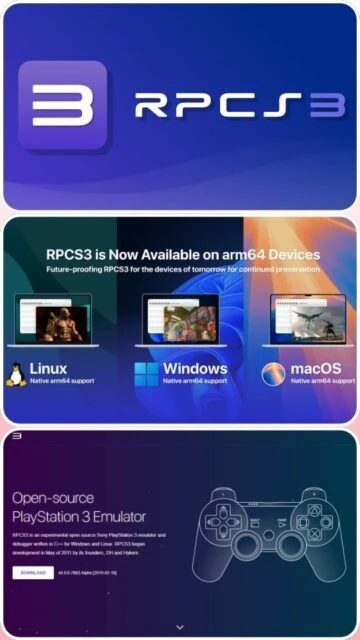
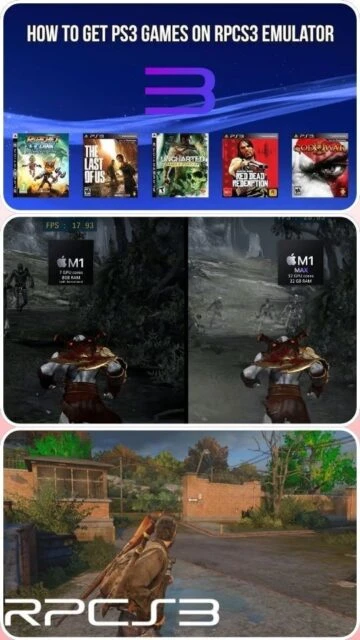
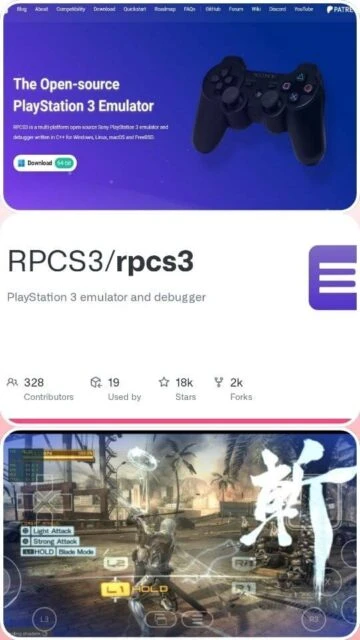
RPCS3 stands as the world’s only functional open-source PlayStation 3 emulator, enabling PC users to experience the PS3’s extensive library with superior graphics, faster loading, and modern controller support. Since its founding in 2011, RPCS3 has achieved nearly 70% game compatibility through reverse engineering of the notoriously complex Cell architecture. The emulator supports four major operating systems and scales from mobile handhelds to high-end gaming PCs, offering users unparalleled flexibility in how they access PlayStation 3 titles. This guide covers installation, performance optimization, and what makes RPCS3 the industry standard for PS3 preservation and emulation.
How to Install RPCS3
RPCS3 installation varies by operating system but follows a straightforward process. You will download the appropriate build from rpcs3.net, extract files, install the PS3 firmware, and configure graphics settings. The entire setup typically requires 30 to 45 minutes for first-time users.
- Download RPCS3 Binary – Visit rpcs3.net/download and select your platform (Windows .7z, Linux AppImage, macOS .7z, or FreeBSD package). Windows users require the Microsoft Visual C++ 2015-2022 redistributable.
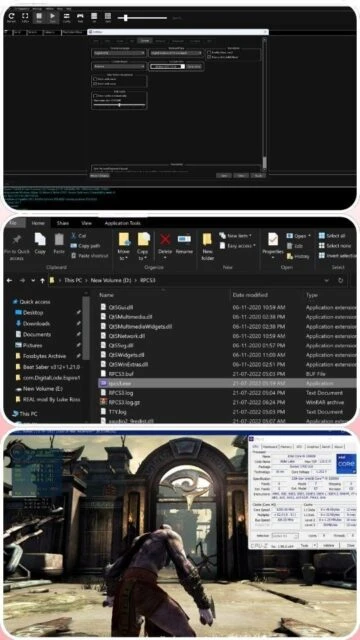
- Extract and Place Files – Decompress the .7z file using 7-Zip or similar software. For Windows, place the RPCS3 folder in a convenient location like C:Users[Name]DesktopRPCS3 and run rpcs3.exe.
- Install PS3 Firmware – Launch RPCS3, go to File > Install Firmware, and select the official PlayStation 3 firmware file (downloadable from Sony’s support page). RPCS3 extracts and configures the firmware automatically.
- Configure Graphics and Input – Open Settings, select your preferred graphics renderer (Vulkan recommended for modern hardware), configure your controller, and adjust resolution scale and frame limits. Launch a game to verify settings.
Who Should Use RPCS3
RPCS3 serves distinct user groups with varying technical expertise. Understanding your use case helps determine if RPCS3 fits your needs or if alternatives better suit your situation.
- PC Gamers with Powerful Hardware – Users with modern CPUs (Intel Comet Lake+, AMD Ryzen 5000+) and GPUs (RTX 2000+, RX 5000+) can run most PS3 games at 1440p to 4K with 60+ frames per second.
- Preservation Enthusiasts – Game archivists and collectors value RPCS3’s role in preserving the PS3 catalog, especially for titles removed from digital storefronts or no longer manufactured.
- Game Developers and Debuggers – RPCS3’s integrated debugging tools, logging system, and open-source code appeal to developers reverse-engineering PS3 code or creating mods.
- NOT Ideal For – Users with systems older than 2018, those seeking multiplayer functionality, or gamers who prefer streamlined plug-and-play emulation without configuration.
RPCS3 Platform Compatibility
RPCS3 officially targets four major operating systems with varying levels of optimization. Each platform offers unique advantages and limitations based on hardware availability and driver maturity in that ecosystem.
| Platform |
Min. Version |
Unique Features |
Limitations |
| Windows |
Windows 10 22H2 or Windows 11 24H2 |
Fastest overall performance, best GPU driver support, dual API rendering (Vulkan and OpenGL) |
Requires Visual C++ redistributable; older Windows 7 no longer supported |
| macOS |
macOS 14.3+ or 15.0+ |
Native Apple Silicon support via MoltenVK; seamless integration with MacBooks and iMacs |
Requires 16GB RAM minimum; performance varies on Intel-based Macs; requires Ctrl+double-click to launch unsigned binary |
| Linux |
Linux 6.13 (Latest) or 6.12 (LTS); Ubuntu 22.04+ |
Lower software overhead; excellent for Steam Deck; AppImage and package manager support; best performance on AMD hardware |
Driver issues with older NVIDIA cards; requires command-line execution for AppImage; fewer community tutorials |
| FreeBSD |
FreeBSD 13.4+ or 14.1+ |
Lightweight OS overhead; suited for specialized server emulation; bleeding-edge LLVM support |
Smallest community; fewer resources; most games untested on FreeBSD |
RPCS3 Integrations and Plugin Support
RPCS3’s strength lies not in third-party plugins but in its native integration with existing gaming ecosystems. The emulator works seamlessly with widely available tools that enhance the overall experience without requiring modifications to RPCS3 itself.
- Steam Deck and EmuDeck – RPCS3 runs natively on Steam Deck via Proton with tools like EmuDeck automating installation and game library management for portable play.
- Reshade and Graphics Overlays – Use Reshade for CRT filters, shaders, and post-processing effects to enhance visual quality beyond RPCS3’s native upscaling capabilities.
- Discord Rich Presence – RPCS3 displays your currently playing game on Discord, showing friends which PS3 title you are emulating in real time.
- Custom Patches and Cheat Codes – RPCS3 supports game-specific patches stored in .yml format, enabling 60fps mods, graphical enhancements, and cheats managed through the built-in patch manager.
Best Alternatives to RPCS3
While RPCS3 dominates PS3 emulation, several alternatives exist for specific use cases. These solutions address niche needs or different console ecosystems entirely, complementing rather than replacing RPCS3 for most users.
- Nucleus – Best for experimental PS3 emulation on Windows and Linux; offers lower system requirements but severely limited game compatibility and no cross-platform support.
- ESX Emulator – Best for Windows-only users seeking a lightweight alternative; uses decompiled PS3 kernel code but sees infrequent updates and minimal community documentation.
- aPS3e (Android) – Best for mobile PS3 emulation; port of RPCS3 optimized for smartphones offering casual gaming at lower resolutions despite performance limitations.
- PCSX2 (PlayStation 2) and Dolphin (GameCube/Wii) – Best for users seeking to emulate older console generations; both offer superior stability and game compatibility for their respective platforms.
RPCS3 vs Top Competitors
RPCS3 occupies a unique market position as the only viable open-source PS3 emulator. Comparison with alternatives reveals why RPCS3 remains the clear choice for serious PS3 gaming despite its technical complexity.
| Feature |
RPCS3 |
Nucleus |
ESX Emulator |
| Pricing |
Free (Open-source GPL v2) |
Free (Open-source) |
Free (Closed-source) |
| Key Strength |
70% game compatibility; multi-platform; active development with daily updates |
Lower CPU requirements; experimentation focus |
Lightweight footprint; quick performance on weak PCs |
| Target Users |
Serious gamers, preservationists, developers wanting full-featured emulation |
Researchers and enthusiasts; very limited practical use |
Casual players on low-end Windows systems |
| Unique Feature |
Save states; debugging tools; cross-platform support; ARM64 native compilation; Discord integration |
Minimal overhead; educational reverse engineering playground |
Compact binary; no dependency installation required |
| Learning Curve |
Moderate (requires graphics API knowledge and system optimization understanding) |
Steep (technical setup; minimal documentation) |
Easy (plug-and-play on Windows) |
RPCS3 Keyboard Shortcuts
RPCS3 supports essential keyboard shortcuts that streamline gameplay and emulator management. Mastering these keybinds reduces reliance on mouse navigation and accelerates your workflow between menu and gameplay.
| Action |
Windows |
macOS |
| Save State |
Ctrl+S |
Cmd+S |
| Load State |
Ctrl+L |
Cmd+L |
| Pause/Resume Emulation |
Ctrl+P |
Cmd+P |
| Toggle Full Screen |
Alt+Return |
Cmd+F |
| Screenshot Capture |
Ctrl+Shift+S |
Cmd+Shift+S |
| Disc Menu (Games) |
Right Alt or customizable |
Right Option or customizable |
| Fast Forward Gameplay |
Tab (hold) |
Tab (hold) |
RPCS3 Performance Optimization
Extracting maximum performance from RPCS3 requires strategic configuration adjustments. These five optimization areas target the most impactful settings affecting frame rates, latency, and stability.
- Enable Vulkan Rendering Over OpenGL – Use Vulkan for hardware from the last seven years (Maxwell/Polaris or newer). Vulkan provides 10-40% faster performance through lower-level GPU access, though OpenGL suits older cards.
- Set PPU and SPU Decoders to LLVM Recompiler – LLVM recompilation caches game code on first launch, delivering fastest execution. Use Interpreter (static) only if games crash; the performance cost is substantial.
- Disable V-Sync and Set Frame Limit to Off – Removing V-Sync prevents frame pacing delays. Set Frame Limit to Off unless a game runs uncontrollably fast; then restrict to 60fps or monitor refresh rate.
- Enable Multi-Threaded RSX on 8-Core+ CPUs – This setting parallelizes graphics command processing across multiple CPU cores, improving frame consistency. Only enable on CPUs with 8+ cores (i7/Ryzen 5+).
- Adjust Resolution Scale and Async Texture Streaming Based on GPU VRAM – Start at 100% resolution scale; increase to 150-200% if GPU VRAM exceeds 4GB. Enable Async Texture Streaming to load textures in background without stalls.
RPCS3 Accessibility Features
RPCS3 provides foundational accessibility options aligned with modern standards. The project acknowledges accessibility gaps and welcomes community contributions to expand support for users with diverse needs.
- Screen Reader Support – Limited NVDA/JAWS integration; UI menus respond to keyboard navigation but lack comprehensive label descriptions needed for full compatibility.
- Visual Accessibility – High-contrast mode available through operating system settings; font scaling tied to OS display settings; no built-in colorblind modes but Reshade overlays provide color filters.
- Motor Accessibility – Full keyboard-only navigation for all menus; customizable button remapping for controllers; mouse and keyboard input fully supported without gamepad requirement.
- Languages and Localization – UI available in 30+ languages; RTL (right-to-left) language support included; game-specific translations depend on PS3 firmware localization, not RPCS3.
RPCS3 Support and Documentation
RPCS3 maintains extensive community-driven resources. Support quality varies from exceptional wiki documentation to moderated Discord channels handling thousands of requests daily.
- Official Documentation – wiki.rpcs3.net provides comprehensive guides on configuration, game-specific settings, debugging, and architecture overview. Documentation sees monthly updates maintaining accuracy with latest builds.
- Community Forums – forums.rpcs3.net hosts dedicated sections for support, game compatibility reports, and feature requests. Response time averages 2-12 hours from community members and moderators.
- Discord Server – 484,000+ members; dedicated #help channel for support; active daily discussions on performance optimization and recent updates. Requires patience navigating high message volume.
- Direct Developer Contact – GitHub issues (RPCS3/rpcs3 repository) allow bug reports and feature requests. Developers typically respond within 1-2 weeks; Patreon supporters receive priority responses.