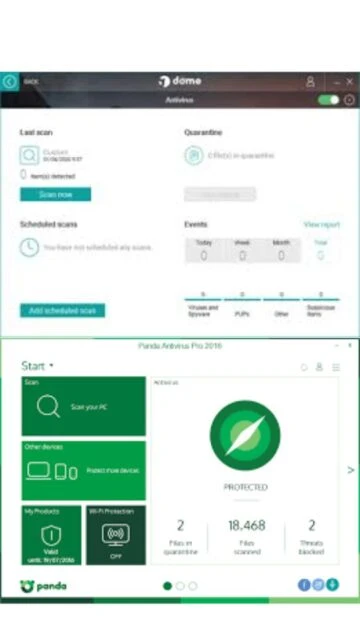
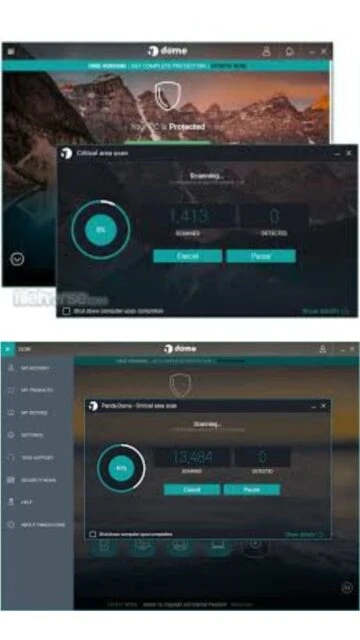
Panda Dome Essential represents Panda Security’s most accessible antivirus solution, specifically engineered for users prioritizing minimal system impact without compromising security. This lightweight utility provides essential protection against malware, ransomware, and phishing threats while maintaining exceptional system performance. Users benefit from cloud-based threat detection powered by machine learning, making it ideal for budget-conscious individuals and small businesses requiring straightforward antivirus functionality.
How to Install Panda Dome Essential
Installation of Panda Dome Essential is straightforward and completes within minutes. The small 2.26 MB installer requires basic administrative access and an active internet connection for initial threat definition downloads. Users proceed through a simple wizard interface that guides them through setup with minimal configuration required.
- Download the Installer – Visit pandasecurity.com and click Download for Windows to obtain the official 2.26 MB installer file for your system architecture.
- Run the Setup Wizard – Execute the installer and follow the intuitive setup prompts, which include selecting installation location and creating account credentials.
- Configure Protection Settings – The wizard enables real-time protection by default and optionally installs the free 150MB/day VPN and Wi-Fi protection features.
- Activate and Update Definitions – Upon completion, Panda automatically downloads the latest threat definitions and begins monitoring your system immediately.
Who Should Use Panda Dome Essential
Panda Dome Essential suits users requiring straightforward antivirus protection without advanced features or performance overhead. The software addresses needs of everyday computer users, students, and home offices maintaining budget considerations while maintaining security standards.
- Home Users and Students – Need reliable protection with minimal system resource consumption for everyday web browsing and document work.
- Budget-Conscious Individuals – Seek free antivirus solutions with optional premium upgrades rather than expensive all-in-one security suites.
- Lightweight System Users – Operate on older computers or laptops with limited RAM that cannot support heavyweight antivirus applications.
- NOT ideal for – Users requiring advanced features like ransomware recovery, password managers, or encrypted file storage should consider Panda Dome Advanced or Complete editions.
Panda Dome Essential Platform Compatibility
Panda Dome Essential maintains broad compatibility across modern Windows systems while offering native applications for macOS, iOS, and Android devices. The cloud-based architecture ensures consistent protection regardless of operating system, with platform-specific optimizations for each environment.
| Platform |
Min. Version |
Unique Features |
Limitations |
| Windows |
Windows 7 SP1 |
Full real-time protection, Wi-Fi Shield, USB scanning, Rescue Kit |
Requires administrative privileges; some features unavailable on Windows Server editions |
| macOS |
macOS 10.12 Sierra |
Native app integration, Spotlight search compatibility, Safari protection |
Limited to recent macOS versions; Rescue Kit not available |
| iOS/Android |
iOS 12+/Android 6+ |
Mobile malware detection, call/SMS filtering, app privacy scanning |
Free tier limited to basic protection; VPN requires subscription |
| Web |
Any modern browser |
Cloud-based console for multi-device management, account dashboard |
Requires internet connectivity for all features |
Panda Dome Essential Integrations & Plugins
Panda Dome Essential integrates seamlessly with Windows Defender, major email clients, and web browsers to provide layered protection. The cloud console connects across all user devices, enabling centralized protection management. Integration with Panda’s free VPN service provides additional privacy without requiring separate subscriptions.
- Email Protection – Scans incoming attachments in Outlook, Gmail, and Thunderbird to block malware before users access files.
- Browser Extension – Available for Chrome, Firefox, and Edge to block malicious websites and phishing attempts in real time.
- Cloud Console – Manage multiple Windows, Mac, and mobile devices from single dashboard with synchronized protection policies.
- Windows Defender Compatibility – Works alongside Windows Defender without conflicts, providing supplementary cloud-based threat detection.
Best Alternatives to Panda Dome Essential
Alternatives to Panda Dome Essential exist for users seeking different feature sets or pricing models. Avast Free Antivirus offers more advanced features without cost, while paid options provide enhanced ransomware protection and additional security tools beyond basic malware detection.
- Avast Free Antivirus – Best for users wanting advanced features at no cost, includes browser cleanup, password manager, and behavior-based detection.
- Windows Defender – Best for users preferring integrated OS-level protection, comes built-in to Windows 10/11 with modern threat detection.
- Kaspersky Small Office Security – Best for small businesses needing centralized management, includes device control and network monitoring features.
- Bitdefender Total Security – Best for comprehensive protection seekers, offers VPN, password manager, and ransomware recovery in one suite.
Panda Dome Essential vs Top Competitors
Panda Dome Essential competes on simplicity and performance efficiency rather than feature richness. Comparisons with free alternatives like Avast and Windows Defender show trade-offs between functionality breadth and system resource usage, with Panda optimized for minimal overhead.
| Feature |
Panda Dome Essential |
Avast Free Antivirus |
Windows Defender |
| Pricing |
Free with optional premium features |
Completely free |
Free (included with Windows) |
| Key Strength |
Lightweight footprint and cloud-based AI detection |
Rich feature set at no cost |
OS integration and zero configuration |
| Target Users |
Home users on limited budgets |
Advanced users seeking free comprehensive tools |
Users preferring minimal third-party software |
| Unique Feature |
Free 150MB/day VPN included |
Browser cleanup and password manager |
Windows security dashboard integration |
| Learning Curve |
Easy |
Moderate |
Easy |
Panda Dome Essential Keyboard Shortcuts
Panda Dome Essential provides quick access to key functions through keyboard shortcuts, reducing mouse navigation and improving user efficiency. Common shortcuts enable rapid scanning initiation, settings access, and quarantine file management without menu navigation.
| Action |
Windows |
macOS |
| Open Panda Main Window |
Ctrl+Alt+P |
Cmd+Option+P |
| Initiate Quick Scan |
Ctrl+Shift+S |
Cmd+Shift+S |
| Open Settings |
Ctrl+Shift+C |
Cmd+Shift+C |
| Access Quarantine Folder |
Ctrl+Shift+Q |
Cmd+Shift+Q |
Panda Dome Essential Performance Optimization
Optimizing Panda Dome Essential ensures maximum protection with minimal performance impact. Careful configuration of scan schedules, exclusion lists, and background processes maintains system responsiveness while protecting against threats. Users can balance security depth with performance according to individual needs.
- Schedule Scans During Off-Hours – Configure automatic full system scans during nighttime or weekend hours to avoid interference with work or gaming sessions.
- Whitelist Trusted Applications – Add frequently used programs to exclusion lists to prevent unnecessary real-time scanning overhead on trusted software.
- Disable VPN When Unnecessary – The included VPN consumes bandwidth; disable when not requiring privacy to improve connection speeds.
- Enable Gaming Mode – Activate Silent Mode during gaming or multimedia sessions to suppress notifications and background scanning temporarily.
- Monitor Resource Usage – Use Windows Task Manager to verify Panda processes consume less than 5% CPU and 50-100 MB RAM during idle periods.
Panda Dome Essential Accessibility Features
Panda Dome Essential incorporates accessibility features ensuring usability for all users regardless of physical abilities. Screen reader support, keyboard navigation, and high contrast modes accommodate diverse user needs while maintaining security standards across the interface.
- Screen Reader Support – Full NVDA and JAWS compatibility ensures blind and low-vision users navigate settings, scan results, and alert notifications effectively.
- Visual Accessibility – High contrast mode and adjustable UI font sizes accommodate users with visual impairments; color-blind friendly threat alerts.
- Keyboard Navigation – Complete keyboard-only control without mouse requirements for all primary functions including settings configuration and scan initiation.
- Multi-Language Support – Available in 30+ languages including RTL languages (Arabic, Hebrew) for global accessibility and localized user experience.
Panda Dome Essential Support & Documentation
Comprehensive support resources assist users with installation, configuration, and troubleshooting. Official documentation, community forums, and direct contact options provide multiple avenues for assistance. Panda maintains responsive support channels addressing security concerns promptly.
- Official Documentation – Knowledge base covers installation, feature configuration, troubleshooting common issues, and optimization guides with video tutorials.
- Community Forum – Active user community discusses solutions, shares configuration tips, and posts malware removal techniques on Panda’s official forums.
- Video Tutorials – Official YouTube channel demonstrates installation, feature usage, and settings optimization with step-by-step walkthroughs.
- Contact Support – Email support available 24/7 for licensed users; free tier users access priority support after upgrading to Premium plans.