NTFS Drive Protection is a specialized security utility designed to safeguard NTFS-formatted removable storage devices from malware threats. This portable freeware application works by modifying NTFS file system permissions, preventing viruses and spyware from creating autorun.inf files or modifying drive contents. Users across Windows environments benefit from its simple yet effective approach to drive security without requiring installation or system modifications.
How to Install NTFS Drive Protection
NTFS Drive Protection requires no traditional installation process. Simply download the executable file from the official Sordum website and run it directly on any Windows system with administrator privileges for full functionality.
- Download Executable – Visit sordum.org and download either the 32-bit (DriveProtect.exe) or 64-bit version (DriveProtect_x64.exe) matching your Windows architecture
- Extract or Run File – No installation needed; the portable executable can be run from any location including USB drives or network paths
- Grant Administrator Rights – Run as administrator to enable modification of NTFS permissions on removable drives
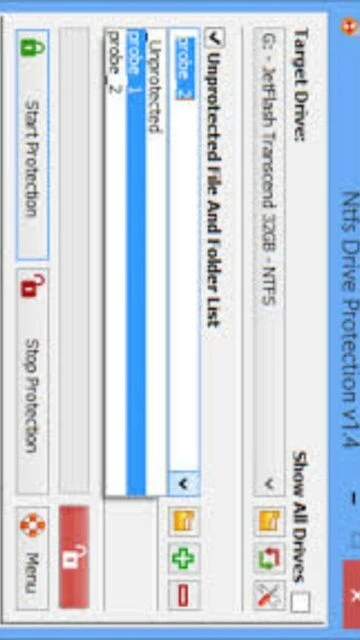
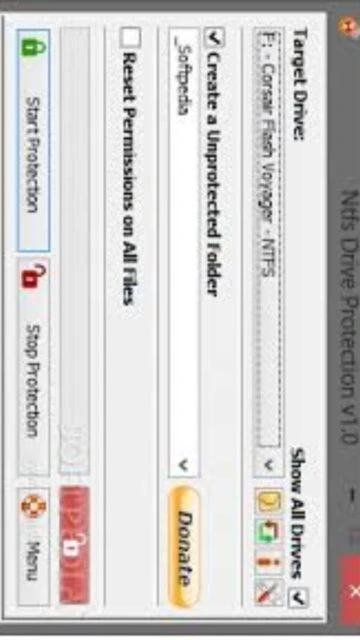
- Select Target Drive – Launch the application, choose your NTFS-formatted removable drive from the dropdown menu and enable protection
Who Should Use NTFS Drive Protection
This utility serves professionals and organizations managing removable media security. Target users include IT administrators, healthcare workers handling patient records, financial professionals with sensitive documents, and anyone regularly sharing files via USB drives in untrusted environments.
- IT Administrators – Protect company-issued USB drives containing sensitive data during transit and in public spaces
- Healthcare Professionals – Secure patient records and medical documentation on portable drives while maintaining HIPAA compliance
- Financial Workers – Prevent unauthorized modifications to financial documents and client information on removable storage
- NOT ideal for – Users requiring frequent write access to protected drives, or those using FAT32/exFAT formatted drives which require different protection methods
NTFS Drive Protection Platform Compatibility
NTFS Drive Protection operates exclusively on Windows systems with NTFS-formatted removable drives. The application supports both 32-bit and 64-bit Windows architectures from legacy systems through current Windows 11 installations.
| Platform |
Min. Version |
Unique Features |
Limitations |
| Windows (32-bit) |
Windows XP SP2 |
Legacy system support, full permission management |
Limited to 32-bit installations only |
| Windows (64-bit) |
Windows Vista 64-bit |
Enhanced performance, modern system compatibility |
Requires 64-bit Windows installations for maximum compatibility |
| macOS |
Not Supported |
No Mac version available |
Completely incompatible with macOS systems |
| Linux |
Not Supported |
No Linux version available |
Completely incompatible with Linux distributions |
NTFS Drive Protection Integrations & Plugins
NTFS Drive Protection operates independently without requiring plugins or external integrations. Its direct modification of NTFS permissions ensures compatibility with all Windows file managers and security software already installed on your system.
- Windows File Explorer – Protected drives remain accessible through standard file browsing with read-only status visible in properties
- Antivirus Software – Works seamlessly with Windows Defender, Norton, McAfee and other antivirus applications without conflicts
- Drive Encryption Tools – Compatible with BitLocker and other encryption solutions already protecting your drives
- System Backup Software – Allows backup utilities to read protected drive contents while preventing malware execution
Best Alternatives to NTFS Drive Protection
While NTFS Drive Protection excels at permission-based protection, alternative tools offer different security approaches for removable media. Consider these options depending on your specific security requirements and use case.
- BitLocker – Best for enterprise encryption, provides full drive encryption with password protection and recovery keys
- VeraCrypt – Best for open-source encryption, creates encrypted containers with AES-256 cipher for maximum data security
- USB Write Protector – Best for hardware-level blocking, uses physical switches or firmware to prevent all write operations
- Kaspersky Rescue Disk – Best for malware removal, boots independently to clean infected drives before normal OS loading
NTFS Drive Protection vs Top Competitors
Comparing NTFS Drive Protection against leading drive security solutions reveals distinct strengths and trade-offs. Each tool addresses different security scenarios and user requirements across the removable media protection landscape.
| Feature |
NTFS Drive Protection |
BitLocker |
VeraCrypt |
| Pricing |
Free (Freeware) |
Included with Windows Pro/Enterprise |
Free (Open-source) |
| Key Strength |
Malware prevention via permissions |
Military-grade AES-256 encryption |
Hardware acceleration and deniable encryption |
| Target Users |
Individual USB drive users |
Enterprise administrators |
Privacy-conscious security professionals |
| Unique Feature |
Portable executable, no installation |
Integrated Windows OS encryption |
Cross-platform encrypted containers |
| Learning Curve |
Easy |
Moderate |
Moderate |
NTFS Drive Protection Keyboard Shortcuts
NTFS Drive Protection features a graphical interface with minimal keyboard shortcuts. Most operations use mouse-based selection with clear visual feedback for protection status changes.
| Action |
Windows |
macOS |
| Start Protection |
Tab + Enter (navigate to button) |
Not Available |
| Stop Protection |
Tab + Enter (navigate to button) |
Not Available |
| Exit Application |
Alt+F4 |
Not Available |
| Open Help |
F1 (if configured) |
Not Available |
NTFS Drive Protection Performance Optimization
Maximizing protection effectiveness requires proper configuration of unprotected folders and regular verification of drive status. The utility includes built-in performance monitoring to display operation duration and completion status.
- Pre-create Unprotected Folders – Designate specific folders for temporary file transfers before enabling protection to reduce friction during workflow
- Monitor Protection Timer – The application displays operation duration; faster completion on USB 3.0 drives indicates optimal performance
- Verify Drive Status Indicator – Check the green padlock indicator to confirm active protection before disconnecting removable media
- Use Drag-and-Drop Method – Leverage the new inherit control feature to quickly toggle individual files between protected and unprotected states
- Clear Temporary Files – Remove unnecessary data before protection startup to accelerate the permission modification process across all drive contents
NTFS Drive Protection Accessibility Features
NTFS Drive Protection emphasizes accessibility through its straightforward graphical interface. The application supports multiple international languages and provides visual status indicators for users with various accessibility needs.
- Screen Reader – Not officially supported, but basic button labels are recognized by most screen readers
- Visual – Clear status indicators with green/red padlock icons, support for 30+ international languages available
- Motor – Full keyboard navigation available; drag-and-drop provides alternative to mouse-dependent workflows
- Languages – Supports English, Bulgarian, Chinese (Simplified/Traditional), French, German, Greek, Hungarian, Italian, Japanese, Korean, Persian, Polish, Portuguese, Russian, Swedish, Spanish, Turkish, Ukrainian, Vietnamese, Dutch, Malaysian, Arabic, Slovenian, Indonesian, Hebrew, and Romanian
NTFS Drive Protection Support & Documentation
User support for NTFS Drive Protection is available through Sordum’s official website with comprehensive help files and FAQs. Community discussions provide peer support for common configuration questions and compatibility issues.
- Official Documentation – Includes detailed help file covering installation, usage, troubleshooting and NTFS permission concepts
- Community Forum – Sordum’s website hosts community discussions where users share tips for maximizing drive protection effectiveness
- FAQ Section – Addresses common questions about Windows XP compatibility, password protection possibilities, and internal/external drive protection
- Contact Support – Direct email contact available through the official Sordum website for specific technical issues