Metasploit Framework is the industry-leading open-source penetration testing platform trusted by security professionals, ethical hackers, and penetration testers worldwide. As the most comprehensive framework for developing, testing, and executing exploits, Metasploit enables practitioners to identify vulnerabilities across networks, applications, and systems. This guide provides essential insights into installation, usage, integrations, and optimization techniques to maximize your penetration testing workflow with Metasploit Framework.
How to Install Metasploit Framework
Metasploit Framework installation is straightforward across major operating systems. The official installers bundle all necessary dependencies including Ruby, Perl, Python, Java, and PostgreSQL, eliminating complex manual configuration. Installation typically completes in minutes.
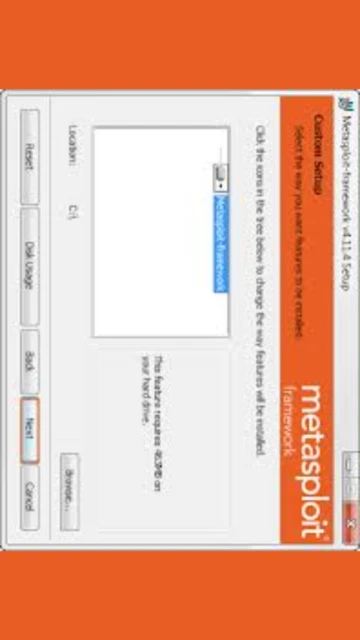
- Download Official Installer – Visit downloads.metasploit.com and select your platform (Windows 64-bit, macOS, or Linux x64/x32). Windows installer is approximately 90 MB while Linux binaries are around 80 MB.
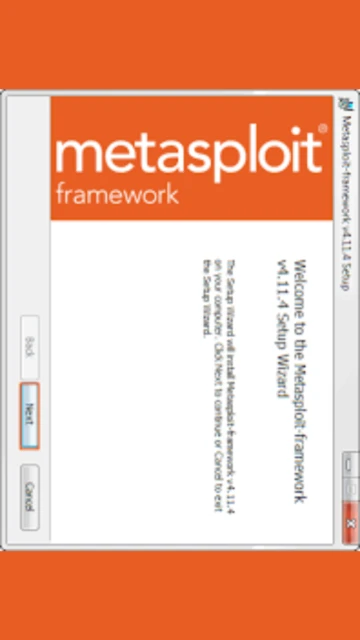
- Run Installation Package – Execute the downloaded .exe file on Windows or .run file on Linux. Accept license agreements and choose installation directory (default is c:metasploit on Windows).
- Configure PostgreSQL Database – Metasploit requires PostgreSQL for storing scan results and workspace data. During installation, PostgreSQL is automatically configured and started as a service.
- Launch msfconsole – Open terminal and type ‘msfconsole’ to launch the main Metasploit console interface. Verify installation by running ‘version’ command to display current framework version.
Who Should Use Metasploit Framework
Metasploit Framework serves diverse security professionals requiring robust exploit development and testing capabilities. From enterprise security teams conducting authorized penetration tests to educational institutions teaching cybersecurity fundamentals, Metasploit provides comprehensive tooling for vulnerability assessment and remediation validation across diverse environments.
- Penetration Testers – Security professionals conducting authorized security assessments, vulnerability scans, and exploitation testing require Metasploit’s extensive module library and automation capabilities.
- Security Researchers – Developers creating custom exploits, payloads, and reconnaissance modules benefit from Metasploit’s flexible architecture and comprehensive development framework.
- Cybersecurity Educators – University instructors and training providers use Metasploit to teach offensive security, vulnerability assessment, and ethical hacking methodologies to students.
- NOT ideal for – Casual users seeking simple vulnerability scanning should consider Nessus; users requiring commercial support should explore Metasploit Pro instead of the open-source framework.
Metasploit Framework Platform Compatibility
Metasploit Framework maintains robust cross-platform compatibility, running identically on Windows, macOS, and Linux distributions. All core functionality remains consistent across platforms, with platform-specific features enabling OS-level exploit development and testing specific to target environments.
| Platform |
Min. Version |
Unique Features |
Limitations |
| Windows |
Windows 7 SP1 or later (64-bit) |
Windows-specific exploits, Meterpreter shellcode generation, native DLL injection capabilities |
Larger installer size; requires Visual C++ dependencies |
| macOS |
macOS 10.12 or later |
macOS-specific payload generation, native integration with system security tools, ARM64 support |
Some Windows-specific modules unavailable; requires Homebrew for Ruby |
| Linux |
Ubuntu 18.04, Debian 9, CentOS 7 or equivalent |
Pre-installed on Kali Linux; advanced system-level exploitation; Linux kernel exploit modules |
Requires PostgreSQL setup on non-Kali distributions |
| Docker |
Docker 20.10+ |
Containerized deployment, easy distribution, CI/CD pipeline integration, reproducible environments |
Limited GPU access for certain operations; requires container orchestration |
Metasploit Framework Integrations & Plugins
Metasploit Framework integrates seamlessly with leading security tools and platforms, enabling comprehensive vulnerability management workflows. Integration with external tools amplifies penetration testing capabilities, allowing data sharing, automated scanning orchestration, and centralized reporting across security toolchains.
- Burp Suite Integration – Metasploit can receive scan data from Burp Suite through proxies and API connections, enabling automated exploitation of discovered web vulnerabilities without manual module configuration.
- Nessus Integration – Import Nessus scan results directly into Metasploit workspaces to automatically identify exploitable vulnerabilities and generate targeted exploitation modules against discovered hosts.
- Tenable.io/Tenable.sc Sync – Connect Metasploit to Tenable platforms for real-time vulnerability data synchronization, enabling automated exploit validation against detected exposures in managed environments.
- Database Connectivity – PostgreSQL integration enables persistent workspace management, multi-user collaboration, scan history tracking, and advanced reporting across distributed penetration testing teams.
Best Alternatives to Metasploit Framework
While Metasploit Framework leads penetration testing, alternative tools excel in specific scenarios. Organizations prioritizing commercial support, specialized tooling, or integrated vulnerability management should evaluate alternatives based on specific assessment requirements, team expertise, and operational constraints.
- Nessus Professional – Best for vulnerability scanning without exploitation, Nessus excels in comprehensive asset discovery, compliance auditing, and automated vulnerability reporting with lower learning curves.
- Burp Suite Professional – Best for web application security testing, Burp provides integrated scanning, manual testing, and exploitation specifically for HTTP-based vulnerabilities with superior web-specific features.
- Cobalt Strike – Best for advanced red team operations, Cobalt Strike specializes in command and control, post-exploitation, and adversary simulation with commercial support and collaborative features.
- Empire Framework – Best for PowerShell-based exploitation, Empire offers Windows-focused post-exploitation modules and lateral movement capabilities targeting enterprise environments running Microsoft technologies.
Metasploit Framework vs Top Competitors
Metasploit Framework positions distinctly against specialized penetration testing and vulnerability assessment competitors. While Metasploit excels in exploit development and versatility, competing tools offer superior focus on specific domains like web applications, vulnerability scanning, or advanced red team operations.
| Feature |
Metasploit Framework |
Nessus Professional |
Burp Suite Pro |
| Pricing |
Free (open-source) |
$2,990/year per license |
$399/year single user |
| Key Strength |
Comprehensive exploit library; versatile attack surface coverage |
Fast vulnerability scanning; compliance automation |
Web app security testing; manual penetration capabilities |
| Target Users |
Penetration testers; security researchers; educational institutions |
Enterprise security teams; vulnerability management professionals |
Web application security specialists; bug bounty hunters |
| Unique Feature |
3000+ exploits; custom payload generation; Meterpreter shells |
293,000+ plugins; automated compliance checks; agent-based scanning |
Integrated scanner/repeater; JavaScript analysis; extension support |
| Learning Curve |
Steep |
Moderate |
Moderate |
Metasploit Framework Keyboard Shortcuts
Keyboard shortcuts in Metasploit accelerate penetration testing workflows by reducing console navigation time and enabling rapid context switching between modules. Mastering shortcuts enhances operational efficiency during active engagements and improves command execution speed.
| Action |
Windows/Linux |
macOS |
| Open Diagnostic Console |
Ctrl+Shift+~ |
Cmd+Shift+~ |
| Scroll Page Up |
j (in vi mode) |
j (in vi mode) |
| Scroll Page Down |
k (in vi mode) |
k (in vi mode) |
| Open Help System |
F1 |
F1 |
Metasploit Framework Performance Optimization
Optimizing Metasploit Framework performance ensures rapid module loading, efficient exploit execution, and minimal resource consumption during intensive penetration testing operations. Strategic configuration and resource management techniques maximize throughput and reduce operational latency.
- Database Optimization – Regularly vacuum PostgreSQL database using ‘db_optimize’ command to remove redundant data, improving query performance and workspace responsiveness by 30-50% during large-scale assessments.
- Module Caching – Enable module caching by configuring ‘ModuleAliases’ in configuration files to accelerate repeat module loading and reduce startup time for frequently-used exploit modules.
- Parallel Exploitation – Configure ‘Threads’ parameter to 16-32 for multi-target exploitation, enabling simultaneous attacks across multiple hosts and significantly reducing assessment timeline.
- Memory Management – Allocate minimum 4GB RAM for Metasploit processes; configure Ruby heap size using environment variables to prevent memory exhaustion during long-running operations.
- Network Tuning – Adjust timeout values and retry counts in module options to accommodate network latency; use ‘Proxies’ parameter for proxy-based filtering to optimize scan traffic efficiency.
Metasploit Framework Accessibility Features
Metasploit Framework prioritizes accessibility through comprehensive keyboard navigation, command-line interface design, and documentation accessibility standards. Terminal-based operation ensures compatibility with screen readers and assistive technologies for visually impaired security professionals.
- Screen Reader Support – Command-line interface fully compatible with NVDA and JAWS screen readers; all module information and results available through text-based console output.
- Keyboard Navigation – Complete keyboard-only operation without mouse requirement; all functionality accessible through console commands and keyboard shortcuts for assistive technology users.
- High Contrast – Terminal supports custom color schemes; dark backgrounds with bright text provide high contrast suitable for low-vision users; adjustable via terminal emulator settings.
- Documentation – Official documentation in English with community-provided translations; help system accessible through ‘help’ and ‘info’ commands from msfconsole.
Metasploit Framework Support & Documentation
Metasploit Framework benefits from extensive official documentation, active community support, and professional resources. Multiple support channels ensure rapid issue resolution and provide guidance for complex penetration testing scenarios requiring framework expertise.
- Official Documentation – Comprehensive documentation at docs.metasploit.com covers installation, module development, post-exploitation, and integration with external tools; regularly updated with new feature releases.
- GitHub Issues & Discussions – Community-driven support on rapid7/metasploit-framework repository; developers respond to issues and feature requests; accessible code for custom modifications.
- YouTube Tutorials – Official Rapid7 YouTube channel and community creators provide video tutorials for beginners, advanced techniques, and specific module usage with live demonstration examples.
- Rapid7 Support – Commercial Metasploit Pro includes 24/7 phone and email support; open-source users can engage through community forums, GitHub discussions, and official documentation resources.