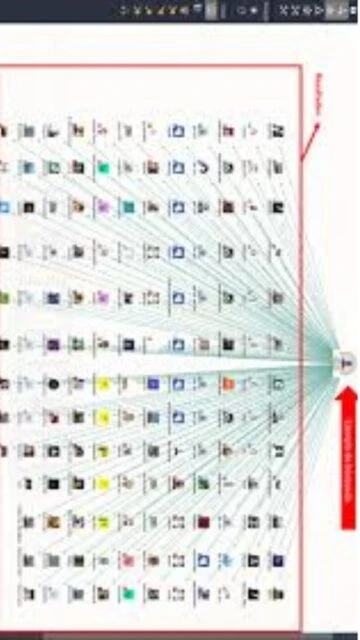
Maltego 4.11.0 is a specialized open-source intelligence (OSINT) platform designed for investigators, cybersecurity professionals, and intelligence analysts to map relationships between entities such as people, companies, domains, and social media profiles. Combining advanced graph visualization with access to commercial data sources and customizable transforms, Maltego enables rapid discovery of hidden connections and patterns in public information. This guide covers installation, target audiences, platform compatibility, integrations, alternatives, and advanced optimization techniques for effective OSINT investigations in 2025.
How to Install Maltego Graph
Maltego Graph (Desktop) installation varies by operating system but follows a straightforward setup wizard process. The application requires Java 8, 11, or 17 runtime and optional bundled Java for Windows users to streamline initial deployment.
- Download from Official Website – Visit maltego.com/downloads and select your operating system (Windows, macOS, or Linux). Windows users can choose either standard .exe installer or .exe bundled with Java x64 for simplified installation.
- Windows Installation – Double-click the installer (MaltegoSetup.JRE64.v4.11.0.XXXXX.exe), run the Maltego Setup Wizard, accept license agreement, and specify installation directory. Administrator privileges required for Program Files installation.
- Linux Installation – Select .DEB (Debian/Ubuntu), .RPM (RHEL/openSUSE), or .ZIP format. For Debian systems: sudo apt install maltegofile.deb; for RPM: sudo dnf install maltegofile.rpm; for portable: extract .zip and run from bin directory.
- macOS Installation – Download the .DMG file, double-click to mount, drag Maltego application icon to Applications folder. Allow untrusted developer execution in System Preferences if prompted by security settings.
- Configure Java Runtime – Verify Java 8, 11, or 17 (64-bit) installation; Maltego automatically detects available Java. If missing, download from Oracle JRE or use OpenJDK via apt/brew package managers.
- Launch and Activate – Open Maltego application; create Paterva/Maltego ID account for authentication. Select edition tier (Community, Professional, Organization); Community Edition activated immediately with 200 monthly Maltego Credits.
Who Should Use Maltego
Maltego serves investigators, cybersecurity professionals, threat intelligence analysts, and law enforcement conducting OSINT investigations. The platform is ideal for professionals requiring relationship mapping across disparate data sources to uncover hidden connections relevant to security assessments, fraud investigations, and competitive intelligence gathering.
- Penetration Testers – Security professionals use Maltego reconnaissance phases to map target organizations, identify subdomains, employee profiles, and technical infrastructure before launching attack simulations.
- Threat Intelligence Analysts – Intelligence teams track criminal networks, track threat actor campaigns, and identify infrastructure reuse patterns across multiple malicious domains through Maltego’s graph visualization.
- Fraud Investigators – Financial crime specialists use Maltego to link suspicious email addresses to fake business registrations, fraudulent payment accounts, and associated phone numbers in interconnected networks.
- Law Enforcement – Police and government agencies leverage Maltego for connecting suspects to networks through social media relationships, shared addresses, and communication patterns visible in public records.
- NOT ideal for – Organizations requiring automated vulnerability scanning (use Acunetix); teams needing real-time network traffic analysis (use Wireshark); analysts seeking AI-powered anomaly detection (use specialized SIEM platforms).
Maltego Platform Compatibility
Maltego Graph (Desktop) 4.11.0 runs on Windows, macOS, and Linux systems with Java 8/11/17 runtime installed. The new Cloud Graphs feature (v4.11.0) enables encrypted case storage in Maltego’s cloud infrastructure accessible from web browsers or desktop applications across platforms.
| Platform |
Min. Version |
Unique Features |
Limitations |
| Windows |
Windows 7 SP1 or later; Java 8/11/17 64-bit |
Bundled Java installation available; silent installation for enterprise deployment; native Windows registry integration |
Requires X11 server for WSL deployments; some custom transforms may fail on Windows Defender SmartScreen |
| macOS |
macOS 10.12 or later; Java 8/11/17 64-bit |
Native Cocoa UI; Retina display support; integration with macOS keychain for credential storage; Cmd key shortcuts |
Limited transform library compared to Windows; some legacy transforms incompatible with newer macOS versions |
| Linux |
Ubuntu 18.04+, RHEL 7+, Debian 9+; Java 8/11/17 64-bit |
Lightweight .DEB/.RPM packages; headless server deployment with X11 forwarding; integrated with system package managers |
Requires X11 server for graphical display; GTK/Qt library dependencies for UI rendering |
| Cloud Graphs |
Modern web browsers (Chrome, Firefox, Safari, Edge) |
End-to-end encrypted case storage; accessible from any device; real-time collaboration features; mobile browser support |
Requires active internet connection; file size limits on encrypted graphs; some advanced transforms unavailable in web interface |
Maltego Integrations & Plugins
Maltego’s transform system enables integration with external data sources through official marketplace connectors and community-developed extensions. These integrations expand data collection capabilities, automate investigations, and connect Maltego findings with external security platforms, threat intelligence feeds, and custom internal databases.
- Data Source Transforms – Official Paterva transforms connect Maltego to Shodan, DNS databases, IP geolocation services, and social media APIs for enriching entities with external intelligence during investigations.
- Threat Intelligence Feeds – Integration with Abuse.ch malware databases, AlienVault OTX, and other open-source threat feeds enables automated identification of known malicious domains and infrastructure.
- OSINT Connectors – Public records lookups, email verification services, and social network APIs provide additional context for person and company entities discovered during reconnaissance.
- Custom Transform Development – Python API enables creating proprietary transforms connecting to internal systems, legacy databases, and custom threat intelligence sources through JavaScript-based machine definitions.
- Case Management Export – Cloud Graphs (v4.11.0 new) enable encrypted export to Maltego Cases platform for secure investigation sharing with team members and law enforcement partners.
Best Alternatives to Maltego
Organizations evaluating OSINT platforms should consider alternatives emphasizing different investigation methodologies. While Maltego specializes in graph visualization and interactive analysis, other tools prioritize automation or specialized domain reconnaissance.
- theHarvester – Best for email and subdomain discovery; command-line OSINT tool automated data collection from public sources without graphical interface required; ideal for scripting reconnaissance phases.
- Shodan – Best for Internet-connected device reconnaissance; search engine indexing millions of servers, IoT devices, and industrial equipment; complements Maltego’s relationship mapping with device vulnerability discovery.
- SpiderFoot – Best for comprehensive automated reconnaissance; open-source tool automatically gathering footprint data from 100+ public sources with customizable workflow automation and integrated vulnerability checking.
- OSINT Framework – Best for OSINT resource discovery; centralized directory of free online tools, databases, and websites for various investigations; serves as reference guide rather than analysis platform.
- Censys – Best for certificate and DNS intelligence; search engine indexing SSL certificates, IPv4/IPv6 addresses, and domain names enabling infrastructure mapping and exposure identification.
Maltego vs Top Competitors
Comparison reveals Maltego’s unique positioning in OSINT through interactive graph visualization and customizable transforms. While competitors may offer broader automation or specialized reconnaissance, Maltego excels in relationship mapping and visual pattern analysis across complex investigation networks.
| Feature |
Maltego |
theHarvester |
SpiderFoot |
| Pricing |
Free (Community), €5,000/year (Professional), Custom (Organization) |
Free, Open Source |
Free, Open Source |
| Key Strength |
Interactive graph visualization, relationship mapping, transform ecosystem |
Email/subdomain harvesting speed, command-line automation, minimal dependencies |
Comprehensive automated scanning from 100+ sources, workflow templates, vulnerability correlation |
| Target Users |
Investigators, penetration testers, threat analysts requiring visual analysis |
Security professionals preferring CLI automation and scripting integration |
DevSecOps teams automating reconnaissance within CI/CD pipelines |
| Unique Feature |
Cloud Graphs with end-to-end encryption, real-time collaboration, transform marketplace |
Fast harvesting from search engines, no API key requirements for many sources |
Integrated vulnerability scanner, module-based customization, webhook notifications |
| Learning Curve |
Moderate (GUI-based but requires understanding transforms and entity relationships) |
Easy (command-line but intuitive syntax and extensive documentation) |
Moderate-Steep (powerful configuration but requires technical setup) |
Maltego Keyboard Shortcuts
Maltego keyboard shortcuts accelerate graph navigation, entity manipulation, and investigation workflows. Mastering these shortcuts improves analyst productivity when exploring large relationship networks with hundreds of linked entities.
| Action |
Windows |
macOS |
| New Graph |
Ctrl+T |
Cmd+T |
| Cut Entity |
Ctrl+X |
Cmd+X |
| Copy Entity |
Ctrl+C |
Cmd+C |
| Paste Entity |
Ctrl+V |
Cmd+V |
| Undo Last Action |
Ctrl+Z |
Cmd+Z |
| Redo Last Action |
Ctrl+Y |
Cmd+Y |
| Zoom to Fit |
Ctrl+Q |
Cmd+Q |
| Zoom to Selection |
Ctrl+W |
Cmd+W |
| Delete Entity |
Del |
Fn+Delete |
| Select All Entities |
Ctrl+A |
Cmd+A |
Maltego Performance Optimization
Optimizing Maltego performance enhances speed when working with large graphs containing hundreds of entities and thousands of relationships. These techniques improve rendering responsiveness, transform execution speed, and memory efficiency during intensive investigations.
- Allocate Maximum RAM to Maltego – Configure Java heap size to 50% of system RAM (e.g., 8GB on 16GB system); larger graphs benefit from 16GB+ allocation for simultaneous processing of multiple transforms without slowdown.
- Upgrade CPU Performance – Multi-core processors accelerate graph layout calculations and simultaneous transform execution; Intel i7/i9 or AMD Ryzen 7/9 processors recommended for organizations processing >500 entity graphs.
- Install on SSD Storage – Solid-state drives provide 10x faster graph loading and transform result caching compared to rotational hard drives; Windows/Linux installations on fast NVMe SSDs essential for responsive UI.
- Use High-Resolution Display – 1440p or 4K monitors provide screen real estate for visualizing large graphs without panning; external multi-monitor setups recommended for analysts managing 500+ entity networks simultaneously.
- Limit Graph Size During Investigation – Large graphs (>1,000 entities) strain rendering performance; archive completed investigations and start fresh graphs for new cases, maintaining investigation database separate from active working graphs.
- Optimize Transform Selection – Disable unused transforms and marketplace data sources to reduce startup time and reduce API rate limiting; focus on high-value transforms for specific investigation objectives.
Maltego Accessibility Features
Maltego 4.11.0 incorporates accessibility features enabling users with visual and motor disabilities to conduct OSINT investigations independently. The graph-based interface supports keyboard navigation and screen reader compatibility for web-based Cloud Graphs.
- Screen Reader Compatibility – Cloud Graphs web interface supports NVDA and JAWS screen readers; entity properties and transformation results presented in accessible text format; graph visualization alternative text available.
- Keyboard Navigation – All functions accessible via Tab navigation and keyboard shortcuts; Alt+key access to menu options; Enter activation for entity expansion and transform execution without mouse requirement.
- High Contrast Themes – Dark and light theme options available; configurable entity and link colors enable improved visibility for colorblind users; accessibility settings preserved across sessions.
- Customizable Interface – Adjustable font sizing in properties panel and reports; resizable graph pane accommodates various visual acuity levels; collapsible interface panels reduce visual clutter during complex investigations.
Maltego Support & Documentation
Maltego provides comprehensive resources for new users and experienced investigators through official documentation, community forums, and professional training programs. Free and premium support options cater to individual analysts and large security teams respectively.
- Official Documentation – https://docs.maltego.com covers installation, configuration, transform development, and investigation best practices; release notes detail new features in version 4.11.0 Cloud Graphs and collaboration capabilities.
- Maltego Academy – Free on-demand video courses and step-by-step tutorials teach OSINT fundamentals, advanced graph analysis, custom transform development, and investigation case studies for different professional roles.
- Community Forum – Active user community shares transform recommendations, investigation techniques, and troubleshooting solutions at https://www.maltego.com/community; Paterva staff participate in discussions.
- Professional Support – Enterprise customers receive email and phone support; custom transform development services available; Organizations edition includes dedicated customer success manager for large investigative teams.
- Transform Marketplace – Discover and install official Paterva transforms and community-developed extensions from centralized marketplace; star ratings and reviews guide selection of most reliable data sources.