Kakasoft USB Security delivers straightforward password protection for USB flash drives and external storage devices in just three simple steps. Unlike complex encryption tools, this lightweight application focuses on rapid deployment and user-friendly functionality, making it ideal for individuals and organizations needing immediate drive-level protection. The software operates both as a portable tool and standalone application, supporting Windows systems from Windows 2000 through Windows 10. Available in free and professional editions, Kakasoft offers enterprise licensing for organizations protecting multiple USB devices. This guide explains installation procedures, protection workflows, and configuration options for optimal security deployment.
How to Install Kakasoft USB Security
Kakasoft USB Security installation is remarkably fast, requiring only minutes to deploy the 1.29-1.5 MB setup file directly onto your target USB device. The application supports both traditional installation and portable operation, accommodating various deployment scenarios in corporate and personal environments.
- Download from Official Source – Visit kakasoft.com/usb-security and download the appropriate version (free or pro) of the 1.29 MB installer to your computer
- Run Setup Wizard – Execute the installer and select your target USB device during the setup process. The application installs directly onto the USB drive without requiring system-wide installation
- Configure Protection Settings – During setup, choose your preferred icon style, enable autoplay protection if desired, and configure automatic startup when USB is inserted
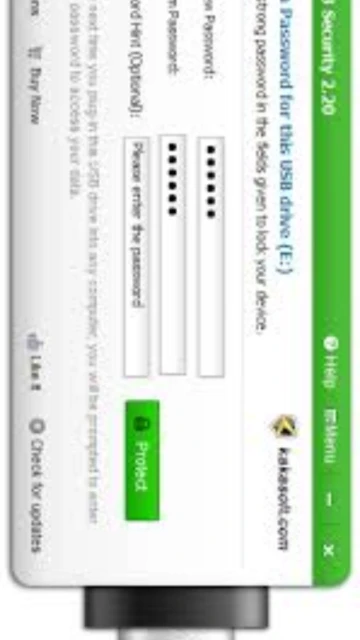
- Create Security Password – Type and confirm your desired password in the setup wizard. In seconds, all files on your USB device become hidden and protected from unauthorized access
Who Should Use Kakasoft USB Security
Kakasoft USB Security addresses rapid protection needs for individual users and small teams managing portable drives. Its three-step simplicity and automatic protection triggering make it particularly valuable for less technical users who prioritize speed over advanced encryption features.
- Casual Computer Users – Simple password protection without complex encryption terminology or technical configuration requirements for home users
- Small Business Teams – Protect shared USB drives containing customer records, financial files, and proprietary documents with automatic password requirements
- Students and Educators – Secure research files, grades, and academic work on portable drives used across multiple school computers and campus networks
- NOT ideal for – Organizations requiring military-grade encryption, cross-platform compatibility, or enterprise-level centralized management systems
Kakasoft USB Security Platform Compatibility
Kakasoft USB Security maintains strong compatibility with Windows systems from legacy Windows 2000 through current Windows 10 versions. The application requires minimal system resources while supporting all modern USB device types and removable storage formats used in contemporary computing environments.
| Platform |
Min. Version |
Unique Features |
Limitations |
| Windows |
Windows 2000 and later (XP, Vista, 7, 8, 10) |
Automatic protection triggering when USB is inserted, passwordless access option for pre-authorized users, virtual drive mounting |
Limited testing on Windows 11; no official support statement for newest Windows versions |
| macOS |
Not supported |
USB drives protected with Kakasoft on Windows cannot be accessed on macOS without removing protection |
Complete lack of native macOS application; encryption format Windows-specific only |
| Linux |
Not supported |
Linux systems can physically connect Kakasoft-protected USB drives but cannot access encrypted partitions |
No Linux compatibility or workaround options; requires returning to Windows for unprotection |
| USB Devices |
Any USB 2.0+ storage |
Works with USB flash drives, pen drives, memory sticks, memory cards, thumb drives, jump drives, and external hard drives |
May not support very old USB 1.0 devices; RAID or specialized storage devices not officially tested |
Kakasoft USB Security Integrations & Plugins
Kakasoft USB Security functions as a standalone application with minimal integration requirements. The software maintains compatibility with Windows file management systems and supports both protected and unprotected file access through virtual drive mounting. Integration focuses on seamless deployment rather than third-party plugin ecosystems.
- Windows Explorer Integration – Protected USB drives appear as standard drive letters in Windows Explorer once password is entered, allowing normal file operations and drag-and-drop transfers
- Virtual Drive Mounting – Files remain hidden even in Windows Explorer until you run Kakasoft and enter the correct password to mount encrypted contents as a virtual drive
- Autoplay and Auto-Start Features – USB device can be configured to automatically launch Kakasoft protection interface when inserted into any computer, streamlining password entry
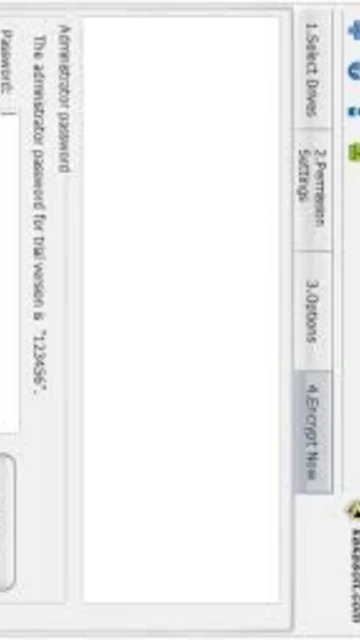
- Multiple User Password Support – Administrator can set a default password while allowing individual users to set their own access credentials for shared USB devices in corporate environments
Best Alternatives to Kakasoft USB Security
When specific organizational or technical requirements exceed Kakasoft’s feature set, alternative solutions provide expanded capabilities including stronger encryption standards and cross-platform functionality. Evaluate these options if you need advanced security auditing or non-Windows compatibility.
- USB Safeguard – Best for portable zero-installation security, provides AES-256 military-grade encryption without requiring setup on each computer
- Folder Lock – Best for file-level protection, encrypts individual files and folders with AES-256 while supporting portable and installed modes across Windows
- VeraCrypt – Best for open-source verification and cross-platform access, supports encrypted containers with macOS and Linux compatibility
- Bitdefender USB Security – Best for anti-malware integration, combines USB write protection with malware scanning to prevent infected files from spreading
Kakasoft USB Security vs Top Competitors
Kakasoft USB Security emphasizes rapid deployment and user simplicity within the USB protection market. Comparison with leading competitors reveals strengths in ease of use and pricing, though encryption standards and platform support represent areas where specialized solutions excel.
| Feature |
Kakasoft USB Security |
USB Safeguard |
Folder Lock |
| Pricing |
Free version included; Pro lifetime at $79.95 for 100 drives |
Completely free freeware with donations accepted |
Commercial license $79.95 with annual updates |
| Key Strength |
Three-step rapid protection with automatic triggering |
Portable installation-free operation with AES-256 |
File-level encryption with advanced compression options |
| Target Users |
Casual users needing quick USB protection without complexity |
Professionals requiring portable security across shared computers |
Power users wanting granular file-by-file encryption control |
| Unique Feature |
Pre-configured password option for administrator-set access |
Instant locking on USB removal and corporate admin features |
Shredding deleted files and portable encrypted containers |
| Learning Curve |
Very easy – three-step wizard with minimal configuration |
Easy – simple password entry and mounting procedure |
Moderate – requires understanding of encryption container concepts |
Kakasoft USB Security Keyboard Shortcuts
Kakasoft USB Security emphasizes graphical interface interaction through its visual USB drive representation. While limited keyboard shortcut support exists, Windows system shortcuts enhance productivity when managing protected devices alongside other applications.
| Action |
Windows |
Alternative Method |
| Lock USB Protection |
Alt+L (when Kakasoft window active) |
Click lock button in Kakasoft interface or close application window |
| Unlock with Password |
Double-click Kakasoft.exe on USB drive |
Right-click USB in Explorer and select “Open with Kakasoft USB Security” |
| Mount as Virtual Drive |
Alt+M (when password entered) |
Click mount button in interface after password authentication |
| Eject Protected USB |
Ctrl+Alt+Delete then Eject |
Right-click drive in Explorer > Eject or use Safely Remove Hardware icon |
Kakasoft USB Security Performance Optimization
Kakasoft USB Security maintains excellent performance across Windows systems due to its lightweight footprint and streamlined protection model. Strategic configuration and system optimization maximize protection effectiveness and minimize read/write speed impact on your USB devices.
- Enable Auto-Startup Feature – Configure automatic Kakasoft launch when USB device is inserted to eliminate manual startup, reducing user steps and potential security oversights
- Use Virtual Drive Mounting – Mount protected files as virtual drives rather than extracting them to improve security and avoid creating unprotected temporary copies on host computers
- Optimize USB Connection Speed – Use USB 3.0 or higher ports if available to minimize encryption/decryption delays; older USB 2.0 ports may show 5-10% performance reduction
- Configure Password Expiration – Set password validity periods in professional settings to enforce periodic access credential updates, enhancing organizational security posture
- Disable Autoplay in Windows – Turn off Windows autoplay for all drives to prevent accidental file execution from malware, working in conjunction with Kakasoft’s password protection
Kakasoft USB Security Accessibility Features
Kakasoft USB Security provides straightforward accessibility through its visual icon-based interface and keyboard navigation support. The password entry system functions with screen readers and supports alternative input methods for users with different accessibility requirements.
- Screen Reader Compatibility – NVDA and JAWS successfully interpret password entry dialogs and button functions within the visual USB drive interface representation
- Visual Accessibility – High-contrast mode compatible with Windows high contrast settings; icon-based design reduces reliance on text-heavy menus
- Keyboard Navigation – Complete keyboard-only control supports Tab navigation between buttons and password fields; Enter key confirms all actions
- Language Support – Interface available in English with password support for international character sets including accented characters and non-Latin alphabets
Kakasoft USB Security Support & Documentation
Kakasoft provides customer support resources through multiple channels including email contact, FAQ documentation, and commercial support for professional customers. Support availability varies between free and professional edition users, with priority assistance included in enterprise licenses.
- Official Website Documentation – Kakasoft.com hosts complete user guides covering installation procedures, password recovery, and protection troubleshooting for all software versions
- Email Support Channel – Professional edition customers receive direct email support from Kakasoft development team; free edition users directed to community resources
- Online FAQ Section – Comprehensive frequently asked questions address common scenarios including password recovery, multi-device protection, and upgrade procedures
- Enterprise Support – Commercial and academic licensees receive priority support and bulk deployment assistance through dedicated account representatives