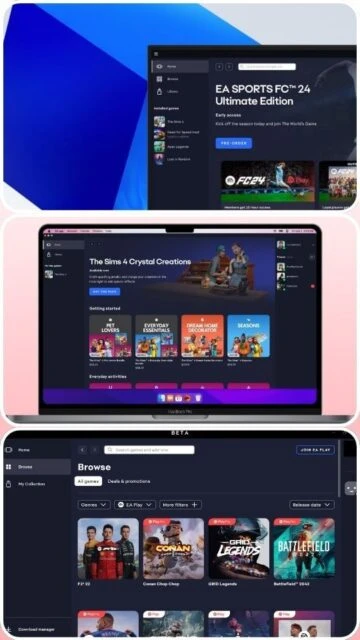
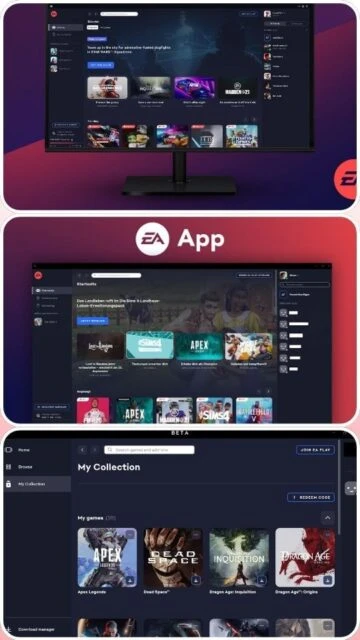
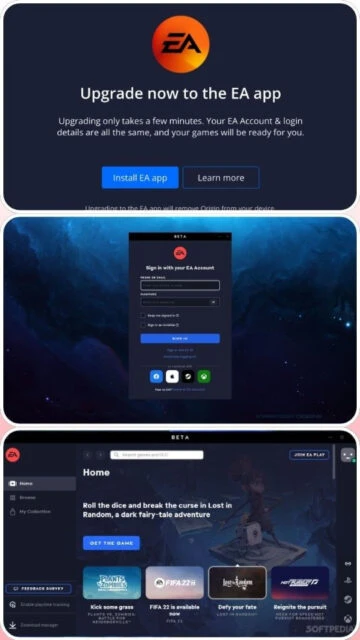
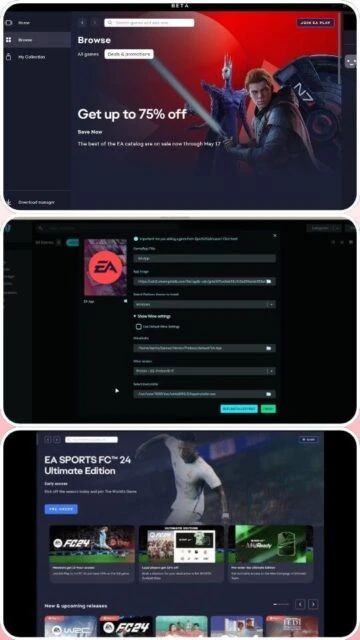
The EA App is Electronic Arts' modern gaming platform designed to replace Origin. It provides streamlined access to your EA game collection with improved performance and a cleaner interface. Features include cloud save synchronization, integration with EA Play subscription service, and cross-platform compatibility. The lightweight installer ensures quick setup, while automatic library management keeps all your titles organized. Users benefit from enhanced social features and better library browsing compared to its predecessor Origin.
System Requirements
Operating System:Windows 10/11 64-bit or macOS Catalina or later
Processor:Intel Core i3 or AMD Ryzen 3
RAM:4 GB
Disk Space:10 GB
Additional Requirements:Internet connection required, graphics card with at least 1GB VRAM
Features Of EA App
Game library management: Organize and access all EA titles from one central location
Cloud save synchronization: Automatic backup and restoration of game saves across devices
EA Play integration: Subscription service providing access to hundreds of games
Background video control: Toggle background videos on game hubs for performance optimization
Fast library loading: Significantly improved collection loading speeds with optimized database
Game Hub pages: Detailed game information with screenshots, videos, and community features
In-app messaging: Connect with friends directly through the launcher
Automatic game updates: Download and install game patches without manual intervention
Custom game folders: Organize games into custom categories and collections
Game launch configurations: Set launch options and parameters for each game
Rich presence: Share your gaming activity with Discord friends
Parental controls: Manage content access and playtime restrictions
Pros & Cons
Pros
Lightweight and fast compared to Origin
Seamless cloud save integration
EA Play subscription offers good value
Clean, modern interface
Cross-platform library access
Active development with regular updates
No subscription required for basic launcher
Wide game selection with frequent new releases
Cons
Limited to EA games primarily
Some users report occasional library sync issues
Background video playback can impact performance
Fewer customization options than competitors
Web browser integration required for some functions
Can use significant bandwidth during updates
Changelog
Version 13.608.0.6121 (December 4, 2025):
- Improved My Collection loading speed for large libraries
- Pause/play functionality added for Game Hub background videos
- Updated main navigation for better Home and Browse page discoverability
- Fixed crash issues with game launching and application exit
- Performance optimizations for library rendering
Version 13.560.0.6073 (September 25, 2025):
- Enhanced stability and crash prevention
- Improved cloud sync reliability
- Added support for additional game publishers
- UI refinements for better usability
Frequently Asked Questions
Is EA App free to use?
Yes, EA App is completely free to download and use as a launcher. You only pay for individual games or optional EA Play subscription service. No fees apply for basic launcher functionality or accessing your already-owned games.
Can I transfer my games from Origin?
Yes, all your Origin games automatically transfer to EA App when you log in with your EA Account. Games are tied to your account, not the launcher. Simply install EA App and login to see your complete library.
Does EA App support cloud saves?
Yes, EA App provides automatic cloud save synchronization for supported games. Your saves are backed up to EA's servers and can be accessed from any device where you log in with your EA Account.
How much storage does EA App require?
The launcher itself requires approximately 2.4 MB for installation plus 10 GB of free space for optimal operation. Individual games require additional storage space based on their size, which can range from 10 GB to 150+ GB.
What if the launcher won't launch?
Try running EA App as Administrator, check your firewall settings to allow EA processes, ensure Windows is updated, or reinstall the application. Restart your computer after making changes. Contact EA Support if problems persist.
Can I play offline?
EA App requires internet connection for initial setup and periodic verification. Some games support offline play after initial online launch, but specific offline capabilities depend on individual game requirements and DRM implementation.
The EA App is Electronic Arts’ official digital distribution platform that replaces Origin, providing a centralized hub for accessing your entire EA game library. This guide covers installation, platform support, integrations, and how it compares to competing launchers.
Installation & Setup
Visit the official EA App download page
Select your platform (PC or Mac)
Click Download to get the installer
Run the installer and follow on-screen instructions
Launch EA App and log in with your EA Account
Games automatically sync to your library
Platform Availability
Platform
Support
Features
Windows 10/11 64-bit
Full Support
All features, game library, cloud saves
macOS Catalina+
Full Support
All features, game library, cloud saves
Mobile
Limited
Browse, search, social features only
Integration Ecosystem
EA Play – Subscription service for game library access
Disable background videos in Settings to reduce memory usage
Clear cache regularly through Settings menu
Ensure firewall allows EA App and related processes
Update to latest Windows or macOS version
Run as Administrator on Windows for optimal performance
Close unused background applications before gaming
User reviews and ratings for EA App
See what users think about EA App. Read honest reviews and ratings from real users.
3.8
★★★★★
4 reviews
Great replacement for Origin, occasional sync issues
by Michael Chen
★★★★★
2025-11-28
EA App is definitely an improvement over Origin with faster loading and better interface. Library synced smoothly and cloud saves work great. Had one instance where games didn't appear but resolved after restart.
Fast and lightweight gaming platform
by Sarah Mitchell
★★★★★
2025-11-15
Extremely satisfied with EA App's performance. Minimal system resource usage compared to competitors. Game updates are quick and the interface is intuitive. Highly recommend for EA game players.
Good launcher but needs more features
by David Rodriguez
★★★★★
2025-10-22
Works well for accessing EA titles and cloud saves are reliable. However, lacks some customization options available in other launchers. Wish there were more community features built in.
Frustrating library management issues
by Jennifer Park
★★★★★
2025-09-30
EA App is functional but has occasional bugs with library organization. Games sometimes disappear from My Collection and need manual re-adding. Performance acceptable but stability needs improvement.
Write a Review
EA App Screenshots & Photos
Browse through screenshots and photos of EA App to see how it looks and works.
EA App Videos
Watch videos to see how this software works and learn about its features.