CCleaner – PC Cleaner, Optimizer & Privacy Tool

Professional PC cleaner and optimizer with registry repair, driver updates, and performance enhancement tools.

About CCleaner

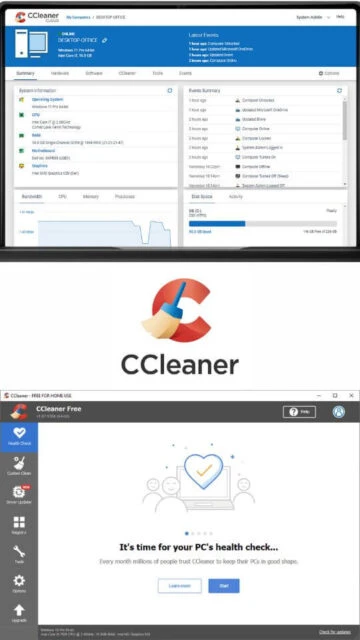
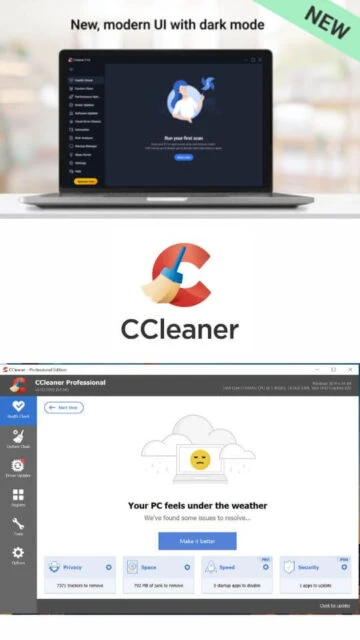
CCleaner is one of the world's most trusted PC cleaning and optimization tools with millions of downloads worldwide. Since its initial release, it has earned recognition for efficiently removing junk files, temporary data, and privacy traces from Windows systems. The software features a user-friendly interface combined with powerful backend optimization engines. CCleaner 7 introduced a modernized design with dark mode support, enhanced uninstaller capabilities, and improved duplicate file detection. The platform supports extensive customization with Health Check diagnostics, automatic scheduling for subscribers, and multi-language support across 50+ languages.

System Requirements

  • Operating System: Windows 11, 10, 8.1, 8, 7 (32-bit and 64-bit), including Windows on ARM
  • Processor: 400 MHz or higher
  • RAM: 1 GB
  • Disk Space: 600 MB
  • Additional Requirements: Internet connection for software and driver updates recommended

Features Of CCleaner

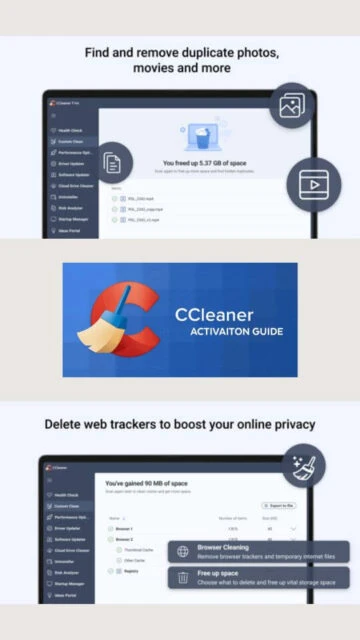
  • Browser cache and history cleaning for Chrome, Firefox, Edge, Safari, Opera, Brave
  • Registry cleaner removing invalid and orphaned entries
  • Duplicate file finder with bulk deletion and thumbnail preview
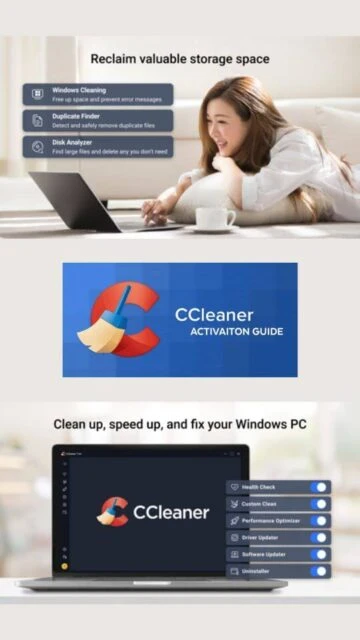
  • Improved uninstaller with forced removal and leftover file cleanup
  • Driver Updater with 110 million driver database
  • Software Updater for automatic application patching
  • Performance Optimizer with app hibernation and resource management
  • Health Check comprehensive system diagnostics
  • Privacy sweep for online tracking data removal
  • Cloud Drive Cleaner for OneDrive and Google Drive
  • Automatic scheduling for premium users
  • Dark mode and light theme options
  • ARM64 architecture support for modern devices

Pros & Cons

Pros

  • Fast and lightweight performance with minimal system impact
  • Highly effective at freeing up disk space
  • Free version provides essential cleaning functionality
  • Intuitive modern interface in CCleaner 7
  • Comprehensive driver database with reliable updates
  • Excellent long-term track record and user trust
  • Multi-language support with 50+ languages
  • Automated scheduling capabilities for premium users

Cons

  • Subscription cost higher than competitors
  • Version 7 initially received mixed reviews regarding stability
  • Customer support responsiveness varies
  • Some users report slow performance after updates
  • Limited privacy features compared to dedicated tools
  • Windows Defender compatibility issues on certain builds

Changelog

Version 7.02.1080 (01 Dec 2025):
- Added automatic scheduling for paid users
- Redesigned tab structure with clearer update explanations
- Redesigned results pages for better update status visualization
- Integrated settings into individual features
- Improved scanning reliability in Software Updater
- Fixed Cloud Drive Cleaner sidebar highlighting issue
- Resolved Driver Updater scan freeze

Version 7.01.1066 (24 Nov 2025):
- Added sorting capability by all fields in Uninstaller
- Updated Health Check Cookie settings recommendations
- Renamed Disk Analyzer to Duplicate Finder
- Improved duplicate application file tagging
- Fixed browser closing during cleanup
- Resolved UI relaunch issues after updates

Version 7.00.1010 (27 Oct 2025):
- Released CCleaner 7 with modern sleek interface
- Enhanced Uninstaller with batch uninstall capability
- Improved Disk Analyzer with duplicate detection
- Added dark mode and automatic theme options
- Added ARM64 architecture support

Frequently Asked Questions

Is CCleaner safe to use?

Yes, CCleaner is widely trusted and recognized as safe by security organizations. However, backup your registry before cleaning. The free version is completely safe and provided by Piriform Ltd, a established software company.

Does CCleaner improve PC performance?

CCleaner removes unnecessary files and optimizes system settings, often improving boot speed and responsiveness. Results vary based on system condition and stored junk data. Performance gains are typically most noticeable on older or heavily used systems.

What's the difference between free and paid versions?

The free version provides core cleaning and optimization. Premium versions add automatic scheduling, driver updates, software updates, performance optimizer, and cloud drive cleaning across multiple devices.

Can CCleaner remove malware?

CCleaner is not a full antivirus solution. It removes some malware and spyware but should complement a dedicated antivirus program for complete protection against modern threats.

How often should I run CCleaner?

Weekly cleaning is recommended for optimal performance. Premium users can set automatic scheduled cleaning. Monthly cleaning suffices for casual users with minimal browsing and installation activity.

Is CCleaner available for Mac and mobile?

Yes, CCleaner offers versions for macOS, iOS, and Android. Each platform has dedicated features optimized for that operating system with similar cleaning and privacy functionalities.