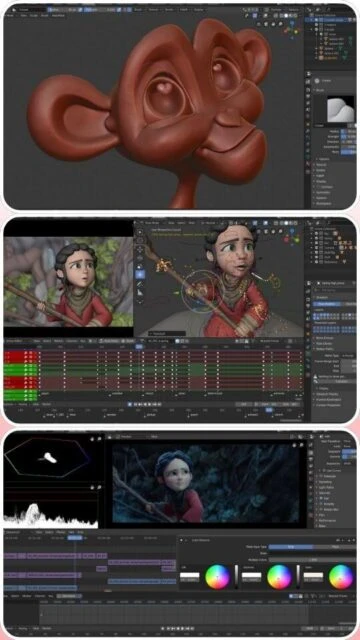
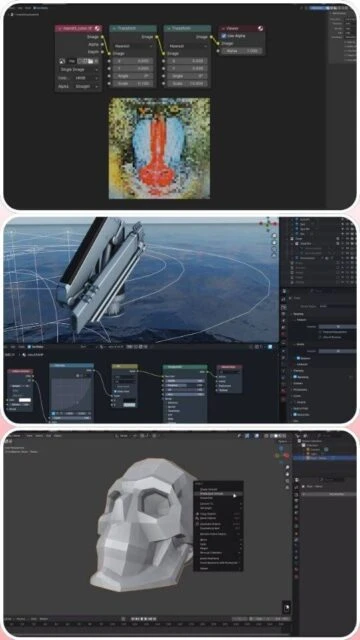
Blender 4.2 LTS represents the most comprehensive free 3D creation platform available, offering professional-quality tools for modeling, animation, VFX, and rendering. This long-term support release provides stability and feature parity with commercial alternatives while maintaining zero licensing costs. The guide covers installation, system optimization, and production workflow integration essential for individual artists and studio environments.
How to Install Blender 4.2 LTS
Blender 4.2 LTS installation requires downloading the official release from blender.org and extracting to the desired location. The software operates immediately without activation or registration, though community accounts enable asset library access and cloud project synchronization.
- Download Official Installer – Visit blender.org/download and select appropriate platform (Windows, macOS, Linux, or portable version)
- Execute Installer – Run the installer and follow installation wizard choosing installation location and system integration options
- Launch Application – Open Blender from application menu or desktop shortcut; initialization may take 30-60 seconds on first launch
- Configure Preferences – Access Edit > Preferences to customize GPU rendering, theme, and workspace layouts matching your workflow
Who Should Use Blender 4.2 LTS
Blender 4.2 LTS serves individual artists, indie game developers, students, and studios prioritizing cost control without sacrificing professional capabilities. The long-term support commitment ensures feature stability through July 2026.
- Independent 3D Artists – Create character models, environments, and animations without licensing fees supporting personal portfolio development
- Game Developers – Build game assets with native engine integration through FBX/glTF export and Blender Foundation’s game engine optimization
- Student and Educators – Access identical tools as commercial studios enabling parallel skill development and academic research projects
- NOT ideal for – Studios requiring specialized VFX tools may need supplementary commercial software like Houdini for advanced procedural workflows
Blender 4.2 LTS Platform Compatibility
Blender 4.2 LTS maintains comprehensive cross-platform support with optimized performance across Windows, macOS, and Linux distributions. GPU acceleration available through NVIDIA CUDA, AMD HIP, and Intel oneAPI frameworks.
| Platform |
Min. Version |
Unique Features |
Limitations |
| Windows |
Windows 10 (21H2) or Windows 11 |
NVIDIA CUDA acceleration, AMD HIP support, DirectX 12 viewport optimization, Wayland support |
Requires 8 GB RAM minimum; 16 GB recommended for 4K work |
| macOS |
macOS 12.2 or newer (Intel/Apple Silicon) |
Metal GPU acceleration for Apple Silicon and Intel Macs, native arm64 binary, Wayland support |
Older Mac models may lack Metal support; Intel Mac performance lower than native ARM |
| Linux |
Ubuntu 20.04+ or CentOS 8+ |
NVIDIA CUDA, AMD HIP, Intel oneAPI GPU support, OpenGL rendering, full command-line operation |
Requires glibc 2.29+ and various system libraries for full functionality |
| Web |
Not available |
No web version; desktop-only application |
Desktop installation required for all features |
Blender 4.2 LTS Integrations & Plugins
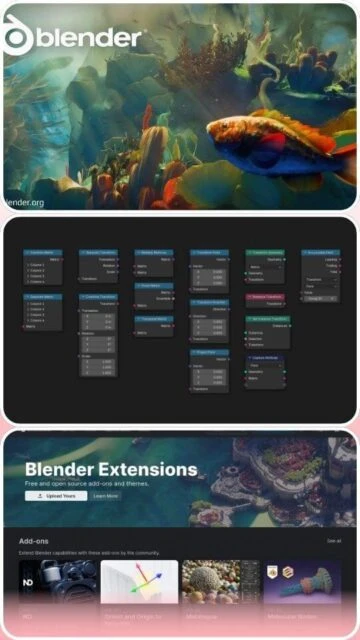
Blender 4.2 LTS extends functionality through Extensions Platform providing community-developed add-ons for game engines, rendering, and specialized workflows. Integration with professional software through USD, Alembic, and glTF export enables seamless pipeline integration.
- Game Engine Export – Native FBX and glTF export for Unreal Engine, Unity, and Godot with material baking and LOD generation support
- USD Alembic Support – Import/export Universal Scene Description and Alembic formats enabling animation interchange with Maya and Cinema 4D
- Arnold Rendering – Arnold renderer integration through native plugin enabling production-quality rendering competitive with specialized engines
- Extensions Platform – Community-developed add-ons for specialized workflows including CAD-like modeling, simulation enhancement, and productivity improvements
Best Alternatives to Blender 4.2 LTS
While Blender dominates free 3D software, paid alternatives offer specialized advantages for specific production requirements. Selection depends on team size, budget, and required feature specialization.
- Cinema 4D 2026 – Best for motion graphics professionals, superior procedural modeling and broadcast graphics pipeline integration
- Autodesk Maya 2025 – Best for character animation and game studio pipelines, industry-standard deformation and animation tools
- Autodesk 3ds Max 2025 – Best for game development and architectural visualization with extensive modeling and texturing tools
- Houdini 20.5 – Best for advanced procedural effects, node-based architecture for complex simulation and procedural generation
Blender 4.2 LTS vs Top Competitors
Blender 4.2 LTS competes effectively across all major 3D disciplines despite zero licensing costs. Performance and feature capabilities rival commercial alternatives with trade-offs primarily in specialized tool depth and vendor support.
| Feature |
Blender 4.2 LTS |
Cinema 4D 2026 |
Autodesk Maya 2025 |
| Pricing |
Free and open-source |
Subscription: $649/year |
Subscription: $680/year |
| Key Strength |
Complete feature parity at zero cost with active development |
Motion graphics and procedural modeling excellence |
Character animation and industry adoption |
| Target Users |
Independent artists, students, studios controlling costs |
Motion designers, VFX professionals, broadcast specialists |
Character animators, game studios, visual effects |
| Unique Feature |
GPU compositor acceleration, EEVEE real-time rendering, Extensions Platform |
Redshift native integration, MoGraph procedural tools |
Bifrost Graph, Machine Learning Deformer |
| Learning Curve |
Moderate to steep |
Moderate |
Steep |
Blender 4.2 LTS Keyboard Shortcuts
Keyboard shortcuts dramatically accelerate Blender 4.2 LTS workflows by reducing menu navigation and enabling rapid object manipulation. Essential shortcuts for viewport control, modeling, and rendering optimize creative productivity.
| Action |
Windows |
macOS |
| Toggle Edit Mode |
Tab |
Tab |
| Select All Objects |
A |
A |
| Frame All Objects in View |
Home or Numpad . |
Home or Numpad . |
| Render Current Frame |
F12 |
F12 |
Blender 4.2 LTS Performance Optimization
Maximizing Blender 4.2 LTS performance requires GPU configuration, memory management, and sampling optimization. These techniques accelerate rendering and maintain interactive viewport responsiveness during complex scene development.
- GPU Acceleration Setup – Enable CUDA (NVIDIA), HIP (AMD), or OneAPI (Intel) in Preferences > System to offload rendering calculations from CPU
- Sampling Optimization – Reduce viewport samples for interactive work; increase samples only in final render for production-quality output
- Memory Management – Monitor VRAM usage in viewport rendering; reduce texture resolution or simplify geometry for systems with limited GPU memory
- Compositor Efficiency – Utilize GPU-accelerated compositor for offline renders reducing CPU bottlenecks in final output processing
- Asset Library Caching – Organize asset libraries on fast SSD storage enabling rapid project initialization and asset browser responsiveness
Blender 4.2 LTS Accessibility Features
Blender 4.2 LTS incorporates accessibility options supporting diverse user needs including visual adjustments, keyboard navigation, and language localization. Community-driven development ensures continuous accessibility improvements.
- Screen Reader – Limited NVDA screen reader support for UI elements with ongoing community efforts toward enhanced accessibility reporting
- Visual – Customizable high-contrast themes, scalable UI elements, font size adjustment, and colorblind-friendly interface options
- Motor – Complete keyboard-only navigation support through customizable hotkey assignments enabling mouse-free workflows
- Languages – Interface localized in 25+ languages with RTL support for Arabic, Hebrew, and Persian text rendering
Blender 4.2 LTS Support & Documentation
Blender 4.2 LTS benefits from extensive community documentation, official tutorials, and active development forums. Learning resources span beginner fundamentals through advanced production techniques maintained by the Blender Foundation.
- Official Documentation – Comprehensive manual at docs.blender.org covering all features with examples and detailed workflow explanations
- Community Forum – BlenderArtists forums facilitate user discussions, technique sharing, and peer support for troubleshooting issues
- Video Tutorials – Official Blender Foundation YouTube channel and Blender Studio platform offering free and professional-grade tutorials
- Contact Support – Community-driven support through forums and bug reporting at projects.blender.org for development issue tracking

 55
55