Battle.net – Blizzard Gaming Platform and Launcher
Play the Games You Love with Friends
Official Blizzard gaming launcher providing access to Overwatch 2, Call of Duty, World of Warcraft, Diablo, Hearthstone, and exclusive Blizzard titles.
Battle.net is Blizzard Entertainment's digital distribution and social gaming platform designed to centralize access to all Blizzard and Activision games. As the official launcher for premier titles like World of Warcraft, Overwatch 2, Diablo IV, and Call of Duty, it provides optimized performance, robust anti-cheat systems, and integrated social features. The platform emphasizes stability and server reliability, making it essential for competitive gamers and Blizzard franchise enthusiasts. With over 25 years of gaming experience, Battle.net continues evolving as the gateway to Blizzard's gaming ecosystem.
System Requirements
Operating System:Windows 7/8/10/11 (64-bit), macOS 10 or later
Processor:Intel Core Duo, AMD Athlon X2
RAM:2 GB
Disk Space:15 GB (variable per game)
Additional Requirements:DirectX 9.0c compatible GPU, broadband internet connection, graphics card with 256MB VRAM minimum
Features Of Battle.net
Unified Game Library: Access all Blizzard and Activision titles from single launcher
Free-to-Play Titles: Overwatch 2, Diablo III, Hearthstone, StarCraft II available
Social Features: Integrated friends list, groups, and cross-game communication
Two-Factor Authentication: Enhanced account security and protection
Automatic Game Updates: Keeps installed titles current with latest patches
Built-In Anti-Cheat: Protects competitive games from cheating and exploits
Clan and Groups Support: Create and manage gaming communities easily
Game News Integration: Latest patch notes and seasonal event information
Cross-Platform Play: Connect with players across PC, console, and mobile
Performance Optimization: Launcher configured specifically for Blizzard games
Pros & Cons
Pros
Direct access to Blizzard's entire game portfolio in unified interface
Exceptional server stability and low latency for competitive gameplay
Robust anti-cheat systems protecting game integrity and fairness
Optimized launcher specifically engineered for Blizzard games
Comprehensive social features including groups and community management
Fast and reliable game downloads with efficient patch deployment
Strong authentication security with two-factor authentication support
Exclusive Blizzard titles and early access to upcoming releases
Cons
Limited to Blizzard and some Activision titles only
Larger installation footprint compared to competing launchers
Occasional server issues and login problems reported by community
Requires internet connection at all times for game authentication
Less advanced user review system compared to Steam platform
Resource-intensive launcher impacting system performance on older computers
Limited mod support and community content creation tools
Account recovery issues similar to other gaming platforms
Changelog
Version 2.49.0 (December 2025):
- Improved overlay stability with enhanced party management
- Optimized social notification system for reduced latency
- Enhanced two-factor authentication flow
- Fixed account linking synchronization issues
- Added performance monitoring tools for gameplay diagnostics
- Improved download manager reliability
Version 2.48.2 (November 2025):
- Bug fixes for login authentication
- Social features stability improvements
- Enhanced cross-platform communication
Frequently Asked Questions
Can I play World of Warcraft offline?
No, World of Warcraft requires active internet connection for authentication. Single-player games can be played offline after initial authentication, but online titles need continuous connectivity.
How do I recover my Battle.net account?
Visit account.battle.net, click Account Recovery, and follow email verification steps. Have access to registered email or phone number for authentication purposes.
What is the file size for World of Warcraft?
World of Warcraft requires 128GB SSD space minimum. HDD is no longer supported. Ensure adequate drive space before attempting installation or updates.
Does Battle.net support cross-platform play?
Yes, many Blizzard games including Overwatch 2 and Call of Duty support cross-platform play between PC, console, and mobile platforms with unified matchmaking.
How do I enable two-factor authentication?
Log into account.battle.net, navigate to Account Settings, select Authenticator, and choose between authenticator app or SMS-based two-factor authentication methods.
Can I transfer my game library between accounts?
Games are permanently tied to accounts and cannot be transferred. However, game licenses can be shared through Battle.net family sharing features on same computer.
Battle.net is Blizzard Entertainment’s comprehensive gaming platform and launcher that centralizes all Blizzard and Activision games. This guide details installation procedures, platform support, game integration, performance optimization, and competitive advantages compared to alternative launchers for players seeking Blizzard’s premium gaming ecosystem.
Installation & Setup
Navigate to download.battle.net/en-us/desktop and select platform
Download Battle.net-Setup.exe or Mac installer depending on operating system
Run the installation executable and accept license agreement
Select installation directory and language preferences
Complete installation process which typically requires 3-5 minutes
Launch application and create or sign in with existing Battle.net account
Configure game download locations and notification settings
Platform Availability
Platform
Support
Features
Windows 7/8/10/11 64-bit
Full Support
All Blizzard titles and exclusive Activision games
macOS 10+ (Intel/Apple Silicon)
Full Support
Native support for all Blizzard games
iOS (App Store)
Limited
Mobile app for social features and account management
Android (Google Play)
Limited
Social connectivity and game notifications
Integration Ecosystem
World of Warcraft – Flagship MMORPG with seamless launcher integration and account progression
Overwatch 2 – Free-to-play competitive shooter with cross-platform play support
Call of Duty Series – Latest titles with optimized performance and anti-cheat systems
Diablo IV – Action RPG with cloud save support and battle pass integration
Hearthstone – Collectible card game playable across platforms with free-to-play model
StarCraft II – Real-time strategy game with esports integration and competitive rankings
Alt+Tab – Switch between launcher and game windows
Escape – Close overlay or menu screens
Performance Tips
Disable auto-patching during gameplay from Options to prevent background interference
Configure download limits in settings to optimize bandwidth allocation
Enable two-factor authentication for account security without impacting performance
Disable social notifications and chat alerts during competitive gaming sessions
Clear launcher cache monthly through Options menu to maintain optimal responsiveness
User reviews and ratings for Battle.net
See what users think about Battle.net. Read honest reviews and ratings from real users.
4.1
★★★★★
5 reviews
Excellent for Blizzard games with stable performance
by WoWPlayer2025
★★★★★
2025-11-20
Love the reliability and fast downloads. World of Warcraft runs perfectly. Social features work great for organizing raids. Only wish they had more non-Blizzard titles.
Good platform but limited game selection
by CompetitiveGamer
★★★★★
2025-10-15
Stable launcher with excellent anti-cheat for competitive games. Overwatch 2 performance is superior to Steam. Would improve with expanded library beyond Blizzard games.
Account security and login problems frustrating
by FrustratedPlayer
★★★★★
2025-09-22
When it works, games run smooth and servers are reliable. However, login issues occur frequently and account recovery is complicated. Performance is good otherwise.
Perfect if you play Blizzard games exclusively
by BlizzardFanatic
★★★★★
2025-08-18
Launcher is optimized specifically for Blizzard titles with exceptional performance. Fast updates and reliable servers make this essential for any Blizzard fan.
Limited but excellent for what it offers
by CasualBlizzardFan
★★★★★
2025-07-09
Game selection is restricted to Blizzard, but what they offer runs flawlessly. Social integration is solid and anti-cheat protection is top-tier in competitive space.
Write a Review
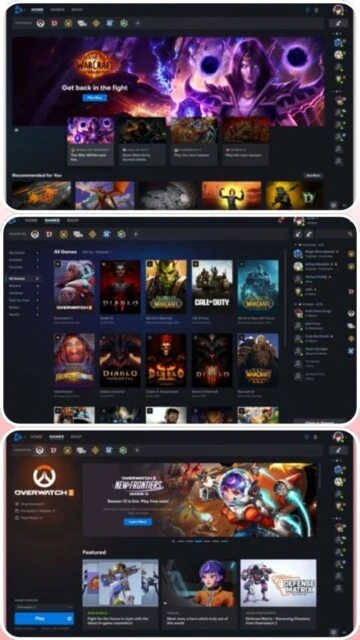
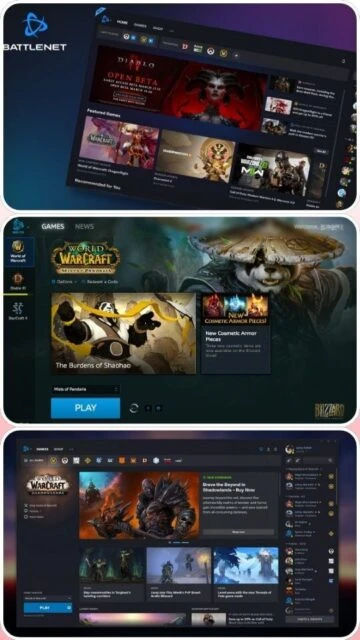
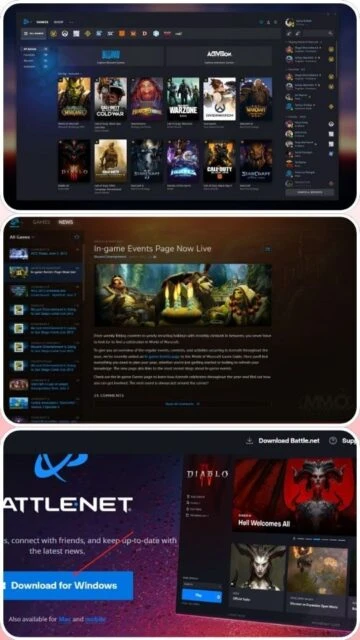
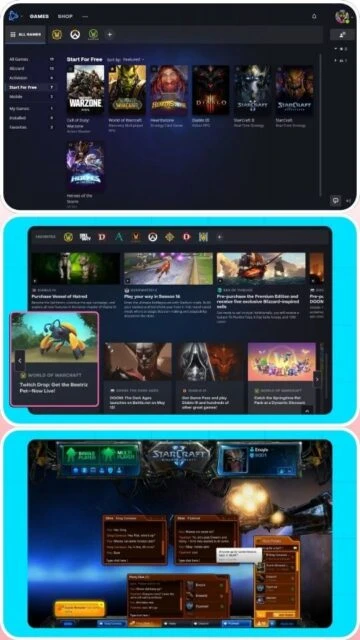
Battle.net Screenshots & Photos
Browse through screenshots and photos of Battle.net to see how it looks and works.
Battle.net Videos
Watch videos to see how this software works and learn about its features.

 34
34