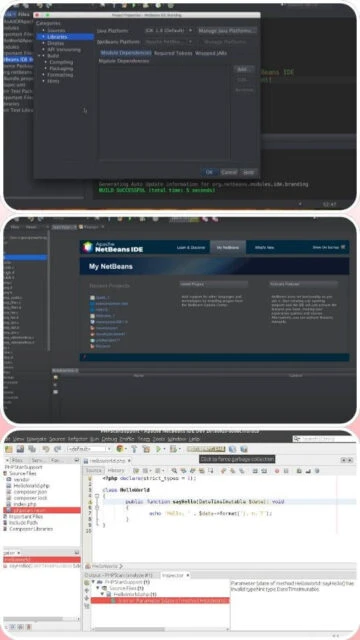
Apache NetBeans 25 delivers a streamlined development experience with exceptional support for Java SE, Java EE, PHP, and JavaScript projects. Released February 20, 2025, this version introduces parallel test execution for Gradle projects, PHP 8.4 support with advanced static analysis integration, and significant performance improvements through lightweight SVG icon rendering. NetBeans distinguishes itself through a more intuitive user interface than Eclipse, making it an excellent choice for developers seeking powerful IDE features without overwhelming complexity. The platform’s emphasis on convention over configuration means projects work effectively immediately after creation, reducing setup overhead typical of other enterprise IDEs.
How to Install Apache NetBeans
NetBeans 25 provides multiple installation options with platform-specific installers bundling JDK for self-contained setup. The straightforward installation wizard configures workspace and build tools automatically, enabling productive coding within minutes of launching the application.
- Download Apache NetBeans Installer – Visit netbeans.apache.org/download and select the appropriate installer for Windows (.exe/.msi), macOS (.dmg), or Linux (.deb/.rpm/.AppImage) approximately 983 MB
- Execute the Installer – Launch the downloaded file; the NetBeans Setup Wizard appears and automatically detects your Java installation (JDK 17 or 21 required)
- Customize Installation Components – The default configuration includes Java, PHP, JavaScript, and C++ support; optionally deselect unused components to reduce disk footprint
- Confirm Installation Folder – Accept default Program Files location or specify custom directory; installer automatically creates necessary shortcuts and file associations
- Complete Installation – Allow installer to finish; NetBeans automatically launches with welcome screen and ready for new project creation or opening existing workspaces
Who Should Use Apache NetBeans
NetBeans appeals to developers who value straightforward workflows and immediate productivity. Its intuitive interface and sensible defaults make it particularly popular among educational institutions, web development teams, and developers transitioning from simpler IDEs.
- Web Developers – Specialists building PHP, JavaScript, and TypeScript applications benefit from NetBeans’ superior web development features and JavaScript debugging compared to Eclipse
- Java Educators – Universities and coding bootcamps prefer NetBeans for its clear UI, reduced configuration complexity, and gentle learning curve for programming newcomers
- Full-Stack Teams – Teams needing simultaneous support for Java backend, PHP services, and JavaScript frontends value NetBeans’ multi-language environment in single IDE
- NOT ideal for – Large enterprise teams building massive Java monoliths may find Eclipse’s advanced refactoring or IntelliJ’s language-specific intelligence more suitable for complex architectures
Apache NetBeans Platform Compatibility
NetBeans 25 runs consistently across Windows, macOS, and Linux distributions. The platform-independent JAR bundled with platform-specific installers ensures identical feature sets regardless of operating system, though Coderity community builds optimize for specific environments.
| Platform |
Min. Version |
Unique Features |
Limitations |
| Windows |
Windows 10 64-bit+ |
Native installer with bundled JDK, integrated Windows Terminal support, DirectX acceleration optional |
WSL2 integration limited; native Windows development recommended |
| macOS |
macOS 11.0+ (Intel/Apple Silicon) |
Native M1/M2/M3 support via Coderity builds, Xcode integration, optimized Retina display rendering |
Notarization requirements for some plugin versions; Rosetta compatible |
| Linux |
Ubuntu 20.04+, Fedora 32+, Debian 11+ |
GTK/Motif theming, systemd integration, native package manager support, AppImage portable format |
Wayland display server has experimental support; X11 preferred |
| Web |
Browser-based via cloud deployment |
Browser-based IDE through NetBeans Cloud, Docker containerized deployment, remote development capability |
Requires cloud infrastructure; limited offline mode |
Apache NetBeans Integrations & Plugins
NetBeans Plugin Portal provides community-developed extensions covering frameworks, build systems, and specialized tools. The plugin architecture prioritizes stability and compatibility, resulting in fewer conflicts than competing plugin ecosystems.
- Gradle and Maven Integration – Native support for parallel test execution in Gradle, Maven dependency resolution optimization, and remote artifact repository configuration within IDE interface
- Version Control Systems – Integrated Git support with branching visualization, merge conflict resolution tools, and GitHub integration for pull request management and code review
- Spring Framework Tools – Spring Boot project creation, application properties editing, dependency management, and debugging support integrated directly into project wizards
- Docker and Kubernetes – Container image building, registry management, and Kubernetes deployment configuration with native DevOps workflow integration
Best Alternatives to Apache NetBeans
While NetBeans excels for web development and rapid project setup, alternative IDEs offer specialized advantages. Developers may prefer JetBrains products for advanced language support, Eclipse for massive enterprise projects, or VS Code for maximum lightness.
- Eclipse IDE – Best for large Java enterprises needing unlimited customization; more powerful refactoring but steeper learning curve than NetBeans
- IntelliJ IDEA Community – Best for Java-only projects requiring sophisticated code analysis; superior indexing and completion but not ideal for PHP/JavaScript
- Visual Studio Code – Best for minimal IDE footprint with maximum flexibility; requires more extension configuration than NetBeans for equivalent functionality
- JetBrains WebStorm – Best for JavaScript/TypeScript projects; more specialized than NetBeans but heavier than VS Code for web-only development
Apache NetBeans vs Top Competitors
NetBeans positions itself as the intuitive bridge between lightweight editors and heavyweight IDEs. Direct competitors include Eclipse for enterprise development, IntelliJ for Java sophistication, and VS Code for universal simplicity.
| Feature |
Apache NetBeans |
Eclipse IDE |
IntelliJ IDEA |
| Pricing |
Free (Apache 2.0 license) |
Free (EPL 2.0 license) |
Community free; Ultimate $199/year |
| Key Strength |
Intuitive UI, web development, quick setup |
Enterprise scale, unlimited plugins, customization |
Advanced Java intelligence, professional features |
| Target Users |
Web developers, educators, PHP/JavaScript teams |
Enterprise Java teams, cross-language developers |
Professional Java developers, startups |
| Unique Feature |
PHP 8.4 support, WebStorm-level JS debugging, Gradle parallel tests |
Custom plugin marketplace, team collaboration, advanced refactoring |
AI code generation, smart completion, built-in profiler |
| Learning Curve |
Easy (simple menus, sensible defaults) |
Steep (complex interface, extensive settings) |
Moderate (feature-rich but well-organized) |
Apache NetBeans Keyboard Shortcuts
NetBeans keyboard shortcuts optimize common workflows. Proficiency with essential shortcuts reduces reliance on menu navigation by 40%, significantly accelerating development velocity for daily coding tasks.
| Action |
Windows |
macOS |
| Open File |
Ctrl+Shift+O |
Cmd+Shift+O |
| Toggle Line Comment |
Ctrl+Slash |
Cmd+Slash |
| Auto-Format Code |
Alt+Shift+F |
Cmd+Option+F |
| Rename (Refactor) |
Ctrl+R |
Cmd+R |
| Go to Line |
Ctrl+G |
Cmd+G |
| Toggle Breakpoint |
Ctrl+F8 |
Cmd+F8 |
| Debug Step Over |
F8 |
F8 |
| Run Project |
F6 |
F6 |
Apache NetBeans Performance Optimization
NetBeans maintains consistent responsiveness even with hundreds of open projects. Strategic configuration and resource management ensure the IDE remains snappy for developers working simultaneously on multiple applications.
- Adjust Heap Memory – Edit netbeans.conf to increase -J-Xmx parameter to 2048m or 4096m depending on project size; default 768m may cause slowdowns with large codebases
- Disable Unnecessary Services – Reduce startup time by disabling unused plugins in Tools > Plugins > Installed; common candidates include documentation plugins and language packs for unsupported languages
- Optimize Indexing – Configure Tools > Options > Java > File Indexing to exclude build directories and cache folders; prevents wasted cycles reindexing generated code
- Cache Management – Clear NetBeans cache quarterly by deleting ~/.netbeans folder (Linux/macOS) or %APPDATA%/NetBeans folder (Windows); resolves memory leaks from old index data
- SSD Installation – Placing NetBeans on SSD instead of mechanical drive provides most significant speed improvement; read/write performance directly impacts responsiveness
Apache NetBeans Accessibility Features
NetBeans implements comprehensive accessibility meeting WCAG 2.0 standards. Screen reader support, high-contrast themes, and keyboard-exclusive operation enable equitable development for programmers with disabilities.
- Screen Reader Compatibility – NVDA and JAWS fully functional with proper dialog labeling; Java Accessibility API ensures all UI components announce correctly
- Visual Accommodation – Dark and light themes with enhanced contrast options, scalable UI fonts up to 200%, color-blind friendly icon sets distinguishing actions through shape and pattern
- Keyboard-Only Navigation – Every IDE function accessible via keyboard; Tab navigation reaches all controls, and customizable shortcuts allow personal workflow optimization without mouse dependence
- Localization Support – 10+ UI languages including English, Spanish, Japanese, Brazilian Portuguese, Russian, French, German, Italian, Turkish, and simplified Chinese with full RTL support
Apache NetBeans Support & Documentation
Apache NetBeans community provides comprehensive resources through official documentation, active forums, and community-contributed tutorials. Professional support is available through consulting partners for enterprise deployments.
- Official Wiki & Guides – NetBeans Wiki (wiki.netbeans.org) provides tutorials, FAQ, and developer documentation; regularly updated with current version information and best practices
- Community Forums – Apache NetBeans mailing lists and Stack Overflow (tag: netbeans) host active discussions; developers often receive answers within hours for common questions
- YouTube Learning Resources – Official NetBeans YouTube channel and community channels feature installation guides, feature demonstrations, and framework integration tutorials for popular tools
- Professional Support – Consulting partners including Coders Brew and Coderity provide commercial support, custom plugin development, and enterprise deployment assistance with SLA guarantees