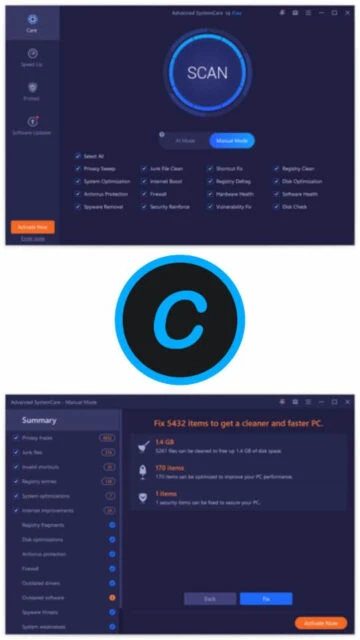
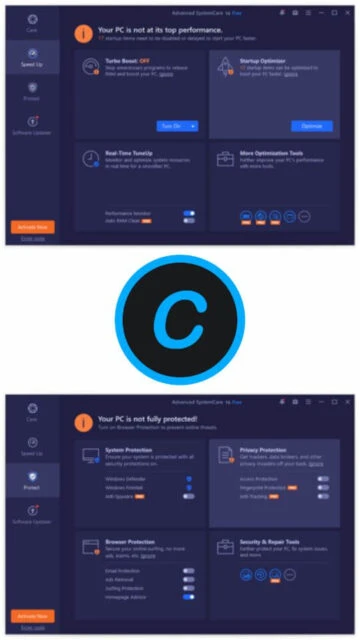
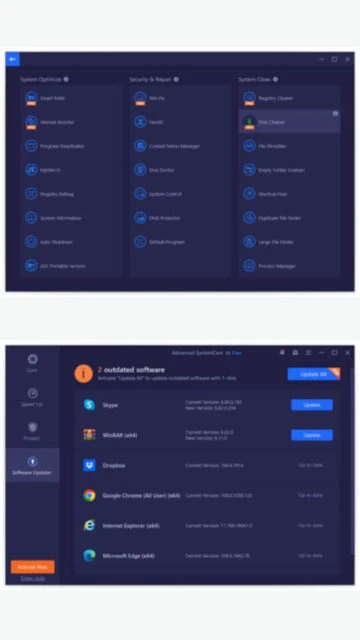
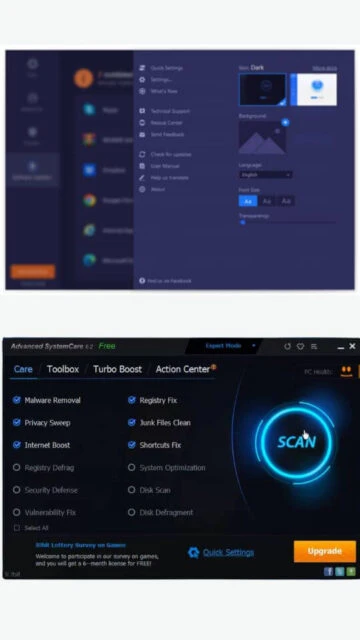
Advanced SystemCare is a trusted system optimization platform from IObit with millions of active users worldwide. The software has evolved significantly with AI integration in version 19, delivering intelligent optimization that adapts to user behavior and system conditions. Advanced SystemCare combines multiple maintenance tools including registry cleaner, startup optimizer, driver manager, and malware protection into one cohesive interface. The latest version features enhanced artificial intelligence algorithms that automatically profile user activities and apply appropriate optimization settings, whether gaming, working, or browsing.
System Requirements
Operating System:Windows 11, 10, 8.1, 8, 7, Vista, XP (32-bit and 64-bit)
Processor:1 GHz or faster (Intel Pentium 4, AMD Athlon equivalent)
RAM:512 MB
Disk Space:300 MB free space for cache and module data
Additional Requirements:Internet connection for updates and real-time protection recommended
Features Of Advanced SystemCare
AI Boost intelligent optimization with usage pattern learning
Deep registry cleaner removing invalid entries and preventing crashes
Startup optimization manager for faster boot times
Real-time antivirus and antispyware protection
Driver updater with automatic detection and installation
Software updater keeping applications current
Performance monitoring dashboard with CPU, RAM, disk tracking
Privacy sweeper removing online tracking and browsing traces
Internet optimizer for accelerating downloads and browsing
Safe folder encryption for sensitive file protection
Scheduled auto-care for automatic maintenance
Game booster for optimized gaming performance
Shortcut fixer and cleanup utility
Plugin and toolbar cleaner
Pros & Cons
Pros
Powerful AI-powered optimization adapts to user behavior
User-friendly intuitive interface even for non-technical users
Effective performance improvements on aging systems
Free version provides essential optimization functionality
Excellent value with affordable Pro pricing
Active development with regular feature updates
Comprehensive customer support and community resources
Cons
Free version includes occasional promotional messages
Some features require Pro subscription
Occasional aggressive upselling of bundled products
Real-time protection may conflict with some antivirus software
Not recommended as sole antivirus solution
Larger installation footprint than minimalist cleaners
Changelog
Version 19.0.1.160 (2025):
- Enhanced AI mode for more intelligent optimization
- Enlarged startup database for faster boot acceleration
- Expanded anti-spyware database for improved threat detection
- Added support for Chrome 135, Edge 135, Firefox 137
- Enhanced privacy cleaning for better data protection
- Improved Registry Clean engine efficiency
- Optimized multiple language support
- Fixed known bugs and stability issues
Version 18.3.0 (2025):
- Added advanced system cleanup features
- Improved performance optimization algorithms
- Enhanced driver management capabilities
Frequently Asked Questions
Does Advanced SystemCare really improve performance?
Yes, users report noticeable improvements in boot speed and application launch times. Performance gains depend on system condition and accumulated junk. Most effective on older systems with significant unnecessary files.
Is Advanced SystemCare safe?
Advanced SystemCare is from established IObit company and generally considered safe. It's recommended to backup important data before major cleaning operations. The software respects system stability and avoids removing critical files.
What's included in the free version?
Free version provides comprehensive cleaning, basic optimization, startup management, and limited malware detection. Pro version adds real-time protection, scheduled auto-care, enhanced features, and premium support.
Can Advanced SystemCare replace antivirus software?
No, Advanced SystemCare is not a complete antivirus replacement. It provides anti-malware detection but should work alongside dedicated antivirus software like Windows Defender for full protection.
How often should I run Advanced SystemCare?
Weekly optimization is recommended for regular maintenance. Pro users can enable scheduled auto-care for automatic weekly or monthly cleaning. More frequent usage helps maintain optimal performance on heavily used systems.
Does it work with Windows 11?
Yes, Advanced SystemCare fully supports Windows 11 with optimized compatibility. May require Memory Integrity to be disabled in Windows Security for optimal real-time protection functionality.
What is Advanced SystemCare?
Advanced SystemCare is an all-in-one PC optimization and maintenance platform developed by IObit. It combines system cleaning, performance tuning, malware protection, and privacy safeguarding into a single integrated solution. The software uses artificial intelligence to intelligently optimize system resources based on user behavior and current tasks.
Unmatched Power
Advanced SystemCare delivers AI-powered personalization that learns usage patterns and automatically applies optimization profiles for gaming, browsing, or work. Core features include deep registry cleaning, startup optimization, driver management, and real-time malware protection with spyware detection. The performance monitoring dashboard provides CPU, RAM, and disk usage visualization. Pro version includes scheduled auto-care, enhanced antivirus protection, safe folder data encryption, and premium technical support available 24/7.
Who Should Use It?
Advanced SystemCare suits Windows users seeking comprehensive system optimization beyond basic cleaning. It benefits gamers requiring performance tuning, privacy-conscious users wanting tracking prevention, and business professionals maintaining multiple computers. Both novice and advanced users appreciate the intuitive interface combined with powerful optimization tools and customizable features.
User reviews and ratings for Advanced SystemCare
See what users think about Advanced SystemCare. Read honest reviews and ratings from real users.
4.1
★★★★★
4 reviews
Excellent comprehensive optimization suite
by Michael Torres
★★★★★
2025-11-25
Advanced SystemCare delivers comprehensive system maintenance in one intuitive package. The AI optimization noticeably improved my system performance. Pro version worth the investment for real-time protection.
Good tool but watch for upselling
by Emma Wilson
★★★★★
2025-10-30
Advanced SystemCare works effectively for optimization and cleaning. The main drawback is constant upselling of additional IObit products. Once you disable the ads, it performs reliably.
Significant performance improvement
by Robert Kim
★★★★★
2025-09-14
Saw dramatic improvement in boot speed and application loading. The AI optimization adapts nicely to my usage patterns. Customer support responsive and helpful. Highly satisfied.
Reliable maintenance with minor issues
by Jessica Anderson
★★★★★
2025-08-22
Advanced SystemCare provides solid optimization functionality. However, real-time protection occasionally conflicts with Windows Defender. Recommend disabling one. Performance improvements moderate on modern systems.
Write a Review
Advanced SystemCare Screenshots & Photos
Browse through screenshots and photos of Advanced SystemCare to see how it looks and works.
Advanced SystemCare Videos
Watch videos to see how this software works and learn about its features.