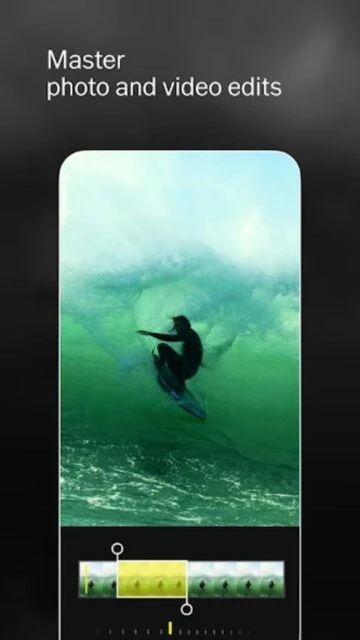
VSCO is a versatile photo and video editor with standout filters and a supportive creative community. Its minimalist interface fosters artistic exploration and easy project sharing.
Hundreds of presets, advanced editing tools, and Spaces for group collaboration make VSCO appealing for personal and professional use cases. Frequent updates keep features fresh and relevant.
Features Of VSCO: Photo & Video Editor
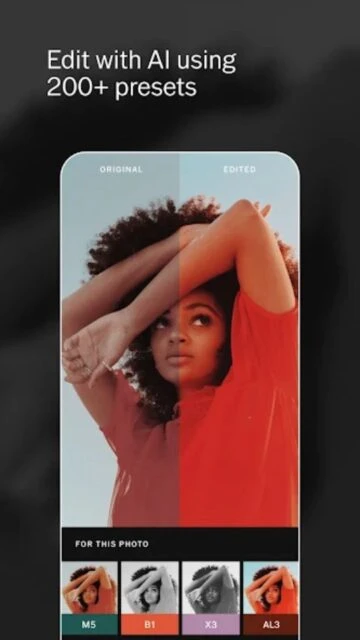
200+ creative presets for editing
VSCO Spaces for collaborative projects
Photo and video editing tools
Manual camera and burst/gif maker
Collage and montage creation
Dodge, Burn, HSL tools
Private and public sharing options
Accessible design and easy navigation
Premium Features in the Paid Plan
All premium preset filters unlocked
Advanced editing tools and HSL
Film emulation effects library
Batch editing and export
Exclusive video editing suite
Access to community discussions
Animated GIF and motion effects
Exclusive updates, tips, and features
Free with in-app purchases, VSCO Plus $39.99/year, Pro $12.99/month
Free vs Premium Comparison
Feature
Free
Premium
Editing tools
Basic adjust & 16 filters
All editing features, 200+ filters
Community
View & upload to gallery
Special access to Spaces, feedback
Camera modes
Basic stills
Manual, Burst, GIF, Retro effects
Presets
Limited set
Full premium/film library
Video editing
Not supported
Full video/editor suite
Animated GIF
Basic export
Motion tools, seamless effects
Support
Community FAQ
Priority support & member tips
Frequently Asked Questions
Is VSCO really free?
VSCO offers a free version with basic filters and tools. Advanced features and the full preset library require a premium membership.
Can VSCO edit videos?
Yes, VSCO provides robust video editing for premium members, including filters, trimming, and creative effects.
What happens if I cancel?
Canceling your membership ends premium access at your next billing date, but you keep all created projects and edits.
Does VSCO work offline?
Most editing tools are available offline. Online features like sharing, backups, and updates require connectivity.
Is there a student discount?
VSCO does not currently offer a dedicated student discount, but annual plans provide savings over monthly pricing.
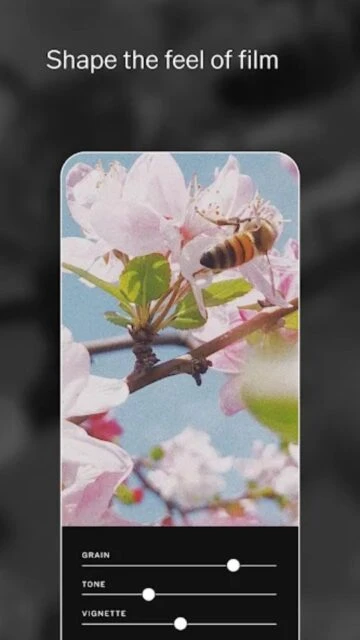
VSCO blends advanced photo editing with a curated creative community. Its filters and editing tools set the standard for high-quality mobile photo enhancement, inspiring millions to express their aesthetic vision.
Why Choose VSCO?
With a vast library of presets, easy sharing, and collaborative galleries, VSCO delivers unmatched filter depth and connectivity for creators. Its focus on artistic aesthetics and continual feature growth sets it apart.
Key benefit: 200+ curated presets for distinct photo styles
Another benefit: Social galleries and collaborative Spaces
Third benefit: Minimal interface favoring creativity
How It Works
Import photos or shoot with the VSCO camera, apply filters or manual adjustments, then share privately or to the VSCO gallery. Membership unlocks all editing tools and advanced controls for power users.
Who Should Use It?
VSCO is ideal for aspiring and professional photographers, social influencers, or anyone wanting easy yet powerful tools and a creative network for feedback, sharing, and artistic development.
User reviews and ratings for VSCO: Photo & Video Editor
See what users think about VSCO: Photo & Video Editor. Read honest reviews and ratings from real users.
4.7
★★★★★
3 reviews
My favorite mobile app for filters
by Evan Anderson
★★★★★
2025-11-18
VSCO makes my photos stand out and the community is full of inspiration. Lifetime user!
Good, but premium is expensive
by Perksofbeingagoat
★★★★★
2025-10-04
Nice app with creative tools. Some features should be free, but presets make it worthwhile if you edit often.
Too many new paywalls lately
by Lcall4
★★★★★
2025-09-19
I've used VSCO for years, but moving basic options into Pro was disappointing. Still solid editing app.
Write a Review
VSCO: Photo & Video Editor Screenshots & Photos
Browse through screenshots and photos of VSCO: Photo & Video Editor to see how it looks and works.