IPTV Smart Player functions as a neutral multimedia player designed specifically for users who already possess valid IPTV subscriptions—it contains no bundled content, relying instead on user-provided M3U playlist files or Xtream Codes credentials. Unlike Plex or YouTube TV offering curated streaming catalogs, this app serves as a technical solution for IPTV enthusiasts, IT professionals, and advanced users managing multiple IPTV service subscriptions simultaneously. The app supports 30+ media formats (M3U, M3U8, MP4, 3GP, WAV, FLAC) and streams 4K video at multiple resolutions (SD/HD/1080p/4K). Developed by Dmitri Iasibas, the lightweight 30MB installation requires Android 6.0+, making it compatible across budget phones and modern flagships. Updated October 2025, the app maintains strong ratings (3.9/5 from 30,000+ reviews) while remaining fully free with optional premium tier removing advertisements.
How to Get Started with IPTV Smart Player
Setup requires valid IPTV subscription details (M3U link or Xtream login credentials) and completes within 2-3 minutes. No account creation with the app developer is necessary; users authenticate directly through their IPTV service provider.
- Download and Launch the App – Install IPTV Smart Player from Google Play, open the app, and skip the optional tutorial; immediate access to playlist management screen
- Add Your M3U Playlist URL or Xtream Credentials – Obtain M3U link from IPTV service provider; tap Menu > Add List > URL, paste your M3U/M3U8 URL, and wait 5-10 seconds for channels to load automatically
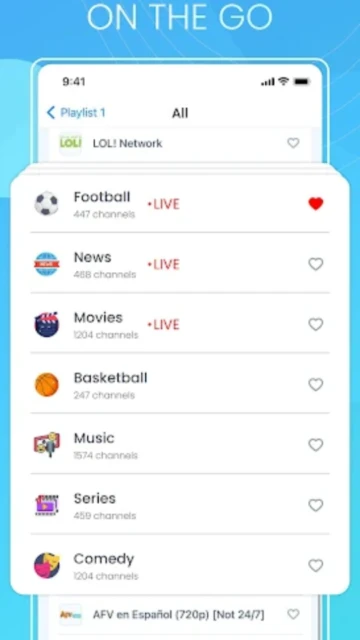
- Organize Channels into Categories – Imported channels auto-sort by category (Sports, Movies, News); manually drag channels between categories or create custom folders via Edit > Create Folder
- Select Playback Settings and Begin Streaming – Tap any channel to stream; adjust quality via Settings > Video Quality (choose Auto for internet-dependent optimization or Manual for fixed 1080p)
Who Should Use IPTV Smart Player
IPTV Smart Player appeals to advanced users with existing IPTV subscriptions, IT professionals managing multiple services, and viewers seeking customization beyond mainstream streaming apps.
- IPTV Subscription Owners – Users with valid M3U-based IPTV accounts seeking reliable playback across Android phones, tablets, and Chromecast-enabled devices
- Technical Users & IT Professionals – Advanced users comfortable managing playlists, editing configuration files, and troubleshooting codec compatibility issues
- Multi-Service Subscribers – Viewers managing 2-3 simultaneous IPTV providers; the app consolidates multiple M3U playlists into single unified interface
- NOT ideal for – Casual users seeking content bundled directly (use Netflix, YouTube TV); viewers uncomfortable with technical setup; those seeking customer support guarantees
IPTV Smart Player Platform Compatibility
IPTV Smart Player supports Android phones/tablets, Chromebooks, and via Chromecast, standard televisions—optimizing for each platform’s unique capabilities and screen sizes.
| Platform |
Min. Version |
Unique Features |
Limitations |
| Android Phone |
Android 6.0+ |
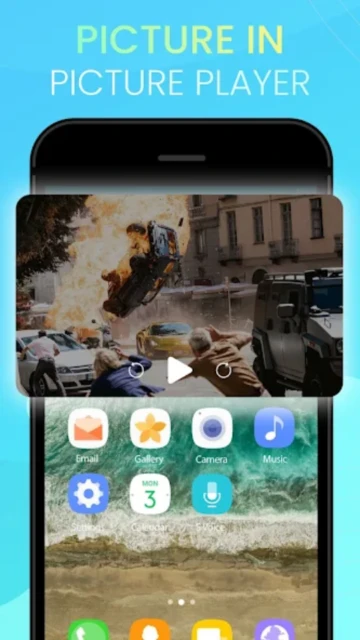
Quick-access favorites, floating window PiP mode, offline channel list storage, gesture-based controls |
H.265 codec support varies by device processor; some 2015-2017 models cannot decode 4K |
| Android Tablet |
Android 6.0+ |
Split-screen multitasking compatible, landscape UI optimized for larger displays, faster channel switching on 4GB+ RAM devices |
Web browsing compatibility unstable; stick to app-only usage for stability |
| Chromecast |
1st Gen+ (2013) |
One-tap casting from phone, resume playback on TV instantly, remote control via phone app, audio-only cast mode |
1st Generation Chromecasts (2013) limited to 1080p maximum; cast stability varies with WiFi signal strength |
| Smart TV (Android TV) |
Android TV 5.0+ |
Native app installation, remote control voice search, picture-in-picture channel browsing, 4K output on compatible 2020+ models |
Older Android TV boxes (2018 and earlier) struggle with simultaneous UI rendering and 4K decoding; manual channel selection required |
IPTV Smart Player Integrations & Ecosystem
IPTV Smart Player integrates with Chromecast devices, external media storage, and complementary IPTV tools—extending functionality beyond the app’s core player.
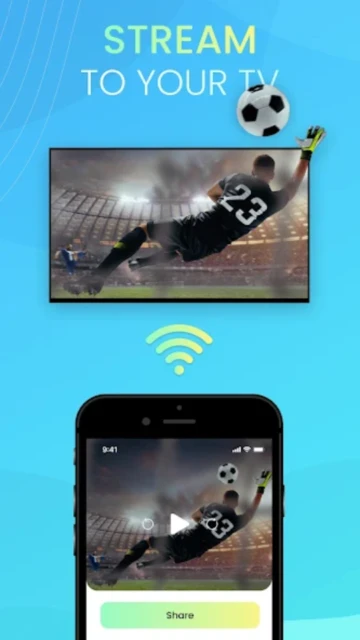
- Google Chromecast Broadcasting – Stream any channel from phone to Chromecast-enabled TV with one tap; resume from phone simultaneously continues on TV with seamless handoff
- M3U Playlist Import/Export – Import multiple M3U files, organize custom playlist files, and export edited versions for use in other compatible IPTV players (Kodi, VLC)
- Xtream Codes API Support – Directly connect to Xtream-based IPTV services using username/password; automatic channel categorization occurs based on provider configuration
- External Storage Access – Load M3U playlists from USB drives, SD cards, or cloud storage (Google Drive/Dropbox); supports local file playback without requiring URL-based streaming
Best Alternatives to IPTV Smart Player
Several IPTV players target similar audiences, differentiating through UI design, codec support, and integration ecosystems.
- TiviMate – Best for advanced customization, TiviMate offers extensive UI theming, channel reordering, and EPG (Electronic Program Guide) integration; $4.99 one-time purchase vs IPTV Smart Player’s free tier
- OTT Navigator – Best for multi-service management, supports unlimited playlist switching and integrated VPN for privacy; $8.99 premium with 7-day free trial, more feature-rich than competitor apps
- Kodi + PVR Client – Best for universal media center, Kodi handles music, movies, photos alongside IPTV through PVR client plugins; completely free and open-source but requires technical setup
- VLC for Android – Best for lightweight streaming, VLC plays M3U playlists with robust codec support and minimal resource usage; free and open-source alternative to dedicated IPTV players
IPTV Smart Player vs Top Competitors
IPTV Smart Player competes on simplicity and free access, though specialized alternatives excel in customization depth, EPG integration, and subscription management features.
| Feature |
IPTV Smart Player |
TiviMate |
OTT Navigator |
| Pricing |
Free (basic) / $1.99 Premium removes ads |
$4.99 one-time purchase (no ads), no free tier |
Free trial 7 days / $8.99/month premium |
| Key Strength |
Lightweight 30MB, no account required, instant M3U loading |
Extreme UI customization with 50+ themes, color palettes, custom categories |
Multi-provider switching, built-in VPN, unified watchlist across services |
| Target Users |
Budget users, technical beginners, lightweight device owners |
IPTV power users wanting UI customization and aesthetic control |
Privacy-conscious users managing multiple IPTV services simultaneously |
| Unique Feature |
30MB app size (vs TiviMate 95MB), supports 30+ media formats, zero tracking |
Full-screen channel guide showing program info 72 hours ahead |
Automatic VPN routing, unified watchlist, cross-service resume playback |
| EPG Support |
None; relies on channel names only |
Full EPG with program descriptions, air times, director/cast info |
Integrated EPG with manual guide editor for missing programs |
IPTV Smart Player Privacy & Security Overview
IPTV Smart Player prioritizes user privacy through minimal data collection, local-only processing, and no cloud synchronization of viewing data.
| Security Aspect |
Implementation |
User Control |
| Data Encryption |
M3U URLs and Xtream credentials encrypted locally using AES-256; never transmitted to app developer servers |
Optional: users can disable playlist encryption for lighter device processing (not recommended) |
| Authentication |
Credentials stored locally on device using Android KeyStore; no cloud backup occurs automatically |
Users can manually export encrypted credentials for backup to USB; PIN-protect sensitive M3U files |
| Data Collection |
Zero data collection regarding viewing behavior; no tracking, no analytics, no crash reports to external servers |
All viewing data remains completely local; users control data via device settings (no opt-out toggles in app) |
| Third-Party Sharing |
Developer statement confirms no third-party data sharing; privacy policy prohibits any external disclosure of credentials or usage patterns |
Users responsible for IPTV service provider compliance; app does not monitor or restrict any content access |
IPTV Smart Player Accessibility Features
IPTV Smart Player supports assistive technologies for visually and hearing-impaired users, though accessibility optimizations lag behind mainstream streaming apps.
- Screen Reader – Partial TalkBack (Android) support for menu navigation; channel names and categories announced clearly; video player controls require manual labeling
- Visual – Light and dark modes toggle via Settings, customizable font sizes up to 24pt for UI text (subtitles independently adjustable in video player)
- Motor – Voice command compatibility with Google Assistant for basic channel launch; custom gesture mapping for single-hand operation available via accessibility settings
- Languages – Interface available in 28 languages including English, Arabic, Spanish, Portuguese, Russian; RTL support for right-to-left languages confirmed
Power User Tips for IPTV Smart Player
Advanced users maximize streaming quality, organize complex playlist hierarchies, and troubleshoot compatibility issues through lesser-known settings and workarounds.
- Import Multiple M3U Playlists into Single Interface – Add 2-3 different IPTV provider M3U links sequentially via Menu > Add List; app automatically consolidates channels with intelligent deduplication, eliminating duplicate channels
- Customize Video Player Quality Based on Connection Speed – Go to Settings > Video Quality and manually select Fixed 1080p instead of Auto to prevent adaptive bitrate reducing quality on weak WiFi; test actual quality with speedtest.net first
- Enable Light Mode for Daytime and Dark Mode for Evening – Toggle Settings > Theme between Light (white) and Dark (black) to reduce eye strain; app remembers preference even after restart
- Create M3U Backup Files Weekly – Export your current playlist via Menu > Export > Save as M3U to local storage as backup; prevents losing custom category organization if app crashes
- Fix Audio Codec Compatibility Issues – If streams show video but no audio, adjust Settings > Audio Codec from Auto to Manual and test alternative codecs (AAC, MP3, Opus) until audio appears
IPTV Smart Player Support & Community
Developer support channels, GitHub discussions, and user communities provide technical guidance for playlist setup, codec troubleshooting, and feature requests.
- Developer Contact – Email [email protected] for bug reports and feature requests; developer actively responds to technical issues within 48 hours
- Community Support – Reddit’s r/IPTV features 50,000+ subscribers discussing IPTV service providers, playlist management, and app comparisons; exceptional technical troubleshooting discussions
- GitHub Repository – Developer maintains GitHub issue tracker for bug reports and feature requests; community members contribute solutions and workarounds
- Social Media – Monitor @IPTVSmartPlayer on Twitter/X for app updates, new feature announcements, and 2025 compatibility confirmations with latest Android versions