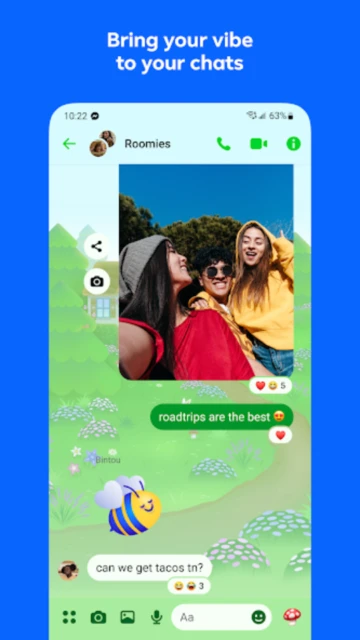
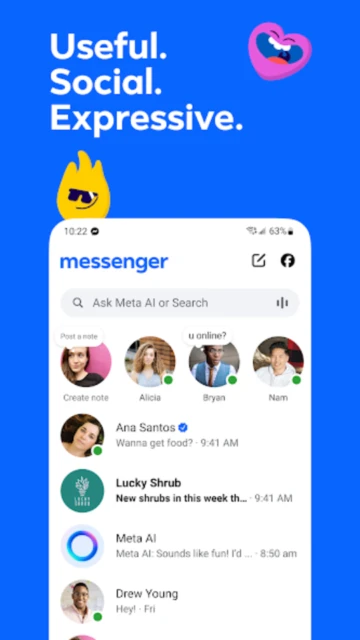
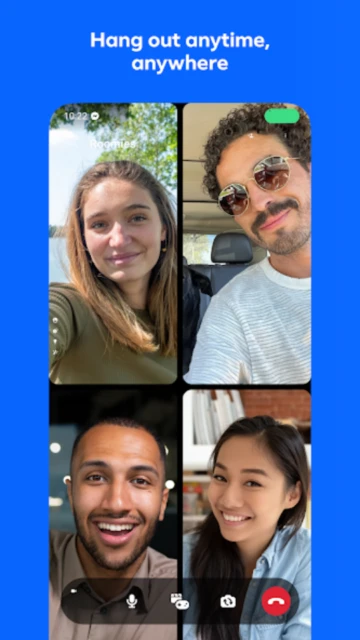
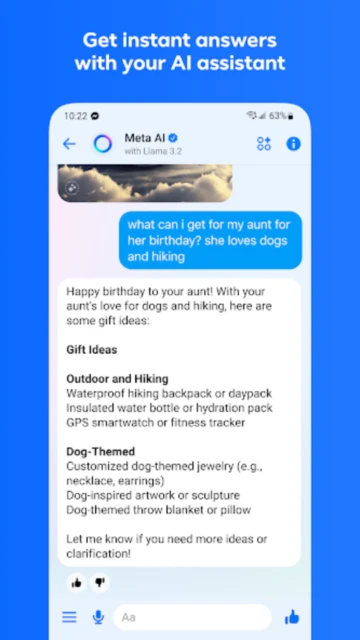
Facebook Messenger stands as one of the most widely-adopted messaging platforms globally, serving 1.01 billion monthly active users with seamless text, voice, and video communication. Unlike competitors that require phone numbers or separate sign-ups, Messenger integrates directly with Facebook and Instagram accounts, making connection instantaneous. The app distinguishes itself through Meta AI integration—an AI assistant available for answering questions, drafting responses, and generating creative stickers. Recent 2025 updates introduced split payments for group expenses, AI-generated chat backgrounds, and enhanced sticker customization, positioning Messenger as a feature-rich alternative for users already embedded in Meta’s ecosystem.
How to Get Started with Messenger
Messenger onboarding is straightforward for Facebook account holders. Download the app from Google Play or App Store, log in with your Facebook credentials, and immediately access your contact list. First-time users should configure privacy settings, enable end-to-end encryption for sensitive conversations, and customize notification preferences.
- Download and log in – Install Messenger and authenticate with your Facebook account to sync all contacts instantly
- Configure privacy settings – Access Settings → Privacy to manage who can message you, control activity status visibility, and enable message requests filtering
- Enable disappearing messages – For confidential conversations, use Secret Chats with end-to-end encryption that auto-deletes messages after your chosen timeframe
- Customize notifications – Adjust sound, vibration, and banner settings per conversation to avoid notification fatigue while staying responsive
Who Should Use Messenger
Messenger serves diverse user segments, from casual social users maintaining friendships to businesses managing customer relationships. Its no-phone-requirement approach appeals to international users and those protecting their mobile numbers.
- Facebook ecosystem users – If you actively use Facebook or Instagram, Messenger integrates seamlessly without additional sign-ups or app switchers
- Group organizers and event planners – Split Payments feature streamlines rent, travel expenses, and bill splitting with automatic calculation and settlement tracking
- Content creators and businesses – Broadcast channels allow one-way messaging to followers; Meta Business Suite integration enables automated responses and customer inquiry management
- NOT ideal for – Privacy-first users preferring decentralized platforms should consider Signal, which offers mandatory end-to-end encryption across all messages by default
Messenger Platform Compatibility
Messenger maintains broad platform support with optimized experiences across mobile, tablet, and desktop environments. Android and iOS versions receive simultaneous feature updates, while web access provides desktop functionality through messenger.com.
| Platform |
Min. Version |
Unique Features |
Limitations |
| Android |
7.0+ |
In-app sticker creation, AI-generated backgrounds, split payments, full theme customization |
None significant; all core features available |
| iOS |
15.1+ |
iMessage-quality video calls, Siri integration for voice messages, iOS-specific themes |
File sharing limited to app gallery; external file managers require workaround |
| Web (messenger.com) |
Chrome/Safari/Firefox current versions |
Desktop notifications, full chat history search, file uploads up to 100MB, desktop calling |
Video call quality lower than native apps; some AI features desktop-delayed |
| Desktop (deprecated) |
Windows 10+, macOS 10.14+ |
Standalone application with offline message queuing |
Windows/Mac apps discontinued December 15, 2025; users redirected to web version |
Messenger Integrations & Ecosystem
Messenger integrations extend functionality beyond messaging into payments, business operations, and content discovery. Facebook ecosystem integration provides unmatched coverage for users already using Meta platforms.
- Instagram Direct Messages – Unified messaging across Facebook and Instagram allows single conversation view; reply to Instagram comments directly within Messenger
- Meta AI assistant – Generate images, draft responses, summarize text, answer questions, and create animated stickers without leaving the chat interface
- Messenger Pay – Send and receive money directly in chats through integrated payment processing; available in select countries with bank/card linking
- Meta Business Suite – Connect commerce pages, manage customer inquiries, set automated responses, and track conversation metrics within Messenger for business accounts
Best Alternatives to Messenger
While Messenger dominates the social-integration messaging space, several alternatives excel in specific use cases. Choice depends on privacy priorities, user base, and feature requirements.
- WhatsApp – Best for: Global communication with encryption-first approach. Differentiator: Mandatory end-to-end encryption on all messages, larger file sharing (100MB+), no ads or data mining
- Telegram – Best for: Power users preferring cloud sync across devices. Differentiator: Unlimited cloud storage, 200,000+ member group chats, secret chats with self-destructing messages, bot automation
- Signal – Best for: Privacy advocates requiring maximum security. Differentiator: Open-source code, no data collection, disappearing messages, sealed sender protects recipient metadata
- Discord – Best for: Communities and group collaboration. Differentiator: 200,000-person servers, voice channels, rich scheduling features, built-in streaming and screen sharing
Messenger vs Top Competitors
Messenger’s competitive positioning reflects Meta’s social-first strategy, emphasizing ecosystem integration over privacy or advanced features. Direct comparison reveals trade-offs between convenience and control.
| Feature |
Messenger |
WhatsApp |
Telegram |
| Pricing |
Free with data collection |
Free, no ads or tracking |
Free with premium option ($5/month for additional features) |
| Key Strength |
Seamless Facebook/Instagram integration; AI-powered features |
End-to-end encryption on all messages; 2B+ users |
Cloud synchronization; bot ecosystem; largest group support |
| Target Users |
Facebook/Instagram users; businesses managing customer relations |
Privacy-conscious users; international communication |
Tech-savvy users; communities; channels/broadcasting |
| Unique Feature |
Meta AI generation (images, responses, stickers); split payments in groups |
Business API for customer messaging; encrypted backups |
Unlimited message editing; self-destruct timers; channels with up to unlimited subscribers |
| Offline Mode |
Partial – queues messages when offline, syncs on reconnect |
Full – stores messages locally, syncs when online |
Full cloud-based; access messages from any device with stored copies |
Messenger Privacy & Security Overview
Messenger implements layered security but maintains data collection practices typical of Meta platforms. Users have explicit control over encryption and message persistence through Secret Chats and disappearing messages.
| Security Aspect |
Implementation |
User Control |
| Data Encryption |
Standard chats: in-transit TLS encryption only; Secret Chats: end-to-end encryption (Signal protocol) |
Users manually enable Secret Chats per conversation; default messaging unencrypted server-side |
| Authentication |
Facebook credential login; optional two-factor authentication via code/authenticator apps |
Users enable 2FA in Facebook settings → Security; biometric unlock available on mobile |
| Data Collection |
Collects location, device info, contacts, call logs, and behavioral data; shared with Meta for advertising/research |
Limited opt-out via Privacy Center; location tracking can be disabled per-message; activity status toggleable |
| Third-Party Sharing |
Data shared with Meta corporate entities, business partners, and advertisers for personalization |
Users can request data deletion via settings, but shared copies may persist on Meta servers |
Messenger Accessibility Features
Messenger maintains baseline accessibility through standard screen reader support and modern UI patterns. While not certified WCAG AAA, the app accommodates common accessibility needs on both platforms.
- Screen Reader – Full VoiceOver (iOS) and TalkBack (Android) support for message reading, navigation, and controls; emoji descriptions verbalized by assistive tech
- Visual – Adjustable text size via system settings, dark mode toggle (automatic or manual), high contrast theme options, color-blind emoji variations
- Motor – Full voice command support via Siri/Google Assistant for hands-free messaging; alternative keyboard navigation; no gesture-only features without fallback
- Languages – Supports 111+ languages including RTL languages (Arabic, Hebrew); multilingual keyboard switching without app restart
Power User Tips for Messenger
Advanced Messenger usage unlocks productivity features not immediately apparent to casual users. These tips accelerate workflows and enhance privacy posture.
- Use Meta AI for drafting – Tap the spark icon before composing to get suggested replies, tone adjustments, or rephrasing; reduces message composition time by 30-40%
- Create saved replies for business – Enable quick responses for FAQ-type questions via Settings → Business Tools → Canned Responses; accessible via slash commands
- Enable message reactions over replies – Use emoji reactions on messages instead of typing “thanks” or “got it” to reduce notification noise in group chats
- Schedule messages in Secret Chats – Compose messages and use 3-dot menu → Send Later to deliver at specific times; useful for international conversations
- Archive instead of deleting – Archive conversations (swipe left iOS, long-press Android) to hide without losing history; prevents accidental message loss
Messenger Support & Community
Meta provides tiered support options ranging from self-service help articles to business-focused support. Community resources supplement official channels for troubleshooting and feature discovery.
- Official Help Center – messenger.com/help covers account issues, feature explanations, and troubleshooting; search function finds solutions for 95% of common problems
- Meta Community Forum – facebook.com/groups/messengerhelp (unofficial but monitored by Meta staff); users share workarounds and feature updates
- Social Media – @FacebookBugBounty on Twitter/X for security issues; @Meta on Instagram for official announcements and beta feature previews
- Contact Support – In-app Help → Report a Problem submits tickets to Meta support; responses typically arrive within 48-72 hours for account issues
Messenger Latest Updates & Roadmap
Meta continuously rolls out features across Messenger, with December 2025 updates focusing on AI enhancement and expense management. August-November 2025 saw significant releases in creative tools and group functionality. Version 528.0.0+ introduced animated sticker generation, AI-powered background customization, enhanced split payments tracking, and read receipt toggle per-conversation. Upcoming roadmap includes Messenger video call recording (currently testing), improved AI image generation parity with Instagram, and integration with WhatsApp for cross-Meta-app messaging. Performance optimizations target the reported force-stop issues affecting some Android 7-8 users, with version 520+ showing improved stability metrics.