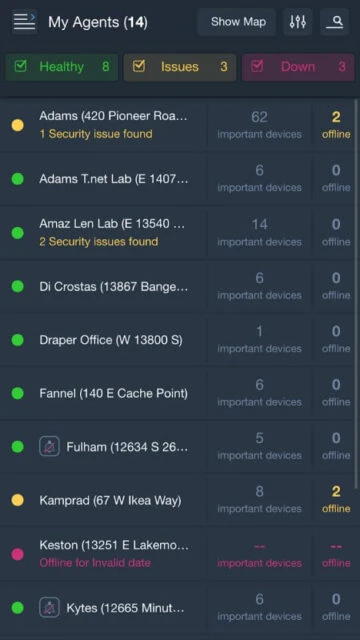
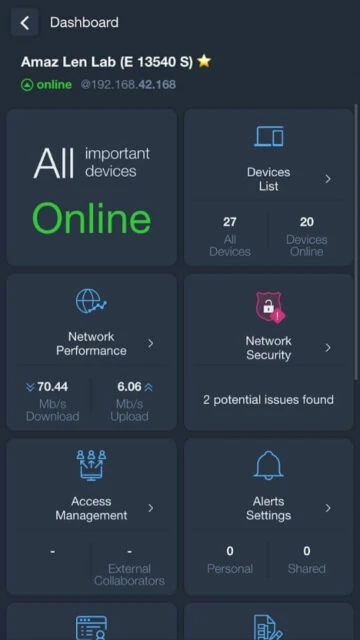
Domotz Pro delivers enterprise-grade network monitoring and remote management directly to your mobile device. Built for MSPs, integrators, and IT professionals, the app provides complete visibility into network topology, device inventory, and system health. Quickly identify connected devices, monitor network performance, and troubleshoot issues from anywhere with real-time alerts and diagnostics.
Why Choose Domotz Pro?
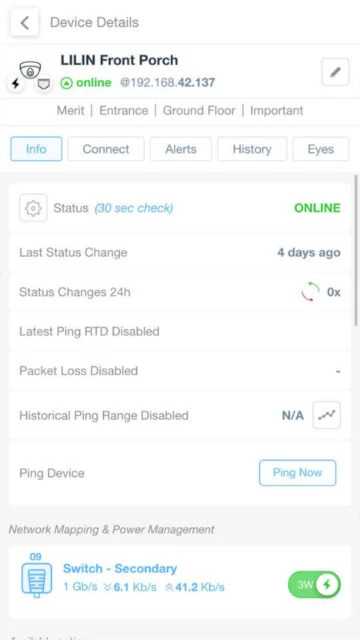
Organizations managing multiple networks benefit from Domotz Pro’s unified platform for monitoring and remote device access. The app delivers rapid device discovery through MAC address scanning with thirty-second heartbeat checks, ensuring accurate network status at all times. MSPs can efficiently manage customer networks with remote power management, port monitoring, and bandwidth analysis. Advanced collaboration features enable secure network access delegation, making it ideal for distributed teams and emergency response scenarios.
- Complete Device Inventory: Auto-discover all IP devices on your network in seconds using MAC address scanning
- Remote Device Access: Support for Web, RDP, SSH, Telnet, and console access for comprehensive remote management
- Real-time Alerts: Receive notifications for network down, device failures, and new device connections
How It Works
Domotz Pro requires installation of the Domotz Collector on your network through a Domotz Box, Raspberry Pi, or NAS device. The collector continuously scans for connected devices, monitors network health, and executes remote commands. The mobile app connects securely to your collector, displaying real-time network topology, device status, and performance metrics. Users can remotely access devices, manage power settings, and monitor bandwidth without onsite visits.
Who Should Use It?
Network administrators, IT support teams, and managed service providers rely on Domotz Pro for efficient network management. Small businesses managing single networks and large enterprises overseeing multiple customer networks both benefit from unified monitoring and remote access capabilities. The app serves integrators managing smart home installations and security professionals securing IoT infrastructure.