
Penetration testing analysis software (or penetration testing) is essential tools for information security specialists, as it enables them to discover and analyze security vulnerabilities in systems and networks before attackers exploit them. In this article, we review the top 10 penetration testing analysis tools used by companies and specialists in the cybersecurity field.
What are the top 10 penetration testing analysis programs
Penetration testing analysis programs are specialized tools designed to simulate cyberattacks and analyze weaknesses in systems. These programs help security experts understand how exposed their systems are to attacks and provide the necessary solutions. Below is a list of the top 10 penetration testing analysis tools:
- Metasploit Framework (Metasploit Framework)
- Nessus (Nessus)
- Nmap (Nmap)
- Burp Suite (Burp Suite)
- Aircrack-ng (Aircrack-ng)
- Hashcat (Hashcat)
- Zed Attack Proxy (OWASP ZAP)
- sqlmap (sqlmap)
- Nikto (Nikto)
- Maltego (Maltego)
Metasploit Framework (Metasploit Framework)
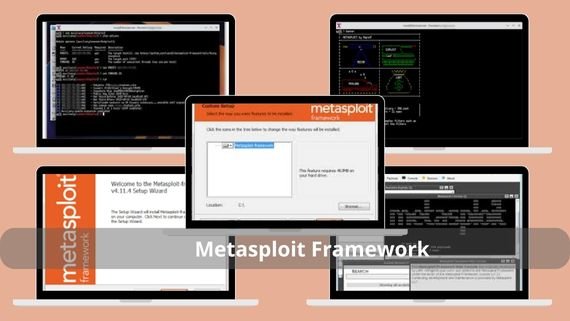
Metasploit Framework is considered the most powerful framework in penetration testing, as it combines a massive database of security vulnerabilities with the ability to develop custom exploits. It is highly flexible in dealing with various systems and environments, making it the first choice for professionals. Key specifications of Metasploit Framework include:
- A comprehensive database containing thousands of known vulnerabilities and ready-made exploits
- The ability to develop custom exploits using multiple programming languages such as Ruby and Python
- Full support for penetration testing across multiple platforms (Windows, Linux, macOS, networks)
- An advanced command-line interface (msfconsole) in addition to a graphical interface (Metasploit Pro)
- Continuous updates to the database to keep up with the latest security vulnerabilities
- Free and open source, with a paid version offering additional features
- An active community of developers and users providing ongoing support
- Seamless integration with other security tools such as Nmap and Nessus
- Full compatibility with various operating systems and virtual environments
Steps to install Metasploit Framework
To start installing Metasploit Framework, you will need to choose the appropriate version for your system from the official website. The installation process varies by operating system but follows clear and straightforward steps:
- ⬇️ Download Metasploit Framework for penetration testing and smart vulnerability exploitation 💥🔐
- For Linux systems: You can install directly via repositories using the command
sudo apt install metasploit-framework - For Windows systems: Run the installer file you downloaded
- Step by step, follow the on-screen instructions
- After installation completes, update the database using the command
msfupdatein the terminal - Run Metasploit with the command
msfconsolein the terminal to enter the interactive interface - To verify a successful installation, use
msfconsole -qto enter the interactive interface without welcome messages - Update modules periodically using
msfupdateto ensure you have the latest vulnerabilities and exploits
Nessus (Nessus)
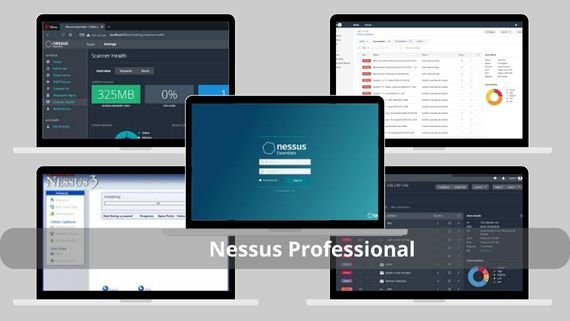
Nessus is the leader in vulnerability scanning, providing powerful capabilities to detect weaknesses in systems, networks, and applications. It is known for high accuracy and wide popularity among major companies and government institutions. Key specifications of Nessus:
- Comprehensive, in-depth scanning for security vulnerabilities in systems, networks, and applications
- A massive database containing more than 100,000 known security vulnerabilities
- The ability to scan local systems, remote networks, and hosted applications
- Detailed, customizable reports with multiple export and analysis options
- A user-friendly interface suitable for beginners and professionals
- Daily database updates to keep up with the latest security threats
- A free version (Nessus Home) for personal use and a paid version (Nessus Professional) for organizations
- Support for remote scanning with the ability to schedule scans automatically
- Integration capability with other cybersecurity management systems
- Compatibility with various operating systems and cloud environments
Steps to install Nessus
Installing Nessus requires following precise steps to ensure the program works correctly. The process starts by downloading the appropriate version from the official website and ends by setting up an account and activating the license:
- ⬇️ Download Nessus Professional to assess security vulnerabilities quickly and professionally 🛡️📊
- For Linux systems: Download the appropriate .deb or .rpm package for your distribution
- Install the package using
sudo dpkg -i Nessus-*.deborsudo rpm -i Nessus-*.rpm - For Windows systems: Run the .exe installer
- After installation, start the service with
sudo systemctl start nessusd - Open your browser and go to
https://localhost:8834to access the web interface - Create a new admin account and follow the instructions to set up Nessus for the first time
- Activate your license (Home or Professional) by entering the activation code
- Wait for Nessus to update the database (this may take some time depending on internet speed)
Nmap Nmap
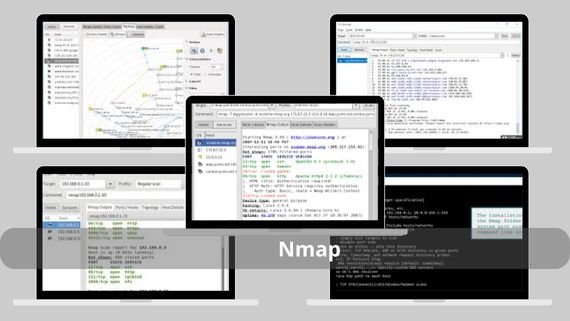
Nmap is the most powerful tool for discovering devices and services on networks, offering strong capabilities for network scanning and identifying open ports and running systems. It stands out for high accuracy and speed when handling large and complex networks. Key highlights of Nmap:
- Accurate discovery of all active devices and services on local and remote networks
- Identification of all open ports and their states (open/closed/filtered) with service information
- Support for advanced scanning techniques such as TCP SYN, UDP, TCP Connect, and more
- High-accuracy operating system detection (OS Detection) using TCP/IP fingerprints
- A powerful command-line interface with advanced options to control the scan process
- Scripting support (NSE Scripts) to extend functionality and run custom tests
- Compatible with operating systems (Windows, Linux, macOS, BSD)
- Continuous updates to add new features and improve performance
- Support from a large community of developers and users offering help and tips
Steps to install Nmap Nmap
Installing Nmap is a simple and straightforward process on most operating systems. The tool is available in official repositories for most distributions, making installation easy:
- ⬇️ Download Nmap to scan networks and secure systems accurately 🔍🌐
- For Linux systems: Install directly using
sudo apt install nmap - For Windows systems: Run the .exe installer
- For macOS systems: Install Homebrew then use
brew install nmap - After installation, verify the installed version with
nmap --version - Run Nmap in the terminal using
nmapfollowed by the required options and target - To use the graphical interface (Zenmap), install it separately if available for your system
- Update the script database periodically using
nmap --script-updatedbto get the latest scripts
Burp Suite (Burp Suite)
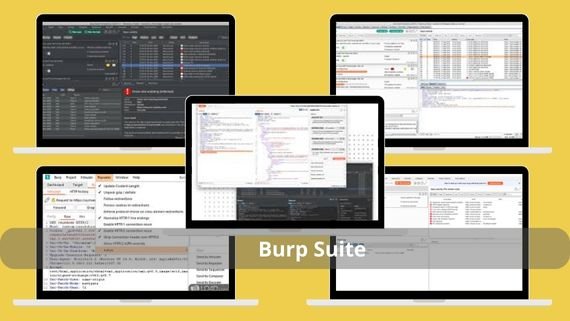
Burp Suite is the ideal solution for testing web application security, providing an integrated set of tools in a powerful graphical interface. It is popular among web security experts and offers strong capabilities for analyzing web vulnerabilities. Key features of Burp Suite:
- Comprehensive web application analysis from interception to exploitation
- Intercept and modify requests and responses between the browser and the server
- The ability to run advanced simulated attacks such as Brute Force and Fuzzing
- An easy-to-use graphical interface with specialized tools for each task
- Automatic scanning support for common vulnerabilities like XSS, SQL Injection, CSRF
- Seamless integration support with all major browsers via custom extensions
- A free version (Community) for developers and a paid version (Professional) for professionals
- Compatible with operating systems and environments
Steps to install Burp Suite
Installing Burp Suite requires some additional setup after installation. It starts with downloading the program and ends with setting up the security certificate and running it:
- ⬇️ Download Burp Suite to test web application security and discover vulnerabilities professionally 🛡️💻
- Download the .jar file for the free version or the installer for the paid version
- Requires Java 8 or newer
- Run Burp Suite using
java -jar burpsuite_community.jarin the terminal - For the paid version, run the installer and follow the on-screen instructions
- Set up proxy settings in the browser to route traffic through Burp Suite (port 8080)
- Open the browser and go to
http://burpto download and install the Burp certificate in your browser - Configure Burp Suite settings according to your needs (ports, advanced options)
- Update the program regularly to get the latest features and security fixes
Aircrack-ng (Aircrack-ng)
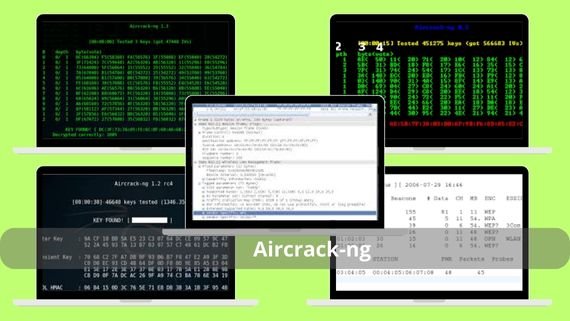
Aircrack-ng is the complete solution for evaluating Wi-Fi network security, offering an integrated set of tools to test Wi-Fi protection and recover passwords. It is effective at working with different encryption protocols. Key specifications of Aircrack-ng:
- Comprehensive Wi-Fi security testing using advanced techniques
- Recover Wi-Fi passwords encrypted with WEP/WPA/WPA2 protocols
- Full support for common encryption protocols with advanced attack options
- The ability to intercept and analyze data packets to discover weaknesses
- A powerful command-line interface with specialized tools for each task
- Compatible with various operating systems (Windows,macOS, Linux)
- Support from an active community of developers and users
Steps to install Aircrack-ng
Installing Aircrack-ng requires some setup related to wireless network cards. The process starts by downloading the tool and ends by enabling monitor mode on the network card:
- ⬇️ Download Aircrack-ng to analyze and crack Wi-Fi security professionally 📡🔐
- For Linux systems: Install using
sudo apt install aircrack-ng - For Windows systems: Run the .exe installer and follow the on-screen instructions
- For macOS systems: Install via Homebrew using
brew install aircrack-ng - Check the installed version with
aircrack-ng --version - Install wireless card drivers compatible with monitor mode
- Enable monitor mode on the network card using
airmon-ng start <interface> - Capture packets using
airodump-ng <interface>to identify target networks - Run the password cracking tool using
aircrack-ng -w <wordlist> <capture file>
Hashcat (Hashcat)
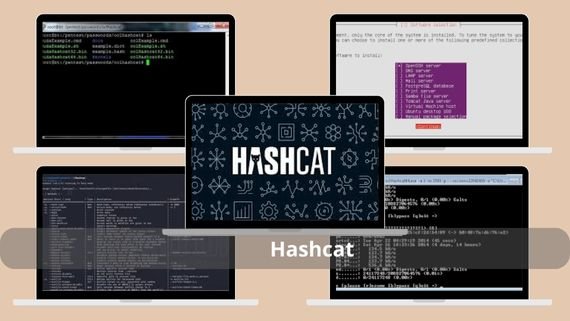
Hashcat is the fastest password cracking tool in the world, using GPU power to accelerate cracking. It is known for extreme speed and broad support for hundreds of different hash types. Specifications of Hashcat:
- The fastest password cracking tool in the world using GPU acceleration
- GPU acceleration support from NVIDIA (CUDA) and AMD (OpenCL)
- Support for more than 320 different hash types, including all common algorithms
- The ability to use wordlists and advanced dictionary attacks
- Support for brute-force attacks, hybrid attacks, and rule-based attacks
- Free and open source under the MIT license
- Compatible with all operating systems (Windows, Linux, macOS)
- Continuous updates to add new hash types and improve performance
Steps to install Hashcat
Installing Hashcat requires setting up the proper GPU drivers to benefit from processing power. The process starts by downloading the program and ends by running the first attack:
- ⬇️ Download Hashcat to crack passwords using GPU power quickly ⚡️🔑
- For Linux systems: Install directly via repositories using
sudo apt install hashcat - For Windows systems: Extract the compressed file and run hashcat.exe directly
- For macOS systems: Install via Homebrew using
brew install hashcat - Make sure the proper GPU drivers are installed (NVIDIA CUDA or AMD OpenCL)
- After installation, check the installed version with
hashcat --version - Run Hashcat in the terminal using
hashcatfollowed by the required options - Load a wordlist using the option
-mto specify the hash type - Run the attack using
hashcat -m <hash_type> -a <attack_mode> hash_file wordlist.txt - Monitor progress and wait until the hash is successfully cracked
Zed Attack Proxy (OWASP ZAP)
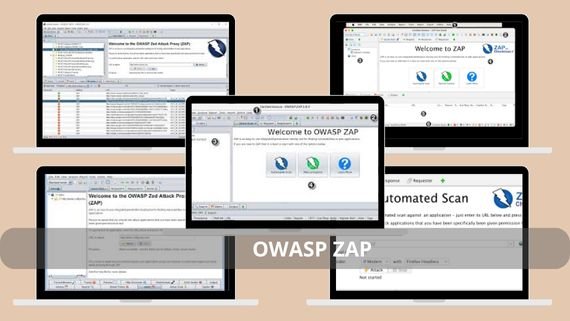
Zed Attack Proxy (ZAP) is the strongest free tool for testing web application security, developed by the reputable OWASP organization. It is easy to use and powerful in detecting common vulnerabilities. Specifications of Zed Attack Proxy:
- Comprehensive web application security testing using advanced techniques
- Discovery of common vulnerabilities in the OWASP Top 10 list (XSS, SQL Injection, CSRF, etc.)
- Support for automatic and manual scanning with advanced control capabilities
- An easy-to-use graphical interface suitable for beginners and professionals
- Free and open source under the Apache 2.0 license
Steps to install OWASP ZAP
Installing OWASP ZAP requires some additional setup after installation to ensure the tool works correctly with the browser. The process starts by downloading the tool and ends by setting up the security certificate:
- ⬇️ Download OWASP ZAP for web application security and efficient vulnerability discovery 🔐🚀
- Download the .jar file or the installer suitable for your system (Windows, Linux, macOS)
- Make sure Java is installed on your system (requires Java 8 or newer)
- Run ZAP using
java -jar zap.jarin the terminal - For the installed version, run the shortcut from the Start menu
- Set up proxy settings in your browser to route traffic through ZAP (port 8080)
- Open the browser and go to
http://zapto download and install the ZAP certificate in your browser - Configure ZAP settings according to your needs (ports, advanced options)
- Start automatic or manual scanning of the target application to discover vulnerabilities
- Analyze results and fix discovered vulnerabilities based on recommendations
sqlmap (sqlmap)
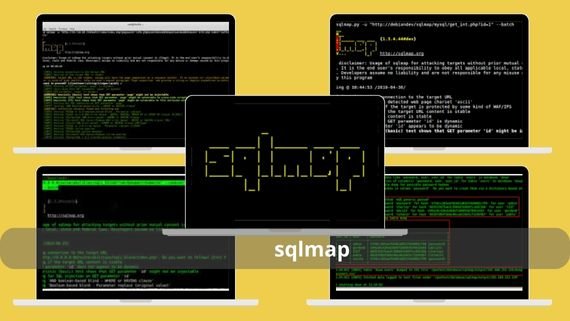
sqlmap is the strongest specialized tool for detecting and exploiting SQL injection vulnerabilities, providing powerful capabilities for working with different databases. It stands out for high accuracy and strong data extraction abilities. Key specifications of sqlmap:
- Accurate detection of SQL injection vulnerabilities in web applications using advanced techniques
- Exploitation of SQL injection vulnerabilities to extract data from databases
- Full support for all common databases (MySQL, PostgreSQL, Oracle, MSSQL, etc.)
- The ability to extract data from databases automatically
- Installable on operating systems (Windows, Linux, macOS)
- Continuous updates to keep up with the latest protection techniques and SQL vulnerabilities
Steps to install sqlmap
Installing sqlmap is a simple process because the tool depends on Python. The process starts by downloading the tool and ends by running the first test:
- ⬇️ Download sqlmap to detect and exploit SQL Injection vulnerabilities easily ⚡️🛡️
- Extract the compressed file
- Make sure Python is installed on your system (requires Python 2.6 or 3.x)
- Run sqlmap in the terminal using
python sqlmap.py - Add the sqlmap path to environment variables
- Run sqlmap with
--versionto verify a successful installation - Scan a web application using
python sqlmap.py -u "URL"to test for SQL vulnerabilities - Use advanced options such as
--dbsto list available databases - Extract data using
--dumpto display the contents of target tables
Nikto (Nikto)
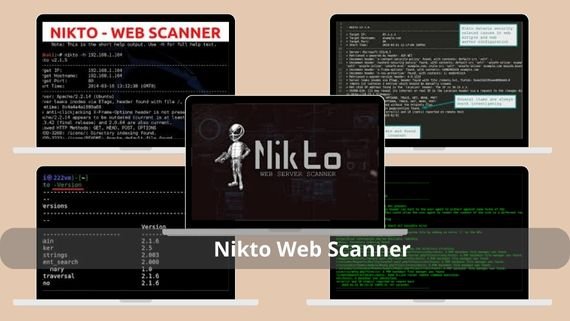
Nikto is the strongest tool for scanning web servers and discovering common security vulnerabilities, providing powerful capabilities to detect more than 6,700 types of security issues. It stands out for comprehensive coverage and scanning accuracy. Specifications of Nikto:
- Comprehensive scanning of web servers and discovery of common security vulnerabilities
- A powerful command-line interface with multiple options to control the scan process
- Free and open source under the GPL license
- Continuous updates to keep up with the latest vulnerabilities and protection techniques
- Covers all aspects of use and development
- Support for detailed reports in multiple formats (HTML, XML, CSV, etc.)
Steps to install Nikto Nikto
Installing Nikto is a simple process because the program depends on Perl. The process starts by downloading the tool and ends by running the first scan:
- ⬇️ Download Nikto Web Scanner to scan website security and discover vulnerabilities quickly ⚡️🔐
- Extract the compressed file into a suitable folder on your system
- Make sure Perl is installed on your system (requires Perl 5 or newer)
- Run nikto in the terminal using
perl nikto.pl - Add the nikto path to environment variables
- Run nikto with
-Versionto verify a successful installation - Scan a web server using
perl nikto.pl -h <target_host>to start scanning - Use advanced options such as
-portto specify a specific port to scan - Save results to a file using
-output <filename>for later analysis
Maltego (Maltego)
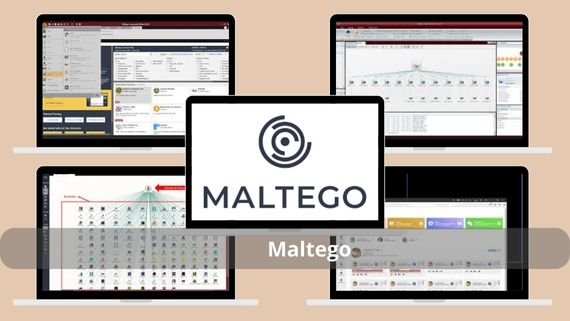
Maltego is the strongest tool for link analysis and intelligence gathering, providing powerful capabilities to map relationships between different entities. It stands out for data analysis strength and delivering a comprehensive view. Specifications of Maltego:
- Advanced link analysis between different entities (people, companies, websites, etc.)
- Open-source intelligence collection from multiple sources (social media, DNS records, etc.)
- Mapping relationships between people, companies, and websites in interactive graphs
- Support for multiple data sources with the ability to add custom sources
- An easy-to-use graphical interface with advanced analysis tools
- A free version (Community) for developers and a paid version (Commercial) for organizations
- Continuous updates to learn about the latest data sources and analysis techniques
- Compatible with different operating systems (Windows, Linux, macOS)
- Comprehensive documentation covering all aspects of use and development
Steps to install Maltego
Installing Maltego requires creating an account on the official website. The process starts by downloading the tool and ends by starting the first link analysis:
- Download Maltego ⬇️ for open-source intelligence.
- Choose between the free (Community) or paid (Commercial) version based on your needs
- Run the .exe or .dmg installer and follow the on-screen instructions
- Create an account on the Maltego website if you do not already have one
- Run the program and sign in with the account you created
- Activate your license (for the paid version) by entering the activation code
- Set up the transforms you want to use in your analyses
- Start analyzing entities by adding them to the main graph
- Run transforms to gather information about the selected entities
- Analyze the results and map relationships between the different entities
Comparison between penetration testing analysis programs
Choosing the best penetration testing analysis program depends on the type of test you want to perform. If you focus on web application testing, Burp Suite or OWASP ZAP may be the best choice. If you care about vulnerability scanning, Nessus or Nmap may be more suitable. Below is a comparison table to help you choose:
| Program name | Features | Disadvantages |
|---|---|---|
| Metasploit Framework | Huge database, exploit development, free | Requires high technical expertise |
| Nessus | Accurate vulnerability scanning, detailed reports, popular | The paid version is expensive |
| Nmap | Fast and accurate network scanning, free, cross-platform | Requires deep understanding of network protocols |
| Burp Suite | Graphical interface, comprehensive for web testing, free version | The paid version is expensive |
| Aircrack-ng | Specialized in Wi-Fi networks, free, effective | Limited use for Wi-Fi networks only |
| Hashcat | Fastest hash cracking tool, GPU support, free | Requires powerful hardware to benefit from GPU |
| Zed Attack Proxy | Free, easy to use, comprehensive for web testing | Less powerful compared to paid Burp Suite |
| sqlmap | Specialized in SQL vulnerabilities, free, effective | Limited use to SQL vulnerabilities only |
| Nikto | Comprehensive server scanning, free, detects 6700+ vulnerabilities | Scan results may be numerous and sometimes inaccurate |
| Maltego | Strong link analysis, intelligence information gathering | The free version has limited features |
It can be said that the world of penetration testing analysis software is rich and diverse, offering powerful tools for information security specialists. These programs help protect systems and networks from cyberattacks by discovering vulnerabilities before they are exploited. The important thing is to use these tools ethically and legally, and to obtain the necessary permissions before conducting any test.